
Giới thiệu
This manual provides detailed instructions for setting up, operating, maintaining, and troubleshooting your Amazon Kindle Paperwhite Signature Edition 32GB. Please read this guide thoroughly to ensure optimal use of your device.
1. Thiết lập
1.1 Mở hộp và sạc ban đầu
Upon unboxing, locate the Kindle Paperwhite Signature Edition device and the included USB-C charging cable. It is recommended to fully charge your device before first use.
- Bao gồm trong hộp: Kindle Paperwhite Signature Edition, cáp sạc USB-C, hướng dẫn sử dụng nhanh.
- Sạc: Connect the USB-C cable to the Kindle and a compatible USB power adapter (9W adapter recommended, sold separately). A full charge takes less than 2.5 hours.
- Sạc không dây: The Signature Edition supports wireless charging. Place the device on a compatible wireless charging dock (sold separately).

Image: Kindle Paperwhite Signature Edition charging wirelessly on a dock. The device can be charged via USB-C or wirelessly for extended battery life.
1.2 Bật/Tắt nguồn
- Để bật nguồn: Press and hold the power button located on the bottom edge of the device until the screen lights up.
- Để Tắt Nguồn: Press and hold the power button until a power dialog appears, then select 'Power Off'. A short press will put the device to sleep.
1.3 Kết nối Wi-Fi
To access the Kindle Store and download content, connect your device to a Wi-Fi network.
- Từ màn hình chính, chạm vào Cài đặt icon (gear icon) or swipe down from the top of the screen and tap Tất cả cài đặt.
- Lựa chọn Wi-Fi và Bluetooth, sau đó Mạng Wi-Fi.
- Chọn mạng bạn muốn sử dụng từ danh sách và nhập mật khẩu nếu được yêu cầu.
Thiết bị hỗ trợ mạng 2.4 GHz và 5.0 GHz với các chuẩn bảo mật WEP, WPA, WPA2, WPA3 và OWE.
1.4 Thiết lập tài khoản
Register your Kindle to your Amazon account to access your content library and the Kindle Store.
- After connecting to Wi-Fi, follow the on-screen prompts to sign in with your Amazon account credentials.
- If you do not have an Amazon account, you can create one during this process.
2. Sử dụng Kindle của bạn
2.1 Basic Navigation and Page Turns
The Kindle Paperwhite Signature Edition features a 7-inch glare-free display designed for comfortable reading.
- Lật trang: Tap the right side of the screen to turn to the next page, or the left side to go back. Swiping left or right also turns pages.
- Màn hình chính: Tap the top of the screen to reveal the navigation bar, then tap the Trang chủ icon to return to your library.

Image: A hand holding the Kindle Paperwhite, displaying a book page. The 7-inch Paperwhite display offers fast page turns for an enhanced reading experience.
2.2 Tính năng đọc
Customize your reading experience with various display and font settings.
- Adjusting Front Light: The Signature Edition features an auto-adjusting front light. You can also manually adjust the brightness by tapping the top of the screen while reading and using the brightness slider.
- Ánh sáng ấm áp: Adjust the warmth of the screen light for comfortable reading in different environments.
- Chế độ tối: Invert screen colors for white text on a black background, ideal for low-light conditions. Access this from the quick settings menu.
- Cài đặt phông chữ: While reading, tap the top of the screen, then select the Aa Biểu tượng này dùng để điều chỉnh kích thước phông chữ, kiểu phông chữ, khoảng cách dòng và lề.
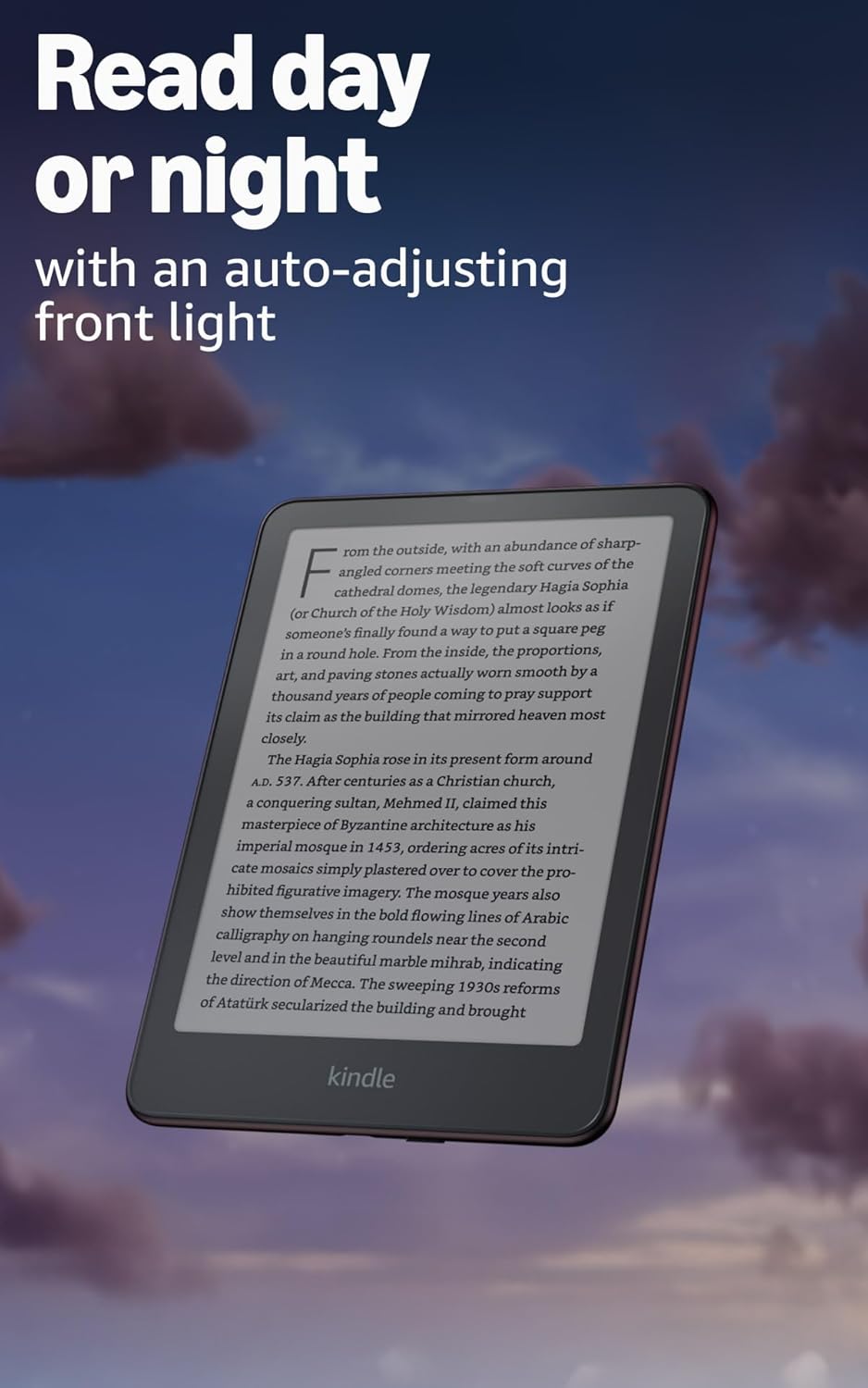
Image: Kindle Paperwhite screen illuminated in a dark room. The auto-adjusting front light allows for comfortable reading day or night.

Image: Close-up of the Kindle Paperwhite screen displaying text. Enjoy a glare-free display without distracting notifications.
2.3 Quản lý nội dung
Your Kindle provides access to a vast library of content.
- Cửa hàng Kindle: Từ màn hình chính, chạm vào Cửa hàng icon to browse and purchase books.
- Thư viện: All purchased content is stored in your library and can be downloaded to your device.
- Lưu trữ đám mây: All Amazon content is stored for free in the cloud, allowing you to access it from any compatible device.
- Định dạng được hỗ trợ: Định dạng Kindle 8 (AZW3), Kindle (AZW), TXT, PDF, MOBI không được bảo vệ, PRC gốc; PDF, DOCX, DOC, HTML, EPUB, TXT, RTF, JPEG, GIF, PNG, BMP thông qua chuyển đổi; Định dạng âm thanh có thể nghe được (AAX).

Image: A collage of various book covers. The Kindle Store offers access to over 15 million titles worldwide.
2.4 Sách nói
Listen to Audible audiobooks on your Kindle Paperwhite Signature Edition.
- Bluetooth: Connect Bluetooth headphones or speakers to your Kindle via the Wi-Fi và Bluetooth cài đặt.
- Playing Audiobooks: Download Audible audiobooks from the Kindle Store and play them through your connected Bluetooth device.
2.5 Chống thấm
Your Kindle Paperwhite Signature Edition is waterproof (IPX8 rated).
- It is tested to withstand immersion in 2 meters of fresh water for 60 minutes.
- This makes it suitable for reading by the pool, in the bath, or at the beach.
- After exposure to water, ensure the USB-C port is dry before charging.
3. Bảo trì
3.1 Vệ sinh thiết bị của bạn
- Use a soft, lint-free cloth to clean the screen and body of your Kindle.
- Tránh sử dụng chất tẩy rửa có tính mài mòn, dung môi hoặc bình xịt.
- If the device has been exposed to water, gently wipe it dry.
3.2 Chăm sóc pin
- To maximize battery life, avoid exposing your Kindle to extreme temperatures.
- A single charge can last up to twelve weeks, based on half an hour of reading per day with wireless off and the light setting at 13. Heavy use, especially with wireless features or audiobook streaming, will reduce battery life.
- Hãy sạc thiết bị thường xuyên, nhưng không cần thiết phải xả hết pin trước khi sạc lại.
3.3 Cập nhật phần mềm
Your Kindle will periodically receive software updates to improve performance and add new features.
- Ensure your Kindle is connected to Wi-Fi to receive automatic updates.
- Bạn có thể tự kiểm tra cập nhật bằng cách truy cập vào... Cài đặt > Tùy chọn thiết bị > Kiểm tra Cập nhật.
KHAI THÁC. Xử lý sự cố
4.1 Thiết bị không phản hồi
- Nếu Kindle của bạn bị treo hoặc không phản hồi, hãy nhấn và giữ nút nguồn trong 40 giây cho đến khi thiết bị khởi động lại.
4.2 Sự cố kết nối Wi-Fi
- Hãy đảm bảo bộ định tuyến Wi-Fi của bạn đang bật và nằm trong phạm vi phủ sóng.
- Hãy thử khởi động lại Kindle và bộ định tuyến Wi-Fi của bạn.
- Xác minh rằng bạn đang nhập đúng mật khẩu Wi-Fi.
4.3 Pin không sạc được
- Check that the USB-C cable is securely connected to both the Kindle and the power adapter.
- Hãy thử sử dụng cáp USB-C hoặc bộ đổi nguồn khác.
- Ensure the USB-C port on the Kindle is clean and free of debris.
4.4 Content Not Downloading
- Verify your Wi-Fi connection is active and stable.
- Check your Amazon account for any payment issues or content restrictions.
- Ensure your device has sufficient storage space.
5. Thông số kỹ thuật
| Tính năng | Sự miêu tả |
|---|---|
| Trưng bày | 7” Paperwhite display technology with built-in front light, 300 ppi, optimized font technology, 16-level gray scale. |
| Kích cỡ | 5” x 7” x 0.3” (127.6 x 176.7 x 7.8 mm) |
| Cân nặng | 7.5 oz (214g) |
| Lưu trữ trên thiết bị | 32 GB; có thể chứa hàng ngàn cuốn sách. |
| Lưu trữ đám mây | Lưu trữ đám mây miễn phí cho tất cả nội dung của Amazon. |
| Tuổi thọ pin | Up to twelve (12) weeks (based on 30 mins reading/day, wireless off, light setting 13). |
| Thời gian sạc | Thời gian sạc chưa đến 2.5 giờ với bộ chuyển đổi nguồn USB 9W. |
| Kết nối Wi-Fi | Supports 2.4 GHz and 5.0 GHz networks with WEP, WPA, WPA2, WPA3, and OWE security. |
| Tính năng trợ năng | Tiếng nóiView screen reader (Bluetooth audio, English only), dark mode, adjustable font size, font face, line spacing, and margins. |
| Định dạng nội dung được hỗ trợ | Định dạng Kindle 8 (AZW3), Kindle (AZW), TXT, PDF, MOBI không được bảo vệ, PRC gốc; PDF, DOCX, DOC, HTML, EPUB, TXT, RTF, JPEG, GIF, PNG, BMP thông qua chuyển đổi; Định dạng âm thanh có thể nghe được (AAX). |
| Chống thấm | Đạt chuẩn IPX8 (chịu được ngâm trong nước ngọt ở độ sâu 2 mét trong 60 phút). |
| Thế hệ | Thế hệ thứ 12 (ra mắt năm 2024). |
6. Bảo hành và Hỗ trợ
6.1 Thông tin bảo hành
Your Kindle Paperwhite Signature Edition comes with a 1-year limited warranty and service. Extended warranty options may be available for purchase separately in some regions.
6.2 Hỗ trợ bổ sung
Để được hỗ trợ thêm và biết thêm thông tin chi tiết, vui lòng tham khảo các nguồn tài liệu sau:
- Hướng dẫn nhanh: Included in your product packaging.
- Kindle User Guide: Accessible on your device or via the Amazon webđịa điểm.
- Accessibility for Kindle: Learn more about accessibility features on the Amazon webđịa điểm.
- Manage Your Content and Devices: Visit your Amazon account online to manage your Kindle content and device settings.