
Giới thiệu
Thank you for choosing the SOAR NCAA Sport True Wireless Earbuds V.5. This manual provides detailed instructions for the proper setup, operation, and maintenance of your earbuds. Please read this manual thoroughly before use to ensure optimal performance and longevity of your device.
Nội dung gói
- SOAR NCAA Sport True Wireless Earbuds V.5 (Left and Right)
- Hộp sạc di động
- Cáp sạc USB Type-C
- Extra Ear Gels (various sizes)
- Hướng dẫn sử dụng (tài liệu này)
Sản phẩm trênview
Familiarize yourself with the components of your SOAR True Wireless Earbuds.

Image: The SOAR NCAA Sport True Wireless Earbuds V.5, featuring the TCU Horned Frogs logo, are shown both inside their open charging case and as a single earbud outside the case. The closed charging case lid is also displayed, highlighting the team logo.

Image: A diagram highlighting the functional aspects of the earbuds, including sweat resistance, secure fit ear hooks, the portable charging case, clear call quality, and intuitive one-touch controls.
- Tai nghe: Left and Right earbuds with integrated controls and ear hooks for a secure fit.
- Hộp sạc: Stores and recharges the earbuds.
- Đèn báo LED: Provide status updates for charging and pairing.
- Multi-function Button/Touch Control: Để quản lý phát lại, cuộc gọi và trợ lý giọng nói.
- Micrô: Tích hợp chức năng gọi điện rảnh tay.
Cài đặt
1. Sạc tai nghe và hộp đựng
- Trước khi sử dụng lần đầu, hãy sạc đầy tai nghe và hộp sạc.
- Đặt tai nghe vào hộp sạc. Đảm bảo chúng được đặt đúng vị trí.
- Kết nối cáp USB Type-C vào cổng sạc trên vỏ máy và đầu còn lại vào nguồn điện USB (ví dụ: máy tính, bộ chuyển đổi nguồn).
- The LED indicators on the case and/or earbuds will show charging status. Refer to the LED indicator section for details.
- Once fully charged, disconnect the charging cable. A full charge provides over 10 hours of music and talk time.
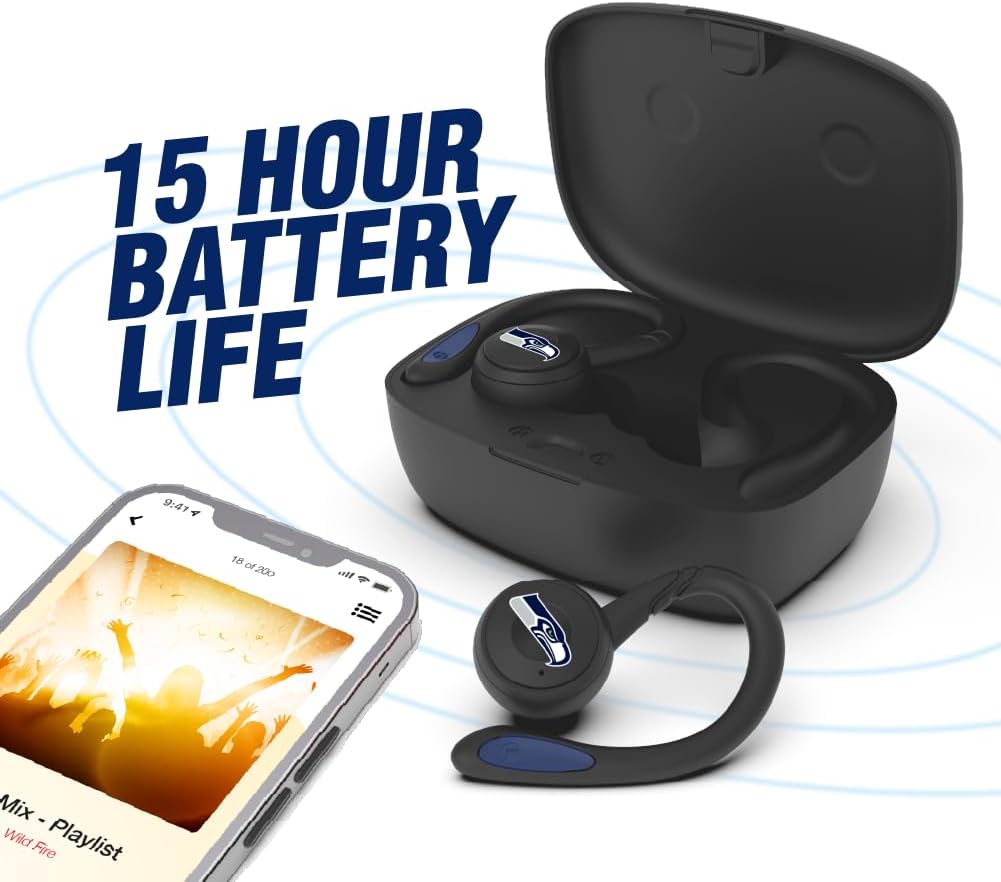
Image: The earbuds are shown within their charging case, positioned beside a smartphone playing music, emphasizing the extended battery life for continuous audio enjoyment.
2. Ghép nối với thiết bị Bluetooth
- Đảm bảo tai nghe đã được sạc.
- Mở hộp sạc. Tai nghe sẽ tự động vào chế độ ghép nối và đèn LED báo hiệu sẽ nhấp nháy (ví dụ: màu xanh lam và đỏ luân phiên).
- Trên thiết bị của bạn (điện thoại thông minh, máy tính bảng, v.v.), hãy bật Bluetooth.
- Tìm kiếm available Bluetooth devices. You should see "SOAR Earbuds V.5" or a similar name appear in the list.
- Select the earbuds from the list to connect. Once connected, the LED indicators on the earbuds will stop flashing or show a solid blue light, and you will hear an audible confirmation.
- Nếu quá trình ghép nối thất bại, hãy tắt tai nghe, vô hiệu hóa Bluetooth trên thiết bị của bạn và lặp lại các bước.
Hướng dẫn sử dụng
Bật/Tắt nguồn
- Bật nguồn: Open the charging case, or press and hold the multi-function button on each earbud for approximately 3 seconds.
- Tắt nguồn: Place the earbuds back into the charging case and close the lid, or press and hold the multi-function button on each earbud for approximately 5 seconds.
Phát nhạc
- Phát/Tạm dừng: Single tap the multi-function button on either earbud.
- Bài hát tiếp theo: Double tap the multi-function button on the right earbud.
- Bản nhạc trước: Double tap the multi-function button on the left earbud.
- Tăng âm lượng: Triple tap the multi-function button on the right earbud.
- Giảm âm lượng: Triple tap the multi-function button on the left earbud.
Quản lý cuộc gọi
- Trả lời/Kết thúc cuộc gọi: Single tap the multi-function button on either earbud.
- Từ chối cuộc gọi: Nhấn và giữ nút đa chức năng trên một trong hai tai nghe trong 2 giây.
Trợ lý giọng nói
- Kích hoạt Trợ lý giọng nói: Nhấn và giữ nút đa chức năng trên một trong hai tai nghe trong 2 giây (khi không đang thực hiện cuộc gọi).
BẢO TRÌ
- Vệ sinh: Dùng vải mềm, khô, không xơ để vệ sinh tai nghe và hộp sạc. Không sử dụng hóa chất mạnh hoặc vật liệu mài mòn.
- Miếng đệm tai: Regularly remove and clean the ear gels with a damp vải. Đảm bảo chúng khô hoàn toàn trước khi gắn lại.
- Kho: Khi không sử dụng, hãy cất tai nghe vào hộp sạc để bảo vệ và duy trì trạng thái sạc. Bảo quản nơi khô ráo, thoáng mát, tránh ánh nắng trực tiếp và nhiệt độ cao.
- Khả năng chống nước: The earbuds are sweat resistant, but not waterproof. Avoid submerging them in water or exposing them to heavy rain.
Xử lý sự cố
| Vấn đề | Giải pháp |
|---|---|
| Tai nghe không bật được. | Hãy đảm bảo tai nghe đã được sạc đầy. Đặt tai nghe vào hộp sạc và kết nối hộp sạc với nguồn điện. |
| Tai nghe không ghép nối được với thiết bị. |
|
| Chỉ có một tai nghe đang hoạt động. |
|
| Chất lượng âm thanh kém hoặc bị ngắt quãng. |
|
Thông số kỹ thuật
| Tính năng | Chi tiết |
|---|---|
| Số hiệu mẫu | NCAA-TWS5-TXC |
| Kết nối | Bluetooth 5.0 |
| Wireless Dải | Lên đến 30 feet (9 mét) |
| Tuổi thọ pin | Over 10 hours (music & talk time per charge) |
| Cổng sạc | USB loại C |
| Loại điều khiển | Touch Control / Multi-function Button |
| Micrô | Tích hợp sẵn |
| Vật liệu | Nhựa |
| Cân nặng | Approximately 140 g (total item weight) |
Bảo hành và Hỗ trợ
For warranty information and customer support, please refer to the official SOAR product webhoặc liên hệ với nhà bán lẻ. Giữ lại hóa đơn mua hàng để yêu cầu bảo hành.
Để được hỗ trợ thêm, vui lòng truy cập: www.soar.com (Note: This is a placeholder link. Please refer to the actual product packaging or manufacturer's website for accurate support information.)