
1. Giới thiệu
The E-YOOSO K-662 is a full-size 104-key wired mechanical gaming keyboard designed for PC users. It features OUTEMU Blue switches, customizable rainbow backlighting, RGB sidelights, and an integrated wrist rest for enhanced comfort and performance. This manual provides essential information for setting up, operating, and maintaining your keyboard.
Nội dung gói hàng:
- E-YOOSO K-662 Mechanical Keyboard
- Integrated Wrist Rest
2. Các tính năng chính
- Full Keys Anti-ghosting & 12 Multimedia Keys: Ensures all key presses are registered accurately, even during rapid, simultaneous inputs. Dedicated multimedia functions enhance control.
- OUTEMU Clicky Blue Switch: Guarantees 50 million keypresses with a 2.8 mm keystroke distance and 65g actuation force, providing a quick, springy response and a distinct click sound.
- Double Injection Keycaps & Wide Palm Rest: Durable double injection-molded keycaps offer clear, uniform backlighting. The wide palm rest provides ergonomic support for comfortable use.
- Rainbow Backlit & RGB Sidelight: Features 10 adjustable rainbow backlight modes and 5 RGB sidelight modes, with customizable brightness and speed settings.
- Khả năng tương thích rộng: Compatible with Windows 2000/XP/Vista/7/8/10/11 and Mac OS (note: some multimedia functions may not be available on Mac OS). Works with Desktops, Chromebooks, PCs, Laptops, and more.
3. Thiết lập
To set up your E-YOOSO K-662 keyboard:
- Mở hộp bàn phím.
- Kết nối cáp USB của bàn phím với một cổng USB khả dụng trên máy tính của bạn.
- Bàn phím này là loại cắm là chạy và không cần cài đặt thêm trình điều khiển nào cho các chức năng cơ bản. Hệ điều hành của bạn sẽ tự động phát hiện và cài đặt các trình điều khiển cần thiết.
4. Hướng dẫn vận hành
4.1 Chức năng đa phương tiện
Access multimedia controls by holding the Fn key and pressing the corresponding F1-F12 các phím chức năng:
- Fn + F1-F12: Various multimedia shortcuts (e.g., media player, volume control, web trình duyệt).

Image: E-YOOSO K-662 keyboard layout highlighting multimedia functions (Fn + F1-F12).
4.2 Backlight Modes and Customization
The keyboard features various backlight effects and customization options:
- Fn + Vào: Cycle through 10 different rainbow backlight operation modes.
- Fn + 9 / Fn + 0: Activate custom backlight modes.
- Fn + Up Arrow / Fn + Down Arrow: Điều chỉnh độ sáng đèn nền.
- Fn + Left Arrow / Fn + Right Arrow: Điều chỉnh tốc độ đèn nền.

Image: Instructions for customizing backlight modes and Win Lock function.
4.3 RGB Sidelight
The keyboard includes RGB sidelights with multiple effects:
- Fn + Pause: Cycle through 5 RGB sidelight modes.
- Fn + Minus (-) / Fn + Plus (=): Adjust sidelight color and speed.

Image: E-YOOSO K-662 keyboard with active RGB streamer sidelights.
4.4 Win Key Lock
To prevent accidental interruptions during gaming or other activities:
- Fn + Win: Lock the Windows key. Press again to unlock.
4.5 Chống hiện tượng bóng mờ
The E-YOOSO K-662 features 104-key anti-ghosting. This ensures that every key press is registered accurately, even when multiple keys are pressed simultaneously, which is crucial for fast-paced gaming.
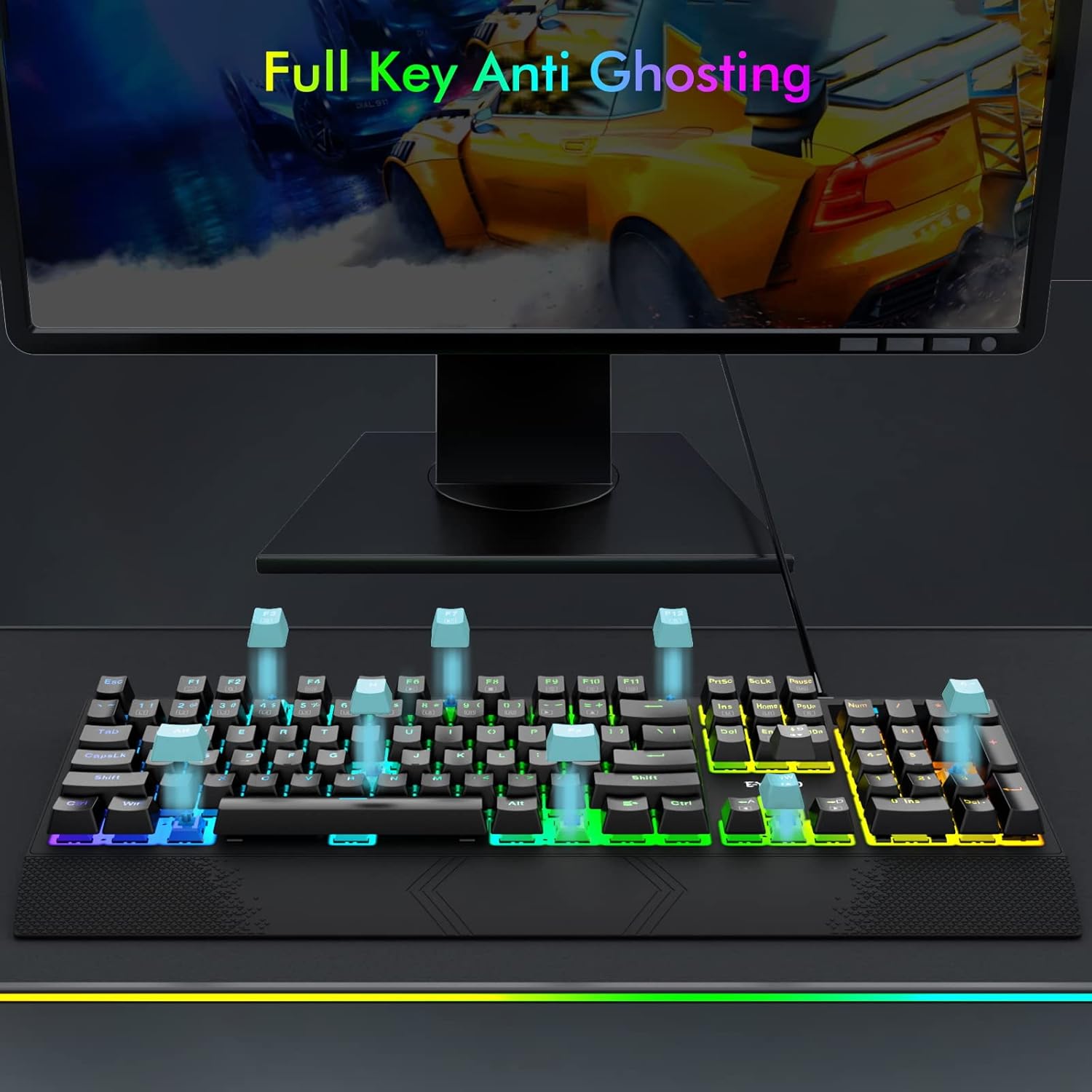
Image: Visual representation of full key anti-ghosting on the E-YOOSO K-662 keyboard.
5. Bảo trì
Proper maintenance helps prolong the life and performance of your keyboard:
- Vệ sinh: Disconnect the keyboard from your computer before cleaning. Use a soft, dry cloth to wipe the surface. For removing debris between keycaps, use compressed air. Avoid using harsh chemicals, solvents, or abrasive materials.
- Kho: Bảo quản bàn phím ở nơi khô ráo, thoáng mát, tránh ánh nắng trực tiếp và nhiệt độ cao.
- Xử lý: Tránh làm rơi bàn phím hoặc để bàn phím tiếp xúc với chất lỏng. Không tự ý tháo rời bàn phím, vì điều này có thể làm mất hiệu lực bảo hành.

Image: Double-shot ABS keycaps, designed for durability and clear backlighting.
KHAI THÁC. Xử lý sự cố
If you encounter issues with your E-YOOSO K-662 keyboard, refer to the following troubleshooting steps:
- Bàn phím không phản hồi:
- Đảm bảo cáp USB được kết nối chắc chắn với cả bàn phím và máy tính.
- Hãy thử kết nối bàn phím với một cổng USB khác trên máy tính của bạn.
- Khởi động lại máy tính của bạn.
- Đèn nền không hoạt động hoặc không chính xác:
- Check backlight mode settings using Fn + Vào để chuyển đổi qua các chế độ.
- Điều chỉnh độ sáng bằng Fn + Up Arrow / Fn + Down Arrow.
- If specific keys are not lighting up, ensure custom modes are not active unintentionally.
- Multimedia keys not working on Mac OS:
- Some multimedia functions may have limited or no compatibility with Mac OS due to operating system differences.
- Keys failing to register intermittently:
- Hãy đảm bảo bàn phím sạch sẽ và không có mảnh vụn nào có thể làm tắc nghẽn các công tắc phím.
- Nếu sự cố vẫn tiếp diễn sau khi vệ sinh, vui lòng liên hệ bộ phận hỗ trợ khách hàng để được trợ giúp thêm.
7. Thông số kỹ thuật
| Tính năng | Đặc điểm kỹ thuật |
|---|---|
| Số hiệu mẫu | K-662 |
| Nhà sản xuất | E-YOOSO |
| Công nghệ kết nối | USB (Có dây) |
| Mô tả bàn phím | Chơi game, Cơ khí |
| Loại công tắc | OUTEMU Blue Switches |
| Số lượng khóa | 104 phím (Kích thước đầy đủ) |
| Đèn nền | Rainbow Backlit, RGB Sidelight |
| Tính năng đặc biệt | Backlit, Ergonomic, Wrist Rest, Anti-ghosting |
| Thiết bị tương thích | Gaming Console, PC, Laptop, Chromebook |
| Khả năng tương thích của hệ điều hành | Windows 2000/XP/Vista/7/8/10/11, Mac OS |
| Vật liệu | Nhựa |
| Trọng lượng sản phẩm | 2.84 pound (khoảng 1.29 kg) |
| Kích thước gói hàng | 17.75 x 8 x 1.75 inch (khoảng 45.09 x 20.32 x 4.45 cm) |

Hình ảnh: Chi tiết view of an OUTEMU Blue mechanical switch.
8. Bảo hành và Hỗ trợ
The E-YOOSO K-662 Mechanical Keyboard typically comes with a 1-year limited warranty from the date of purchase. This warranty covers manufacturing defects under normal use.
For warranty claims, technical support, or any product-related inquiries, please refer to the contact information provided with your product packaging or visit the official E-YOOSO webtrang web cung cấp các nguồn hỗ trợ mới nhất.