
1. Giới thiệu
Thank you for choosing the JISULIFE FA42 Mini Portable Bladeless Handheld Fan. This device is designed to provide powerful and safe personal cooling with its innovative bladeless design and multiple speed settings. Please read this manual carefully before use to ensure proper operation and maintenance.
2. Hướng dẫn an toàn quan trọng
- Do not insert fingers or foreign objects into the fan's air inlet or outlet.
- Giữ thiết bị tránh xa nước và hơi ẩm.
- Do not disassemble, repair, or modify the fan. Contact customer support if service is required.
- Để xa tầm tay trẻ nhỏ khi không có sự giám sát của người lớn.
- Chỉ sử dụng cáp sạc được cung cấp kèm theo hoặc cáp USB-C được chứng nhận để sạc sản phẩm.
- Tránh để quạt tiếp xúc với nhiệt độ quá cao hoặc quá thấp, hoặc ánh nắng trực tiếp trong thời gian dài.
3. Sản phẩm hếtview
The JISULIFE FA42 fan features a compact, bladeless design for enhanced safety and portability. It incorporates a powerful turbo engine and a high-voltage protection chip.
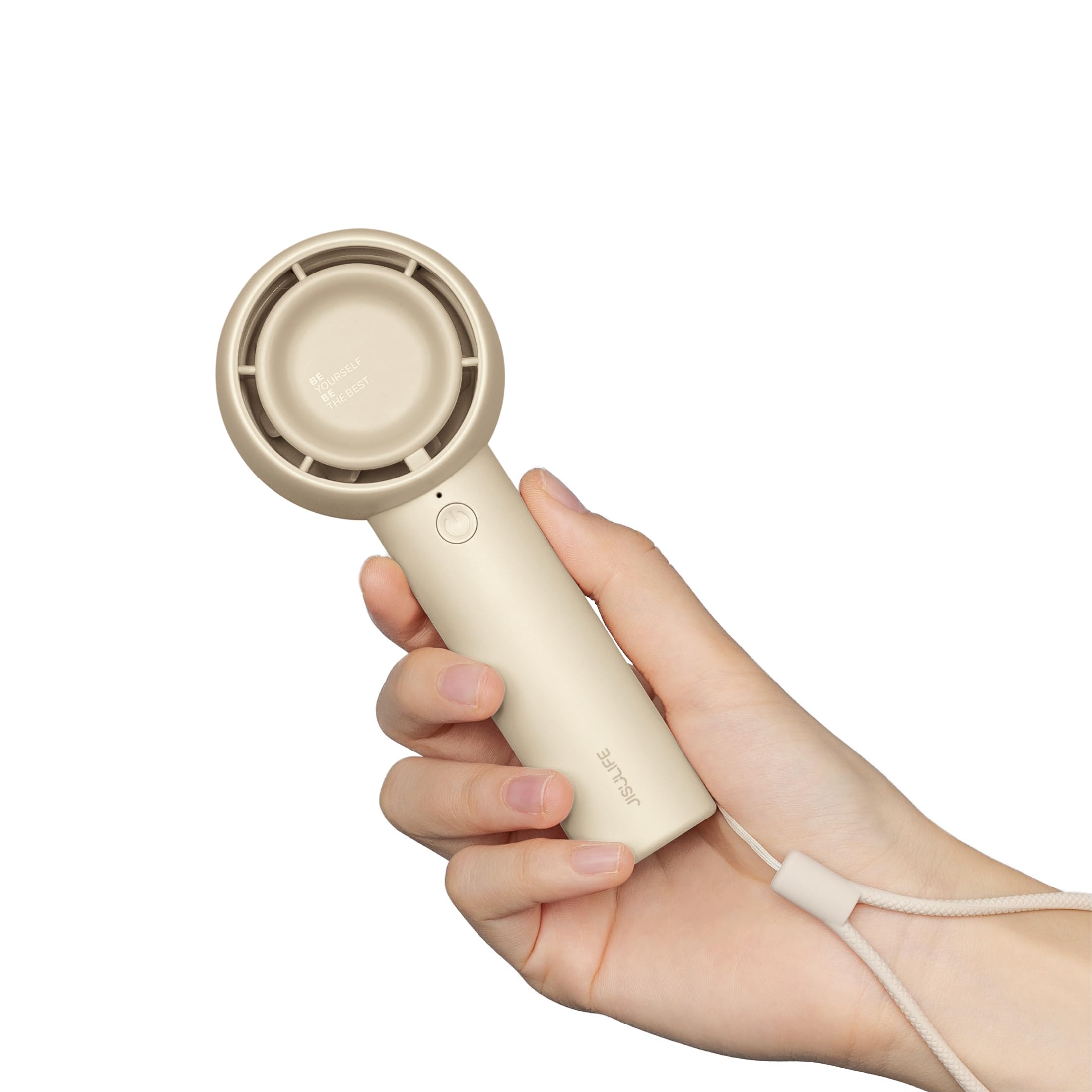
Figure 3.1: JISULIFE FA42 Mini Portable Bladeless Handheld Fan (Brown)

Figure 3.2: Illustration of the fan's gathering air duct technology, demonstrating a larger air outlet area and longer blowing distance.

Hình 3.3: Nội bộ view highlighting the high-performance brushless motor and curved turbo fan designed for reduced noise and comfortable airflow.
4. Thiết lập
4.1. Mở hộp và sạc ban đầu
Upon unboxing, ensure all components are present: the fan unit, USB-C charging cable, and lanyard.

Figure 4.1: The JISULIFE FA42 fan, its packaging, USB-C charging cable, and instruction manual.
Before first use, fully charge the fan. Connect the provided USB-C cable to the charging port on the fan and the other end to a USB power adapter (not included) or a computer's USB port. The indicator light will show charging status.

Figure 4.2: The fan's Type-C charging port in use. A full charge takes approximately 4 hours and provides up to 16 hours of cooling time.
4.2. Gắn dây đeo
Thread the lanyard through the designated loop at the base of the fan's handle. This allows for convenient carrying on your wrist or attaching to a bag.
5. Hướng dẫn vận hành
5.1. Bật/Tắt nguồn và Điều chỉnh tốc độ
The fan features a single power button for all operations:
- Để bật nguồn: Press the power button once. The fan will start at Speed 1.
- Để điều chỉnh tốc độ: Press the power button repeatedly to cycle through the 5 available speed settings (Speed 1 to Speed 5).
- Để Tắt Nguồn: After cycling through Speed 5, pressing the button again will turn the fan off. Alternatively, press and hold the power button for 2 seconds to turn off the fan from any speed setting.

Figure 5.1: The fan offers 5 adjustable speeds, ranging from 5000r/min (Low) to 9000r/min (High).
5.2. Battery Life Indication
The indicator light near the power button also provides battery status. Refer to the product's packaging or official website for detailed light patterns (e.g., solid light for full charge, blinking for low battery).

Figure 5.2: The 4500mAh battery provides up to 16 hours of 'Sleep Wind', 8.5 hours of 'Cold Wind', and 5 hours of 'Strong Wind'.
5.3. Các tình huống sử dụng
The compact and powerful design makes this fan suitable for various activities:
- Hoạt động ngoài trời: Travel, camping, commuting, shopping, music festivals.
- Sử dụng trong nhà: Office, dorm room, makeup application, quick-drying lashes.

Figure 5.3: The fan is versatile for use while walking, in the office, during makeup application, and while campđang.
Video 5.1: An official product video from JISULIFE-NA demonstrating the features and use of the Mini Handheld Turbo Fan.
6. Bảo trì
6.1. Vệ sinh
To clean the fan, gently wipe the exterior with a soft, dry cloth. Do not use abrasive cleaners, solvents, or immerse the fan in water. Ensure the fan is turned off before cleaning.
6.2. Lưu trữ
When not in use for extended periods, store the fan in a cool, dry place away from direct sunlight and extreme temperatures. It is recommended to charge the fan every 3 months to maintain battery health.
KHAI THÁC. Xử lý sự cố
| Vấn đề | Nguyên nhân có thể | Giải pháp |
|---|---|---|
| Quạt không bật | Pin yếu; Nút nguồn không được nhấn đúng cách | Charge the fan; Press and hold the power button for 2 seconds to ensure it powers on. |
| Luồng không khí yếu | Low battery; Fan speed set too low | Charge the fan; Increase the fan speed by pressing the power button. |
| Quạt không sạc được | Cáp/bộ chuyển đổi bị lỗi; Kết nối lỏng lẻo | Try a different USB-C cable or power adapter; Ensure the cable is securely connected to both the fan and the power source. |
| Tiếng ồn bất thường | Obstruction in air duct; Internal issue | Turn off the fan and check for any obstructions in the air inlet/outlet. If the issue persists, contact customer support. |
8. Thông số kỹ thuật
| Tính năng | Chi tiết |
|---|---|
| Thương hiệu | JISULIFE |
| Tên mẫu | FA42 |
| Màu sắc | Màu nâu |
| Nguồn điện | Chạy bằng pin (bao gồm 1 pin Lithium Ion) |
| Dung lượng pin | 4500mAh |
| Max Cooling Time | Lên đến 16 giờ |
| Thời gian sạc | Xấp xỉ 4 giờ |
| Loại đầu nối nguồn chính | USB-C |
| Số mức công suất | 5 |
| Kích thước sản phẩm | 1.85"D x 2.44"W x 5.98"H |
| Trọng lượng sản phẩm | 148 gam (5.2 ounce) |
| Mức độ tiếng ồn | 50 Decibel |
| Tính năng đặc biệt | Bladeless, Compact, Portable |
9. Bảo hành và Hỗ trợ
For warranty information and customer support, please refer to the warranty card included in your product packaging or visit the official JISULIFE website. You can also contact JISULIFE customer service through their Cửa hàng Amazon.