1. Giới thiệu
This manual provides comprehensive instructions for the operation and maintenance of your FOXWELL NT604 OBD2 Scanner and BT100 Pro Battery Tester. These devices are designed to assist in diagnosing vehicle issues and assessing battery health, providing valuable information for vehicle maintenance.
The FOXWELL NT604 is an advanced diagnostic scan tool capable of reading and clearing fault codes, displaying live data, and performing various tests on key vehicle systems. The FOXWELL BT100 Pro is a professional battery analyzer designed to test 12V batteries, providing accurate readings on battery voltage, CCA, internal resistance, and overall health.
2. Thiết lập
2.1 Mở hộp thiết bị
Carefully remove all components from the packaging. Verify that all items listed in the product packaging are present. Retain the packaging for future storage or shipping.
2.2 Khởi động ban đầu
The NT604 scanner typically powers on when connected to a vehicle's OBD-II port. The BT100 Pro battery tester powers on when connected to a 12V battery.

Figure 2.1: The FOXWELL NT604 OBD2 Scanner and BT100 Pro Battery Tester.
3. Hoạt động
3.1 FOXWELL NT604 OBD2 Scanner Operation
The NT604 scanner connects to your vehicle's On-Board Diagnostics II (OBD-II) port to access vehicle system information.
- Xác định vị trí cổng OBD-II: The OBD-II port is usually located under the dashboard on the driver's side.
- Kết nối máy quét: Plug the NT604's diagnostic cable into the vehicle's OBD-II port. The scanner will power on automatically.
- Vehicle Communication: The scanner will attempt to establish communication with the vehicle's ECU (Engine Control Unit). Follow on-screen prompts.
- Điều hướng menu chính: Use the navigation buttons (up, down, left, right, OK, ESC) to select desired functions from the main menu. Common functions include:
- Đọc mã: Retrieves Diagnostic Trouble Codes (DTCs) from the vehicle's systems.
- Xóa mã: Erases DTCs from the vehicle's memory. Note: Clearing codes does not fix the underlying problem. Address the issue before clearing codes.
- Dữ liệu trực tiếp: Displays real-time sensor data from the vehicle.
- Khung đóng băng: Captures a snapshot of vehicle operating conditions at the time a fault code was set.
- I / M Sẵn sàng: Kiểm tra trạng thái của các thiết bị giám sát liên quan đến khí thải.
- Chẩn đoán hệ thống: Accesses specific vehicle systems like Engine, ABS, SRS (Airbag), and Transmission for detailed diagnostics.

Figure 3.1: The NT604 scanner's main menu showing various OBDII functions.

Figure 3.2: The NT604 scanner's capability to diagnose Engine, ABS, SRS, and Transmission systems.
3.2 FOXWELL BT100 Pro Battery Tester Operation
The BT100 Pro is designed for testing 12V automotive batteries. It can perform tests both in-vehicle and out-of-vehicle.
- Chuẩn bị pin: Hãy đảm bảo các cực của ắc quy sạch sẽ và không bị ăn mòn.
- Kết nối máy kiểm tra:
- Kết nối cl màu đỏamp đến cực dương (+) của pin.
- Kết nối cl đenamp đến cực âm (-) của pin.
- Thiết bị kiểm tra sẽ tự động bật nguồn.
- Chọn loại bài kiểm tra:
- In-Vehicle Test: For batteries installed in the vehicle.
- Out-of-Vehicle Test: For standalone batteries.
- Chọn loại pin: Choose the correct battery type (e.g., Regular Flooded, AGM Flat Plate, AGM Spiral, GEL) from the menu. Incorrect selection may lead to inaccurate results.
- Enter CCA Rating: Nhập thông số khởi động nguội Amps (CCA) rating found on the battery label.
- Thực hiện kiểm tra: The tester will perform the analysis and display results such as:
- Tậptage
- CCA đã đo
- Sức đề kháng bên trong
- Tình trạng sức khỏe (SOH)
- Trạng thái phí (SOC)

Figure 3.3: The BT100 Pro supports both in-vehicle and out-of-vehicle battery testing.
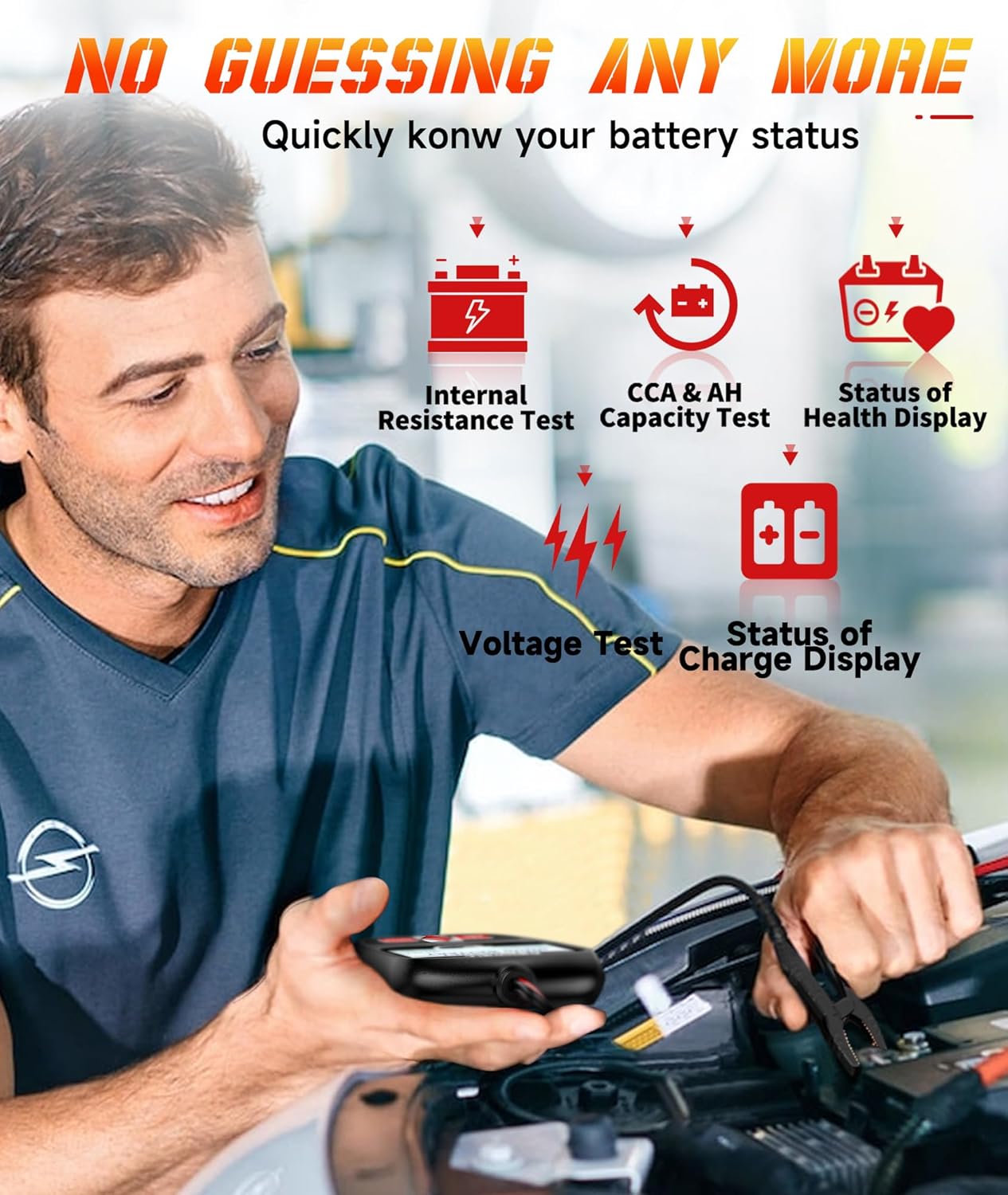
Figure 3.4: The BT100 Pro provides detailed battery status including internal resistance, CCA, and health display.
4. Bảo trì
4.1 Vệ sinh
Lau máy bằng khăn mềm, damp vải. Không sử dụng chất tẩy rửa hoặc dung môi có tính mài mòn. Đảm bảo thiết bị khô trước khi cất giữ.
4.2 Cập nhật phần mềm
Thường xuyên kiểm tra trang web chính thức của FOXWELL. website for software updates for the NT604 scanner. Updates can improve performance, add new features, and expand vehicle compatibility. Follow the instructions provided on the website for updating the device firmware.
4.3 Lưu trữ
Store the devices in a clean, dry environment, away from extreme temperatures and direct sunlight. Keep cables neatly coiled to prevent damage.
KHAI THÁC. Xử lý sự cố
| Vấn đề | Nguyên nhân có thể | Giải pháp |
|---|---|---|
| NT604 không khởi động được. | Loose OBD-II connection; vehicle's OBD-II port fuse blown; vehicle battery low. | Ensure secure connection. Check vehicle's OBD-II port fuse. Verify vehicle battery voltage. |
| NT604 fails to link with vehicle. | Incorrect protocol selected; vehicle ignition off; faulty connection. | Ensure ignition is ON. Check cable connection. Try a different vehicle if possible to isolate the issue. |
| BT100 Pro does not power on. | Pin bị lỏngamp connection; battery voltage quá thấp. | Đảm bảo clamps are securely attached to clean battery terminals. Test a different battery if available. |
| Kết quả đo BT100 Pro không chính xác. | Incorrect battery type or CCA entered; dirty battery terminals. | Verify battery type and CCA input. Clean battery terminals thoroughly. |
6. Thông số kỹ thuật
Máy quét FOXWELL NT604 OBD2
- Hệ thống được hỗ trợ: Engine, ABS, SRS (Airbag), Transmission
- OBDII Modes: 10 modes (Read Codes, Clear Codes, Live Data, Freeze Frame, I/M Readiness, Component Test, O2 Monitor Test, On-Board Monitor Test, Retrieve Vehicle Info, Modules Present)
- Nguồn điện: Vehicle OBD-II port
FOXWELL BT100 Pro Battery Tester
- Pin Voltage: 12V
- Phạm vi kiểm tra: 100-1100 CCA
- Các loại pin được hỗ trợ: Ắc quy ngập nước thông thường, Ắc quy AGM dạng tấm phẳng, Ắc quy AGM dạng xoắn ốc, Ắc quy GEL
- Kết quả thử nghiệm: Tậptage, CCA, Internal Resistance, State of Health (SOH), State of Charge (SOC)
- Nguồn điện: Battery Powered (from the tested battery)

Hình 6.1: Ví dụample of battery test results displayed on the BT100 Pro.
7. Bảo hành và Hỗ trợ
7.1 Thông tin bảo hành
FOXWELL products are covered by a limited warranty against defects in materials and workmanship. Please refer to the warranty card included with your product or visit the official FOXWELL webtrang web để biết các điều khoản và điều kiện bảo hành chi tiết.
7.2 Hỗ trợ kỹ thuật
For technical assistance, software updates, or service inquiries, please contact FOXWELL customer support. Contact information can typically be found on the official FOXWELL webtrang web hoặc trong bao bì sản phẩm.
Webđịa điểm: www.foxwelltech.com (Bán tạiamp(Liên kết này, vui lòng xác minh trên trang web chính thức)