
Giới thiệu
Cảm ơn bạn đã muaasing the Hoco HC4 5.0 Wireless Bluetooth Sport Speaker. This manual provides detailed instructions for the proper setup, operation, and maintenance of your device. Please read this manual thoroughly before use to ensure optimal performance and to prevent damage.
Sản phẩm trênview
The Hoco HC4 is a portable wireless speaker designed for outdoor and sport use, featuring Bluetooth 5.0 connectivity, multiple playback options, and a robust design.
Nội dung gói hàng:
- Hoco HC4 Wireless Bluetooth Speaker
- Cáp sạc USB
- Hướng dẫn sử dụng
Điều khiển và cổng:
Hãy làm quen với các nút bấm và cổng kết nối của loa:

Hình ảnh: Close-up of the Hoco HC4 speaker showing the AUX port, DC-5V charging port, USB port, TF card slot, and control buttons.
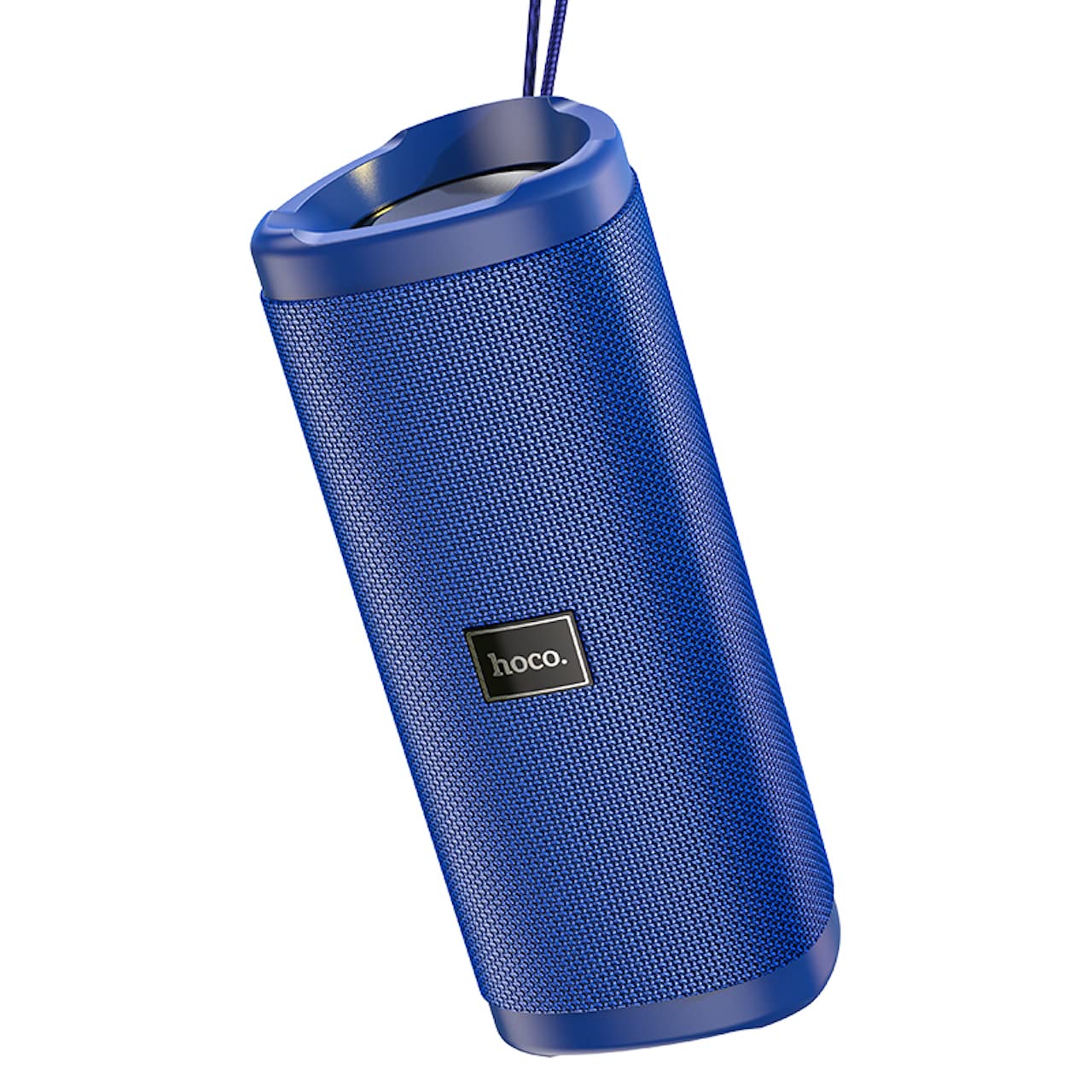
Hình ảnh: Một góc cạnh view of the Hoco HC4 blue wireless speaker, highlighting its cylindrical design and fabric mesh.
- Nút nguồn: Nhấn giữ để bật/tắt nguồn. Nhấn nhanh để phát/tạm dừng.
- Nút chế độ (M): Nhấn nhanh để chuyển đổi giữa các chế độ Bluetooth, Đài FM, Thẻ TF, USB và AUX.
- Nút giảm âm lượng / Bài hát trước (-): Nhấn nhanh để chuyển sang bài hát trước, nhấn lâu để giảm âm lượng.
- Nút Tăng âm lượng / Chuyển bài hát tiếp theo (+): Nhấn nhanh để chuyển sang bài hát tiếp theo, nhấn lâu để tăng âm lượng.
- Cổng AUX: Dành cho kết nối âm thanh có dây sử dụng cáp âm thanh 3.5mm.
- DC-5V Port: Dùng để sạc loa bằng cáp USB được cung cấp kèm theo.
- Cổng USB: Để phát âm thanh từ ổ đĩa flash USB.
- Khe cắm thẻ TF: Để phát âm thanh từ thẻ TF (MicroSD).
Cài đặt
Sạc ban đầu:
- Trước khi sử dụng lần đầu, hãy sạc đầy pin loa.
- Connect the small end of the USB charging cable to the DC-5V port on the speaker.
- Connect the larger end of the USB cable to a USB power adapter (5V/1A recommended) or a computer's USB port.
- Đèn báo sạc sẽ sáng trong khi sạc và tắt khi sạc đầy.
Hướng dẫn sử dụng
Bật/Tắt nguồn:
- Để bật nguồn: Nhấn và giữ nút Nguồn trong khoảng 3 giây. Bạn sẽ nghe thấy một thông báo bằng âm thanh.
- Để Tắt Nguồn: Nhấn và giữ nút Nguồn trong khoảng 3 giây. Bạn sẽ nghe thấy một thông báo bằng âm thanh.
Ghép nối Bluetooth:
- Ensure the speaker is powered on and in Bluetooth mode (indicated by a flashing blue LED and an audible prompt). If not, short press the 'M' (Mode) button to switch to Bluetooth mode.
- Bật Bluetooth trên thiết bị di động của bạn (điện thoại thông minh, máy tính bảng, v.v.).
- Tìm kiếm available Bluetooth devices. Select "HC4" from the list.
- Once paired, the blue LED will stop flashing and remain solid, and you will hear a confirmation sound.
- Bây giờ bạn có thể phát âm thanh từ thiết bị của mình qua loa.
Chế độ Đài FM:
- Short press the 'M' (Mode) button until you hear the FM radio prompt.
- To auto-scan and save available stations, short press the Power button. The speaker will scan and store stations automatically.
- Sử dụng các nút '-' và '+' để chuyển đổi giữa các trạm đã lưu.
TF Card / USB Playback:
- Insert a TF (MicroSD) card or USB flash drive into the respective slot.
- Loa sẽ tự động chuyển sang chế độ thẻ TF hoặc USB và bắt đầu phát âm thanh. files. If not, short press the 'M' (Mode) button to select the correct mode.
- Use the Power button to play/pause, and the '-' and '+' buttons for track navigation and volume control.
Chế độ AUX:
- Kết nối một đầu của cáp âm thanh 3.5 mm (không bao gồm) vào cổng AUX trên loa.
- Kết nối đầu còn lại với đầu ra âm thanh của thiết bị (ví dụ: máy tính xách tay, máy nghe nhạc MP3).
- Short press the 'M' (Mode) button to switch to AUX mode.
- Audio will now play through the speaker. Volume can be controlled via the speaker or your connected device.
Chức năng âm thanh nổi không dây đích thực (TWS):
The TWS function allows you to pair two Hoco HC4 speakers together for a stereo sound experience.
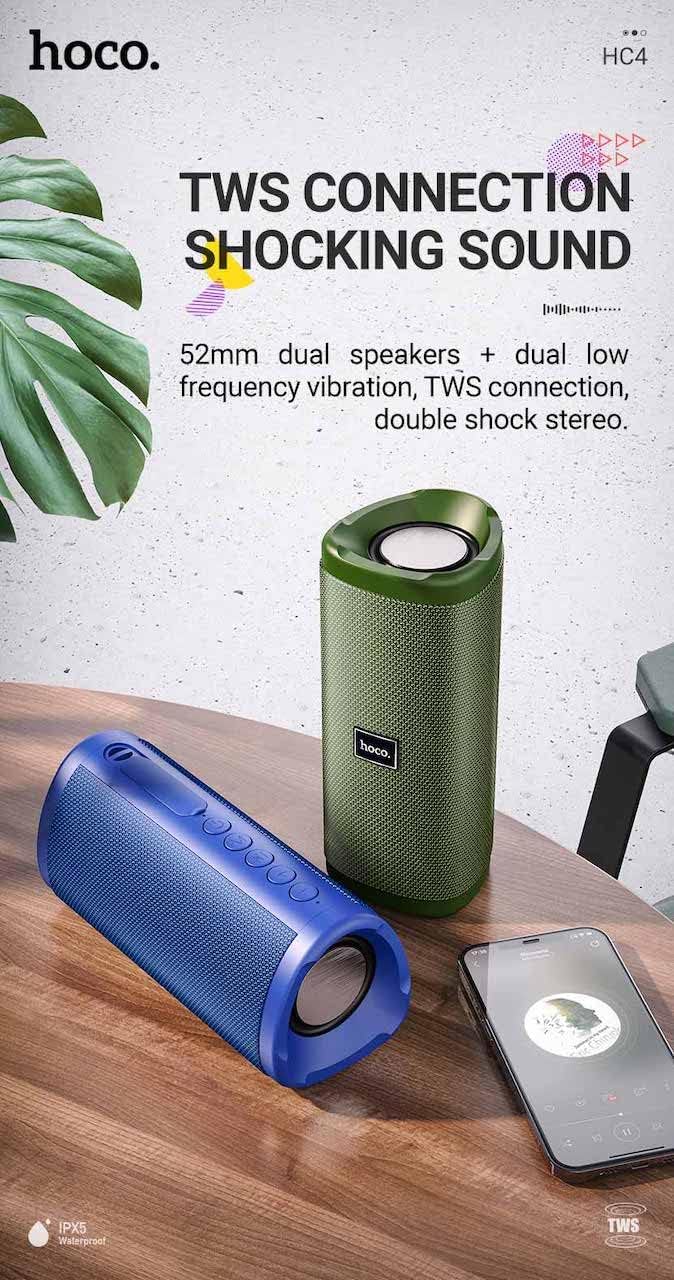
Hình ảnh: A promotional image showing two Hoco HC4 speakers (blue and green) connected via TWS, with a smartphone playing music. The image also highlights 'IPX5 Waterproof'.
- Ensure both HC4 speakers are powered on and in Bluetooth pairing mode (flashing blue LED).
- On one of the speakers (this will be the primary speaker), double-press the Power button. You will hear a tone indicating it is searching for another speaker.
- The two speakers will automatically connect to each other. Once connected, you will hear a confirmation sound, and the LED on the primary speaker will flash, while the secondary speaker's LED will be solid.
- Bây giờ, hãy kết nối thiết bị di động của bạn với loa chính qua Bluetooth như mô tả trong phần "Ghép nối Bluetooth".
- Âm thanh sẽ được phát ở chế độ âm thanh nổi qua cả hai loa.
Sạc
When the battery is low, the speaker will emit an audible warning. Connect the speaker to a power source using the provided USB cable to recharge. A full charge takes approximately 2-3 hours. The speaker provides up to 3 hours of playtime on a full charge, depending on volume level and usage.
BẢO TRÌ
Vệ sinh:
Lau loa bằng vải mềm, khô. Không sử dụng chất tẩy rửa có tính mài mòn, cồn hoặc các dung môi hóa học khác, vì chúng có thể làm hỏng bề mặt.
Kho:
Store the speaker in a cool, dry place away from direct sunlight and extreme temperatures. If storing for an extended period, charge the battery at least once every three months to prolong its lifespan.
Khả năng chống nước (IPX5):
The Hoco HC4 speaker features an IPX5 water resistance rating, meaning it is protected against low-pressure water jets from any direction. This makes it suitable for outdoor use and resistant to splashes and light rain. Không ngâm loa trong nước. Ensure the port cover is securely closed to maintain water resistance.
Xử lý sự cố
| Vấn đề | Nguyên nhân có thể | Giải pháp |
|---|---|---|
| Loa không bật được nguồn | Pin yếu; Nút nguồn không được nhấn đủ lâu | Sạc loa; Nhấn và giữ nút Nguồn trong 3 giây. |
| Không có âm thanh | Âm lượng quá thấp; Chế độ không đúng; Thiết bị không được kết nối | Increase volume; Switch to correct mode (Bluetooth, AUX, etc.); Ensure device is paired/connected |
| Ghép nối Bluetooth không thành công | Loa không ở chế độ ghép nối; Bluetooth của thiết bị đã tắt; Khoảng cách quá xa so với loa. | Ensure speaker is in Bluetooth mode (flashing LED); Turn on device Bluetooth; Move device closer (within 10m) |
| Ghép nốiTWS không thành công | Speakers not in TWS pairing mode; Too far apart | Ensure both speakers are in Bluetooth mode, then double-press Power button on one; Keep speakers close during TWS pairing |
Thông số kỹ thuật

Hình ảnh: The Hoco HC4 speaker with its dimensions clearly marked: 20 cm in length, 8.8 cm in height, and 8.1 cm in width.
- Thương hiệu: Hoco
- Người mẫu: HC4
- Phiên bản Bluetooth: 5.0
- Công suất đầu ra: 10W
- Kích thước loa: 52mm
- Dung lượng pin: 1500mAh
- Thời gian chơi: Khoảng 3 giờ (ở mức âm lượng 80%)
- Thời gian sạc: Khoảng 2-3 giờ
- Kích thước: 200 x 88 x 81 mm (Length x Height x Width)
- Cân nặng: 540 gram
- Tùy chọn kết nối: Bluetooth, FM Radio, TF Card, USB, AUX
- Khả năng chống nước: IPX5 (Chống nước bắn)
- Loại điều khiển: Cái nút
Thông tin an toàn
- Không để loa tiếp xúc với nhiệt độ quá cao hoặc ánh nắng trực tiếp trong thời gian dài.
- Tránh làm rơi hoặc va đập mạnh vào loa.
- Keep the speaker away from water and liquids, especially when ports are open.
- Không được tự ý tháo rời, sửa chữa hoặc chỉnh sửa loa. Việc này sẽ làm mất hiệu lực bảo hành và có thể gây hư hỏng.
- Chỉ sử dụng mức sạc được chỉ địnhtage (DC 5V) and the provided charging cable.
- Để xa tầm tay trẻ em.
Bảo hành và Hỗ trợ
This product is covered by a standard manufacturer's warranty. For specific warranty terms and conditions, please refer to the warranty card included with your purchase or contact your local retailer. For technical support or service inquiries, please contact Hoco customer service or the authorized distributor in your region.


