
Giới thiệu
This manual provides detailed instructions for the installation, operation, and maintenance of your BINIZE Double Din Car Stereo. Please read this manual thoroughly before using the product to ensure proper functionality and to prevent damage. Keep this manual for future reference.
Sản phẩm trênview
The BINIZE Double Din Car Stereo is a 10.1-inch multimedia player running on an Android 13 system. It offers a range of features designed to enhance your in-car entertainment and navigation experience.
Các tính năng chính:
- 10.1-inch capacitive touch screen with 1024x600 resolution.
- Android 13 Operating System with Quad-core Coretex-A7 processor (up to 1.3GHz).
- 2GB RAM + 32GB internal storage.
- Wireless CarPlay and Android Auto support.
- Wired MirrorLink for Android and iOS devices.
- Bluetooth tích hợp để gọi điện rảnh tay và phát trực tuyến âm thanh.
- Integrated GPS receiver for online and offline navigation.
- FM Radio tuner.
- Support for AUX, front, and rear camera inputs.
- Steering Wheel Control compatibility (manual learning required).
- Built-in Wi-Fi receiver and support for 4G communication (via external dongle, not included).
- Expandable options for OBD and tire pressure monitoring (accessories sold separately).

Figure 1: BINIZE Double Din Car Stereo Front View với các tính năng chính được làm nổi bật.
Thiết lập và cài đặt
Proper installation is crucial for the optimal performance of your car stereo. If you are unfamiliar with car audio wiring and installation, professional assistance is recommended.
Kích thước vật lý:
The unit measures approximately 251mm (width) x 146mm (height) x 56mm (depth). Ensure your vehicle's dashboard opening is compatible with these dimensions.
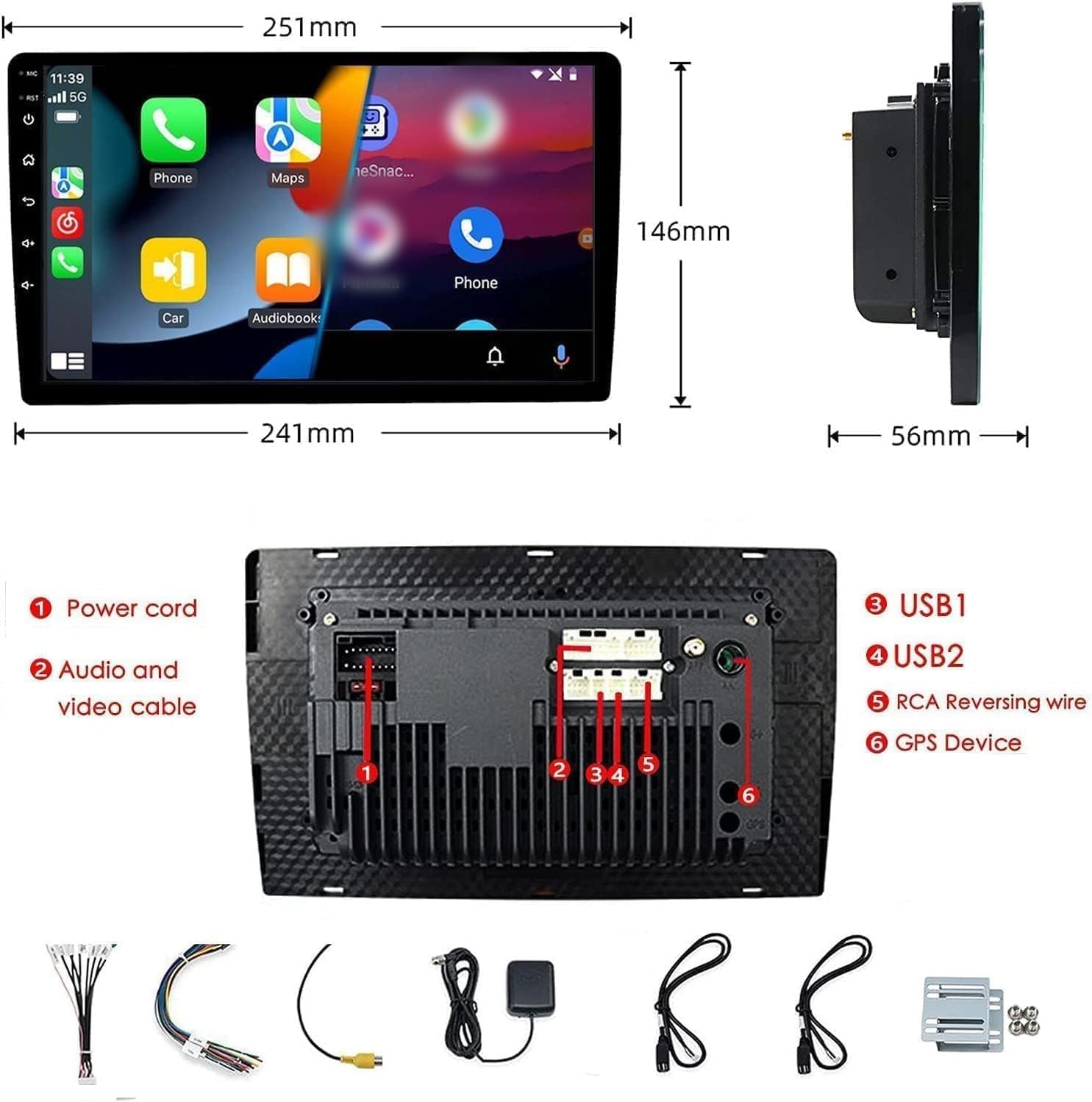
Figure 2: Unit dimensions and rear panel connection points.
Kết nối dây điện:
Vui lòng tham khảo sơ đồ đấu dây kèm theo để biết các kết nối cụ thể. Các kết nối chính bao gồm:
- Dây nguồn: Kết nối với nguồn điện của xe (nguồn 12V cố định, nguồn 12V phụ kiện, nối đất).
- Audio and Video Cable: Dành cho các thiết bị âm thanh/video bên ngoài.
- Cổng USB (USB1, USB2): For media playback, phone charging, and wired CarPlay/Android Auto.
- RCA Reversing Wire: Connect to the backup camera trigger wire.
- GPS Device: Connect the external GPS antenna for navigation functionality.
- Steering Wheel Control Wires (Key/SW): For integrating with vehicle's steering wheel controls.
Đảm bảo tất cả các kết nối đều an toàn và cách điện đúng cách để tránh hiện tượng đoản mạch.
Hướng dẫn sử dụng
Bật/Tắt nguồn:
The unit will power on automatically when the vehicle's ignition is turned on. To manually power off or restart, use the power button on the front panel.
Thao tác trên màn hình cảm ứng:
Navigate the interface by tapping, swiping, and pinching on the 10.1-inch capacitive touch screen, similar to a smartphone or tablet.
Đài FM:
Access the FM Radio application from the main menu. You can scan for stations, save presets, and adjust volume. The unit supports standard FM frequencies.

Hình 3: Giao diện radio FM.
Ghép nối Bluetooth:
- Đảm bảo Bluetooth được bật trên điện thoại di động của bạn.
- On the car stereo, open the Bluetooth application.
- Tìm kiếm available devices on your phone and select "BINIZE" or a similar device name.
- Xác nhận mã ghép nối trên cả hai thiết bị nếu được yêu cầu.
- Sau khi ghép nối, bạn có thể thực hiện cuộc gọi rảnh tay và phát trực tuyến âm thanh.
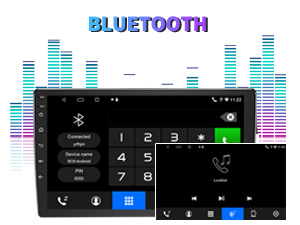
Figure 4: Bluetooth pairing screen.
Điều khiển vô lăng:
To use your vehicle's steering wheel controls, manual learning is required. Access the Steering Wheel Control settings in the system menu and follow the on-screen instructions to map your vehicle's buttons to the stereo functions.
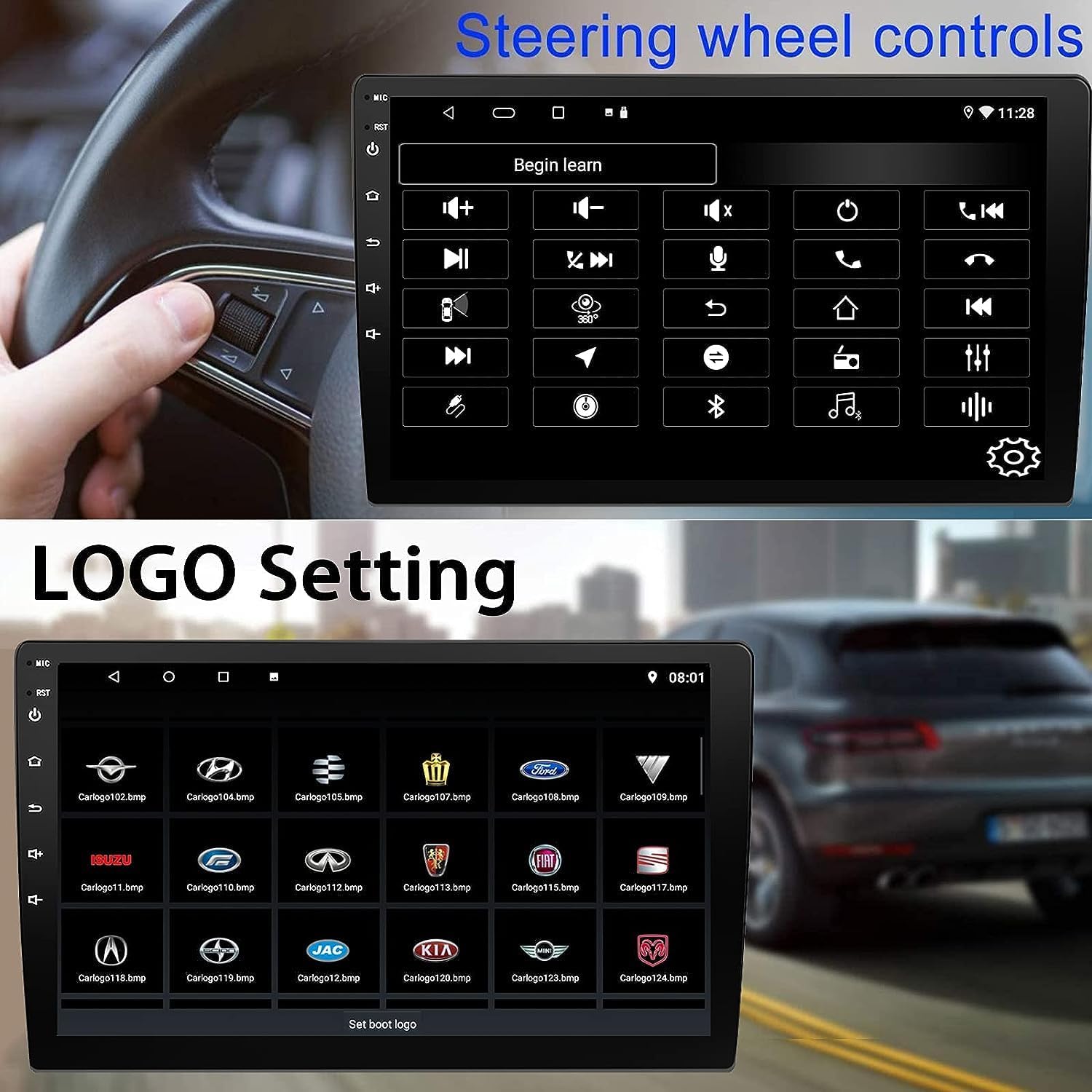
Figure 5: Steering Wheel Control setup screen.
Connectivity: CarPlay, Android Auto, and MirrorLink
CarPlay không dây:
Connect your iPhone wirelessly to access CarPlay features such as navigation, music, messages, and calls directly on the stereo display. Ensure Wi-Fi and Bluetooth are enabled on your iPhone.
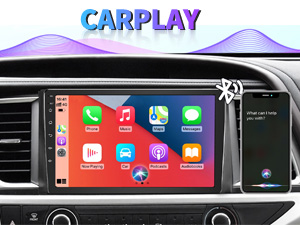
Figure 6: Wireless CarPlay interface.
Android Auto không dây:
Connect your Android phone wirelessly to use Android Auto for navigation, communication, and entertainment apps. Ensure Wi-Fi and Bluetooth are enabled on your Android device.

Hình 7: Giao diện Android Auto không dây.
MirrorLink:
MirrorLink allows you to display your smartphone's screen directly onto the car stereo. This feature works with both Android and iOS devices via a wired connection. Note that CarPlay/Android Auto and MirrorLink cannot be used simultaneously.

Figure 8: MirrorLink feature displaying a phone screen on the stereo.
Điều hướng
The car stereo features an integrated GPS receiver, supporting both online and offline navigation. Connect to Wi-Fi or a mobile hotspot to use online navigation apps. For offline navigation, you may need to download map data.

Figure 9: GPS navigation map display.
Đầu vào máy ảnh
Camera dự phòng:
The unit supports backup camera input. When properly connected, the display will automatically switch to the rear view when the vehicle is put into reverse, providing parking assistance with guidelines.
Đằng trước View Máy ảnh:
The stereo also supports front view camera input, allowing for enhanced visibility when maneuvering in tight spaces.

Figure 10: Backup camera and front view camera displays.
BẢO TRÌ
To ensure the longevity and optimal performance of your BINIZE car stereo, follow these maintenance guidelines:
- Làm sạch màn hình: Sử dụng khăn mềm, không xơ để lau nhẹ nhàng màn hình cảm ứng. Đối với các vết bẩn cứng đầu, hãy chà nhẹ.ampLau khăn bằng nước hoặc chất tẩy rửa an toàn cho màn hình. Tránh hóa chất mạnh hoặc vật liệu mài mòn.
- Vệ sinh chung: Keep the unit and surrounding areas free from dust and debris. Use a soft brush or compressed air to clean vents and button areas.
- Cập nhật phần mềm: Periodically check for available software updates through the system settings to ensure you have the latest features and performance improvements.
- Tránh nhiệt độ khắc nghiệt: Không nên để thiết bị tiếp xúc với nhiệt độ quá cao hoặc quá thấp trong thời gian dài, vì điều này có thể ảnh hưởng đến các linh kiện điện tử bên trong.
Xử lý sự cố
Nếu bạn gặp sự cố với dàn âm thanh trên xe hơi, hãy tham khảo các vấn đề và giải pháp thường gặp sau đây:
| Vấn đề | Nguyên nhân có thể | Giải pháp |
|---|---|---|
| Thiết bị không bật nguồn. | Đấu dây sai; Cầu chì bị cháy; Sự cố về nguồn điện của xe. | Check power connections and vehicle fuses. Ensure constant 12V and accessory 12V are correctly wired. |
| Không có âm thanh. | Âm lượng quá thấp; Tắt tiếng đã được kích hoạt; Có vấn đề về dây loa. | Tăng âm lượng. Kiểm tra xem chế độ tắt tiếng có đang bật không. Xác minh kết nối loa. |
| CarPlay/Android Auto không kết nối không dây. | Bluetooth/Wi-Fi off on phone; Pairing issue; Software glitch. | Ensure phone's Bluetooth and Wi-Fi are on. Try re-pairing the device. Restart both phone and stereo. Some users reported needing to open phone's Bluetooth settings each time. |
| Screen too bright/dim at night. | Cài đặt hiển thị chưa được tối ưu hóa. | Adjust brightness settings in the display menu. Consider using a screen dimming app if available. |
| Hình ảnh camera lùi không hiển thị. | Camera not connected; RCA reversing wire not connected or faulty. | Check camera and RCA reversing wire connections. Ensure the camera is powered. |
Thông số kỹ thuật
| Tính năng | Chi tiết |
|---|---|
| Thương hiệu | KÍCH THƯỚC THÙNG |
| Số hiệu mẫu | Binize |
| Hệ điều hành | Android 13 |
| Kích thước màn hình | 10.1 inch (đường chéo hiển thị 26 cm) |
| Nghị quyết | 1024x600 |
| Bộ xử lý | Quad-core Coretex-A7, 1.3GHz |
| Bộ nhớ (RAM) | 2GB |
| Lưu trữ (ROM) | 32GB |
| Kết nối | Bluetooth, Wi-Fi, USB, Auxiliary |
| Tính năng đặc biệt | Wireless CarPlay, Wireless Android Auto, MirrorLink, GPS Navigation, Touchscreen, Built-In Bluetooth |
| Chế độ đầu ra âm thanh | Âm thanh nổi (Cấu hình kênh âm thanh vòm 2.0) |
| Trọng lượng sản phẩm | 2.94 pound |
| Màu sắc | Đen |
Bảo hành và Hỗ trợ
Thông tin bảo hành:
The BINIZE Double Din Car Stereo comes with a Bảo hành miễn phí 1 năm kể từ ngày mua. Bảo hành này bao gồm các lỗi sản xuất và trục trặc trong quá trình sử dụng bình thường. Vui lòng giữ lại hóa đơn mua hàng để yêu cầu bảo hành.
Hỗ trợ kỹ thuật:
For any technical assistance, questions, or issues not covered in this manual, please contact our professional technical support team. You can reach us via Amazon email for 24/7 online technical support. Our team is available to assist with system upgrades and parts replacement.
We are committed to providing enthusiastic customer service and ensuring your satisfaction with the BINIZE product.