1. Giới thiệu
This manual provides essential instructions for the safe and efficient use of your PCD E501 Smartphone. Please read this manual thoroughly before operating your device and retain it for future reference. The PCD E501 is a 5-inch Android smartphone featuring an 8 MP camera and running Android Kit Kat 4.4.2.
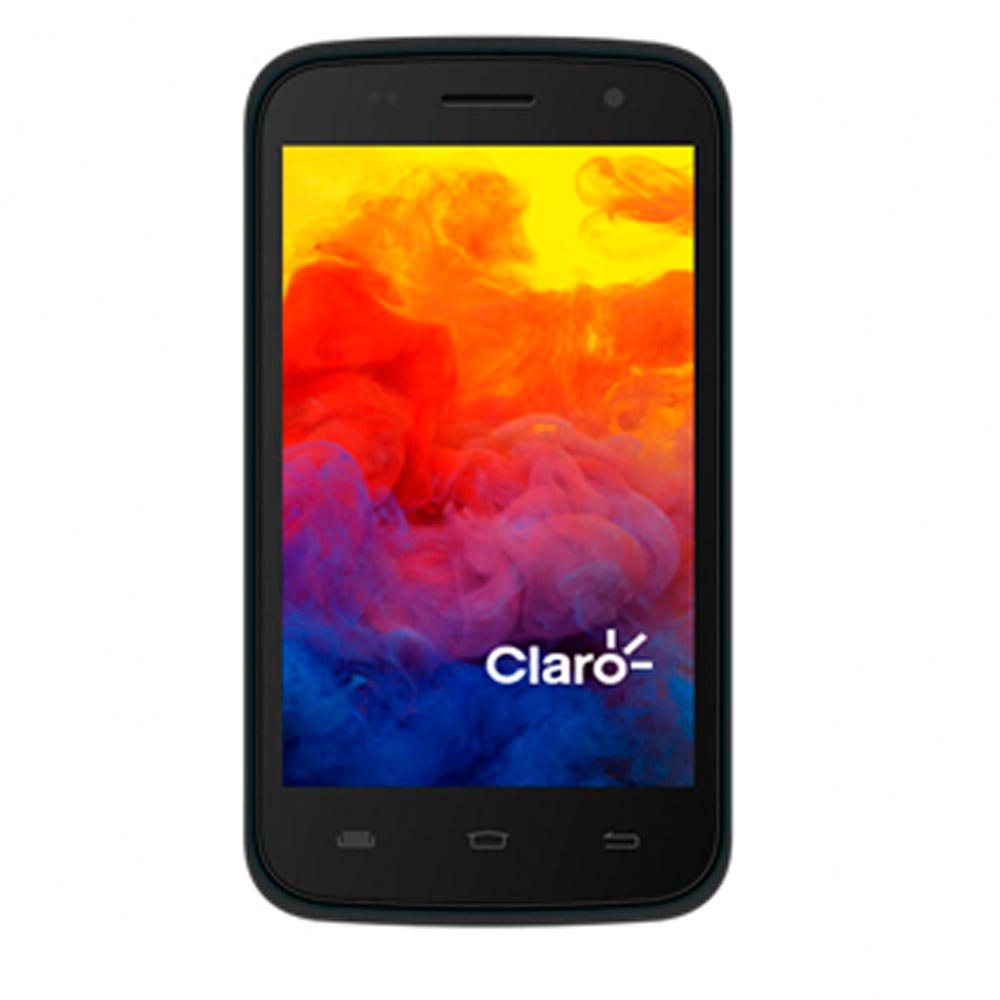
Hình 1: Mặt trước view of the PCD E501 Smartphone, showcasing màn hình 5 inch.
2. Thiết lập
2.1 Mở hộp và kiểm tra ban đầu
Cẩn thận lấy tất cả các thành phần ra khỏi bao bì. Kiểm tra xem có đầy đủ các mục sau không:
- PCD E501 Smartphone
- Pin Lithium-Ion có thể sạc lại
- Sạc tường
- Cáp USB
- Hướng dẫn sử dụng (tài liệu này)
- Thẻ bảo hành
Inspect the device for any signs of damage. If any components are missing or damaged, contact customer support immediately.
2.2 Lắp thẻ SIM và pin
- Locate the back cover notch on the side or bottom of the phone. Gently pry open the back cover.
- If a battery is already installed, remove it by lifting it from the designated slot.
- Insert your SIM card(s) into the appropriate slot(s) with the gold contacts facing down. Ensure it clicks into place.
- Insert the rechargeable Lithium-Ion battery, aligning the gold contacts on the battery with the contacts in the phone. Press down gently until it is securely seated.
- Replace the back cover, pressing firmly around the edges until it snaps into place.
2.3 Sạc pin
Before first use, fully charge the battery. Connect the USB cable to the phone's charging port and the other end to the wall charger. Plug the wall charger into a power outlet. The charging indicator will appear on the screen. A full charge typically takes approximately 2-3 hours.
2.4 Bật / Tắt nguồn
- Để bật nguồn: Nhấn và giữ nút Nguồn (thường ở bên cạnh) cho đến khi màn hình sáng lên.
- To power off: Press and hold the Power button until the power options menu appears. Select "Power off" and confirm.
3. Hướng dẫn vận hành
3.1 Điều hướng cơ bản
The PCD E501 features a 5-inch touchscreen for navigation. Use the following gestures:
- Vỗ nhẹ: Để chọn một mục hoặc mở một ứng dụng.
- Vuốt: Để cuộn qua màn hình hoặc danh sách.
- Nhón: Để phóng to hoặc thu nhỏ hình ảnh và web trang.
- Nhấn lâu: Để truy cập menu ngữ cảnh hoặc di chuyển biểu tượng.
3.2 Thực hiện cuộc gọi
- Nhấn vào Điện thoại biểu tượng trên màn hình chính.
- Nhập số điện thoại bằng bàn phím quay số.
- Nhấn vào Gọi nút để bắt đầu cuộc gọi.
- Để kết thúc cuộc gọi, chạm vào biểu tượng Kết thúc cuộc gọi cái nút.
3.3 Gửi tin nhắn
- Nhấn vào Tin nhắn biểu tượng.
- Nhấn vào Tin nhắn mới biểu tượng (thường là dấu cộng hoặc bong bóng lời thoại).
- Nhập số điện thoại người nhận hoặc chọn từ danh bạ.
- Nhập tin nhắn của bạn vào trường văn bản.
- Nhấn vào Gửi cái nút.
3.4 Sử dụng máy ảnh
The PCD E501 features an 8 MP rear camera and a 2 MP front camera.
- Nhấn vào Máy ảnh biểu tượng trên màn hình chính.
- Hãy bố cục khung hình bằng cách sử dụng màn hình làm điểm tham chiếu. viewngười tìm
- Nhấn vào Màn trập nút để chụp ảnh.
- Để chuyển đổi giữa camera trước và camera sau, hãy chạm vào biểu tượng Chuyển đổi máy ảnh biểu tượng.
3.5 Kết nối với Wi-Fi
- Đi đến Cài đặt > Wi-Fi.
- Chuyển đổi công tắc Wi-Fi thành On.
- Chọn mạng Wi-Fi mong muốn từ danh sách.
- Nhập mật khẩu nếu được yêu cầu và chạm vào Kết nối.
4. Bảo trì
4.1 Vệ sinh thiết bị
Use a soft, lint-free cloth to clean the screen and body of the phone. Avoid using harsh chemicals, abrasive cleaners, or aerosol sprays. Do not expose the device to excessive moisture.
4.2 Chăm sóc pin
- Tránh để pin tiếp xúc với nhiệt độ quá cao.
- Không được làm thủng hoặc làm hỏng pin.
- If the battery appears swollen or damaged, discontinue use and replace it with an authorized PCD battery.
- Để tối ưu hóa tuổi thọ pin, hãy tránh thường xuyên xả hết pin hoặc giữ pin ở mức sạc 100% trong thời gian dài.
4.3 Cập nhật phần mềm
Thường xuyên kiểm tra các bản cập nhật phần mềm để đảm bảo hiệu suất và bảo mật tối ưu. Truy cập vào... Cài đặt > Về điện thoại > Cập nhật hệ thống.
KHAI THÁC. Xử lý sự cố
| Vấn đề | Giải pháp khả thi |
|---|---|
| Điện thoại không bật. | Ensure the battery is charged. Connect the charger and wait a few minutes before attempting to power on again. Verify the battery is correctly inserted. |
| Không thể thực hiện hoặc nhận cuộc gọi. | Check if the SIM card is properly inserted. Ensure you have network signal. Restart the phone. Contact your service provider if the issue persists. |
| Sự cố kết nối Wi-Fi. | Ensure Wi-Fi is enabled on your phone. Restart your Wi-Fi router. Forget the network and reconnect. |
| Ứng dụng bị sập hoặc bị treo. | Đóng và mở lại ứng dụng. Xóa bộ nhớ đệm của ứng dụng (Cài đặt > Ứng dụng > [Tên ứng dụng] > Bộ nhớ > Xóa bộ nhớ đệm). Khởi động lại điện thoại. |
| Pin hết nhanh. | Giảm độ sáng màn hình. Đóng các ứng dụng không sử dụng đang chạy ngầm. Tắt Wi-Fi, Bluetooth và GPS khi không sử dụng. Kiểm tra mức sử dụng pin trong Cài đặt để xác định các ứng dụng tiêu hao nhiều pin. |
6. Thông số kỹ thuật
| Tính năng | Chi tiết |
|---|---|
| Số hiệu mẫu | E501 |
| Hệ điều hành | Android Kit Kat 4.4.2 |
| Bộ xử lý | AMR Cortex-A7 1.3 GHz |
| ĐẬP | 1GB |
| Bộ nhớ trong | 8 GB ROM (approx. 6.09 GB usable) |
| Lưu trữ mở rộng | Up to 32 GB via microSD (card not included) |
| Trưng bày | 5-inch LCD, 960 x 540 pixels, Touchscreen |
| Camera sau | 8 Megapixel |
| Camera trước | 2 Megapixel |
| Kết nối không dây | Di động, Wi-Fi |
| Ắc quy | 1 Lithium Ion (đi kèm) |
| Kích thước (D x R x C) | 14.74 x 7.4 x 1 cm (5.8 x 2.9 x 0.4 inch) |
| Cân nặng | 350 g (12.3 oz) |
| Màu sắc | Đen |
7. Bảo hành và Hỗ trợ
7.1 Thông tin bảo hành
Your PCD E501 Smartphone comes with a limited manufacturer's warranty. Please refer to the included Warranty Card for specific terms, conditions, and duration of coverage. This warranty typically covers defects in materials and workmanship under normal use. It does not cover damage caused by misuse, accidents, unauthorized modifications, or normal wear and tear.
7.2 Hỗ trợ khách hàng
For technical assistance, troubleshooting, or warranty claims, please contact PCD customer support. Refer to the contact information provided on your Warranty Card or visit the official PCD webtrang web để biết thông tin hỗ trợ mới nhất.
When contacting support, please have your product model (E501) and proof of purchase readily available.