
Giới thiệu
This manual provides essential instructions for setting up, operating, maintaining, and troubleshooting your Kodak EasyShare M583 14 MP Digital Camera. Please read this guide thoroughly to ensure proper use and to maximize your camera's performance.
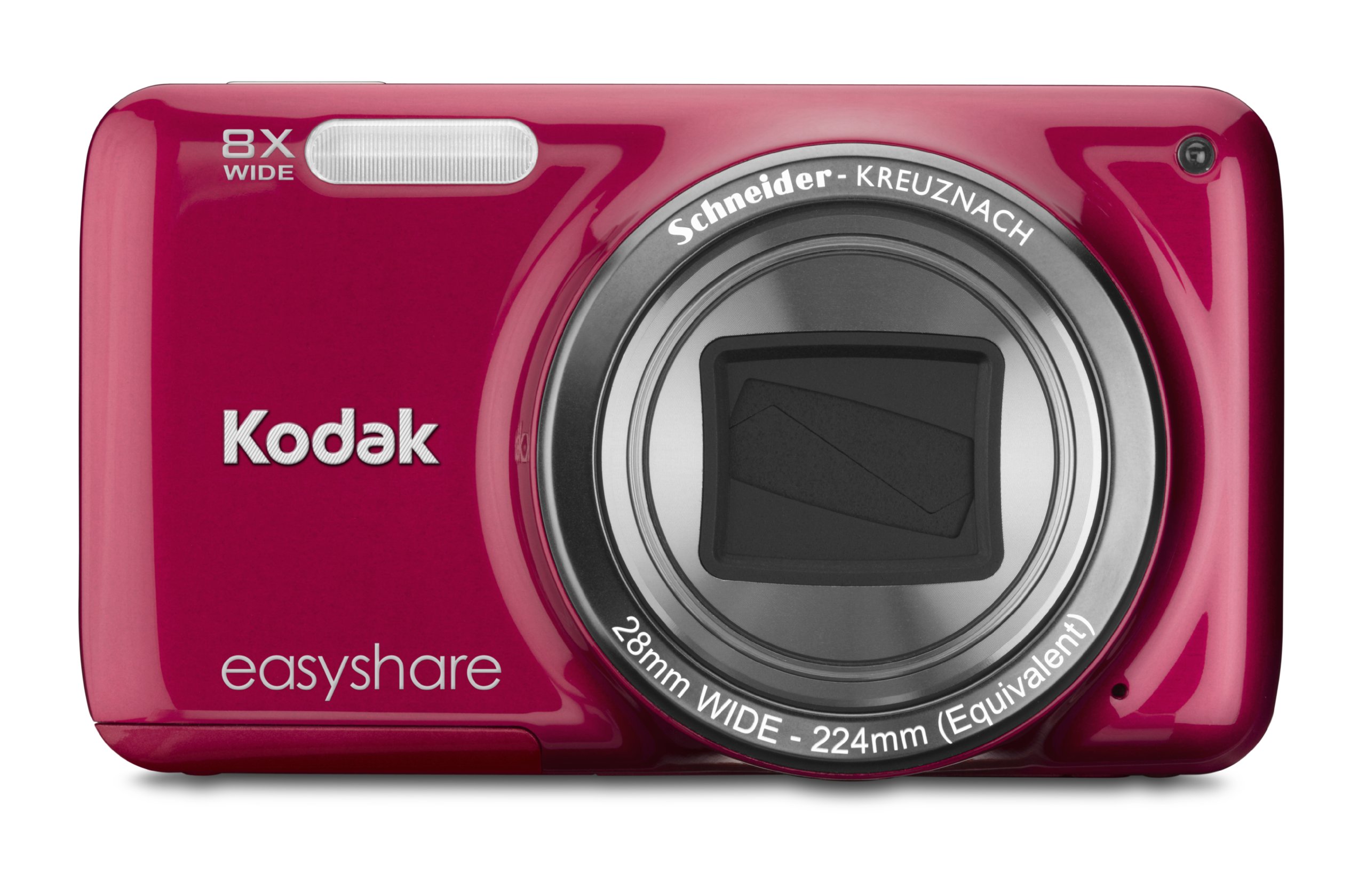
Hình ảnh: Mặt trước view of the Kodak EasyShare M583 Digital Camera in red, showcasing the lens and branding.
Cài đặt
1. Lắp đặt và sạc pin
The Kodak EasyShare M583 uses a rechargeable Li-Ion battery.
- Mở nắp ngăn chứa pin nằm ở phía dưới máy ảnh.
- Insert the Li-Ion battery, ensuring the contacts align correctly.
- Đóng chặt nắp ngăn chứa pin.
- Connect the camera to a power source using the supplied USB cable for charging. The battery indicator light will show charging status.
2. Cài đặt thẻ nhớ
The camera supports MicroSD and MicroSDHC memory cards. A memory card is required to store photos and videos.
- Hãy tìm khe cắm thẻ nhớ, thường nằm gần ngăn chứa pin.
- Insert the MicroSD/MicroSDHC card with the gold contacts facing down, pushing gently until it clicks into place.
- Để tháo ra, hãy ấn thẻ vào lại cho đến khi nó bật ra.
Ghi chú: The camera supports up to 4 GB of memory. Ensure the card is formatted in the camera before first use.
Hướng dẫn sử dụng
1. Powering On and Basic Photography
- Nhấn nút Quyền lực Nhấn nút để bật máy ảnh. Ống kính sẽ mở rộng.
- Dễ dàng căn chỉnh khung hình bằng màn hình LCD 3 inch.
- Nhấn nửa nút chụp để lấy nét. Máy ảnh sẽ xác nhận lấy nét.
- Nhấn nút chụp ảnh hết cỡ để chụp hình.

Hình ảnh: Mặt trước view of the Kodak EasyShare M583 camera, showing the extended lens and flash unit.
2. Chức năng Zoom
The camera features an 8x optical zoom. Use the zoom lever (W/T) located near the shutter button to adjust the focal length.
- Move the lever towards T (Telephoto) để phóng to.
- Move the lever towards W (Rộng) để thu nhỏ.
3. Quay video
To record videos, press the dedicated video record button. The camera supports 720p HD video.
- Nhấn nút Ghi lại video nút để bắt đầu ghi âm.
- Nhấn lại nút để dừng ghi.
- Videos are saved to the memory card in MP4 format.
4. Image Stabilization and Flash Modes
- The camera incorporates both digital and optical image stabilization to reduce blur caused by camera shake.
- The built-in flash operates in automatic mode, activating when lighting conditions require it.
5. Táiviewing and Sharing Content
View Bạn có thể xem ảnh và video đã chụp trên màn hình LCD 3 inch.
- Nhấn nút Review button (usually indicated by a play icon) to enter playback mode.
- Sử dụng phím điều hướng để di chuyển giữa các hình ảnh và video.
- To share content, press the dedicated Chia sẻ button. This allows one-button upload to email, KODAK PULSE Display, and various social networking sites.

Hình ảnh: Phía sau view of the Kodak EasyShare M583 camera, displaying the 3-inch LCD screen with sharing options for platforms like Twitter and Facebook.
6. Kết nối với máy tính
Connect the camera to your computer using the supplied USB cable to transfer photos and videos.
- Đảm bảo máy ảnh được bật nguồn.
- Kết nối một đầu cáp USB với cổng USB của máy ảnh và đầu kia với máy tính của bạn.
- The camera will appear as a removable drive, allowing you to access your media files.
BẢO TRÌ
1. Vệ sinh máy ảnh
- Sử dụng vải mềm, không xơ để lau thân máy ảnh.
- Đối với ống kính và màn hình LCD, hãy sử dụng khăn lau và dung dịch chuyên dụng để vệ sinh ống kính. Tránh sử dụng các vật liệu có tính mài mòn.
- Do not use organic solvents such as alcohol or thinner.
2. Chăm sóc pin
- Sạc đầy pin trước khi sử dụng lần đầu.
- Tránh để pin tiếp xúc với nhiệt độ quá cao.
- Nếu không sử dụng máy ảnh trong thời gian dài, hãy tháo pin ra.
3. Lưu trữ
- Bảo quản máy ảnh ở nơi khô ráo, thoáng mát, tránh ánh nắng trực tiếp và độ ẩm cao.
- Use a camera case to protect it from dust and scratches.
Xử lý sự cố
| Vấn đề | Giải pháp |
|---|---|
| Máy ảnh không bật được. | Ensure the battery is fully charged and correctly inserted. Try charging the battery for at least 30 minutes. |
| Blurred pictures. | Press the shutter button halfway to allow the camera to focus before fully pressing to capture. Ensure sufficient lighting. Image stabilization is active, but excessive movement can still cause blur. |
| Lens does not extend or retract. | Check for obstructions around the lens. Remove and reinsert the battery to reset the camera. If the issue persists, contact support. |
| Thẻ nhớ không được nhận diện. | Ensure the MicroSD/MicroSDHC card is inserted correctly. Try reinserting the card. If possible, test with another compatible memory card. Format the card in the camera if it's new or causing issues (this will erase all data). |
| Máy ảnh bị treo hoặc không phản hồi. | Remove the battery for a few seconds, then reinsert it and power on the camera. |
Thông số kỹ thuật
| Tính năng | Chi tiết |
|---|---|
| Tên mẫu | M583 |
| Độ phân giải cảm biến ảnh | 14MP |
| Thu phóng quang học | 8x |
| Zoom kỹ thuật số | 5x |
| Kích thước màn hình | 3 inch (LCD) |
| Ổn định hình ảnh | Kỹ thuật số, quang học |
| Độ phân giải video | 720p (30 FPS) |
| Được hỗ trợ File Định dạng | JPEG (Hình ảnh), MP4 (Video) |
| Loại thẻ nhớ | Micro SD, Micro SDHC |
| Loại pin | Pin Lithium Ion |
| Kết nối | USB |
| Trọng lượng sản phẩm | 0.32 Bảng Anh |
| Ống kính | 28mm wide-angle lens with 8x optical zoom |
| Khẩu độ tối đa | F2.8 |
Thông tin bảo hành
KODAK products are manufactured to high quality standards. For specific warranty terms and conditions applicable to your Kodak EasyShare M583 camera, please refer to the warranty card included with your purchase or visit the official KODAK support webtrang web. Giữ lại bằng chứng mua hàng để yêu cầu bảo hành.
Hỗ trợ khách hàng
If you encounter issues not covered in this manual or require further assistance, please contact KODAK customer support.
- Hỗ trợ trực tuyến: Hãy truy cập trang hỗ trợ chính thức của KODAK. webTrang web cung cấp các câu hỏi thường gặp, trình điều khiển và phần mềm để tải xuống.
- Hỗ trợ qua điện thoại: Vui lòng tham khảo bao bì sản phẩm hoặc thông tin từ KODAK. webtrang web cho các số liên lạc khu vực.
When contacting support, please have your camera model (M583) and serial number ready.