
Kirish
This manual provides essential information for the setup, operation, maintenance, and troubleshooting of your LG 55-Inch Class OLED evo AI 4K C6 Series Smart TV. Please read this manual thoroughly before using your television to ensure proper and safe operation.
Qutida nima bor
Paketda barcha komponentlar mavjudligiga ishonch hosil qiling:
- LG 55 dyuymli OLED evo AI 4K C6 seriyali Smart TV
- Turing
- Quvvat kabeli
- Masofadan boshqarish
- Remote Control Battery (2 AAA batteries)
- Foydalanuvchi uchun qo'llanma (ushbu hujjat)

Rasm: tugadiview of TV dimensions and included accessories.
Sozlash; o'rnatish
Qadoqdan chiqarish va joylashtirish
Carefully remove the TV from its packaging. Place the TV on a stable, level surface or mount it on a wall using a compatible VESA 400 x 400 mm mount. Ensure adequate ventilation around the TV.
- Mahsulot o'lchamlari (G x Y x D): 48.1" x 29.8" x 9.1" (stend bilan)
- Mahsulot o'lchamlari (G x Y x D): 48.1" x 27.7" x 1.8" (tagliksiz)
- Stend izi: 18.5"
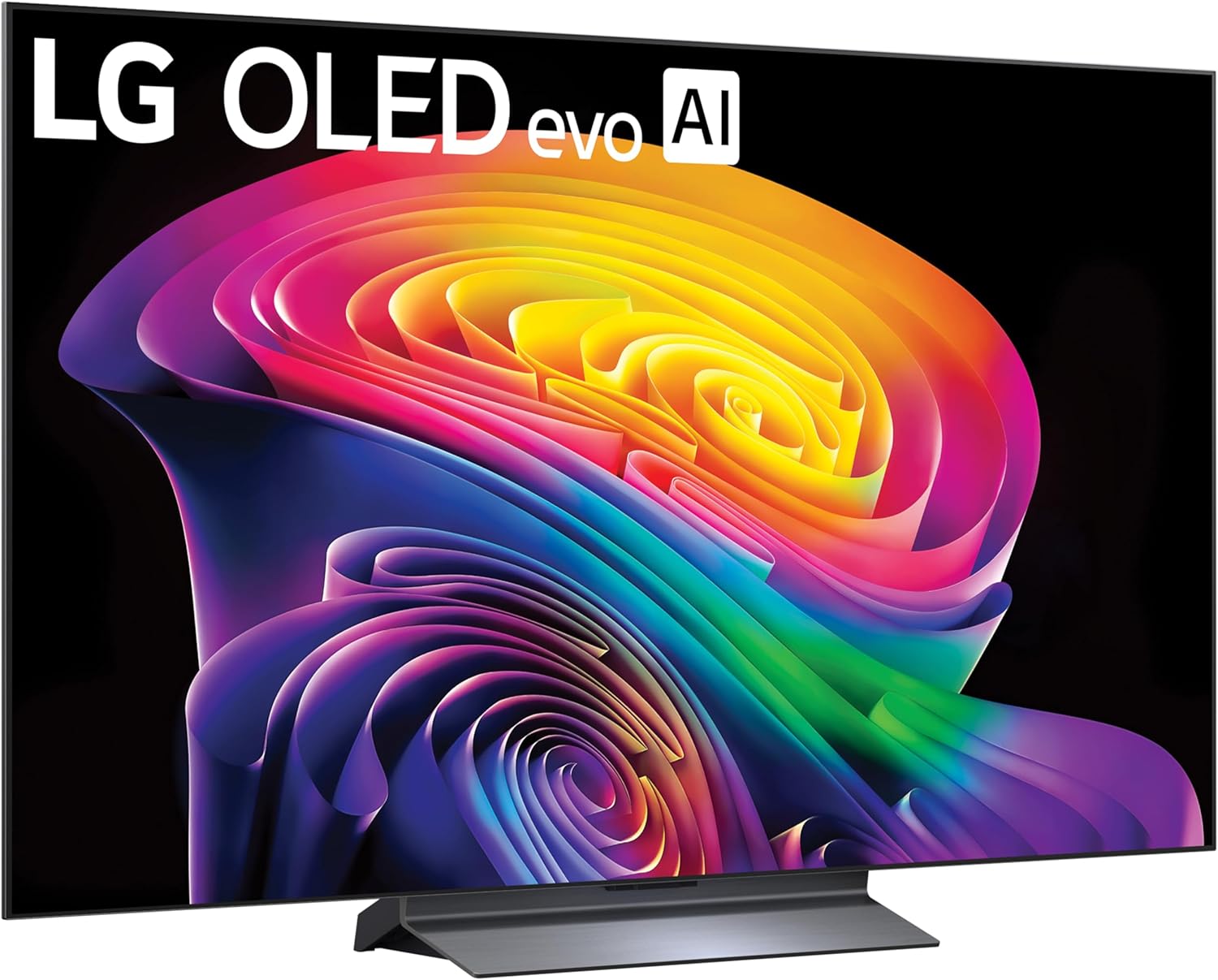
Rasm: old view of the LG OLED TV with its stand.
Stend o'rnatish
If using the included stand, attach it securely to the TV following the instructions provided in the quick start guide. Ensure all screws are tightened to prevent instability.

Image: Detail of the TV stand.
Periferik qurilmalarni ulash
Connect your external devices such as gaming consoles, soundbars, or media players to the TV's ports. The TV features multiple connectivity options:
- HDMI: 4 ports for high-definition audio and video.
- USB: 2 USB 2.0 ports, 1 USB 3.0 port for media playback or connecting accessories.
- Ethernet (LAN): Simli internetga ulanish uchun.
- Optik audio chiqishi: Tashqi audio tizimlariga ulanish uchun.
- Wi-Fi va Bluetooth: Simsiz ulanish uchun.
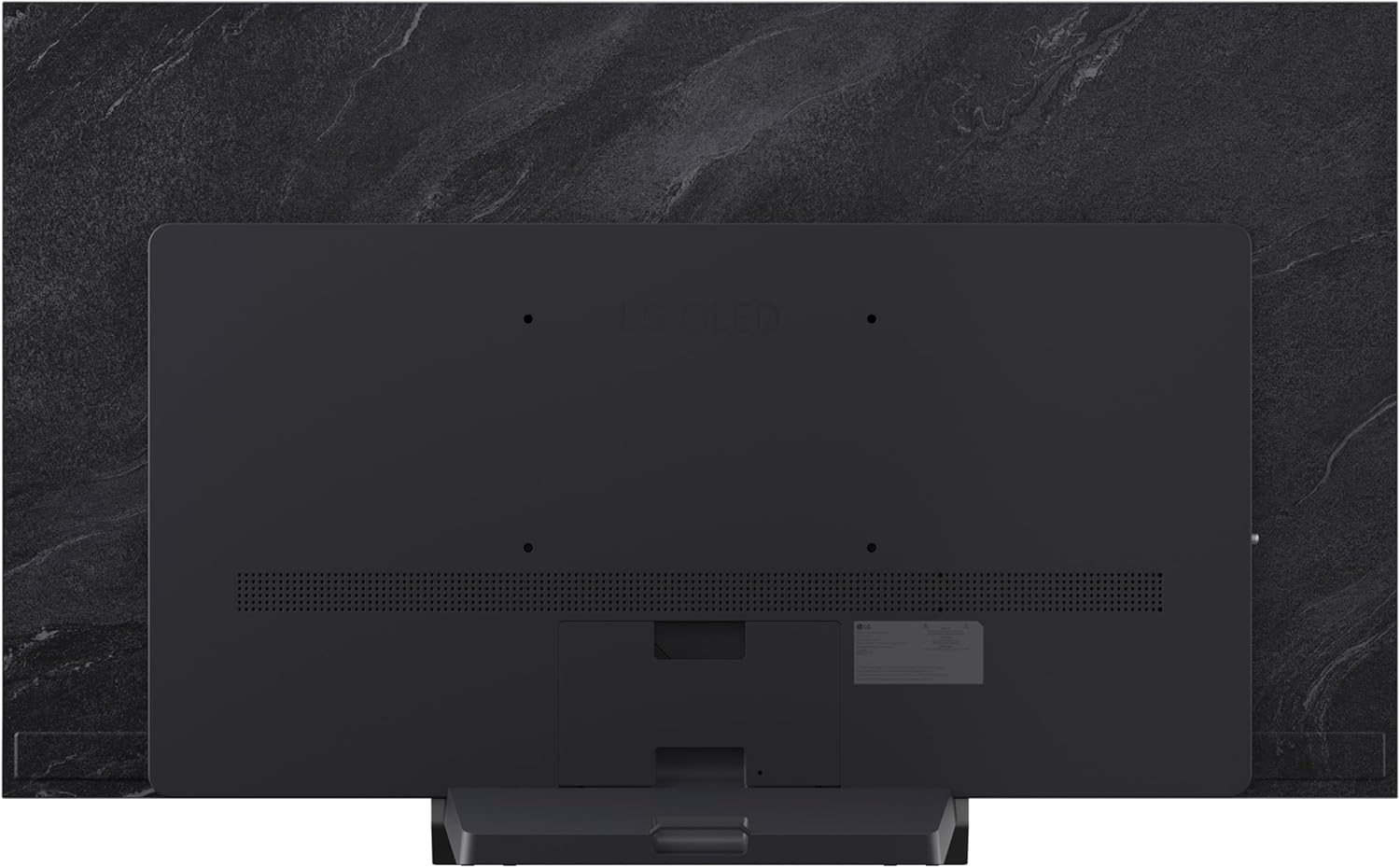
Rasm: orqa view televizorning ulanish portlarini ko'rsatuvchi qismi.

Image: Close-up of the TV's HDMI and USB ports.
Quvvat ulanishi
Elektr kabelini televizorga, keyin esa devordagi rozetkaga ulang. Elektr rozetkasiga osongina kirish mumkinligiga ishonch hosil qiling.
Masofadan boshqarish pultini sozlash
Insert the two AAA batteries into the Magic Remote control, observing the correct polarity. The remote is designed for intuitive navigation and voice control.
Dastlabki yoqish va sozlash ustasi
Press the power button on the remote or TV. Follow the on-screen instructions to complete the initial setup, including language selection, network connection, and channel tuning.
Televizoringiz bilan ishlash
Asosiy boshqaruv elementlari
Use the Magic Remote to navigate menus, adjust volume, change channels, and select input sources. The pointer function allows for quick selection of on-screen elements.
webOS Smart TV platformasi
Sizning LG televizoringiz ishlaydi webOS 2026 platform, providing access to a wide range of streaming services and applications. Explore LG Channels for over 400 free channels and thousands of on-demand movies and shows.

Image: LG webOS Smart TV platform interface.
AI Features (Alpha 11 AI Processor Gen3)
The Alpha 11 AI Processor Gen3 enhances picture and sound quality through deep learning. It analyzes content to optimize settings for a personalized viewing experience, including AI Picture and AI Sound features.

Image: Alpha 11 AI Processor Gen3 with Dual AI Engine.
Tasvir va ovozni yaxshilash vositalari
- Yorqinlikni kuchaytiruvchi: Delivers brighter visuals and vivid detail.
- Mukammal qora va mukammal rang: Over 8.3 million self-lit pixels provide infinite contrast and accurate colors, even in bright rooms.
- Dolby Vision va HDR10: Supports advanced HDR formats for extraordinary color, contrast, and brightness.
- Dolby Atmos: Immersiv, ko'p o'lchovli tovushni ta'minlaydi.
- Rejissyor rejimi: Harakatni tekislash va qayta ishlashdan keyingi boshqa effektlarni o‘chirib, rejissyorning asl ko‘rinishini saqlaydi.

Image: Demonstration of Perfect Black and Perfect Color technology.
O'yin xususiyatlari
The C6 Series TV is optimized for gaming with features designed for a smooth and responsive experience:
- 165 Gts yangilanish tezligi: For ultra-smooth motion.
- 0.1ms javob vaqti: Minimizes input lag.
- NVIDIA G-Sync & AMD FreeSync Premium: Ekran yirtilishini va qoqilishni kamaytiradi.
- Four HDMI 2.1 Inputs: Kengaytirilgan o'yin xususiyatlarini qo'llab-quvvatlaydi.

Image: Gaming features highlighting 165Hz, G-Sync, and FreeSync Premium.
AI Hub and Voice Control
The AI Hub provides a personalized AI experience with features like Multi AI Search (powered by Google Gemini and Microsoft Copilot), AI Concierge, AI Voice ID, AI Picture Wizard, and AI Sound Wizard. Simply press the AI button on your remote to access these functions.
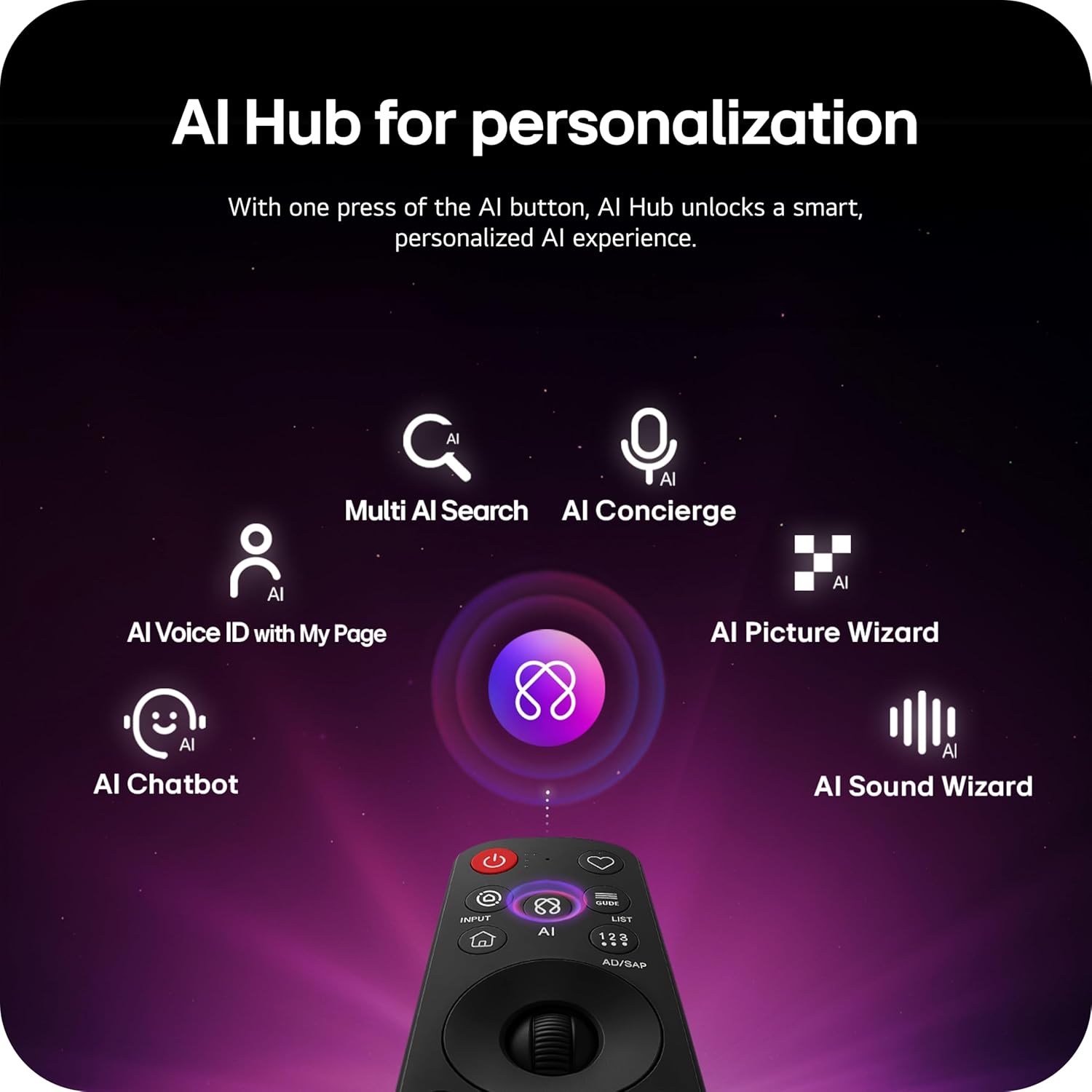
Image: AI Hub features accessible via the Magic Remote.
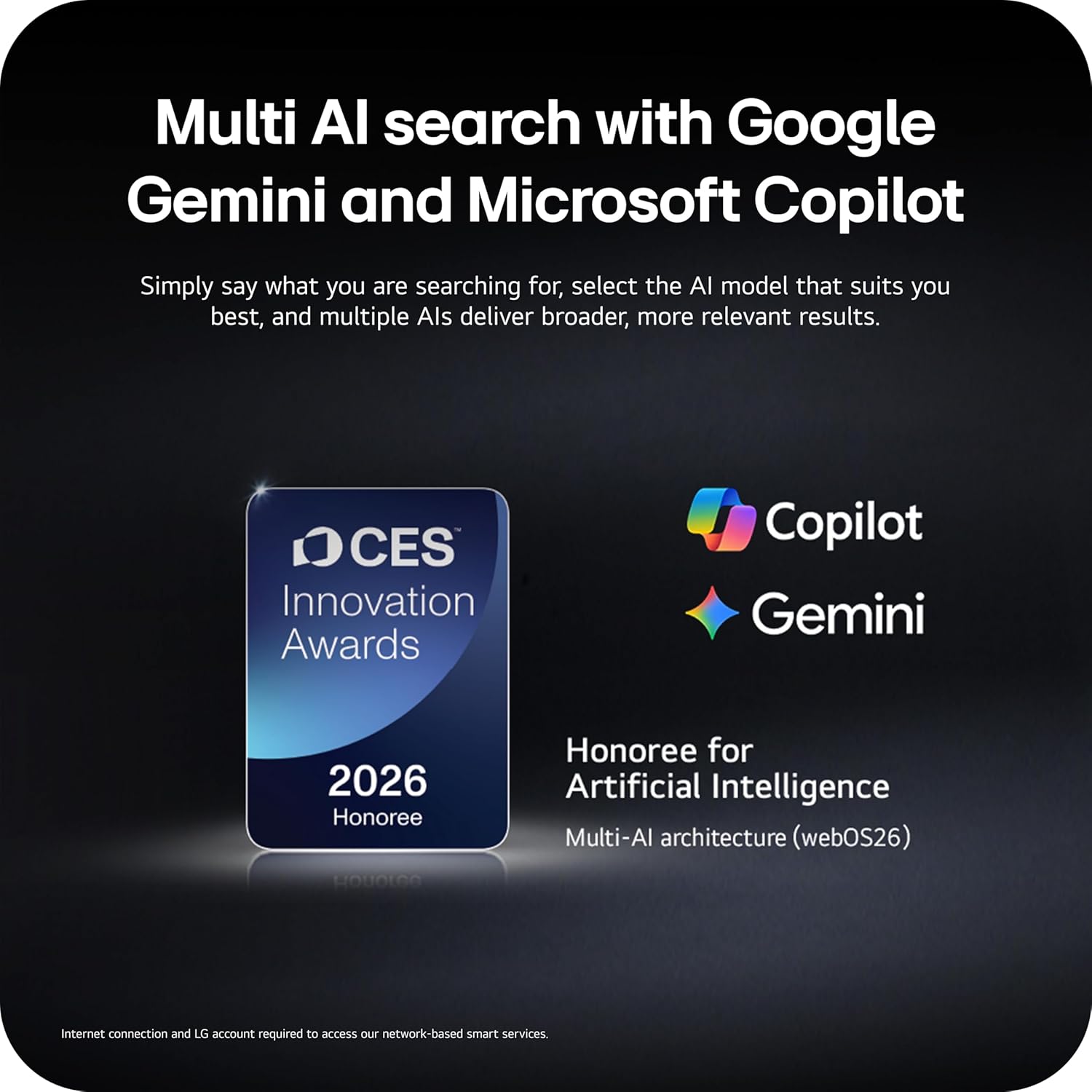
Image: Multi AI search with Google Gemini and Microsoft Copilot integration.
Dinamik sport
Dynamic Sports is an exclusive feature built into webOS Smart TVs, offering a tailored sports experience. It provides real-time updates, scores, and highlights, ensuring you don't miss any action.
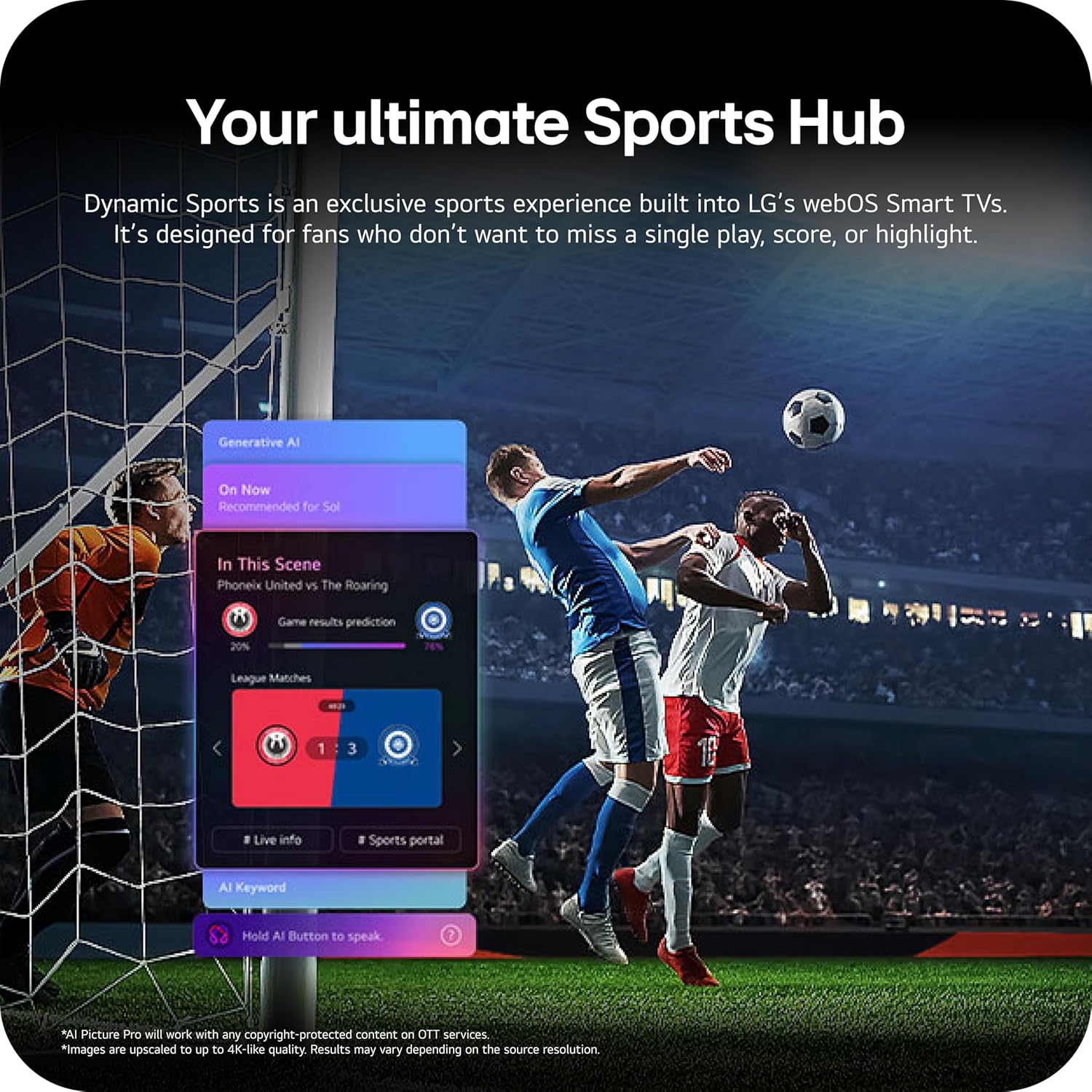
Image: Dynamic Sports Hub interface during a soccer match.
Xizmat
OLED parvarishi
Your LG OLED TV includes OLED Care features to help protect the display and maintain picture quality over time. These features manage pixel refresh cycles and screen shift to prevent image retention.

Image: OLED Care feature for display protection.
Umumiy tozalash
Ekranni tozalash uchun uni yumshoq, quruq, tuklarsiz mato bilan artib oling. O'jar belgilar uchun biroz dampMatoni suv yoki maxsus ekran tozalagich bilan arting. Qattiq kimyoviy moddalar yoki abraziv materiallardan foydalanishdan saqlaning. Televizorning tashqi qismini yumshoq, quruq mato bilan arting.
Dasturiy ta'minot yangilanishlari
The TV's software will automatically download updates for up to 5 years. Ensure your TV is connected to the internet to receive the latest features and security enhancements. If auto-update is disabled, you will receive notifications to accept or deny updates.
Muammolarni bartaraf qilish; nosozliklarni TUZATISH
Televizoringiz bilan bog'liq muammolarga duch kelsangiz, quyidagi umumiy echimlarga murojaat qiling:
- Quvvat yo'q: Check the power cable connection and the wall outlet. Try plugging another device into the outlet to confirm it is working.
- Rasm/ovoz yo'q: Verify the correct input source is selected. Check cable connections to external devices. Restart the TV and connected devices.
- Masofadan boshqarish pulti ishlamayapti: Ensure batteries are correctly inserted and not depleted. Point the remote directly at the TV.
- Tarmoqqa ulanish muammolari: Check your Wi-Fi router or Ethernet cable connection. Restart your router and TV.
LG Shield
LG Shield provides real-time scanning and automatic updates to protect your TV against malware, viruses, and other cyber threats, ensuring your digital security.

Image: LG Shield security features.
Texnik xususiyatlari
| Xususiyat | Tafsilot |
|---|---|
| Brend | LG |
| Model nomi | C6 |
| Model raqami | OLED55C6PUA |
| Ekran o'lchami | 55 dyuym |
| Displey texnologiyasi | OLED |
| Rezolyutsiya | 4K |
| Yangilanish tezligi | 120 Hz (Native), up to 165Hz for PC gaming |
| Protsessor | Alpha 11 AI protsessor Gen3 |
| HDR formati qo'llab-quvvatlanadi | Dolby Vision, HDR10, HLG |
| Audio | Dolby Atmos (2.2 Channels) |
| Operatsion tizim | webOS 2026 |
| Ulanish texnologiyasi | Bluetooth, Ethernet, HDMI (4 ports), USB (2x 2.0, 1x 3.0), Wi-Fi |
| Maxsus xususiyatlar | AMD FreeSync, Built-In Speaker, Chromecast, Intelligent Voice Recognition, NVIDIA G-Sync |
| O'rnatish turi | Devorga o'rnatish moslamasi (VESA 400 x 400 mm) |
| Mahsulot o'lchamlari (stend bilan) | 9.1"D x 48.1"W x 29.8"Y |
| Element og'irligi | 35.1 funt |
| UPC | 195174137123, 195174137130 |
Kafolat haqida ma'lumot
Your LG 55-Inch Class OLED evo AI 4K C6 Series Smart TV comes with a 1 yillik ehtiyot qismlar va mehnat cheklangan kafolati. Please retain your proof of purchase for warranty claims. For full terms and conditions, refer to the warranty card included with your product or visit the official LG websayt.
Mijozlarni qo‘llab-quvvatlash
Qo'shimcha yordam, texnik yordam yoki xizmat ko'rsatish bo'yicha so'rovlar uchun rasmiy LG ga tashrif buyuring. website or contact LG customer service. You can find contact details and additional resources on the LG support page for your region.