
1. Kirish
This manual provides detailed instructions for the installation, operation, and maintenance of your KEPEAK 10-inch Mirror Dash Cam. Please read this manual thoroughly before using the product to ensure proper function and safety. Keep this manual for future reference.
2. Mahsulot tugadiview
Paket tarkibi
- 10-inch Mirror Dash Cam (Front Camera Integrated)
- 1080P orqa View Kamera
- Orqa kamera kabeli (18 fut)
- Avtomobil zaryadlovchi
- Mounting Straps/Rubber Clips
- 32 GB xotira kartasi
- Foydalanuvchi uchun qo'llanma
Asosiy xususiyatlar
- Ikki kamerali tizim: 4K Ultra HD front camera and IP68 waterproof 1080P rear camera.
- 10 dyuymli IPS sensorli ekran: Provides a wide field of view and intuitive control.
- Keng dinamik diapazon (WDR): Enhances video clarity in varying light conditions, especially at night.
- Smart Parking Assistance: Automatic display of rear view with parking assist lines when reversing.
- Loop yozib olish: Avtomatik ravishda eng eskisini ustiga yozadi files xotira kartasi to'lganida.
- G-sensor: Detects collisions and locks video footage qayta yozishni oldini olish uchun.
- Parking Surveillance Mode: Records events when an impact is detected while parked (requires built-in battery power).
- 170° keng burchakli linza: Keng qamrovni egallaydi view yo'lning.
- Xotira kartasini qo'llab-quvvatlash: Includes a 32GB card, supports up to 64GB.

Image: The KEPEAK 10-inch Mirror Dash Cam with its front camera, rear camera, 32GB memory card, car charger, and mounting straps.
3. O'rnatish bo'yicha qo'llanma
Follow these steps to properly install your dash cam system.
3.1 Mounting the Mirror Dash Cam
- Secure the mirror dash cam to your vehicle's original rearview mirror using the provided rubber clips/straps. Ensure it is firmly attached and does not obstruct your view.
- Adjust the angle of the front camera lens to capture the desired view oldingi yo'lning.
3.2 Orqa kamerani o'rnatish
- Mount the rear camera at the back of your vehicle, typically above the license plate or on the rear window. Ensure it has a clear view and is securely fastened.
- Route the 18ft rear camera cable from the rear camera to the main mirror dash cam unit. It is recommended to route the cable along the vehicle's headliner and trim for a neat installation.
- Connect the rear camera cable to the designated port on the mirror dash cam.
3.3 Quvvatga ulanish
- Insert the provided 32GB memory card into the dash cam's memory card slot.
- Connect the car charger to the dash cam's power input port.
- Plug the car charger into your vehicle's 12V power outlet (cigarette lighter socket).
- Start your vehicle. The dash cam should power on automatically and begin recording.

Image: Visual guide for power wiring methods, including securing the dashcam, routing wires along the headliner, opening the A-pillar side panel, and plugging in the car charger.
4. Foydalanish bo'yicha ko'rsatmalar
The KEPEAK Mirror Dash Cam features a user-friendly touch screen interface.
4.1 Asosiy funksiyalar
- Quvvatni yoqish/oʻchirish: The device automatically powers on/off with your vehicle's ignition. You can also manually power it on/off by pressing and holding the power button.
- Yozib olish: Recording starts automatically when the device powers on. A red dot or similar indicator on the screen confirms recording is active.
- Oʻtish Views: Slide your finger left or right across the touch screen to switch between front camera view, orqa kamera view, or a split-screen display.
- Burchaklarni sozlash: Slide your finger up or down on the screen to adjust the vertical viewing angle of the displayed camera.

Image: The 10-inch IPS touch screen displaying a vibrant interface, highlighting its responsive touch functionality.
4.2 Kengaytirilgan funksiyalar
- Avtoturargohda yordam: When your vehicle is in reverse gear, the dash cam automatically displays the full-screen rear view with dynamic parking assist lines. You can manually adjust the display range (up/down) for optimal visibility.
- Loop yozib olish: The dash cam continuously records. When the memory card is full, it automatically overwrites the oldest unlocked files.
- G-sensor (to'qnashuvni aniqlash): In the event of a sudden impact or collision, the built-in G-Sensor automatically detects the event and locks the current video file, uning sikl yozuvi tomonidan qayta yozilishining oldini oladi.
- Parking Surveillance Mode: When the engine is off, the dash cam uses its internal battery to enter standby monitoring. If an impact is detected, it will automatically turn on and record the event. A fully charged internal battery can provide up to 2 weeks of standby monitoring. For continuous 24/7 monitoring, hardwiring the dash cam to your car's battery is required (hardwire kit sold separately).

Image: The dash cam screen showing a full-screen rear view with green, yellow, and red parking assist lines, indicating safe reversing.

Image: An illustration depicting cars in a parking lot, with a lock icon indicating the G-Sensor's auto-lock function for collision events.
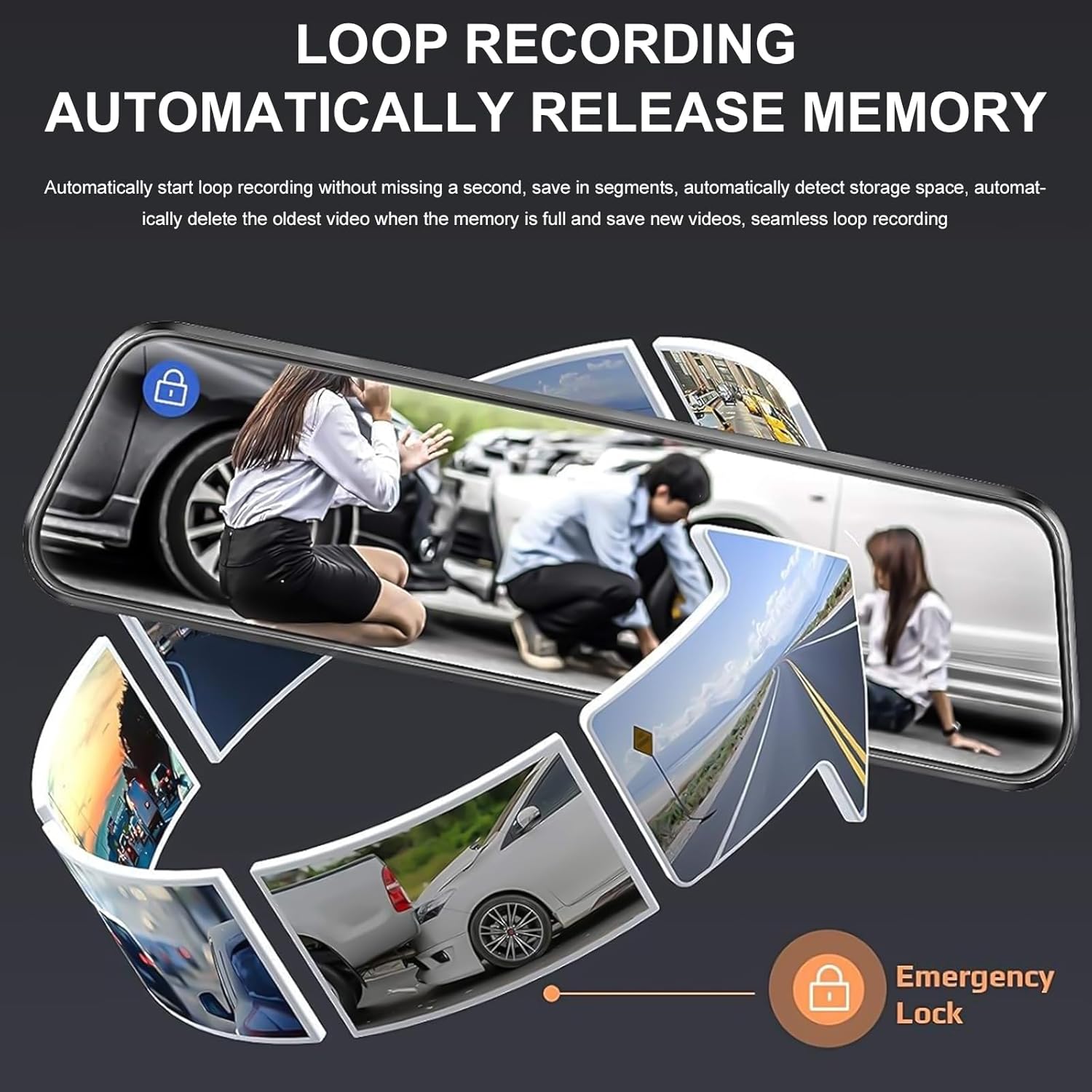
Image: A circular flow diagram illustrating loop recording, where new video segments replace older ones, with an emergency lock icon for protected footage.

Image: A car parked at night with a '24 HOUR' clock icon, symbolizing the 24-hour parking monitoring feature for vehicle protection.
5. Settings and Functions
Access the menu by tapping the screen. Here you can adjust various settings:
- Video ruxsati: Select desired resolution for front and rear cameras (e.g., 4K/1080P).
- Loop yozish davomiyligi: Set the length of video segments (e.g., 1, 3, 5 minutes).
- G-sensor sezgirligi: Adjust the sensitivity of the collision detection.
- Avtoturargoh monitor: Enable or disable parking surveillance mode.
- Chalinish xavfi: Adjust video brightness.
- Sana/vaqt: Aniq vaqt uchun to'g'ri sana va vaqtni belgilangamps yozuvlarda.
- Ekran saqlovchi: Set the screen to turn off after a period of inactivity to avoid distraction.
- Til: O'zingiz yoqtirgan tilni tanlang.
6. Xizmat ko'rsatish
- Tozalash: Use a soft, dry cloth to clean the dash cam screen and lenses. Avoid abrasive cleaners or solvents.
- Xotira kartasi: Regularly format the memory card (at least once a month) to ensure optimal performance and prevent data corruption. Back up any important footage before formatting. Replace the memory card if it shows signs of degradation or errors.
- Harorat: Qurilma boshqaruv kamerasini uzoq vaqt davomida haddan tashqari haroratga ta'sir qilmang, chunki bu batareya quvvati va qurilmaning ishlashiga ta'sir qilishi mumkin.
7. Muammolarni bartaraf qilish; nosozliklarni TUZATISH
Agar siz boshqaruv kamerangiz bilan bog'liq muammolarga duch kelsangiz, quyidagi keng tarqalgan yechimlarga murojaat qiling:
| Muammo | Mumkin yechim |
|---|---|
| Dash kamerasi yoqilmaydi. | Check if the car charger is properly connected to both the dash cam and the vehicle's 12V outlet. Ensure the vehicle's ignition is on. Test the charger in another port or with another device if possible. |
| Yozish to'xtaydi yoki muzlaydi. | Format the memory card. Ensure the memory card is a high-speed Class 10 or U3 card. Replace the memory card if issues persist. Check power connection stability. |
| Video sifati past. | Clean the camera lenses. Ensure the protective film has been removed from the lenses. Check video resolution settings. Adjust WDR settings if applicable. |
| Orqa kamera ko'rsatilmayapti. | Check the connection of the rear camera cable to both the rear camera and the main unit. Ensure the cable is not damaged. |
| Parking assist lines not appearing. | Ensure the rear camera is properly connected and the vehicle is in reverse gear. Check settings for parking assistance. |
| Parking surveillance not working. | Ensure the parking surveillance mode is enabled in settings. Check the dash cam's internal battery charge level. For 24/7 monitoring, hardwiring is required. |
8. Texnik shartlar
- Brend: SAQLASH
- Model: B0FHJS1HZS
- Ekran hajmi: 10 dyuym
- Old kamera ruxsati: 4K Ultra HD
- Orqa kamera ruxsati: 1080P to'liq HD
- ning maydoni View: 170 daraja
- Maxsus xususiyatlar: G-Sensor, Night Vision (WDR), Touch Screen, Loop Recording, Parking Assistance, Parking Surveillance
- Ulanish texnologiyasi: USB
- Xotira kartasini qo'llab-quvvatlash: Up to 64GB (32GB included)
- Mahsulot o'lchamlari: 8 x 5 x 4 dyuym
- Mahsulot og'irligi: 1.7 funt
- Rang: Qora
- Avtomobil xizmati turi: Avtomobil, yuk mashinasi
9. Kafolat va qo'llab-quvvatlash
KEPEAK is committed to providing reliable products and customer satisfaction. If you encounter any issues with your mirror dash cam, our customer support team is available to provide fast and effective assistance within 24 hours.
Please contact us through the retailer's platform or refer to the contact information provided with your purchase for support.