
تعارف
This manual provides instructions for the Zebronics CSH501 2.5" SSD/HDD Enclosure. This device allows you to connect a 2.5-inch SATA Solid State Drive (SSD) or Hard Disk Drive (HDD) to your computer via a USB Type-C 3.1 Gen 1 interface, enabling high-speed data transfer and portable storage solutions. It supports up to 6TB of storage capacity and features a tool-free slide design for easy installation.
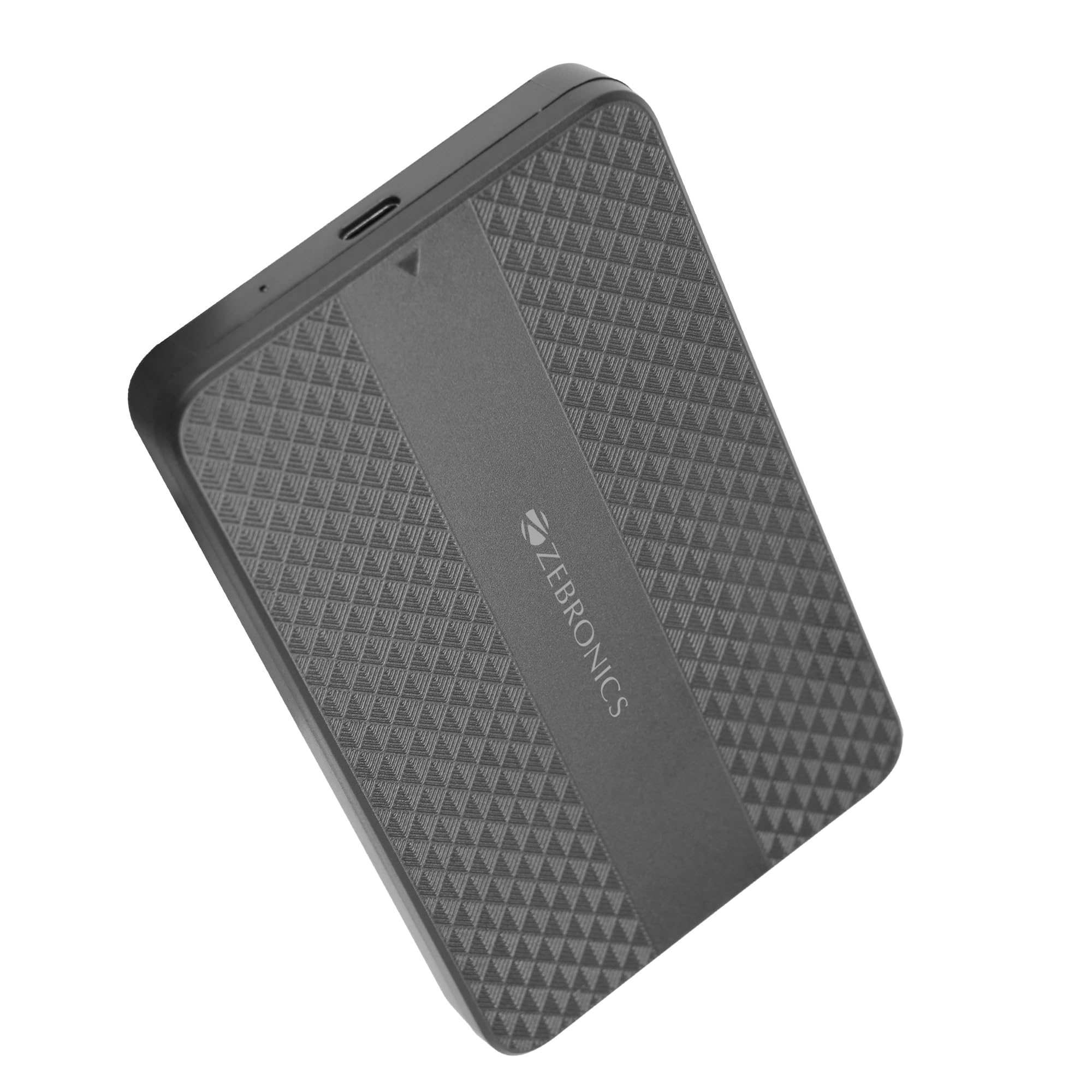
Image: The Zebronics CSH501 2.5 inch SSD/HDD Enclosure, a compact black device with a textured surface and Zebronics branding.
پیکیج کے مشمولات
تصدیق کریں کہ تمام اشیاء پیکیج میں موجود ہیں:
- 1 x 2.5" SATA SSD Enclosure (CSH501)
- 1 ایکس فوم پیڈ
- 1 x USB to Micro B Cable
وضاحتیں
| فیچر | تفصیل |
|---|---|
| ماڈل | CSH501 |
| Compatible Drives | 2.5-inch SATA SSD/HDD |
| Max. Storage Capacity | 6 ٹی بی |
| انٹرفیس | USB Type-C 3.1 Gen 1 |
| ڈیٹا کی منتقلی کی شرح | 5 Gbps تک |
| مواد | پلاسٹک |
| طول و عرض (L x W x H) | 13L x 8W x 1.3H سینٹی میٹر |
| وزن | 60 گرام |
| OS سپورٹ | ونڈوز، میک، لینکس |
سیٹ اپ اور انسٹالیشن
The CSH501 enclosure features a tool-free slide design for quick and easy installation of your 2.5-inch SATA SSD or HDD.
- Step 1: Open the Enclosure
Gently slide the back cover of the enclosure to open it. - Step 2: Insert the Drive
Carefully insert your 2.5-inch SATA SSD or HDD into the enclosure, ensuring it connects securely to the internal SATA connector. You may use the provided foam pad to secure thinner drives. Close the cover by sliding it back until it clicks into place. - مرحلہ 3: کمپیوٹر سے جڑیں۔
Connect the enclosure to your computer using the provided USB to Micro B cable. The enclosure is plug-and-play, requiring no additional drivers for most operating systems.

Image: A three-step visual guide demonstrating the tool-free slide setup: 1. Slide back to open the cover. 2. Insert the drive and close the cover. 3. Connect to the computer for plug & play operation.
آپریٹنگ ہدایات
Once connected, the enclosure will be recognized by your operating system as an external storage device. You can then access, transfer, and manage files جیسا کہ آپ کسی دوسری بیرونی ڈرائیو کے ساتھ کریں گے۔
- ڈیٹا کی منتقلی: The USB 3.1 Gen 1 interface supports data transfer speeds up to 5 Gbps. Actual speeds may vary based on the connected drive, computer's USB port, and file اقسام
- آپریٹنگ سسٹم کی مطابقت: The enclosure is compatible with Windows, Mac, and Linux operating systems.
- طاقت: The enclosure is bus-powered via the USB connection, eliminating the need for an external power adapter.

Image: The Zebronics CSH501 enclosure connected to a laptop via its USB cable, illustrating its capability for data transfer speeds up to 5Gbps.

Image: The Zebronics CSH501 enclosure connected to a laptop, with text highlighting its compatibility across Windows, Mac, and Linux operating systems.
دیکھ بھال
To ensure the longevity and optimal performance of your Zebronics CSH501 enclosure:
- آلے کو صاف اور دھول سے پاک رکھیں۔ صفائی کے لیے نرم، خشک کپڑا استعمال کریں۔
- Avoid exposing the enclosure to extreme temperatures, humidity, or direct sunlight.
- آلے کو نہ گرائیں اور نہ ہی اس کو سخت اثرات سے دوچار کریں۔
- ڈیٹا کی بدعنوانی کو روکنے کے لیے انکلوژر کو منقطع کرنے سے پہلے ہمیشہ اپنے آپریٹنگ سسٹم سے ڈرائیو کو محفوظ طریقے سے نکال دیں۔
خرابی کا سراغ لگانا
اگر آپ کو اپنے انکلوژر کے ساتھ مسائل کا سامنا کرنا پڑتا ہے، تو درج ذیل عام حل سے رجوع کریں:
- ڈرائیو کا پتہ نہیں چلا:
- Ensure the drive is properly seated within the enclosure and the cover is closed securely.
- انکلوژر کو اپنے کمپیوٹر پر کسی مختلف USB پورٹ سے جوڑنے کی کوشش کریں۔
- ایک مختلف USB کیبل کے ساتھ ٹیسٹ کریں۔
- Verify that the drive itself is functional by testing it in another enclosure or directly connecting it to a computer if possible.
- For new drives, ensure they are initialized and formatted in your operating system's Disk Management (Windows) or Disk Utility (Mac).
- سست منتقلی کی رفتار:
- Ensure the enclosure is connected to a USB 3.0/3.1 port on your computer. Connecting to a USB 2.0 port will result in slower speeds.
- The performance of the installed SSD/HDD also affects transfer speeds.
- بڑا file transfers are generally faster than many small file منتقلی
- دیوار گرم ہو جاتی ہے:
It is normal for the enclosure to become warm during extended use, especially during large data transfers, as heat is dissipated from the internal drive. Ensure adequate airflow around the device.
وارنٹی اور سپورٹ
The Zebronics CSH501 enclosure comes with a 1 Year Carry-In Warranty to the service center. For warranty claims or technical support, please contact Zebronics customer service.
مینوفیکچرر رابطہ کی معلومات:
زیبرونکس انڈیا پرائیویٹ لمیٹڈ
No.13/7, Smith Road, Royapettah, Chennai - 600 002
For further assistance, visit the official Zebronics webسائٹ یا ان کے سپورٹ چینلز سے رابطہ کریں۔