
تعارف
Thank you for choosing the pTron Studio Evo Wireless Over-Ear Headphones. This manual provides essential information for setting up, operating, and maintaining your headphones to ensure optimal performance and longevity. Please read these instructions carefully before use.
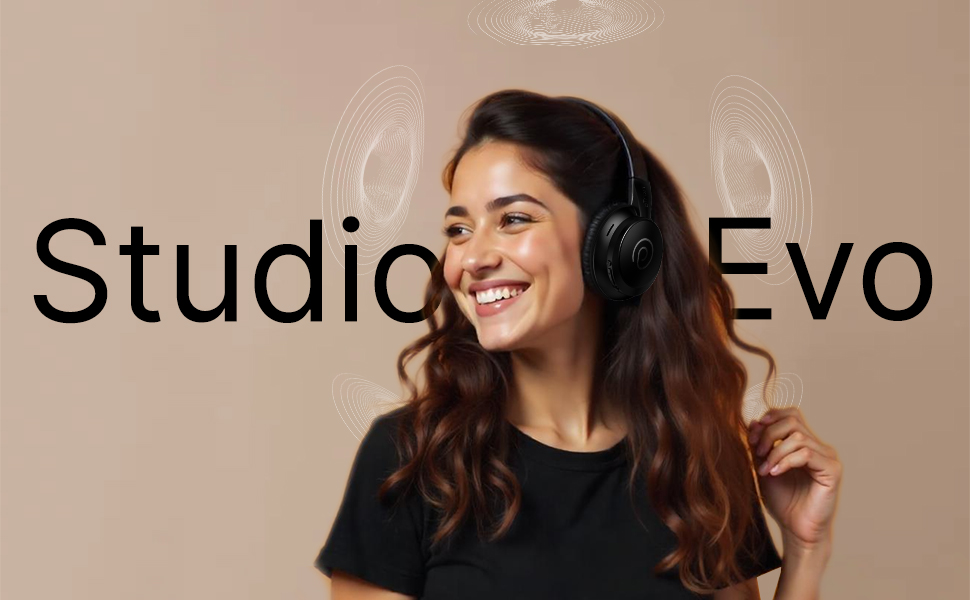
تصویر: ختمview of pTron Studio Evo features including sound quality, battery life, driver size, controls, charging, and connectivity modes.
سیٹ اپ
1. ان باکسنگ اور اجزاء
احتیاط سے پیکیجنگ سے تمام اشیاء کو ہٹا دیں. باکس پر مشتمل ہونا چاہئے:
- pTron Studio Evo Wireless Over-Ear Headphones
- USB ٹائپ سی چارجنگ کیبل
- 3.5 ملی میٹر آڈیو کیبل (آکس ان)
- صارف دستی (یہ دستاویز)
2. ہیڈ فون چارج کرنا
Before first use, fully charge your headphones. Connect the provided USB Type-C cable to the charging port on the headphones and the other end to a compatible USB power source (e.g., wall adapter, computer USB port).
- چارج کرنے کا وقت: مکمل چارج کے لیے تقریباً 2 گھنٹے۔
- بیٹری کی زندگی: Up to 70 hours of playtime on a single full charge.

Image: pTron Studio Evo headphones highlighting 70 hours of playtime and Type-C fast charging.
3. پر / آف پاور
- پاور آن کرنے کے لیے: پاور بٹن کو تقریباً 3 سیکنڈ تک دبائے رکھیں جب تک کہ LED انڈیکیٹر روشن نہ ہو۔
- پاور آف کرنا: پاور بٹن کو تقریباً 3 سیکنڈ تک دبائے رکھیں جب تک کہ LED انڈیکیٹر بند نہ ہو جائے۔
4. بلوٹوت جوڑی بنانا
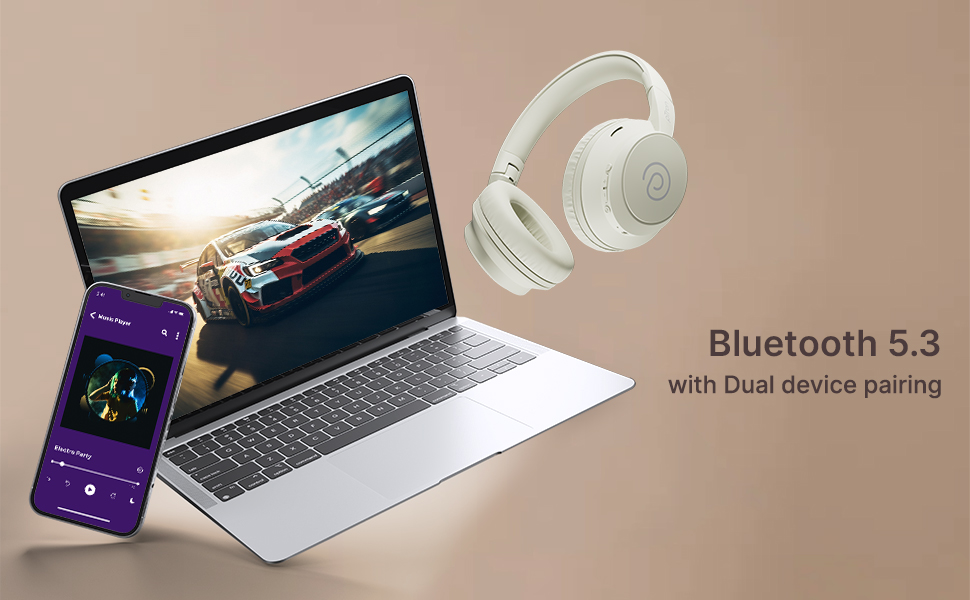
The pTron Studio Evo headphones utilize Bluetooth 5.3 for stable wireless connectivity.
- یقینی بنائیں کہ ہیڈ فون بند ہیں۔
- پاور بٹن کو 5-7 سیکنڈ تک دبائے رکھیں جب تک کہ LED اشارے باری باری سرخ اور نیلے رنگ میں نہ چمکے، جو جوڑنے کے موڈ کی نشاندہی کرتا ہے۔
- اپنے آلے پر (اسمارٹ فون، لیپ ٹاپ وغیرہ)، بلوٹوتھ کو فعال کریں اور دستیاب آلات تلاش کریں۔
- Select "pTron Studio Evo" from the list of found devices.
- ایک بار منسلک ہونے کے بعد، ایل ای ڈی اشارے آہستہ آہستہ ٹھوس نیلے یا فلیش نیلے رنگ میں بدل جائے گا۔
دوہری ڈیوائس پیئرنگ: These headphones support connecting to two devices simultaneously. After pairing with the first device, disable Bluetooth on that device, then pair with the second device. Re-enable Bluetooth on the first device, and the headphones should connect to both. You can then switch audio playback between the two devices.

Image: Headphones connected to both a phone and a laptop, demonstrating Bluetooth 5.3 dual device pairing.
5. وائرڈ کنکشن (آکس ان)
For a wired connection, use the provided 3.5mm audio cable. Plug one end into the headphone's 3.5mm jack and the other end into your audio source's auxiliary output. The headphones will automatically switch to wired mode when the cable is connected.
آپریٹنگ ہدایات
1. کنٹرول اوورview
The headphones feature integrated buttons for easy control of music, calls, and modes.
تصویر: تفصیلی view of the integrated control buttons on the pTron Studio Evo headphones.
- پاور بٹن: پاور آن/آف کرنے کے لیے دبائیں اور تھامیں۔ موسیقی چلانے/روکنے یا کالز کا جواب دینے/ختم کرنے کے لیے مختصر دبائیں۔
- والیوم اوپر (+): حجم بڑھانے کے لیے مختصر دبائیں اگلے ٹریک کے لیے دیر تک دبائیں۔
- آواز کم (-): حجم کم کرنے کے لیے مختصر دبائیں پچھلے ٹریک کے لیے دیر تک دبائیں۔
- EQ بٹن: Short press to cycle through EQ modes (Bass, Movie, Pop, Vocal).
2. EQ موڈز
The pTron Studio Evo headphones offer multiple low-latency EQ modes optimized for different audio experiences:
- گیم موڈ: Reduces audio latency for a more synchronized gaming experience.
- مووی موڈ: Enhances dialogue clarity and cinematic sound effects.
- میوزک موڈ: ایک متوازن آڈیو پرو فراہم کرتا ہے۔file for general music listening.
- باس موڈ: Boosts low frequencies for a deeper bass response.
- پاپ موڈ: Optimized for pop music genres.
- ووکل موڈ: Enhances vocal clarity, ideal for podcasts or audiobooks.
Press the EQ button to switch between these modes.
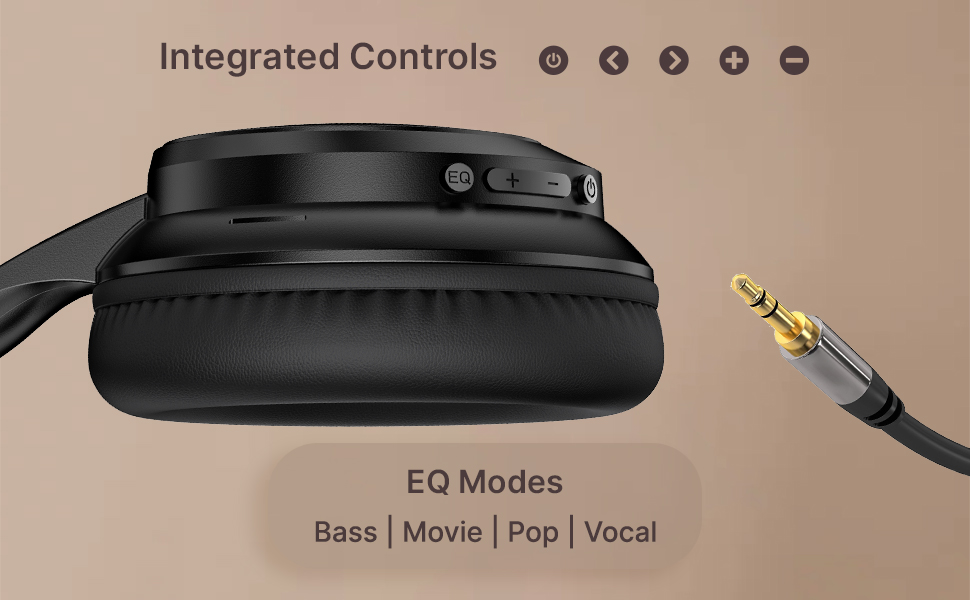
Image: User engaging in gaming with headphones, demonstrating low-latency sync for game mode.
3. کال کرنا اور وصول کرنا
The headphones include a built-in HD microphone for hands-free calls.
- جواب / کال ختم کریں: پاور بٹن کو مختصر دبائیں۔
- کال مسترد کریں: پاور بٹن کو 2 سیکنڈ تک دبائے رکھیں۔
4. وائس اسسٹنٹ
Access your device's voice assistant (e.g., Siri, Google Assistant) by double-pressing the Power button.
5. ہیڈ فون پہننا
The pTron Studio Evo headphones feature an ergonomic design with soft earcups and an adjustable head beam for comfortable all-day listening. Adjust the head beam to position the earcups exactly over your ears for the best fit and sound isolation.
دیکھ بھال
1. صفائی
Regularly clean your headphones to maintain hygiene and performance.
- ائرکپس اور ہیڈ بینڈ کو صاف کرنے کے لیے نرم، خشک کپڑا استعمال کریں۔
- کھرچنے والے کلینر یا سالوینٹس کا استعمال نہ کریں۔
- Avoid getting moisture into the charging port or audio jack.
2. پانی کی مزاحمت
The headphones are IPX5 water-resistant, meaning they can withstand splashes and sweat. Do not submerge them in water or expose them to heavy rain.
3. ذخیرہ
The foldable design allows for easy storage. Fold the headphones when not in use to protect them from damage and save space. Store them in a cool, dry place away from direct sunlight and extreme temperatures.
خرابی کا سراغ لگانا
- کوئی طاقت نہیں: یقینی بنائیں کہ ہیڈ فون پوری طرح سے چارج ہیں۔ پاور سورس سے جڑیں اور دوبارہ کوشش کریں۔
- جوڑا نہیں بن سکتا: Make sure Bluetooth is enabled on your device and the headphones are in pairing mode (flashing red and blue LED). Try restarting both devices.
- کوئی آواز نہیں: Check the volume levels on both the headphones and your connected device. Ensure the correct audio output is selected on your device. If using a wired connection, ensure the 3.5mm cable is fully inserted.
- خراب آواز کا معیار: Ensure the headphones are within the Bluetooth range (up to 10 meters) of your device. Avoid obstacles that may interfere with the signal. Try switching EQ modes.
- مائیکروفون کام نہیں کر رہا: Ensure the headphones are properly connected and selected as the input device on your call application.
وضاحتیں
| فیچر | تفصیلات |
|---|---|
| ماڈل کا نام | اسٹوڈیو |
| کنیکٹوٹی ٹیکنالوجی | وائرلیس (بلوٹوتھ) |
| وائرلیس کمیونیکیشن ٹیکنالوجی | بلوٹوتھ 5.3 |
| بلوٹوتھ رینج | 10 میٹر |
| آڈیو ڈرائیور کا سائز | 40 ملی میٹر |
| بیٹری کی زندگی | 70 گھنٹے |
| چارج کرنے کا وقت | 2 گھنٹے |
| ہیڈ فون جیک | 3.5 ملی میٹر جیک |
| پانی کی مزاحمت کی سطح | IPX5 پانی مزاحم |
| کنٹرول کا طریقہ | Push Button, Voice |
| شور کنٹرول | صوتی تنہائی |
| مواد | Acrylonitrile Butadiene Styrene (ABS) |
| شے کا وزن | 157 گرام |
| مصنوعات کے طول و عرض | 19.2 x 15.8 x 7.9 سینٹی میٹر |
وارنٹی اور سپورٹ
1. مینوفیکچرر وارنٹی
The pTron Studio Evo headphones come with a 1 سالہ مینوفیکچرر وارنٹی۔ from the date of purchase. This warranty covers manufacturing defects only. Please retain your proof of purchase for warranty claims.
2. کسٹمر سپورٹ
For any queries, technical assistance, or warranty claims, please contact pTron customer support:
- ای میل: support@ptron.in
- فون: 040-67138888