
1. تعارف
This manual provides essential information for setting up, operating, maintaining, and troubleshooting your Lenovo Laptop Computer 2026 Edition, Model IdeaPad Slim 3. Please read this manual thoroughly before using your device to ensure proper function and longevity.
2. پیکیج کے مشمولات
تصدیق کریں کہ تمام اشیاء آپ کے پیکیج میں موجود ہیں:
- Lenovo Laptop Computer 2026 Edition (IdeaPad Slim 3)
- پاور اڈاپٹر
- SD کارڈ ریڈر
- فوری آغاز گائیڈ (اگر شامل ہو)
- Warranty Information Card (if included)
3. پروڈکٹ ختمview
Familiarize yourself with the components and features of your Lenovo IdeaPad Slim 3 laptop.
3.1 کلیدی خصوصیات

This image displays the Lenovo IdeaPad Slim 3 laptop and highlights its primary features. It includes an Intel Core i7-13620H processor, a 15.3-inch WUXGA IPS display (1920x1200 resolution), and an HD camera with a privacy shutter. The laptop is 0.70 inches thin and weighs 3.51 lbs. It comes with 24GB DDR5 RAM, upgradable to 40GB, and a 512GB SSD, upgradable to 4TB. Audio is provided by dual 2W speakers. The device supports Rapid Charge Boost and features a Metal A Cover for durability, meeting Military Grade standards.
3.2 Display and Keyboard

This image focuses on the laptop's display and keyboard. The 15.3-inch WUXGA IPS display offers a 1920x1200 resolution, 300 nits brightness, anti-glare properties, and a 16:10 aspect ratio. It boasts up to a 90% active area ratio and is an Eyesafe Display, TÜV Rheinland Certified for low blue light. The keyboard is non-backlit and includes a numeric keypad.
3.3 Power and Audio
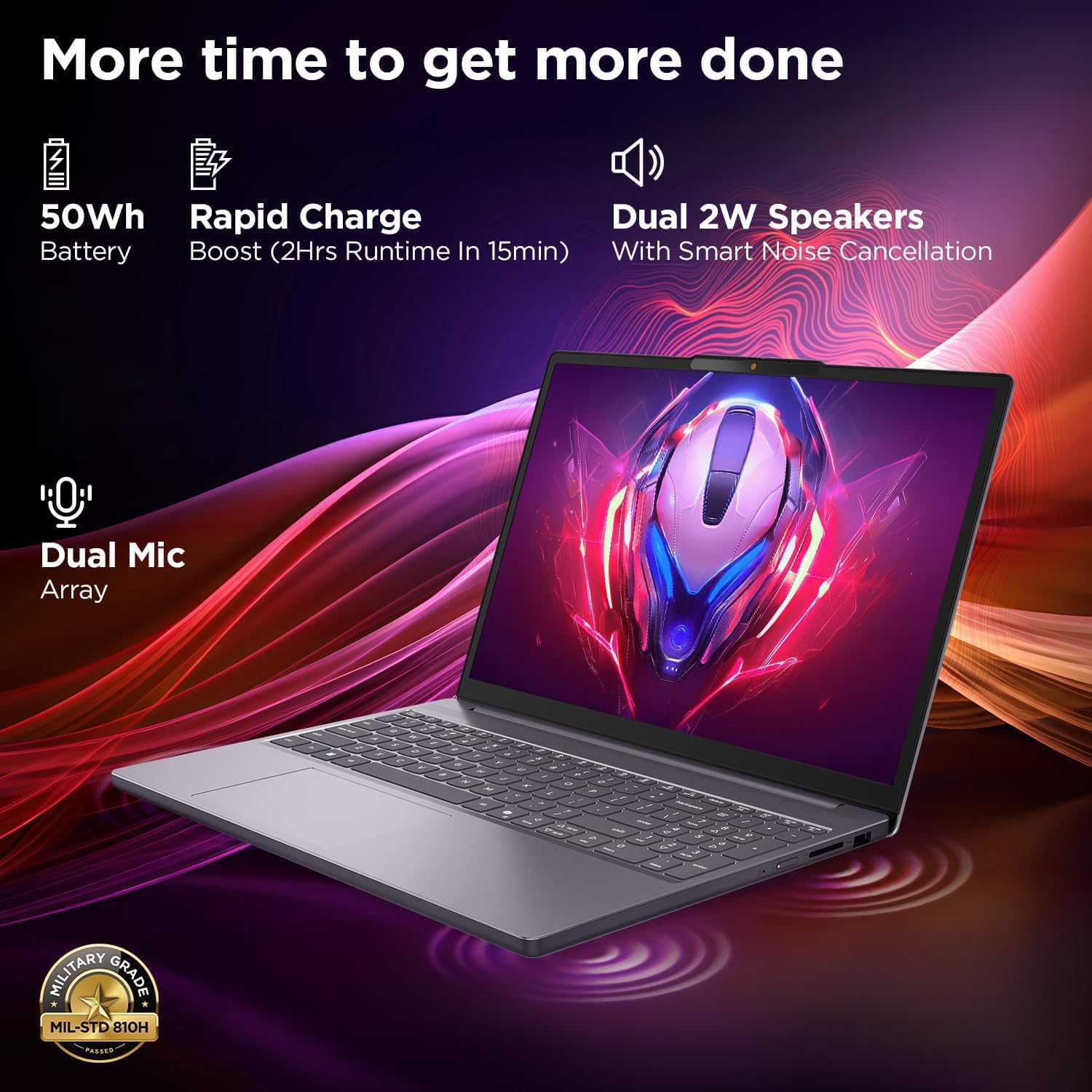
This image highlights the laptop's power and audio capabilities. It features a 50Wh battery with Rapid Charge Boost, providing 2 hours of runtime from a 15-minute charge. Dual 2W speakers with Smart Noise Cancellation and a Dual Mic Array enhance audio quality. The laptop also meets Military Grade MIL-STD 810H durability standards.
3.4 پورٹس اور کنیکٹیویٹی

This image illustrates the various ports available on the Lenovo IdeaPad Slim 3. These include a power button, an SD card reader, a power connector, two USB-A ports (5Gbps), an HDMI port, and a USB-C port (5Gbps) with USB Power Delivery 3.0 and DisplayPort 1.2 support for data transfer and external displays. A headphone/microphone combo jack (3.5mm) is also present.
3.5 Keyboard and Touchpad Layout
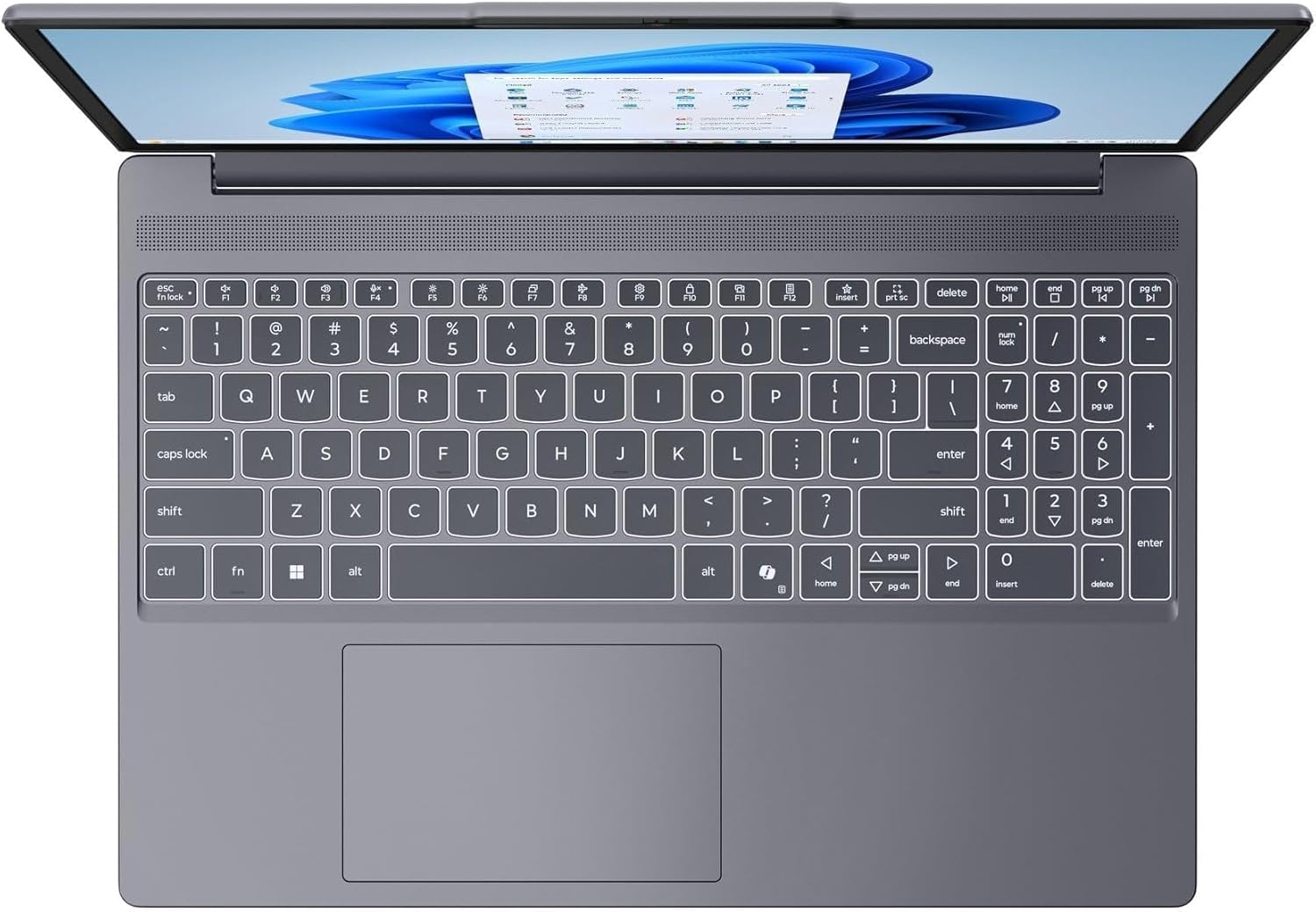
یہ تصویر اوپر سے نیچے فراہم کرتی ہے۔ view of the laptop's full-size keyboard with a numeric keypad and the integrated touchpad. It shows the standard QWERTY layout along with function keys and dedicated navigation keys.
3.6 Laptop Exterior (Closed)
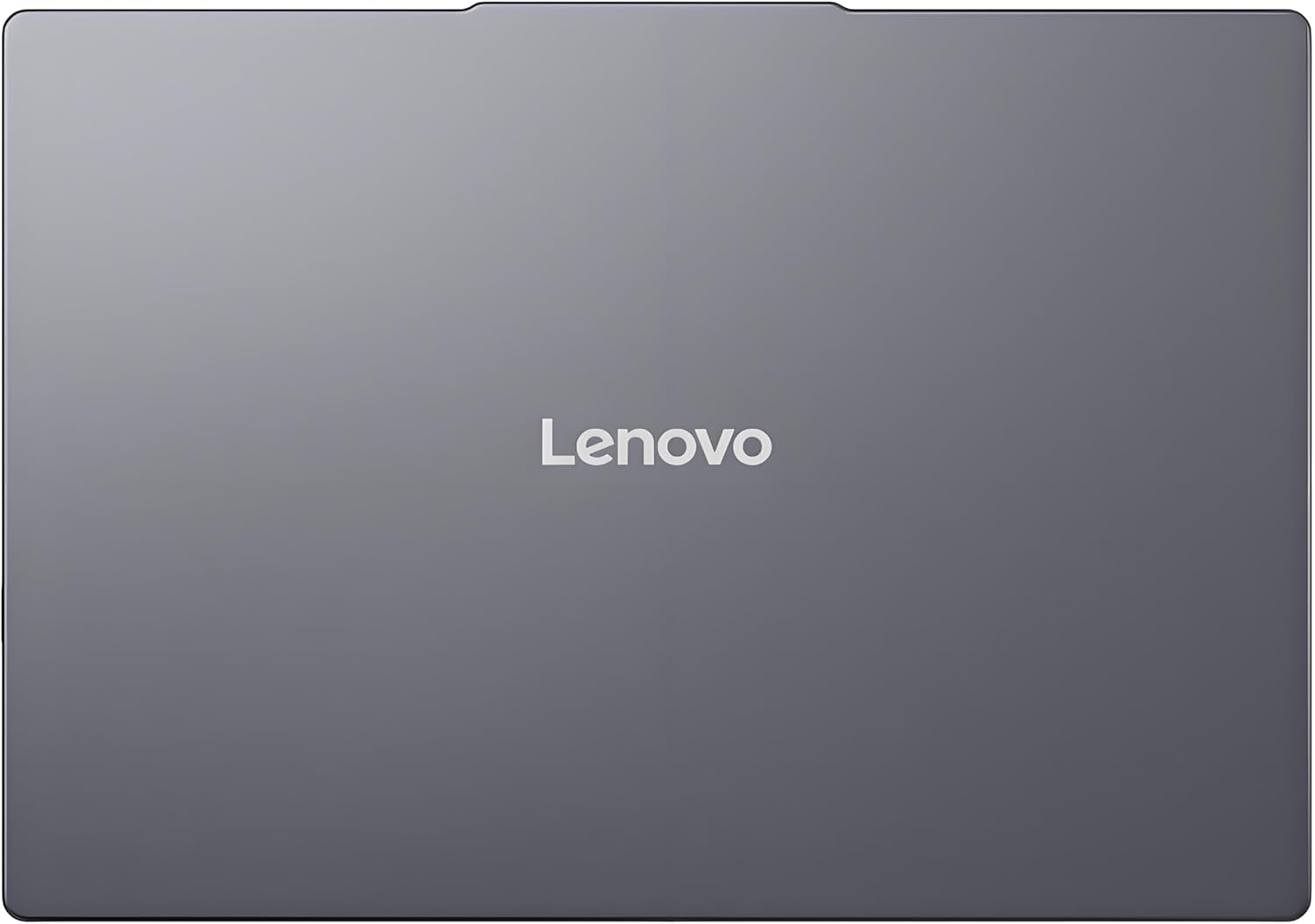
This image shows the top cover of the Lenovo IdeaPad Slim 3 laptop when closed, featuring the Lenovo brand logo centrally placed on the grey metallic surface.
3.7 Laptop Bottom View

This image displays the bottom panel of the Lenovo IdeaPad Slim 3 laptop, showing the ventilation grilles for cooling and rubber feet for stability.
4. سیٹ اپ
4.1 ابتدائی پاور آن اور چارجنگ
- پاور اڈاپٹر کو جوڑیں: پاور اڈاپٹر کو لیپ ٹاپ کے پاور کنیکٹر میں اور پھر وال آؤٹ لیٹ میں لگائیں۔
- بیٹری چارج کریں: لیپ ٹاپ کو ابتدائی استعمال سے پہلے کم از کم 30 منٹ تک چارج ہونے دیں، یا جب تک بیٹری انڈیکیٹر کافی چارج نہ دکھائے۔
- پاور آن: Open the laptop lid and press the power button located on the side or keyboard deck.
- ونڈوز سیٹ اپ: Windows 11 ہوم سیٹ اپ مکمل کرنے کے لیے آن اسکرین ہدایات پر عمل کریں، بشمول زبان، علاقہ، نیٹ ورک کنکشن، اور صارف اکاؤنٹ بنانا۔
4.2 نیٹ ورک سے جڑنا
- وائی فائی: During Windows setup or later, click the Wi-Fi icon in the taskbar, select your network, enter the password, and click Connect.
- Ethernet (if applicable via adapter): Connect an Ethernet cable from your router/modem to a compatible USB-C adapter (not included) and then to the laptop's USB-C port.
5. آپریٹنگ ہدایات
5.1 کی بورڈ اور ٹچ پیڈ کا استعمال
- کی بورڈ: The laptop features a full-size keyboard with a numeric keypad. Use the Fn key in combination with function keys (F1-F12) for special functions like adjusting brightness, volume, or enabling/disabling Wi-Fi.
- ٹچ پیڈ: مربوط ٹچ پیڈ نیویگیشن، اسکرولنگ اور زومنگ کے لیے ملٹی ٹچ اشاروں کو سپورٹ کرتا ہے۔ ٹچ پیڈ اشاروں کو حسب ضرورت بنانے کے لیے ونڈوز کی ترتیبات سے رجوع کریں۔
5.2 بیرونی آلات کو جوڑنا
- USB آلات: Connect USB peripherals (mouse, keyboard, external drives) to the available USB-A or USB-C ports.
- HDMI/DisplayPort: Use the HDMI port or USB-C (with DP 1.2 support) to connect an external monitor or projector.
- بلوٹوتھ ڈیوائسز: Enable Bluetooth in Windows settings to pair wireless headphones, speakers, or other Bluetooth accessories.
- ایس ڈی کارڈ: Insert an SD card into the dedicated SD card reader slot for data transfer.
5.3 پاور مینجمنٹ
- نیند موڈ: Close the lid or press the power button briefly to put the laptop into sleep mode.
- بند کریں: Click the Start button, then Power, and select "Shut down" to turn off the laptop completely.
- دوبارہ شروع کریں: Click the Start button, then Power, and select "Restart" to reboot the laptop.
6 دیکھ بھال
6.1 لیپ ٹاپ کی صفائی
- سکرین: ہلکے سے نرم، لنٹ سے پاک کپڑا استعمال کریں۔ampپانی یا اسکرین کلینر کے ساتھ ختم کریں۔ مائع کو براہ راست اسکرین پر نہ چھڑکیں۔
- کی بورڈ اور چیسس: نرم، خشک کپڑا استعمال کریں۔ ضدی گندگی کے لیے، تھوڑا سا ڈیamp ہلکے صابن کے محلول کے ساتھ کپڑا استعمال کیا جا سکتا ہے، اس بات کو یقینی بناتے ہوئے کہ کوئی مائع سوراخوں میں داخل نہ ہو۔
- وینٹیلیشن: Periodically clean the ventilation grilles with compressed air to prevent dust buildup, which can affect cooling performance.
6.2 بیٹری کی دیکھ بھال
- انتہائی درجہ حرارت سے پرہیز کریں۔
- بیٹری کو بار بار پوری طرح سے خارج نہ کریں۔
- اگر لیپ ٹاپ کو لمبے عرصے کے لیے اسٹور کر رہے ہیں تو بیٹری کو تقریباً 50-60% تک چارج کریں۔
6.3 سافٹ ویئر اپ ڈیٹس
- باقاعدگی سے ونڈوز اپ ڈیٹس کے ذریعے چیک کریں۔ ترتیبات > ونڈوز اپ ڈیٹ.
- آفیشل Lenovo سپورٹ پر جائیں۔ website for driver and firmware updates specific to your IdeaPad Slim 3 model.
7 خرابیوں کا سراغ لگانا
| مسئلہ | ممکنہ حل |
|---|---|
| لیپ ٹاپ آن نہیں ہوتا۔ | Ensure the power adapter is securely connected and the outlet is functional. Try a different outlet. If the battery is completely drained, allow it to charge for a while before attempting to power on. |
| ڈسپلے خالی یا سیاہ ہے۔ | Check if the laptop is powered on. Adjust screen brightness using function keys. Connect an external monitor to check if the issue is with the laptop's internal display. |
| وائی فائی کنکشن کے مسائل۔ | Ensure Wi-Fi is enabled in Windows settings. Restart your router/modem. Check for updated Wi-Fi drivers on the Lenovo support webسائٹ |
| سست کارکردگی۔ | Close unnecessary applications. Check Task Manager for resource-intensive processes. Ensure Windows and drivers are up to date. Run a disk cleanup. |
| کی بورڈ یا ٹچ پیڈ غیر ذمہ دار ہے۔ | Restart the laptop. Check for driver updates. Ensure no physical obstructions are present. |
8. وضاحتیں
| فیچر | تفصیل |
|---|---|
| برانڈ | لینووو |
| ماڈل کا نام | آئیڈیا پیڈ سلم 3 |
| اسکرین کا سائز | 15.3 Inches WUXGA IPS |
| قرارداد | 1920 x 1200 پکسلز |
| پروسیسر | 13th Gen Intel Core i7-13620H (2.4 GHz, up to 4.9 GHz) |
| رام | 24GB DDR5 RAM (Upgradable to 40GB) |
| ذخیرہ | 1TB NVMe M.2 SSD (Upgradable to 4TB) |
| آپریٹنگ سسٹم | ونڈوز 11 ہوم |
| گرافکس | مربوط |
| وائرلیس کنیکٹیویٹی | WiFi 6 (802.11ax) |
| بلوٹوتھ | بلوٹوتھ 5.2 |
| بندرگاہیں | 2x USB-A (5Gbps), 1x USB-C (5Gbps, PD 3.0, DP 1.2), 1x HDMI, 1x Headphone/Mic Combo, 1x SD Card Reader, Power Connector |
| Webکیمرے | HD Camera with Privacy Shutter |
| آڈیو | Dual 2W Speakers with Smart Noise Cancellation, Dual Mic Array |
| بیٹری | 50Wh, Rapid Charge Boost |
| طول و عرض (L x W x Th) | 13.52" x 9.43" x 0.7" |
| وزن | 3.51 پونڈ |
| خصوصی خصوصیات | Privacy Shutter, Power Delivery, Military Grade Durability (MIL-STD 810H) |
9. وارنٹی کی معلومات
Your Lenovo Laptop Computer 2026 Edition (IdeaPad Slim 3) comes with a محدود وارنٹی. The specific terms and duration of your warranty may vary by region and purchase date. For detailed warranty information, including coverage, terms, and conditions, please refer to the warranty card included with your product or visit the official Lenovo support webسائٹ:
https://support.lenovo.com/warranty
یہ تجویز کی جاتی ہے کہ آپ اپنے پروڈکٹ کو Lenovo پر رجسٹر کریں۔ website to facilitate warranty claims and receive important updates.
10. سپورٹ
For further assistance, technical support, or to download the latest drivers and manuals, please visit the official Lenovo Support webسائٹ:
You may also contact Lenovo customer service directly. Contact information can typically be found on the support webآپ کے مخصوص علاقے کے لیے سائٹ۔