
1. تعارف
Thank you for choosing the YILANS JM4 Pro 50000mAh Portable Charger. This device is designed to provide reliable and efficient power for your electronic devices on the go. Featuring a high-capacity battery, multiple output ports, and built-in charging cables, it offers a versatile charging solution. Please read this manual thoroughly before use to ensure proper operation and to maximize the lifespan of your product.

Image: The YILANS JM4 Pro portable charger, showcasing its sleek design, built-in cables, and digital LED display.
2. حفاظتی معلومات
اپنے آلے کو چوٹ یا نقصان سے بچنے کے لیے، براہ کرم درج ذیل حفاظتی احتیاطی تدابیر پر عمل کریں:
- پاور بینک کو انتہائی درجہ حرارت (60°C/140°F سے اوپر یا 0°C/32°F سے کم)، براہ راست سورج کی روشنی، یا آگ کے سامنے نہ رکھیں۔
- پاور بینک کو پانی یا دیگر مائعات میں نہ ڈوبیں۔
- ڈیوائس کو گرانے، مارنے یا جدا کرنے سے گریز کریں۔
- بچوں کی پہنچ سے دور رکھیں۔
- صرف تصدیق شدہ چارجنگ کیبلز اور اڈاپٹر استعمال کریں۔
- اگر پاور بینک پھول جائے، بدبو خارج کرے، یا ضرورت سے زیادہ گرم ہو جائے، تو فوری طور پر استعمال بند کر دیں۔
- الیکٹرانک فضلہ کے مقامی ضوابط کے مطابق پاور بینک کو ٹھکانے لگائیں۔

Image: Visual representation of the power bank's built-in safety features, including overvoltage, overcurrent, overload, overheating, and short-circuit protection.
3. پیکیج کے مشمولات
براہ کرم درج ذیل اشیاء کے لیے پیکج چیک کریں:
- 1 x YILANS JM4 Pro 50000mAh Portable Charger
- 1 ایکس USB چارجنگ کیبل (پاور بینک کو ری چارج کرنے کے لیے)
- 1 ایکس صارف دستی
4. پروڈکٹ ختمview
The YILANS JM4 Pro features a comprehensive design for maximum utility:
- بلٹ ان کیبلز: Includes Type-C, iOS (Lightning), Micro USB, and USB-A cables for direct device charging.
- آؤٹ پٹ پورٹس: Two USB-A output ports (OUT1, OUT2) and one USB-C output port (IN/OUT3).
- ان پٹ پورٹس: One USB-C input port (IN/OUT3) and one USB-A input cable (built-in) for recharging the power bank.
- ایل ای ڈی ڈیجیٹل ڈسپلے: باقی بیٹری کا فیصد دکھاتا ہے۔tage.

تصویر: ایک تفصیلی view of the YILANS JM4 Pro portable charger, highlighting its integrated charging cables (USB-A, USB-C, Micro USB, iOS) and the digital battery percentagای ڈسپلے.

Image: A close-up of the power bank's side, illustrating the two USB-A output ports (OUT1, OUT2) and the multi-functional USB-C port (IN/OUT3), along with the built-in USB-A input cable.

Image: A visual demonstrating the compact and portable nature of the YILANS power bank, highlighting how it eliminates the need for multiple tangled cables.
5. سیٹ اپ
Upon receiving your YILANS JM4 Pro, it is recommended to fully charge and discharge the device to activate the LED screen display and calibrate the battery for optimal performance.
- ابتدائی ایکٹیویشن: Drain the power bank completely by using it to charge your devices until it runs out of power (0%).
- مکمل ریچارج: Fully recharge the power bank to 100%.
Important: During the activation process, do not power off or unplug the adapter, as this may lead to an inaccurate LED display.

Image: A visual guide demonstrating the recommended initial activation process for the power bank, involving a full discharge followed by a full recharge.
6. آپریٹنگ ہدایات
6.1 پاور بینک کو ری چارج کرنا
You can recharge the YILANS JM4 Pro using either the built-in USB-A input cable or the USB-C input port.
- بلٹ ان USB-A کیبل کا استعمال: Connect the built-in USB-A cable to a USB wall adapter or a computer's USB port.
- USB-C پورٹ کا استعمال: Connect a USB-C cable to the IN/OUT3 port and then to a USB-C wall adapter.
The LED digital display will show the charging progress. When fully charged, it will display "100%".
Image: The power bank connected to a wall adapter via its USB-C port and also showing the built-in USB-A cable for input, demonstrating recharging options.
6.2 بیرونی آلات کو چارج کرنا
The power bank supports charging up to 6 devices simultaneously.
- بلٹ ان کیبلز کا استعمال: Select the appropriate built-in cable (Type-C, iOS, Micro USB) and connect it directly to your device. The power bank will automatically begin charging.
- Using USB-A Output Ports: Connect your device's charging cable to one of the USB-A output ports (OUT1 or OUT2) on the power bank.
- USB-C آؤٹ پٹ پورٹ کا استعمال: Connect your device's USB-C charging cable to the IN/OUT3 port on the power bank.
The LED display will show the remaining battery percentage during charging. The power bank features 22.5W PD (Power Delivery) and QC (Quick Charge) 3.0/4.0 technologies for fast charging compatible devices.

Image: The YILANS JM4 Pro power bank connected to and simultaneously charging six different electronic devices, including smartphones and a smartwatch, demonstrating its multi-device charging capability.

Image: A graphic illustrating the fast charging capability of the YILANS power bank, showing it can charge an iPhone 15 up to 60% in 30 minutes, significantly faster than other chargers.

Image: A compatibility chart displaying various smartphone brands (iPhone, Samsung, Huawei, Xiaomi, Google Pixel) and their respective fast charging protocols (SCP 22.5W, QC3.0 18W, PPS 22W, PD3.0 20W) supported by the power bank.
6.3 ایل ای ڈی ڈیجیٹل ڈسپلے
The integrated LED screen provides real-time information about the power bank's battery status. The percentage displayed indicates the remaining charge. When charging, the numbers will flash, and when fully charged, it will show a steady "100%".
7 دیکھ بھال
- پاور بینک کو نرم، خشک کپڑے سے صاف کریں۔ کھرچنے والے کلینر یا سالوینٹس کا استعمال نہ کریں۔
- پاور بینک کو براہ راست سورج کی روشنی اور نمی سے دور ٹھنڈی، خشک جگہ پر اسٹور کریں۔
- اگر طویل عرصے تک استعمال نہیں کیا جاتا ہے تو، بیٹری کی صحت کو برقرار رکھنے کے لیے کم از کم ہر تین ماہ میں ایک بار پاور بینک کو ری چارج کریں۔
8 خرابیوں کا سراغ لگانا
| مسئلہ | ممکنہ وجہ | حل |
|---|---|---|
| Power bank does not charge. | Charging cable or adapter is faulty; power bank is not properly connected. | Ensure all connections are secure. Try a different charging cable or wall adapter. |
| Device is not charging from the power bank. | Power bank battery is depleted; incorrect cable used; device is incompatible. | Recharge the power bank. Ensure the correct built-in cable or external cable is used. Verify device compatibility. |
| LED display shows inaccurate percentage. | Initial activation not completed or interrupted. | Perform a full discharge (to 0%) and then a full recharge (to 100%) without interruption to recalibrate the display. |
| سست چارجنگ۔ | Cable or adapter does not support fast charging; multiple devices charging simultaneously. | Use a fast-charging compatible cable and adapter. Charging multiple devices may reduce individual charging speeds. |
9. وضاحتیں
| ماڈل | جے ایم 4 پرو |
| بیٹری کی صلاحیت | 50000 ملی۔amp گھنٹے (mAh) |
| ان پٹ (USB-C) | 22.5W PD (بجلی کی ترسیل) |
| آؤٹ پٹ (USB-C) | 22.5W PD (بجلی کی ترسیل) |
| آؤٹ پٹ (USB-A) | QC3.0/4.0 (Quick Charge) |
| بلٹ ان کیبلز | USB-A (input), Type-C (output), iOS (output), Micro USB (output) |
| طول و عرض | 11.81 x 5.91 x 9.84 انچ |
| شے کا وزن | 1.14 پاؤنڈ (517 گرام) |
| خصوصی خصوصیات | Built-in cables, Digital Display, Extra-large capacity, Fast Charging, Multiple safety protections |
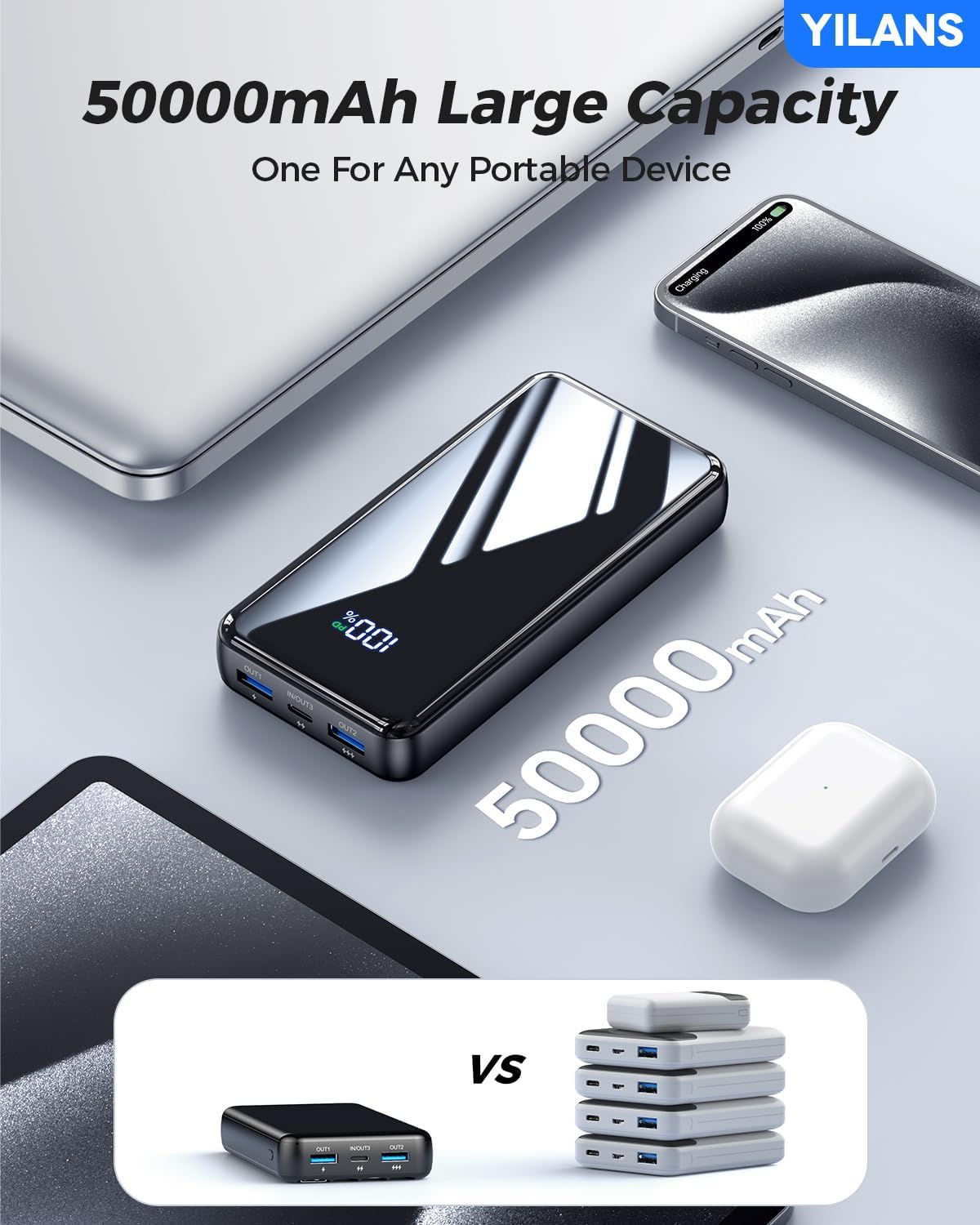
Image: A visual comparison highlighting the substantial 50000mAh capacity of the YILANS power bank, indicating it can replace multiple smaller power banks.
10. وارنٹی اور سپورٹ
YILANS is committed to providing high-quality products and customer satisfaction. For any inquiries or support needs, please contact our customer service team.
- واپسی کی خدمت: 365 Days Return Service.
- کسٹمر سپورٹ: 7*24h Return Service.
- For faster assistance, please refer to your purchase platform's support channels.

Image: Customer service representatives ready to assist, emphasizing YILANS' commitment to customer care and support.
11. تعمیل اور سرٹیفیکیشن
The YILANS JM4 Pro Portable Charger complies with relevant safety and quality standards. It has received certifications including UL, DOE, CE, and meets the Federal Communications Commission's requirements for the safety performance of electronic products.

Image: A display of various certification documents (SGS, CE, FDA Compliance) alongside a trophy, signifying the product's adherence to quality and safety standards.