
تعارف
The BL R69 Plus Android 14.0 TV Box is a high-performance multimedia device designed to enhance your home entertainment experience. Equipped with the latest Android 14.0 OS and an Allwinner H728 octa-core processor, it offers smooth performance for streaming, gaming, and various applications. This manual provides essential information for setting up, operating, and maintaining your device.
باکس میں کیا ہے۔
براہ کرم پیکیج کے مواد کو احتیاط سے چیک کریں۔ اگر کوئی آئٹم غائب یا خراب ہو تو کسٹمر سپورٹ سے رابطہ کریں۔
- Android 14.0 TV Box (R69 Plus)
- US/CA Power Adapter
- ایچ ڈی کیبل
- بلوٹوتھ وائس ریموٹ کنٹرول
- صارف دستی
- منی وائرلیس کی بورڈ
پروڈکٹ ختمview اور خصوصیات
The R69 Plus Android TV Box offers a range of advanced features for a superior viewing and interactive experience.
اہم خصوصیات:
- Android 14.0 & H728 Processor: Latest Android 14.0 OS with Allwinner H728 octa-core high-speed processor for enhanced multitasking and responsiveness.
- Ample Capacity & USB 3.0: 4GB RAM and 64GB ROM for daily applications and data storage. Features a USB 3.0 interface for 5Gbps high-speed data transfer, supporting 128GB SD card expansion and 1TB hard drive expansion.
- 4K 8K TV Box: Supports 4K display with HDR10 3D technology, and a decoder up to 4K@60fps or 8K@24fps. Includes H.265 decoding technology for improved compression efficiency.
- 1000M Ethernet & Wi-Fi 6: Supports 2.4G/5.8G Wi-Fi 6 and Gigabit Ethernet (1000Mbps) for stable, high-speed internet. Bluetooth 5.0 for wireless connectivity with headphones, speakers, and other smart devices.
- استعمال میں آسان: Equipped with a Bluetooth voice remote control and supports seamless casting from mobile phones and tablets. Includes a backlit mini wireless keyboard.
ڈیوائس انٹرفیس:

- DC/5V Power Input
- آپٹیکل آڈیو آؤٹ پٹ
- ری سیٹ بٹن
- HD (HDMI) Output
- Ethernet (1000M) Port
- USB 3.0 پورٹ
- USB 2.0 پورٹ
- ایس ڈی کارڈ سلاٹ
سیٹ اپ گائیڈ
Follow these steps for initial setup of your BL R69 Plus Android TV Box.
- TV سے جڑیں۔: Connect one end of the provided HD cable (HDMI) to the HDMI port on your TV Box and the other end to an available HDMI input on your television.
- کنیکٹ پاور: Plug the US/CA power adapter into the DC/5V port on the TV Box, then plug the adapter into a power outlet.
- نیٹ ورک سے جڑیں۔: For optimal performance, connect an Ethernet cable from your router to the Ethernet port on the TV Box. Alternatively, you can connect via Wi-Fi during the initial setup process.
- پاور آن: Turn on your television and select the correct HDMI input source. The TV Box should power on automatically.
- ریموٹ کنٹرول سیٹ اپ: Insert two AAA batteries (not included) into the Bluetooth Voice Remote Control. Follow the on-screen instructions to pair the remote with your TV Box.
- ابتدائی ترتیب: Follow the on-screen prompts to complete the initial setup, including language selection, Wi-Fi connection (if not using Ethernet), Google account login, and app installations.

آپریٹنگ ہدایات
انٹرفیس کو نیویگیٹ کرنا
The BL R69 Plus runs on Android 14.0 TV OS, providing a user-friendly interface.
- مینو کے ذریعے تشریف لے جانے اور آئٹمز منتخب کرنے کے لیے اپنے ریموٹ پر دشاتمک پیڈ کا استعمال کریں۔
- The "Home" button returns you to the main screen.
- The "Back" button returns to the previous screen.
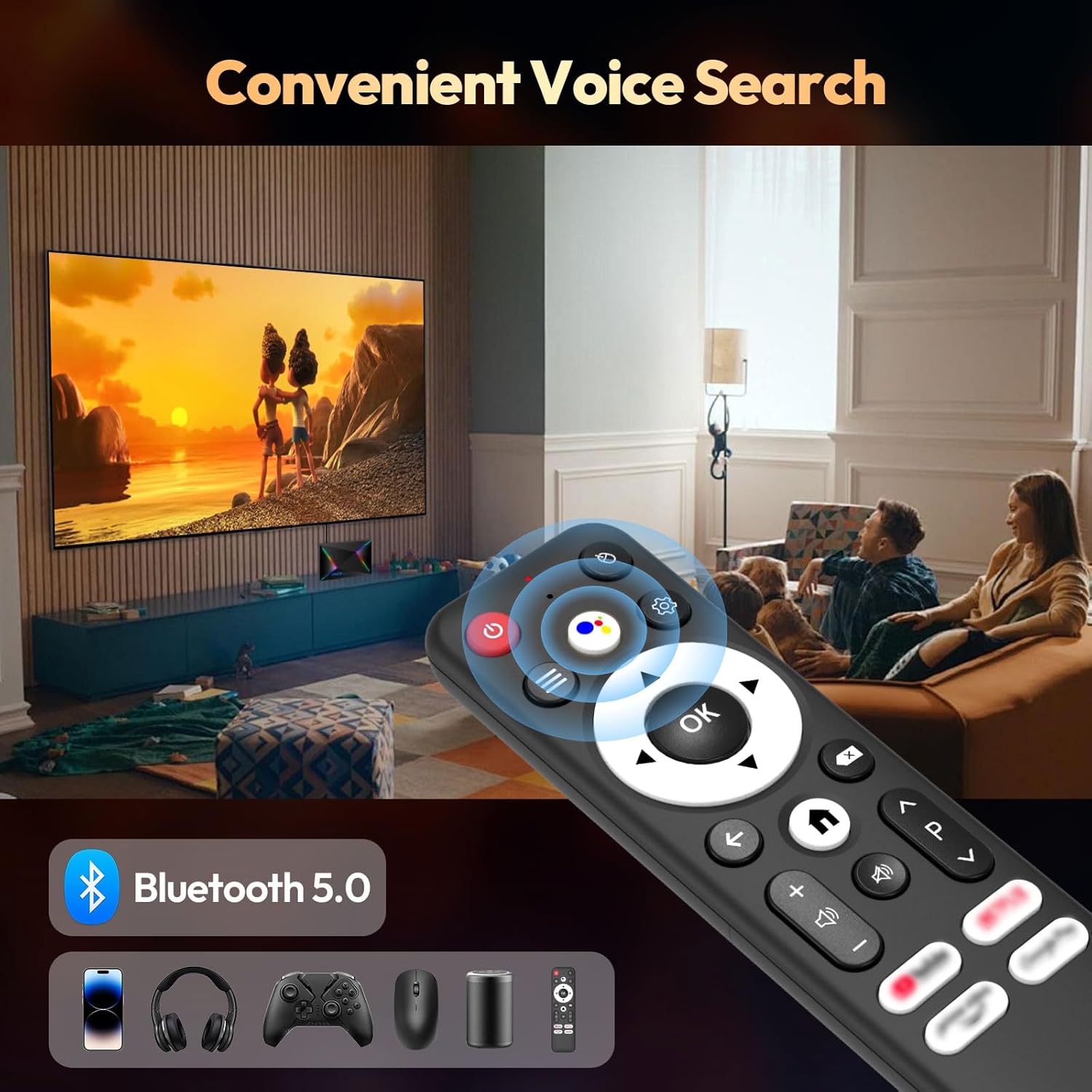
- The "Voice" button activates the voice assistant for searching content or controlling the device.
Using the Mini Wireless Keyboard
The included mini wireless keyboard provides an alternative for text input and navigation.
- Connect the USB receiver of the keyboard to one of the USB ports on the TV Box.
- Use the QWERTY keyboard for typing and the touchpad for mouse-like navigation.
- To change the 7-color backlight, hold the "Fn" key and scroll left/right at the touchpad bottom.

سکرین مررنگ
The device supports AirScreen and Miracast for casting content from your mobile phone or tablet to the TV.

کنیکٹوٹی
وائی فائی اور ایتھرنیٹ
The R69 Plus supports dual-band Wi-Fi 6 (2.4G/5.8G) and Gigabit Ethernet (1000Mbps) for fast and stable internet access.
- To connect via Wi-Fi, navigate to
Settings > Network & Internet, select your Wi-Fi network, and enter the password. - For Ethernet, simply plug an Ethernet cable into the device and your router.
بلوٹوتھ 5.0
Connect Bluetooth-enabled devices such as headphones, speakers, game controllers, and mice.
- پر جائیں۔
Settings > Remotes & Accessories > Add accessoryto pair new Bluetooth devices.
ڈسپلے اور آڈیو کی ترتیبات
Resolution and HDR
The device supports up to 8K resolution and HDR10+ for vivid visuals.
- پر نیویگیٹ کریں۔
Settings > Display & Sound > Resolutionto adjust the display resolution. - For HDR content, ensure your TV supports HDR10 or HDR10+ and enable it in
Settings > Display & Sound > Dynamic range & Color format.

آڈیو کی ترتیبات
The R69 Plus supports advanced audio formats for an immersive sound experience.
- Adjust audio output settings in
Settings > Display & Sound > Advanced sound settings. - Ensure your audio receiver or soundbar supports Dolby Atmos or DTSX for the best experience.
اسٹوریج مینجمنٹ
Your device comes with 4GB RAM and 64GB ROM. You can expand storage using an SD card or external hard drive.
- اسٹوریج کے استعمال کو چیک کرنے کے لیے، پر جائیں۔
Settings > System > Storage. - Insert an SD card into the designated slot for additional storage.
- Connect a USB hard drive to the USB 3.0 port for high-speed data transfer and storage expansion.
خرابی کا سراغ لگانا
کوئی طاقت نہیں۔
- یقینی بنائیں کہ پاور اڈاپٹر محفوظ طریقے سے TV باکس اور ورکنگ پاور آؤٹ لیٹ سے جڑا ہوا ہے۔
- کسی دوسرے آلے میں پلگ لگا کر چیک کریں کہ آیا پاور آؤٹ لیٹ کام کر رہا ہے۔
کوئی تصویر نہیں۔
- Verify the HDMI cable is correctly connected to both the TV Box and the TV.
- یقینی بنائیں کہ آپ کا TV درست HDMI ان پٹ سورس پر سیٹ ہے۔
- اپنے TV پر ایک مختلف HDMI کیبل یا HDMI پورٹ آزمائیں۔
ریموٹ کنٹرول جواب نہیں دے رہا ہے۔
- ریموٹ کنٹرول میں بیٹریاں چیک کریں اور تبدیل کریں۔
- یقینی بنائیں کہ ریموٹ اور ٹی وی باکس کے درمیان کوئی رکاوٹ نہیں ہے۔
- Re-pair the Bluetooth remote control via
Settings > Remotes & Accessories.
نیٹ ورک کنکشن کے مسائل
- For Wi-Fi, check your router and ensure it's broadcasting a signal. Re-enter the Wi-Fi password if necessary.
- For Ethernet, ensure the cable is securely connected and your router's Ethernet port is active.
- اپنے راؤٹر اور ٹی وی باکس کو دوبارہ شروع کریں۔
Apps Freezing or Crashing
- Close and restart the problematic application.
- ایپ کی کیش کو صاف کریں:
Settings > Apps > [Select App] > Clear cache. - یقینی بنائیں کہ TV Box فرم ویئر اور ایپس کو تازہ ترین ورژن میں اپ ڈیٹ کیا گیا ہے۔
وضاحتیں
| فیچر | تفصیل |
|---|---|
| ماڈل | R69PLUS |
| آپریٹنگ سسٹم | اینڈرائیڈ 14.0 |
| پروسیسر | Allwinner H728 Octa-core CPU |
| رام | 4 جی بی |
| اندرونی اسٹوریج | 64 جی بی |
| زیادہ سے زیادہ قرارداد | 8K |
| ایچ ڈی آر سپورٹ | HDR10, HDR10+, Dolby Vision |
| وائی فائی | Wi-Fi 6 (2.4G/5.8G) |
| ایتھرنیٹ | 1000M گیگابٹ ایتھرنیٹ |
| بلوٹوتھ | بلوٹوتھ 5.0 |
| USB پورٹس | 1x USB 3.0، 1x USB 2.0 |
| ویڈیو ڈی کوڈنگ | H.265 |
| طول و عرض | 22.8 x 19.4 x 9.9 سینٹی میٹر |
| وزن | 640 گرام |
دیکھ بھال
- صاف رکھیں: Regularly wipe the device with a soft, dry cloth. Avoid using liquid cleaners.
- وینٹیلیشن: Ensure the TV Box is placed in a well-ventilated area to prevent overheating. Do not cover ventilation openings.
- سافٹ ویئر اپڈیٹس: Periodically check for system updates in
Settings > System > About > System updateبہترین کارکردگی اور حفاظت کو یقینی بنانے کے لیے۔ - انتہائی حالات سے بچیں۔: Do not expose the device to extreme temperatures, humidity, or direct sunlight.
وارنٹی اور سپورٹ
Your BL R69 Plus Android 14.0 TV Box comes with a standard manufacturer's warranty. Please refer to the warranty card included in your package for specific terms and conditions.
For technical support, product inquiries, or warranty claims, please contact the seller or manufacturer directly.
Manufacturer: Shenzhen Xing he shi xun Co., Ltd
مزید مدد کے لیے، ملاحظہ کریں۔ BL Store on Amazon.
آفیشل پروڈکٹ ویڈیوز
یہ ویڈیو ایک مختصر اوور فراہم کرتا ہے۔view of the Android Box 2025, highlighting its 4GB RAM, 64GB ROM, and the included mini keyboard.
ایک مختصر ویڈیو شوasing the Android TV Box 13.0, featuring 4GB RAM, 64GB ROM, 8K support, and the mini keyboard.
This video demonstrates the Xiaomi Android TV Box S 3.0 4K UHD, highlighting its features and capabilities.