
ہائی سینس AX5120G
ہائی سینس AX5120G 5.1.2Ch ساؤنڈ بار یوزر مینوئل
ماڈل: AX5120G
1. تعارف
This user manual provides detailed instructions for the setup, operation, and maintenance of your Hisense AX5120G 5.1.2Ch Sound Bar with Wireless Subwoofer. Please read this manual thoroughly before using the product to ensure proper functionality and safety.
The Hisense AX5120G is designed to enhance your audio experience with 5.1.2 channel surround sound, Dolby Atmos, and a powerful 420W output. It features Bluetooth 5.3, 4K HDMI Pass Through, Roku TV Ready compatibility, DTS:X, and multiple connectivity options including HDMI, AUX, ARC, Optical, and USB.
2. باکس میں کیا ہے۔
تصدیق کریں کہ تمام اجزاء پیکیجنگ میں موجود ہیں:
- ساؤنڈ بار
- وائرلیس سب ووفر
- HDMI کیبل
- یوزر مینوئل اور کوئیک سٹارٹ گائیڈ (QSG)
- ریموٹ کنٹرول (2 AAA بیٹریاں شامل ہیں)
- Power Cords for Soundbar and Subwoofer

Image: All components of the Hisense AX5120G sound system, including the soundbar, wireless subwoofer, and two wireless rear speakers.
3. سیٹ اپ
3.1 جگہ کا تعین
- ساؤنڈ بار: Place the soundbar centrally below your television. Ensure it is on a stable, flat surface or mounted securely to a wall.
- وائرلیس سب ووفر: Position the wireless subwoofer anywhere in the room, preferably near the soundbar, for optimal bass performance. Ensure it is within range for wireless connection.
- Wireless Rear Speakers: Place the two wireless rear speakers behind your listening position, one on the left and one on the right, to create an immersive surround sound experience.

Image: Diagram illustrating the dimensions of the soundbar, subwoofer, and rear speakers for proper placement.
3.2 کنکشنز
درج ذیل طریقوں میں سے کسی ایک کا استعمال کرتے ہوئے ساؤنڈ بار کو اپنے ٹیلی ویژن یا دیگر آڈیو ذرائع سے مربوط کریں:
- HDMI (eARC/ARC) Recommended: Connect one end of the included HDMI cable to the HDMI OUT (ARC/eARC) port on the soundbar and the other end to the HDMI (ARC/eARC) port on your TV. This connection supports the highest quality audio formats, including Dolby Atmos, and allows for control of the soundbar using your TV remote (Roku TV Ready).
- نظری: Connect an optical cable (not included) from the OPTICAL port on the soundbar to the Optical Digital Audio Out port on your TV.
- AUX: Connect a 3.5mm audio cable (not included) from the AUX port on the soundbar to the audio output port on your device.
- USB: آڈیو چلانے کے لیے USB پورٹ میں USB ڈرائیو داخل کریں۔ files براہ راست.

تصویر: کلوز اپ view of the soundbar's rear panel, highlighting the HDMI IN, HDMI OUT (ARC/eARC), USB, Optical, and AUX input ports.
3.3 پاور کنکشن
- Connect the power cord to the AC IN port on the soundbar and then to a power outlet.
- Connect the power cord to the AC IN port on the wireless subwoofer and then to a power outlet.
- Connect the power cords to the AC IN ports on the wireless rear speakers and then to power outlets.
3.4 وائرلیس پیئرنگ (سب ووفر اور ریئر سپیکر)
The wireless subwoofer and rear speakers should automatically pair with the soundbar upon power-up. If pairing does not occur automatically, or if the connection is lost, follow these steps:
- یقینی بنائیں کہ ساؤنڈ بار، سب ووفر اور پیچھے والے اسپیکر آن ہیں۔
- On the back of the subwoofer, press and hold the PAIR button until the indicator light flashes rapidly.
- On the back of each rear speaker, press and hold the PAIR button until the indicator light flashes rapidly.
- On the soundbar, press and hold the Bluetooth button on the remote or the soundbar itself for a few seconds until the display shows "PAIRING".
- Once successfully paired, the indicator lights on the subwoofer and rear speakers will turn solid, and the soundbar display will confirm the connection.
نوٹ: Some users have reported issues with rear speakers needing to be re-paired frequently. If this occurs, ensure all devices are within close proximity and free from interference. Power cycling all components may also help.
4. آپریٹنگ ہدایات
4.1 ریموٹ کنٹرول کے افعال

Image: Detailed layout of the Hisense AX5120G soundbar remote control, showing all buttons and their corresponding functions.
- آن/آف: Power the soundbar on or off.
- ماخذ: Switch between input sources (HDMI, Optical, AUX, Bluetooth, USB).
- بلوٹوتھ: Enter Bluetooth pairing mode or connect to a previously paired device.
- SURR (Surround Sound): Adjust surround sound effect levels.
- EQ (Sound Effect): Cycle through preset EQ modes (News, Movie, Sports, Game, Night, Standard, Music).
- والیوم اوپر/نیچے: ماسٹر والیوم لیول کو ایڈجسٹ کریں۔
- اگلا/پچھلا: Skip tracks during Bluetooth or USB playback.
- روکنا/کھیلنا: Play or pause audio during Bluetooth or USB playback.
- باس ساؤنڈ اوپر/نیچے: باس کی سطح کو ایڈجسٹ کریں۔
- ٹریبل ساؤنڈ اوپر/نیچے: تگنی سطح کو ایڈجسٹ کریں۔
- مدھم اثر اوپر/نیچے: Adjust the brightness of the soundbar's display.
- خاموش کریں: آواز کو خاموش کریں یا انیمیٹ کریں۔
4.2 بلوٹوتھ آپریشن
- Press the Bluetooth button on the remote or soundbar to switch to Bluetooth mode. The soundbar display will show "BT".
- On your mobile device, enable Bluetooth and search for "Hisense AX5120G".
- Select the soundbar from the list of available devices to pair. Once connected, the soundbar display will show "CONNECTED".
- اب آپ ساؤنڈ بار کے ذریعے اپنے آلے سے آڈیو چلا سکتے ہیں۔
4.3 EQ موڈز
Press the EQ button on the remote to cycle through the 7 preset sound modes, optimizing audio for different content types:
- خبریں: آواز کی وضاحت کو بڑھاتا ہے۔
- فلم: Provides a dynamic and immersive cinematic experience.
- کھیل: Accentuates crowd noise and commentary.
- گیم: Optimized for gaming audio, enhancing effects and dialogue.
- رات: رات گئے سننے کے لیے متحرک رینج کو کم کرتا ہے۔
- معیاری: Default balanced sound profile.
- موسیقی: میوزک پلے بیک کے لیے آپٹمائزڈ۔
4.4 Roku TV ریڈی (EzPlay)
If connected to a Roku TV via HDMI (eARC), the Hisense AX5120G Soundbar is fully compatible. You can use your Roku TV remote to control basic functions of the soundbar, such as power and volume, for a simplified user experience.
5 دیکھ بھال
- صفائی: ساؤنڈ بار، سب ووفر اور پچھلے اسپیکر کی سطحوں کو صاف کرنے کے لیے نرم، خشک کپڑا استعمال کریں۔ مائع کلینر یا کھرچنے والے مواد کا استعمال نہ کریں، کیونکہ وہ ختم کو نقصان پہنچا سکتے ہیں۔
- وینٹیلیشن: اس بات کو یقینی بنائیں کہ تمام اجزاء پر وینٹیلیشن کے سوراخوں کو مسدود نہیں کیا گیا ہے۔ مناسب ہوا کا بہاؤ زیادہ گرمی کو روکتا ہے۔
- ذخیرہ: اگر یونٹ کو لمبے عرصے تک ذخیرہ کر رہے ہیں، تو اسے بجلی کی فراہمی سے منقطع کریں اور اسے ٹھنڈی، خشک جگہ پر محفوظ کریں۔
- بیٹری کی تبدیلی: Replace the remote control batteries (2 AAA) when the remote's range decreases or it stops responding.
6 خرابیوں کا سراغ لگانا
| مسئلہ | ممکنہ وجہ | حل |
|---|---|---|
| کوئی طاقت نہیں۔ | پاور کی ہڈی منسلک نہیں ہے یا آؤٹ لیٹ فعال نہیں ہے۔ | Ensure all power cords are securely plugged into the soundbar, subwoofer, rear speakers, and a working power outlet. |
| کوئی آواز نہیں۔ | غلط ان پٹ سورس کا انتخاب کیا گیا، والیوم بہت کم ہے، یا کیبلز صحیح طریقے سے منسلک نہیں ہیں۔ |
|
| Subwoofer/Rear Speakers not pairing or losing connection | Out of range, interference, or pairing issue. |
|
| بلوٹوتھ کنکشن کے مسائل | Device not in pairing mode, out of range, or previously paired device interfering. |
|
| ریموٹ کنٹرول کام نہیں کر رہا ہے۔ | بیٹریاں ختم یا رکاوٹ۔ |
|
7. وضاحتیں
| فیچر | تفصیل |
|---|---|
| ماڈل کا نام | AX5120G |
| اسپیکر کی قسم | Soundbar with Wireless Subwoofer and Rear Speakers |
| سراؤنڈ ساؤنڈ چینل کنفیگریشن | 5.1.2 |
| اسپیکر زیادہ سے زیادہ آؤٹ پٹ پاور | 420 واٹ |
| آڈیو آؤٹ پٹ وضع | سٹیریو |
| کنیکٹوٹی ٹیکنالوجی | Bluetooth, HDMI, Optical, AUX, USB |
| وائرلیس کمیونیکیشن ٹیکنالوجی | بلوٹوتھ 5.3 |
| ان پٹ جلدtage | 120 وولٹ |
| پروڈکٹ کے طول و عرض (ساؤنڈ بار) | 2.4"D x 36.2"W x 3.5"H |
| سب ووفر قطر۔ | 8.4 انچ |
| ووفر قطر | 11.6 انچ |
| Tweeter قطر | 12 انچ |
| شے کا وزن | 28.6 پاؤنڈز (کل پیکج) |
| رنگ | سیاہ |
| مواد | پلاسٹک، دھات |
| شامل اجزاء | Soundbar, Wireless Subwoofer, HDMI Cable, User Manual&QSG |
| کنٹرولر کی قسم | ریموٹ کنٹرول |
| بیٹریاں درکار ہیں۔ | 2 AAA (ریموٹ کے لیے شامل) |
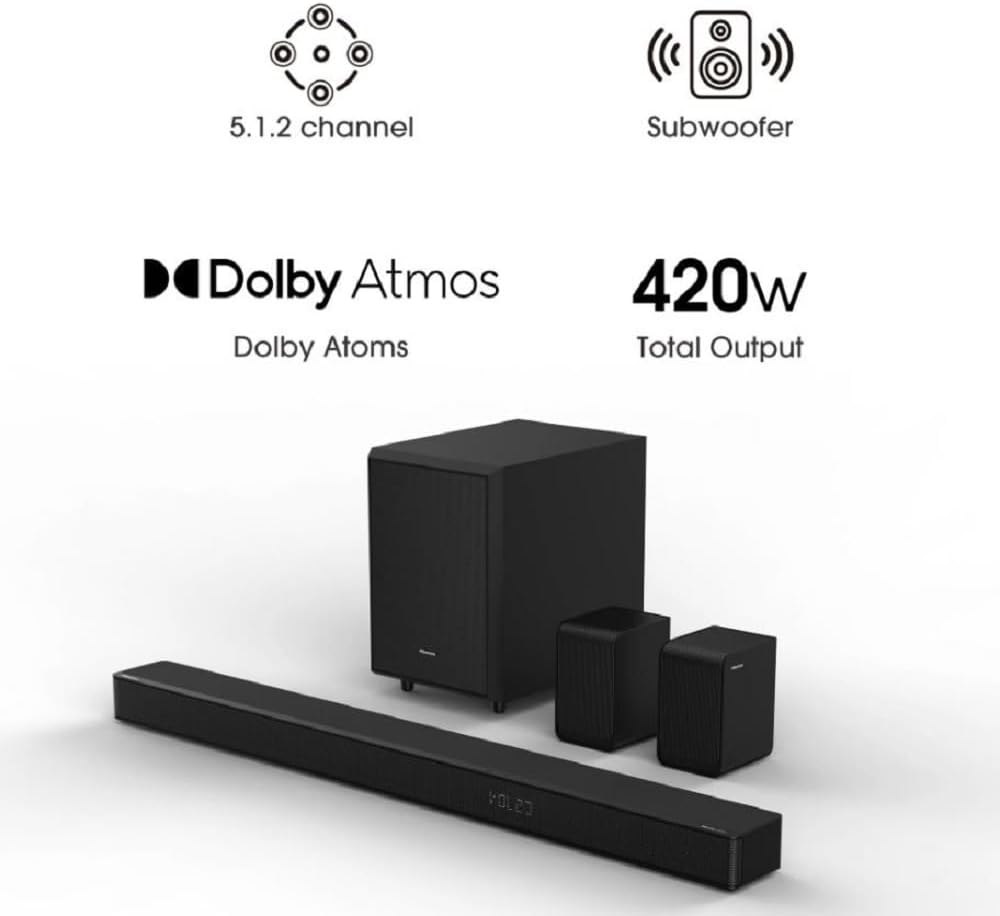
تصویر: اوور ہیڈ view of the Hisense AX5120G soundbar, subwoofer, and rear speakers, displaying their respective dimensions.
8. وارنٹی اور سپورٹ
وارنٹی: This product comes with a 1 Year Warranty from the Manufacturer. Please refer to the warranty card included in your packaging for specific terms and conditions.
کسٹمر سپورٹ: For technical assistance, troubleshooting, or warranty claims, please contact Hisense customer support. Refer to the contact information provided in the Quick Start Guide or visit the official Hisense webسب سے تازہ ترین سپورٹ کی تفصیلات کے لیے سائٹ۔
آن لائن وسائل: Additional support, FAQs, and updated manuals may be available on the Hisense product support page for the AX5120G model.
Ask a question about this manual
Ask about setup, troubleshooting, compatibility, parts, safety, or missing instructions. Manuals+ will review the question and use this page’s manual context to help answer it.