
1. پروڈکٹ ختمview
The Porodo Universal Wireless Remote & Mouse is a compact and versatile input device designed to combine the functionalities of a keyboard and a mouse. It offers convenient control for various devices, including Smart TVs, PCs, laptops, Android projectors, and more. This device features a full QWERTY keyboard, a multi-touch touchpad, and dedicated media control keys, all operating via 2.4GHz wireless technology or Bluetooth.
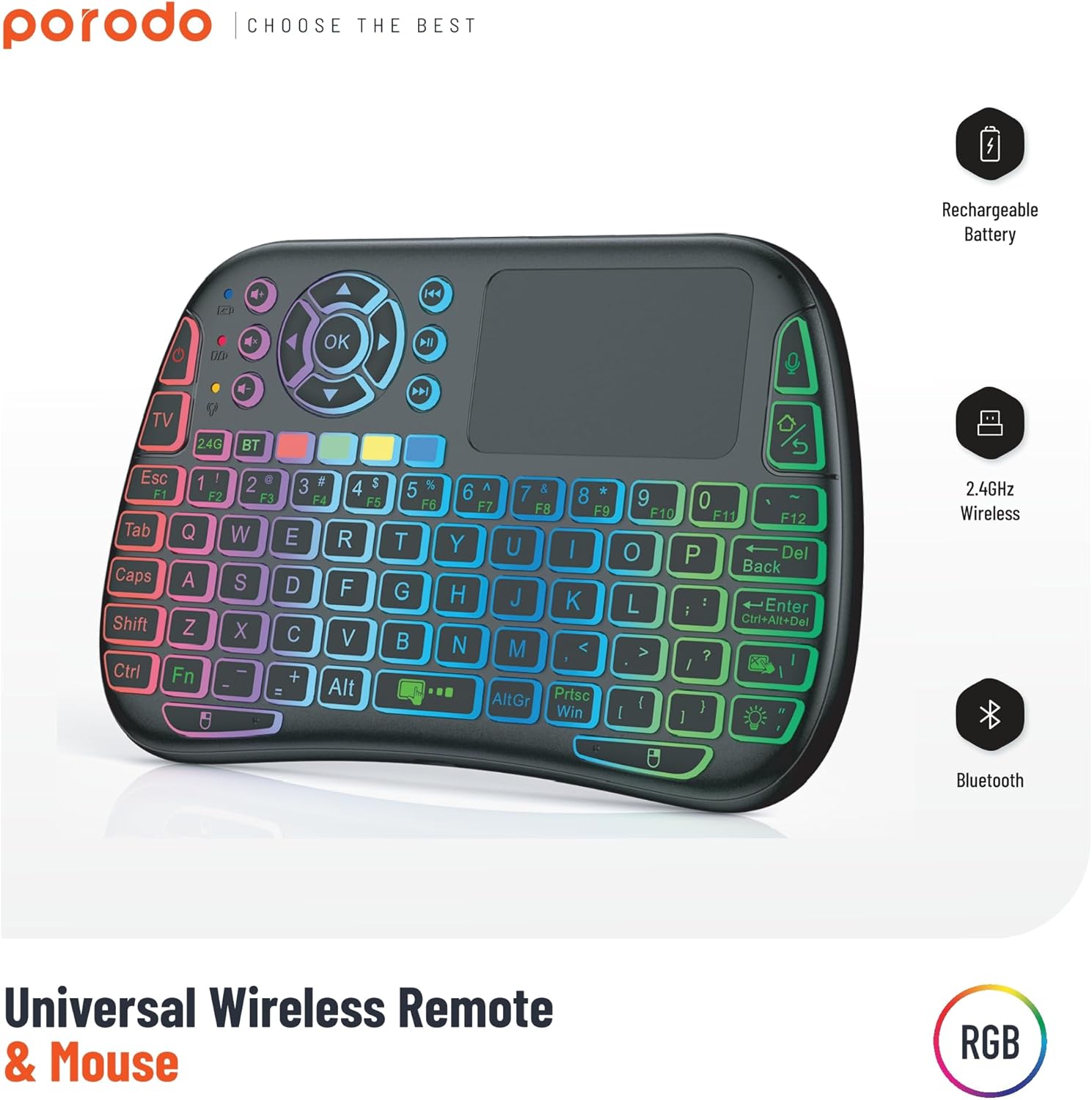
Image 1: The Porodo Universal Wireless Remote & Mouse, highlighting its RGB backlighting, rechargeable battery, 2.4GHz wireless, and Bluetooth connectivity.

تصویر 2: آگے اور پیچھے views of the remote and mouse, illustrating its compatibility with various devices such as All-in-one PCs, Computers, Android Projectors, Smart TVs, HTPCs, PADs (OTG), Phones (OTG), and TV Boxes.
2. سیٹ اپ گائیڈ
2.1 پیکیج کے مشمولات
- Porodo Universal Wireless Remote & Mouse
- USB Receiver (typically stored in the battery compartment)
- چارجنگ کیبل
- صارف دستی
2.2 ڈیوائس کو چارج کرنا
Before first use, ensure the device is fully charged. Connect the provided charging cable to the charging port on the remote and to a standard USB power source (e.g., computer USB port, USB wall adapter). The charging indicator light will illuminate during charging and turn off when fully charged.
2.3 Connecting the USB Receiver (2.4GHz Wireless Mode)
- Locate the USB receiver, usually found in the battery compartment of the remote.
- Insert the USB receiver into an available USB port on your target device (e.g., Smart TV, PC, Android box).
- Turn on the Porodo Remote & Mouse using the power switch. The device should automatically connect to the receiver.
- The device is plug-and-play; no additional drivers are typically required.
2.4 Connecting via Bluetooth (if applicable)
If your device supports Bluetooth connectivity, you can pair it directly without the USB receiver. Refer to your device's Bluetooth pairing instructions. On the Porodo Remote & Mouse, activate Bluetooth pairing mode (refer to specific key combinations in the operating section if available).

Image 3: The remote and mouse highlighting its dual connectivity options: 2.4 GHz wireless and Bluetooth.
3. آپریٹنگ ہدایات
3.1 کی بورڈ کی فعالیت
- ٹائپنگ: Use the QWERTY layout for text input.
- فنکشن کیز (F1-F12): These keys often have secondary functions (e.g., media control, volume) accessible by pressing the 'Fn' key simultaneously.
- بیک لائٹ: Some models feature RGB backlighting. Press the dedicated backlight key (often indicated by a light bulb icon) to cycle through colors or turn it on/off.
3.2 Touchpad Functionality
- ایک انگلی کا تھپتھپائیں: Functions as a left-click.
- Two-Finger Tap: Functions as a right-click.
- Two-Finger Drag: For scrolling up/down or left/right.
- Single Finger Drag: Moves the cursor on the screen.
- Dedicated Left/Right Click Buttons: Located below the touchpad for traditional mouse clicks.
3.3 Media Control Keys
Dedicated buttons for volume up/down, mute, play/pause, next/previous track are typically located above the touchpad or integrated into the function keys.
3.4 Voice Control (if applicable)
Some models may include a microphone for voice input. Press the dedicated microphone button to activate voice commands or search functions on compatible devices.
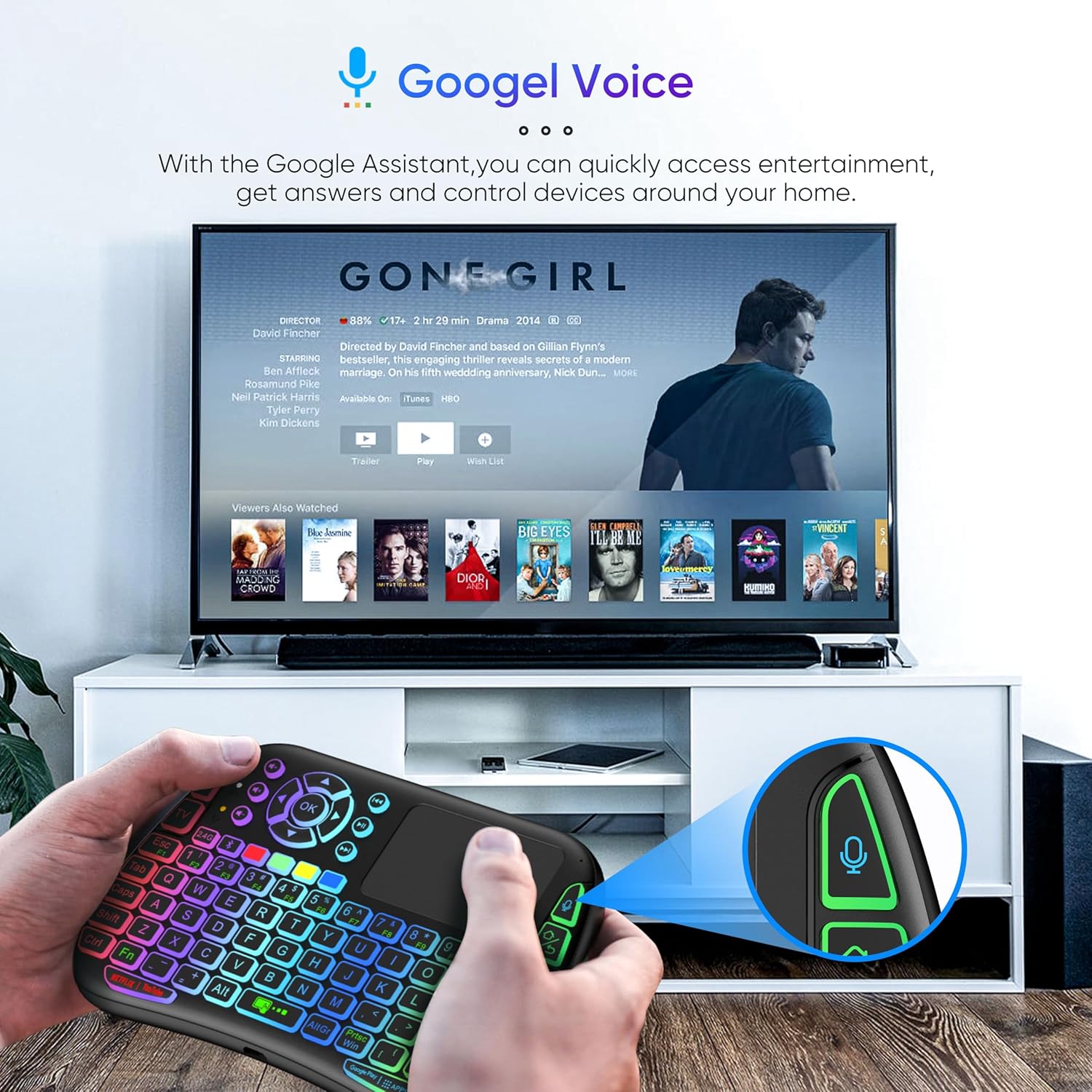
Image 4: The remote and mouse in use, demonstrating its Google Voice integration for controlling entertainment and accessing information on a connected TV.
3.5 Operational Range
The device offers an extended operational range of up to 10 meters (approximately 33 feet), allowing flexible control from a comfortable distance.
Video 1: A product demonstration video showcasing the features and ease of use of a similar wireless keyboard with touchpad. This video illustrates comfortable wireless control, long battery life, and plug-and-play connectivity.
4 دیکھ بھال
4.1 صفائی
To clean the device, use a soft, dry cloth. For stubborn dirt, slightly dampen the cloth with water or a mild cleaning solution. Avoid using harsh chemicals, abrasives, or solvents, as these can damage the surface.
4.2 بیٹری کی دیکھ بھال
- Recharge the device when the battery indicator is low to ensure continuous operation.
- بیٹری کی عمر کو طول دینے کے لیے اسے بار بار مکمل طور پر ڈسچارج کرنے سے گریز کریں۔
- If storing the device for an extended period, charge it to about 50% and store it in a cool, dry place.
4.3 اسٹوریج
Store the device in a dry environment, away from extreme temperatures, direct sunlight, and high humidity. Keep it away from liquids and dust.
5 خرابیوں کا سراغ لگانا
5.1 آلہ جواب نہیں دے رہا ہے۔
- بیٹری چیک کریں: یقینی بنائیں کہ ڈیوائس چارج ہے۔ اسے پاور سورس سے جوڑیں اور دوبارہ کوشش کریں۔
- بجلی کے سوئچ: Verify that the power switch on the device is in the 'ON' position.
- USB وصول کنندہ: For 2.4GHz mode, ensure the USB receiver is securely plugged into the target device's USB port. Try a different USB port.
- دوبارہ جوڑا بنانا: If using Bluetooth, try re-pairing the device with your host system.
- مداخلت: Move the device closer to the receiver/host device and away from other wireless devices that might cause interference.
5.2 Touchpad or Keys Unresponsive
- صاف سطح: Ensure the touchpad surface and keys are clean and free from debris.
- دوبارہ شروع کریں: Turn the device off and then on again.
- میزبان آلہ: Restart the host device (PC, Smart TV, etc.).
5.3 مختصر بیٹری لائف
- مکمل چارج: اس بات کو یقینی بنائیں کہ آلہ استعمال کرنے سے پہلے پوری طرح سے چارج ہے۔
- بیک لائٹ کا استعمال: If your model has a backlight, frequent or continuous use will consume more battery. Turn it off when not needed.
- خودکار نیند: The device is designed to enter sleep mode after a period of inactivity to save power. Waking it up should be quick.
6. وضاحتیں
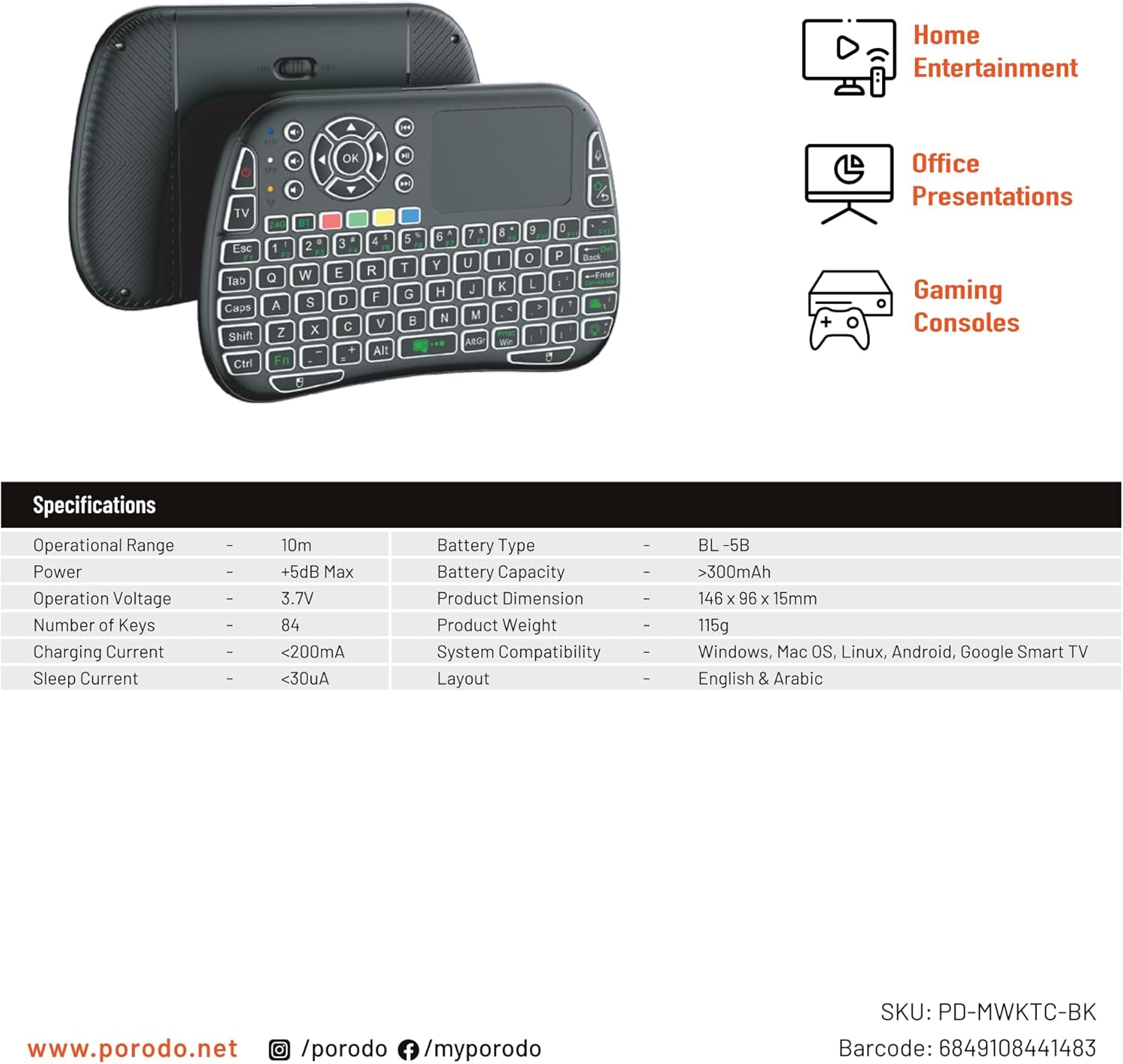
Image 5: The remote and mouse, illustrating its use for home entertainment, office presentations, and gaming consoles, alongside a table of detailed product specifications.
| فیچر | تفصیل |
|---|---|
| کارخانہ دار | پوروڈو |
| ماڈل نمبر | PD-MWKTC-BK (68491084488) |
| مصنوعات کے طول و عرض | 14.6 x 9.6 x 1.5 سینٹی میٹر |
| شے کا وزن | 115 گرام |
| رنگ | سیاہ |
| کنیکٹوٹی ٹیکنالوجی | Radio Frequency (2.4GHz) / Bluetooth |
| خصوصی خصوصیت | Programmable Buttons, Touchpad, Backlight |
| ہم آہنگ آلات | Laptop, PC, Smart TV, Android Box, Projector |
| کی بورڈ کی تفصیل | Internal (Integrated) |
| موومنٹ ڈیٹیکشن ٹکنالوجی | آپٹیکل |
| طاقت کا منبع | بیٹری سے چلنے والا (ریچارج ایبل) |
| بیٹری کی صلاحیت | > 300 ایم اے ایچ |
| آپریشنل رینج | 10m |
| سسٹم کی مطابقت | Windows, Mac OS, Linux, Android, Google Smart TV |
| لے آؤٹ | English & Arabic |
7. وارنٹی اور سپورٹ
For warranty information, technical support, or further assistance, please refer to the official Porodo webسائٹ یا ان کی کسٹمر سروس سے براہ راست رابطہ کریں۔ کسی بھی وارنٹی دعووں کے لیے خریداری کے ثبوت کے طور پر اپنی خریداری کی رسید رکھیں۔