
تعارف
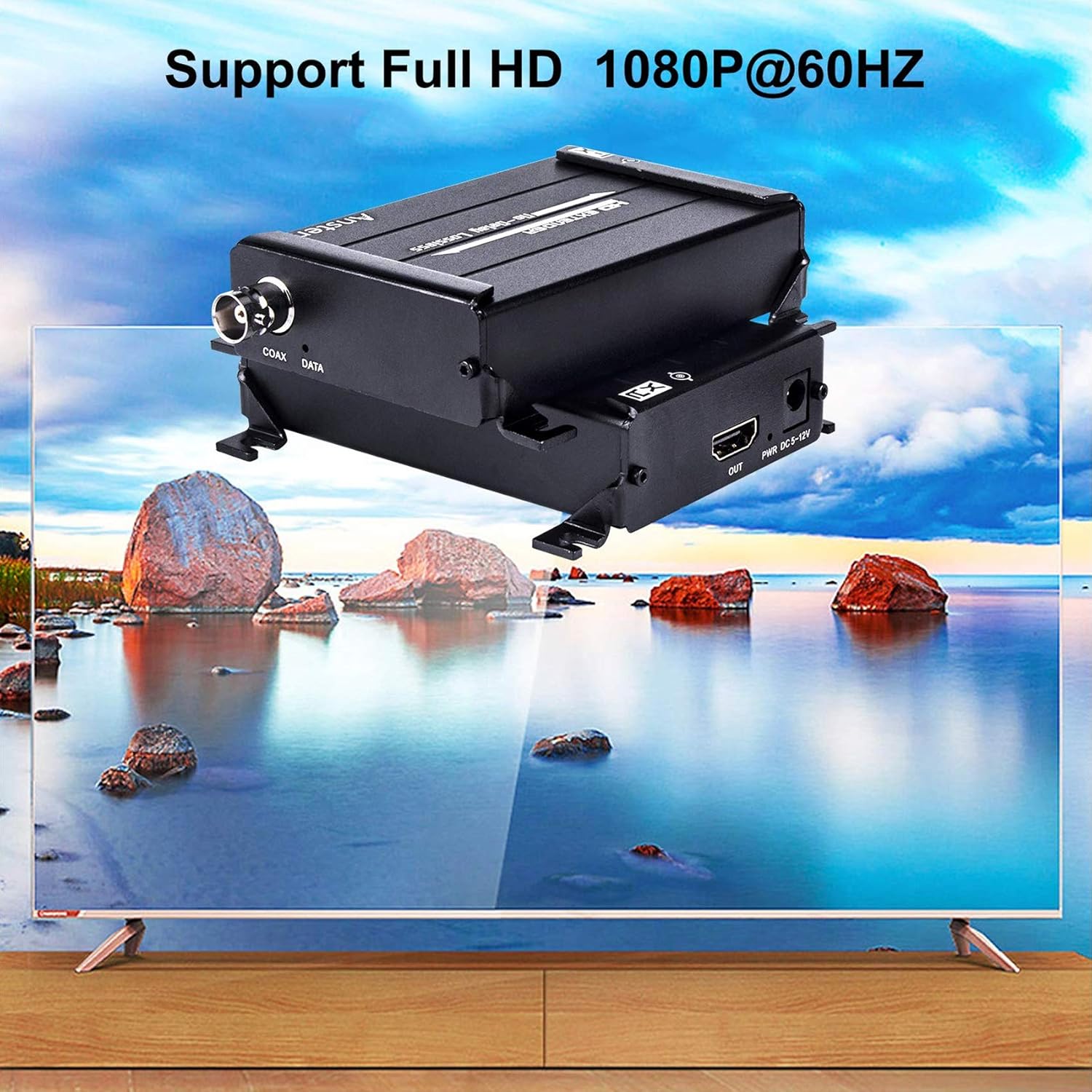
The ANSTEN HDMI Over Coax Extender MS379-B is designed to transmit 1080p Full HD HDMI signals over long distances using a single coaxial cable. This system provides a reliable solution for extending HDMI signals in various environments without signal loss or delay, making it ideal for home theaters, security systems, and professional installations.
1. پیکیج کے مشمولات
- HDMI Transmitter (TX) x1
- HDMI Receiver (RX) x1
- پاور اڈاپٹر x2
- یوزر مینوئل x1

Please ensure all items are present and in good condition upon unpacking.
2. کلیدی خصوصیات
- Zero-Latency 1080P HD Transmission: Supports lossless 1080p@60Hz Full HD HDMI signals up to 984ft (300m) via RG59/RG-6U Coax cable.
- Wide Resolution Support: Compatible with 1080p@60Hz, 1080p@50Hz, 1080p@30Hz, 1080p@25Hz, 720p@60Hz, 720p@50Hz, and 480p@60Hz. Note: Interlaced signals (1080i/720i) are not supported.
- Robust Thermal Management: Features an aluminum alloy housing with 360° heat dissipation fins for optimal cooling and durability, ensuring long-lasting performance.
- ورسٹائل ایپلی کیشن: Suitable for DVR systems, home theaters, bars, classrooms, meeting rooms, TV projects, lecture halls, and security systems.
- آسان تنصیب: Compact design for simple setup and portability.
3. سیٹ اپ ہدایات
Follow these steps to set up your ANSTEN HDMI Over Coax Extender:
3.1 ٹرانسمیٹر کو جوڑنا (TX)
- Connect your HDMI source device (e.g., PC, Notebook, Apple TV, PS4, Tablet PC) to the HDMI-IN port of the Transmitter (TX) unit using an HDMI cable.
- Connect one of the provided power adapters to the DC 5-12V port on the Transmitter (TX) unit and plug it into a power outlet.
- Connect one end of a coaxial cable (RG59/RG6u recommended) to the COAX DATA ٹرانسمیٹر (TX) یونٹ پر پورٹ۔
3.2 وصول کنندہ کو جوڑنا (RX)
- Connect the other end of the coaxial cable from the Transmitter (TX) to the COAX DATA رسیور (RX) یونٹ پر پورٹ۔
- Connect your display device (e.g., Projector, Display, TV) to the HDMI آؤٹ port of the Receiver (RX) unit using an HDMI cable.
- Connect the second power adapter to the DC 5-12V port on the Receiver (RX) unit and plug it into a power outlet.
Official product video demonstrating the features and connectivity of the ANSTEN HDMI Over Coax Extender.
4. آپریٹنگ ہدایات
Once all connections are securely made and both the Transmitter and Receiver units are powered on, the ANSTEN HDMI Over Coax Extender will automatically establish a connection and transmit the HDMI signal. No additional configuration is typically required.
- Ensure your input source provides a progressive signal (e.g., 1080p, 720p, 480p). Interlaced signals (1080i/720i) are not supported and will not display correctly.
- The system is designed for plug-and-play operation. If a signal is not immediately detected, verify all cable connections and power supplies.

5 خرابیوں کا سراغ لگانا
If you encounter issues, please refer to the following troubleshooting steps:
5.1 No Signal or "Check TX's input signal" message
- Verify HDMI Cable: Disconnect and reconnect the HDMI cable from the source to the Transmitter (TX). Try using a different HDMI cable to rule out cable failure.
- Check HDMI Source: Ensure your HDMI source device is powered on and outputting a signal.
- ان پٹ سگنل کی قسم: Confirm that the HDMI source is outputting a progressive signal (1080p, 720p, 480p). This extender does not support interlaced signals (1080i/720i). If your source outputs interlaced signals, an upscaler may be required before connecting to the extender.
5.2 "Searching TX" message or no signal on Receiver (RX)
- بجلی کی فراہمی: Check if both power adapters are correctly connected to the Transmitter (TX) and Receiver (RX) units and that their power indicator lights are on.
- سماکشی کیبل کنکشن: Ensure the coaxial cable is securely connected to both the TX and RX units' COAX DATA ports. Try re-plugging the cable.
- Coaxial Cable Integrity: Test with a different coaxial cable if possible, especially for long runs, to rule out cable damage or poor quality.
- انٹرفیس کی قسم: Confirm you are using a BNC interface coaxial cable, not an RF interface.
- سگنل لائٹس: Observe the signal lights on both TX and RX units. If they are flashing quickly, it indicates a proper connection.
- Receiver HDMI Cable/Monitor: Try a different HDMI cable from the Receiver (RX) to the display, or test with another HDMI monitor/TV to isolate the issue.
6. وضاحتیں

| فیچر | تفصیل |
|---|---|
| برانڈ | آنسٹین |
| ماڈل کا نام | MS379-B |
| کنیکٹر کی قسم | HDMI |
| کیبل کی قسم | HDMI, Coaxial (RG59/RG6u) |
| ہم آہنگ آلات | Projector, Television, DVR, PC, Notebook, Apple TV, PS4, Tablet PC |
| خصوصی خصوصیت | No Delay, Lossless Signal |
| کنیکٹر جنس | مرد سے عورت |
| تعدد | 60 Hz |
| زیادہ سے زیادہ والیومtage | 12 وولٹ (DC) |
| کنیکٹوٹی ٹیکنالوجی | HDMI |
| تجویز کردہ استعمال | Extending HDMI signals in residential, commercial, and industrial environments |
| انڈور / آؤٹ ڈور استعمال | انڈور، آؤٹ ڈور |
| رنگ | سیاہ |
| بیرونی مواد | ایلومینیم |
| شے کا وزن | 15 اونس |
7. وارنٹی اور سپورٹ
ANSTEN products are designed for reliability. This product may include a lifetime warranty; please refer to your purchase documentation or contact ANSTEN customer support for specific warranty details.
For additional support and video user guides, please visit the official ANSTEN website or their YouTube channel for comprehensive resources.
For technical assistance, please contact ANSTEN customer support directly through the contact information provided with your product or on the official ANSTEN webسائٹ