
1. تعارف
Thank you for choosing PowerLocus P2 Bluetooth Over-Ear Headphones. These headphones are designed to provide a high-quality audio experience with versatile connectivity options. This manual will guide you through the setup, operation, and maintenance of your new headphones.
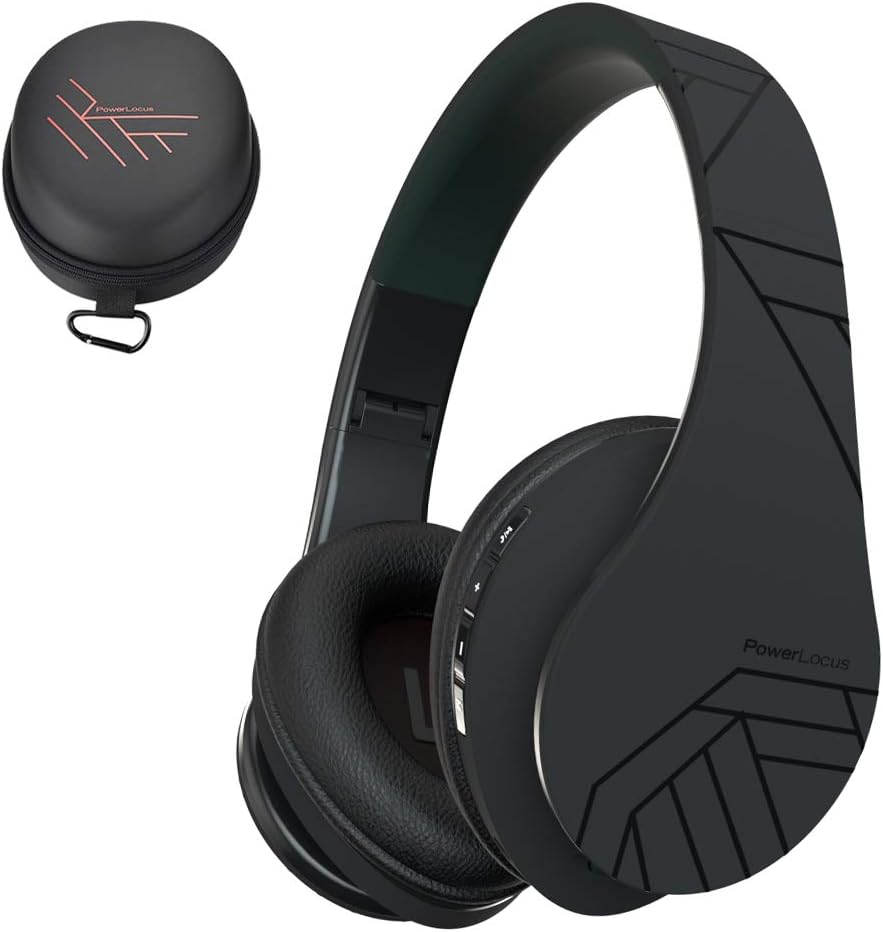
Image 1.1: PowerLocus P2 Headphones and Carrying Case
2. پیکیج کے مشمولات
براہ کرم درج ذیل اشیاء کے لیے پیکج چیک کریں:
- 1x PowerLocus P2 Wireless Headphones
- 1x 3.5 ملی میٹر آڈیو کیبل
- 1x USB-C چارجنگ کیبل
- 1x Elegant Hard Shell Carry Case

Image 2.1: Included Package Contents
3. سیٹ اپ
3.1 ہیڈ فون چارج کرنا
Before first use, fully charge your PowerLocus P2 headphones. The charging port is located on the right earcup.
- USB-C چارجنگ کیبل کے چھوٹے سرے کو ہیڈ فون پر چارجنگ پورٹ سے جوڑیں۔
- Connect the larger end of the USB-C charging cable to a USB power source (e.g., computer USB port, wall adapter).
- The LED indicator will illuminate during charging and turn off when charging is complete.
مکمل چارج ہونے میں تقریباً 2.5 گھنٹے لگتے ہیں۔

Image 3.1: USB-C Charging Port
3.2 پاور آن/آف۔
- To power on: Slide the On/Off button located on the earcup. The LED indicator will flash.
- To power off: Slide the On/Off button again. The LED indicator will turn off.
3.3 بلوٹوتھ جوڑی
The PowerLocus P2 headphones use Bluetooth 5.3 for a stable wireless connection.
- یقینی بنائیں کہ ہیڈ فون چارج اور پاور آف ہیں۔
- Slide the On/Off button to power on the headphones. The LED indicator will flash blue and red, indicating pairing mode.
- اپنے آلے پر (اسمارٹ فون، ٹیبلیٹ، کمپیوٹر)، بلوٹوتھ کو فعال کریں اور دستیاب آلات تلاش کریں۔
- Select "PowerLocus P2" from the list of devices.
- Once connected, the LED indicator will show a solid blue light or flash blue slowly.

Image 3.2: Key Features including Bluetooth 5.0
3.4 وائرڈ کنکشن (3.5 ملی میٹر آڈیو کیبل)
You can use the headphones in wired mode when the battery is low or with non-Bluetooth devices.
- 3.5mm آڈیو کیبل کے ایک سرے کو ہیڈ فون پر آڈیو ان پٹ جیک سے جوڑیں۔
- Connect the other end of the 3.5mm audio cable to your audio source's headphone jack.
- ہیڈ فون خود بخود وائرڈ موڈ میں بدل جائیں گے۔

Image 3.3: Wired Mode Connection
4. آپریٹنگ ہدایات
4.1 بٹن کنٹرولز
آسان رسائی کے لیے کنٹرولز دائیں ایئرکپ پر واقع ہیں۔

Image 4.1: Headphone Button Controls and Features
| بٹن/ایکشن | فنکشن |
|---|---|
| Power Button (Slide) | پاور آن/آف |
| پلے/پاز بٹن | Press once to Play/Pause music; Answer/End calls |
| والیوم اوپر (+) | Short press to increase volume; Long press for next track |
| آواز کم (-) | Short press to decrease volume; Long press for previous track |
| موڈ بٹن (M) | Switch between Bluetooth, Micro SD, and FM Radio modes |
4.2 میوزک پلے بیک
- چلائیں/روکیں: پلے/پاز بٹن کو ایک بار دبائیں۔
- اگلا ٹریک: والیوم اپ (+) بٹن کو دیر تک دبائیں۔
- پچھلا ٹریک: والیوم ڈاؤن (-) بٹن کو دیر تک دبائیں۔
- والیوم ایڈجسٹمنٹ: والیوم اپ (+) یا والیوم ڈاؤن (-) بٹنوں کو مختصر دبائیں۔
4.3 کال مینجمنٹ
When connected via Bluetooth, you can manage phone calls directly from the headphones.
- جواب / کال ختم کریں: پلے/پاز بٹن کو ایک بار دبائیں۔
- کال مسترد کریں: پلے/پاز بٹن کو دیر تک دبائیں۔
4.4 Micro SD/TF Card Mode
The headphones support Micro SD/TF cards for direct music playback.
- Insert a Micro SD/TF card (up to 32GB) with MP3 audio files کارڈ سلاٹ میں۔
- Press the Mode (M) button to switch to Micro SD mode.
- Music will begin playing automatically. Use the Play/Pause and Volume buttons for control.

Image 4.2: Micro SD Card Slot
4.5 ایف ایم ریڈیو موڈ
The headphones include a built-in FM radio function.
- Press the Mode (M) button to switch to FM Radio mode.
- Long press the Play/Pause button to automatically scan and save available FM stations.
- محفوظ کردہ اسٹیشنوں کے درمیان سوئچ کرنے کے لیے والیوم اپ (+) اور والیوم ڈاؤن (-) بٹن (شارٹ پریس) کا استعمال کریں۔
5 دیکھ بھال
5.1 صفائی
- ہیڈ فون کو نرم، خشک کپڑے سے صاف کریں۔
- کھرچنے والے کلینر، الکحل یا کیمیائی سالوینٹس کا استعمال نہ کریں۔
- کسی بھی سوراخ میں نمی حاصل کرنے سے گریز کریں۔
5.2 اسٹوریج
When not in use, store the headphones in the provided hard shell carry case to protect them from dust, scratches, and impacts. The foldable design allows for compact storage.

Image 5.1: Headphones Stored in Carry Case
6 خرابیوں کا سراغ لگانا
| مسئلہ | حل |
|---|---|
| ہیڈ فون آن نہیں ہوتے۔ | یقینی بنائیں کہ ہیڈ فون پوری طرح سے چارج ہیں۔ |
| بلوٹوتھ کے ذریعے جوڑا نہیں بنایا جا سکتا۔ | یقینی بنائیں کہ ہیڈ فون پیئرنگ موڈ میں ہیں (بلیو/سرخ LED چمکتا ہوا)۔ اپنے آلے پر بلوٹوتھ کو آف اور آن کریں۔ ڈیوائس کے قریب جائیں۔ |
| بلوٹوتھ موڈ میں کوئی آواز نہیں ہے۔ | Check volume levels on both headphones and connected device. Ensure headphones are correctly paired. |
| وائرڈ موڈ میں کوئی آواز نہیں ہے۔ | Ensure the 3.5mm audio cable is securely connected to both the headphones and the audio source. Test with a different cable if possible. |
| ایف ایم ریڈیو کام نہیں کر رہا ہے۔ | Ensure you are in FM mode. Perform an auto-scan for stations by long-pressing the Play/Pause button. |
7. وضاحتیں
| فیچر | تفصیل |
|---|---|
| ماڈل کا نام | P2 |
| کنیکٹوٹی ٹیکنالوجی | وائرلیس (بلوٹوتھ 5.3)، وائرڈ (3.5 ملی میٹر جیک) |
| آڈیو ڈرائیور کا سائز | 40 ملی میٹر |
| تعدد کی حد | 20 Hz - 20,000 Hz |
| رکاوٹ | 32 اوہم |
| بیٹری کی زندگی | 15 گھنٹے تک |
| چارج کرنے کا وقت | تقریباً 2.5 گھنٹے |
| بلوٹوتھ رینج | 36 فٹ (11 میٹر) تک |
| مائیکروفون | Built-in (Echo Cancellation) |
| خصوصی خصوصیات | Foldable, Micro SD/TF Card Slot, FM Radio |
| وزن | 150 گرام (5.3 اونس) |
| مواد | Leather (earcups, carrying case) |
| ہم آہنگ آلات | Smartphones, Tablets, Laptops, Gaming Consoles, PCs |
8. وارنٹی اور سپورٹ
8.1 وارنٹی کی معلومات
PowerLocus P2 headphones come with a 24 ماہ کی وارنٹی from the date of purchase. This warranty covers manufacturing defects and ensures customer satisfaction. Please retain your proof of purchase for warranty claims.
8.2 کسٹمر سپورٹ
For any questions, technical assistance, or warranty claims, please contact PowerLocus customer support. We are committed to 100% customer satisfaction and offer 24/7 support.
- Webسائٹ: www.powerlocus.com
- Email (EU Importer): info@powerlocus.com
- Email (UK Importer): info@powerlocus.com