
вступ
This manual provides essential information for setting up, operating, maintaining, and troubleshooting your new OPPO A6x 5G smartphone. Please read this guide thoroughly to ensure optimal performance and longevity of your device. Keep this manual for future reference.
Початкове налаштування
1. Розпакування пристрою
Carefully open the product packaging and ensure all contents are present. The standard package includes:
- OPPO A6x 5G Smartphone
- USB кабель
- Виштовхувач лотка для SIM-карти
- Короткий посібник
- Захисна плівка для екрана (попередньо нанесена або в коробці)
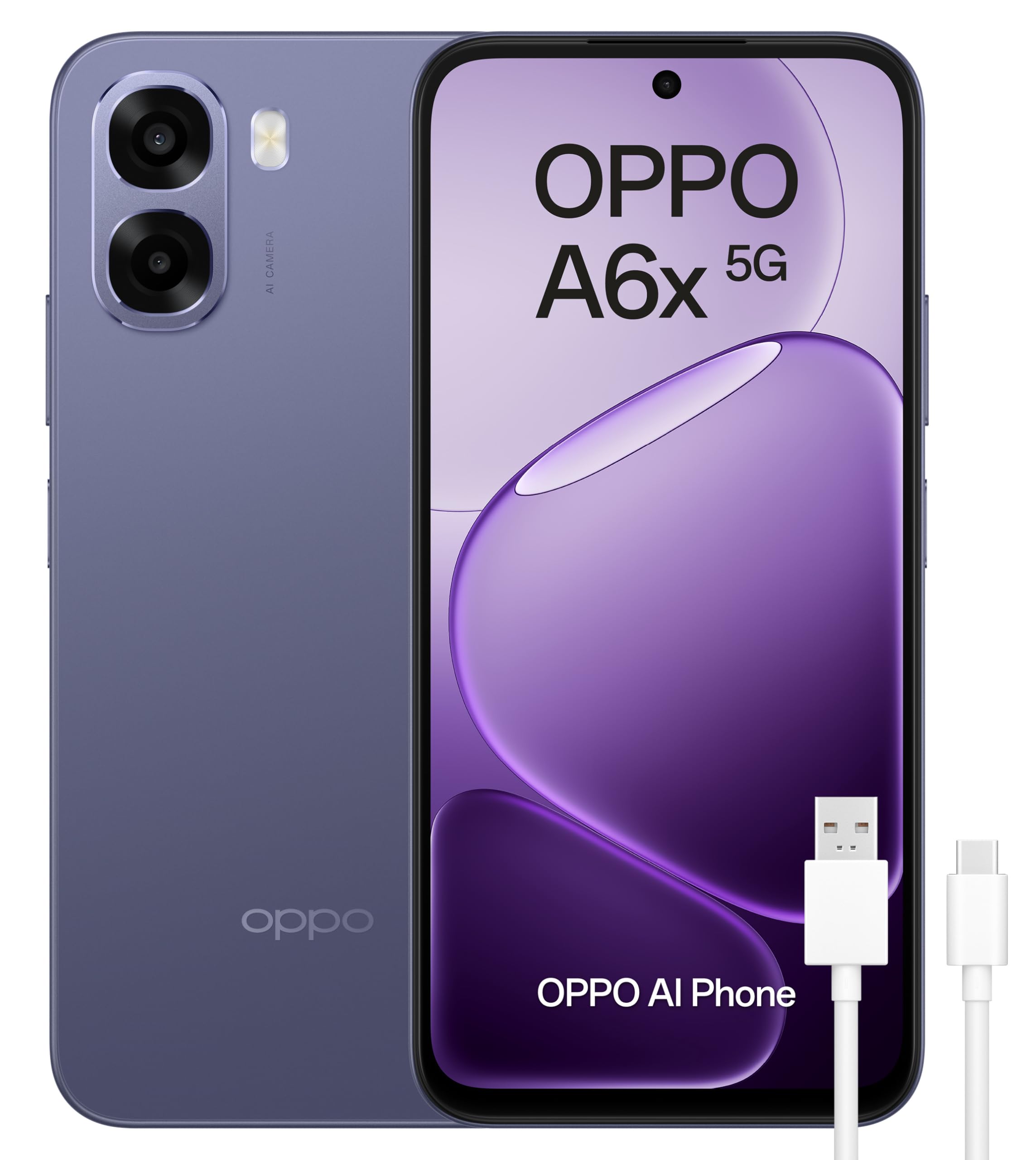
Figure 1: OPPO A6x 5G Smartphone and included accessories.
2. Встановлення SIM-карти
Your OPPO A6x 5G supports Dual SIM functionality. To install your SIM card(s):
- Знайдіть лоток для SIM-картки на боковій стороні пристрою.
- Вставте інструмент для вилучення лотка SIM-картки в маленький отвір поруч із ним і обережно натисніть, доки лоток не вискочить.
- Place your Nano SIM card(s) into the designated slots on the tray. Ensure the gold contacts face downwards.
- Обережно вставте лоток для SIM-картки назад у пристрій, доки він не клацне на місці.
3. Увімкнення пристрою
Press and hold the Power button (located on the right side of the device) until the OPPO logo appears on the screen. Follow the on-screen instructions to complete the initial setup, including language selection, Wi-Fi connection, and Google account setup.
Керування пристроєм
1. Дисплей та навігація
The OPPO A6x 5G features a 6.67-inch HD+ LCD display with a 120Hz refresh rate, providing a smooth and responsive user experience. Navigate the interface using touch gestures: tap to select, swipe to scroll, pinch to zoom.

Figure 2: The 120Hz HD+ LCD display offers clear and fluid visuals.
2. Функції камери
Capture high-quality photos and videos with the 50MP AI main camera. The device also includes a 2MP front camera and a 2MP rear monochrome sensor for enhanced photography. AI features optimize settings for various scenes.

Figure 3: Rear camera module with 50MP main lens and 2MP monochrome lens.
3. Керування батареєю
The OPPO A6x 5G is equipped with a large 6100 mAh battery, providing extended usage time. To maximize battery life, adjust screen brightness, close unused apps, and enable power-saving modes when needed. The device supports fast charging.

Figure 4: The 6100 mAh battery ensures long-lasting power.
4. Підключення
Your smartphone offers various connectivity options:
- 5G Mobile Technology: Для доступу до високошвидкісного інтернету.
- Wi-Fi: Підключіться до бездротових мереж для доступу до Інтернету.
- Bluetooth: Сполучення з бездротовими аксесуарами, такими як навушники або колонки.
- NFC: For contactless payments and quick data transfer.
- USB Type-C: Для зарядки та передачі даних.
5. Функції безпеки
The device includes biometric security features such as fingerprint recognition for secure unlocking and data protection. You can set up your fingerprint in the device settings.
Технічне обслуговування
1. Водо- та пилонепроникність
The OPPO A6x 5G is rated IP64 for water and dust resistance, meaning it is protected against dust ingress and splashing water from any direction. While it offers protection against everyday splashes, it is not designed for submersion in water. Avoid exposing the device to excessive moisture or harsh chemicals.

Figure 5: IP64 rating provides protection against dust and water splashes.
2. Оновлення програмного забезпечення
Your device runs on Android 15. Regularly check for and install software updates to ensure optimal performance, security, and access to the latest features. Updates can be found in the device's settings menu under 'System Updates'.
Усунення несправностей
Якщо у вас виникли проблеми з пристроєм, спробуйте виконати такі основні дії з усунення несправностей:
- Перезавантажте пристрій: Простий перезапуск може вирішити багато незначних програмних збоїв.
- Перевірте наявність оновлень програмного забезпечення: Переконайтеся, що операційна система вашого пристрою оновлена.
- Очистити кеш програми: If an app is misbehaving, try clearing its cache in the app settings.
- Скидання до заводських налаштувань: As a last resort, if issues persist, you may perform a factory reset. Попередження: Це видалить усі дані на вашому пристрої. Перш ніж продовжити, створіть резервну копію важливих даних.
Технічні характеристики

Figure 6: Key internal components of the OPPO A6x 5G.
| Особливість | Специфікація |
|---|---|
| Бренд | OPPO |
| Назва моделі | A6x 5G |
| Номер моделі | CPH2783 |
| Операційна система | Android 15 |
| ОЗУ | 6 ГБ |
| Ємність зберігання | 256 ГБ |
| Модель процесора | Snapdragon |
| Швидкість ЦП | 2.4 ГГц |
| Розмір екрана | 6.67 дюймів |
| Роздільна здатність дисплея | 1520 x 720 пікселів |
| Частота оновлення | 120 Гц |
| Тип дисплея | ЖК |
| Роздільна здатність задньої камери | 50 MP (Effective Video Resolution) / 2 MP (Sensor Resolution) |
| Роздільна здатність передньої камери | 2 Мп |
| Ємність акумулятора | 6100 мАг |
| SIM Card Count | Подвійна SIM-карта |
| Рівень водонепроникності | IP64 (водовідштовхувальний) |
| Розміри | 18.4 x 10 x 4.6 см; 209 g |
Гарантія та підтримка
1. Гарантія на продукт
Your OPPO A6x 5G smartphone comes with a three-year manufacturer's warranty. Please retain your proof of purchase for any warranty claims. For detailed terms and conditions, refer to the warranty card included in your product packaging or visit the official OPPO webсайт.
2. Підтримка клієнтів
For further assistance, technical support, or service inquiries, please contact OPPO customer service through their official website or the contact information provided in your Quick Start Guide. You can also visit the Магазин OPPO на Amazon для отримання додаткових ресурсів.