
1. Вступ
This manual provides essential instructions for the safe and efficient operation, setup, and maintenance of your Procolored F13 Panda DTF Printer. Please read this manual thoroughly before using the printer to ensure optimal performance and longevity.
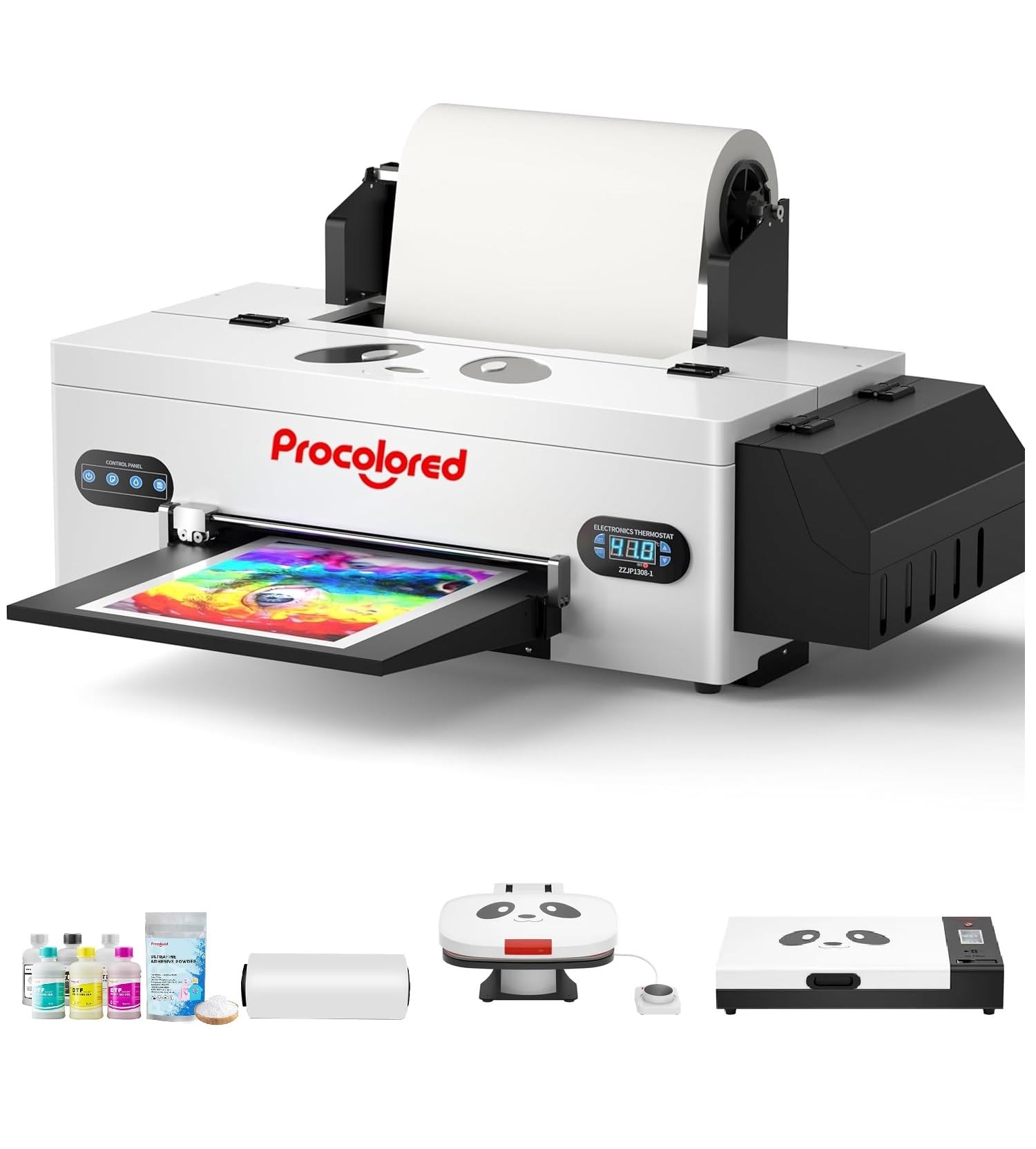
Figure 1: Procolored F13 Panda DTF Printer.
2. Інформація про безпеку
Завжди дотримуйтесь наступних запобіжних заходів, щоб запобігти травмуванню або пошкодженню принтера:
- Переконайтеся, що принтер встановлено на стійкій, рівній поверхні.
- Connect the printer to a grounded power outlet with the correct voltage (змінний струм 100-230 В).
- Не піддавайте принтер впливу води або надмірної вологості.
- Тримайте руки подалі від рухомих частин під час роботи.
- Use only recommended inks and cleaning solutions.
- Зберігати в недоступному для дітей місці.
3. Вміст упаковки
Перевірте наявність усіх елементів в упаковці:
- Procolored F13 DTF Printer
- Roll Film 13"
- DTF Ink Set (CMYK+WW)
- Nozzle Protection Fluid
- DTF Powder
- Пластикова опора
- Кабель для передачі даних (USB)
- Кабель живлення
- Moisturizing Device
- Пляшка для відходів
- Картридж
- Spare Ink Tube
- Роликовий кронштейн
- Чорнильна подушка
- Склоочисник
- Лезо різака
- USB ключ
- шприц
- Викрутка
- Роликова планка
- Подовжувальна трубка
- Needle Hub
- Весна
- Тампон

Figure 2: Included accessories for the Procolored F13 DTF Printer.
4. Посібник із налаштування
4.1 Розпакування та початкове розміщення
Carefully remove the printer and all components from the packaging. Place the printer on a sturdy, level surface in a well-ventilated area.
Video 1: Procolored F13 DTF Printer Unboxing. This video demonstrates the unboxing process and initial setup steps for the printer.
4.2 Film Roll Installation
Install the 13-inch DTF film roll onto the designated holder at the rear of the printer. Ensure the film feeds smoothly into the printer mechanism.
4.3 Ink System Setup
Fill the ink tanks with the corresponding DTF pigment inks (Cyan, Magenta, Yellow, Black, White, Light Cyan). Ensure the white ink circulation system is properly connected and functioning to prevent clogging.

Figure 3: Illustration of the advanced white ink system, showing circulation, siphon effect, and automatic cleaning.
4.4 Power Connection and Software Installation
Connect the power cable to the printer and a suitable power outlet. Install the Procolored RIP software (compatible with Windows 7/10/11) on your computer. Follow the on-screen instructions for software installation and driver setup.
Малюнок 4: Закінченоview of the Procolored RIP software interface and available tutorials.
5. Інструкція з експлуатації
5.1 Підготовка до друку
- Power on the printer using the main switch.
- Ensure the DTF film is correctly loaded and aligned.
- Open the Procolored RIP software on your computer.
- Import your design and adjust settings such as size, resolution (up to 1440x1440dpi), and color profile.
5.2 Процес друку
Initiate the print job from the software. The printer will feed the film and apply ink. The built-in cutter will automatically trim the film after printing, optimizing material usage.
Video 2: Procolored F13 DTF Printer in operation. This video demonstrates the printing process, including film feeding and ink application.
5.3 Післядрукова обробка
After printing, apply DTF powder to the wet ink and cure it using a DTF oven or heat press. Once cured, the design is ready for transfer to textiles.

Малюнок 5: Впрamples of versatile applications for DTF prints, including shirts, flags, tote bags, and caps.
6. Технічне обслуговування
6.1 Система автоматичного очищення
The F13 Panda DTF Printer features an automatic cleaning system that operates even when the printer is powered on. This system helps prevent print head clogs and ensures consistent print quality. Regular use of this feature is recommended.
6.2 White Ink Circulation
The printer includes a white ink circulation system with a siphon filtration diaphragm pump. This system minimizes blockages and maintains the quality of white ink. Ensure the system is always active during operation.
Video 3: F13 L1800 DTF Apparel Printer features. This video highlights the white ink circulation and automatic cleaning functions.
6.3 Генеральне прибирання
Періодично очищуйте зовнішню частину принтера м’якою губкоюamp cloth. Refer to the software's maintenance section for specific print head cleaning procedures if needed.
7. Вирішення проблем
Якщо у вас виникли проблеми з принтером, розгляньте такі поширені способи їх вирішення:
- Проблеми з якістю друку: Perform a nozzle check and head cleaning through the software. Ensure ink levels are sufficient.
- Film Feeding Problems: Check for obstructions in the film path and ensure the film roll is correctly installed and aligned.
- Помилки програмного забезпечення: Restart the software and the printer. Ensure your software and drivers are up to date.
- Проблеми з підключенням: Verify USB cable connection and ensure the printer is powered on.
For persistent issues, contact Procolored customer service.
8. Технічні характеристики
| Особливість | Специфікація |
|---|---|
| Бренд | Профарбований |
| Назва моделі | F13-XMJZ |
| Технологія підключення | USB |
| Технологія друку | струменевий |
| Особливість | Портативний |
| Вихід на принтер | Колір |
| Максимальна швидкість друку (кольоровий) | 1 ppm |
| Максимальна швидкість друку, монохромний | 1 ppm |
| Розміри продукту (Д x Ш x В) | 16.53" Г x 34.25" Ш x 16.4" В |
| Колір чорнила | Cyan, Magenta, Yellow, Black, White, Light Cyan |
| роздільна здатність | 1440 x 1440 dpi |
| Максимальний розмір носія | A3 (13 Inches) |
| Підтримка програмного забезпечення | Windows 7/10/11 |
| Конкретне використання продукту | Textile Printing |
9. Гарантія та підтримка
Your Procolored F13 Panda DTF Printer comes with a comprehensive warranty:
- Print Head and Related Components: Шестимісячна гарантія.
- Інші аксесуари: Однорічна гарантія.
Our dedicated customer service team is available 24/6 to address any queries or technical issues you may encounter. Please refer to your purchase documentation for specific contact details.