
1. Вступ
This manual provides detailed instructions for the installation, operation, and maintenance of your ANJIELO SMART Wired Video Intercom System. This system is designed for multifamily apartments, offering secure and convenient communication with visitors. Please read this manual thoroughly before installation and use to ensure proper function and safety.
2. Продукт закінчивсяview
The ANJIELO SMART Wired Video Intercom System is a comprehensive solution for building access control and communication. It features a robust outdoor doorbell unit and multiple indoor monitors, enabling visual and audio communication with visitors, as well as remote unlocking capabilities via RFID cards.

Figure 2.1: Multifamily Intercom System Overview. This image illustrates a typical installation in a multi-story building, showing one outdoor doorbell unit connected to multiple indoor monitors, allowing separate monitoring for each unit without interference.
Ключові характеристики:
- Multifamily Design: Supports 2 to 12 indoor monitors with one outdoor camera.
- Нічне бачення: Built-in LED infrared lights for clear video in low-light conditions.
- Двостороннє аудіо: Enables communication between indoor monitors and the outdoor unit.
- Режим тиші: Option to mute doorbell rings for undisturbed rest.
- IP65 Захист від атмосферних впливів: Outdoor unit is resistant to rain and dust.
- 7-дюймовий РК-монітор: Slim design, touch-key operation, hands-free display.
- Розблокування RFID-картки: Convenient access control for residents.
- 4-дротове з'єднання: Standard wiring for reliable communication.
3. Вміст упаковки
Перевірте наявність усіх предметів у вашій упаковці:
- Outdoor Doorbell Unit (Quantity: 1)
- Indoor Monitor (Quantity: 3 for this specific model)
- 5-meter 4-core connection cable (for testing purposes)
- Кріпильні гвинти та анкери
- Адаптер(и) живлення
- Посібник користувача (цей документ)
Note: Additional cables, electric locks, power supplies for locks, and exit buttons are not included and must be purchased separately if required for your installation.
4. Технічні характеристики
| Особливість | Специфікація |
|---|---|
| Назва моделі | 60120S-2+67022E |
| Підключення | Дротова (4-провідна система) |
| Outdoor Unit Functions | Intercom, Monitor, RFID Unlock |
| Екран внутрішнього монітора | 7-дюймовий TFT-РК-дисплей |
| Роздільна здатність камери | 1.0 Мп |
| Камера View Кут | 120 градусів |
| Нічне бачення | Built-in LED Infrared Light |
| Матеріал зовнішнього блоку | ABS Plastic, Aluminum Alloy (weatherproof housing) |
| Indoor Monitor Material | Інженерний пластик ABS |
| Рейтинг водонепроникності | IP65 (зовнішній блок) |
| Блок живлення (зовнішній) | DC15V 1.2A |
| Блок живлення (для приміщень) | Вхід AC100-240V |
| Тип установки | Surface Mounting (Outdoor & Indoor) |
| Робоча температура | -30°C to +60°C (Outdoor Unit) |
| Outdoor Unit Dimensions (2-6 units) | 264 x 127 x 43 мм |
| Outdoor Unit Dimensions (8-12 units) | 330 x 127 x 43 мм |
| Indoor Monitor Dimensions | 218 x 123 x 22 мм |
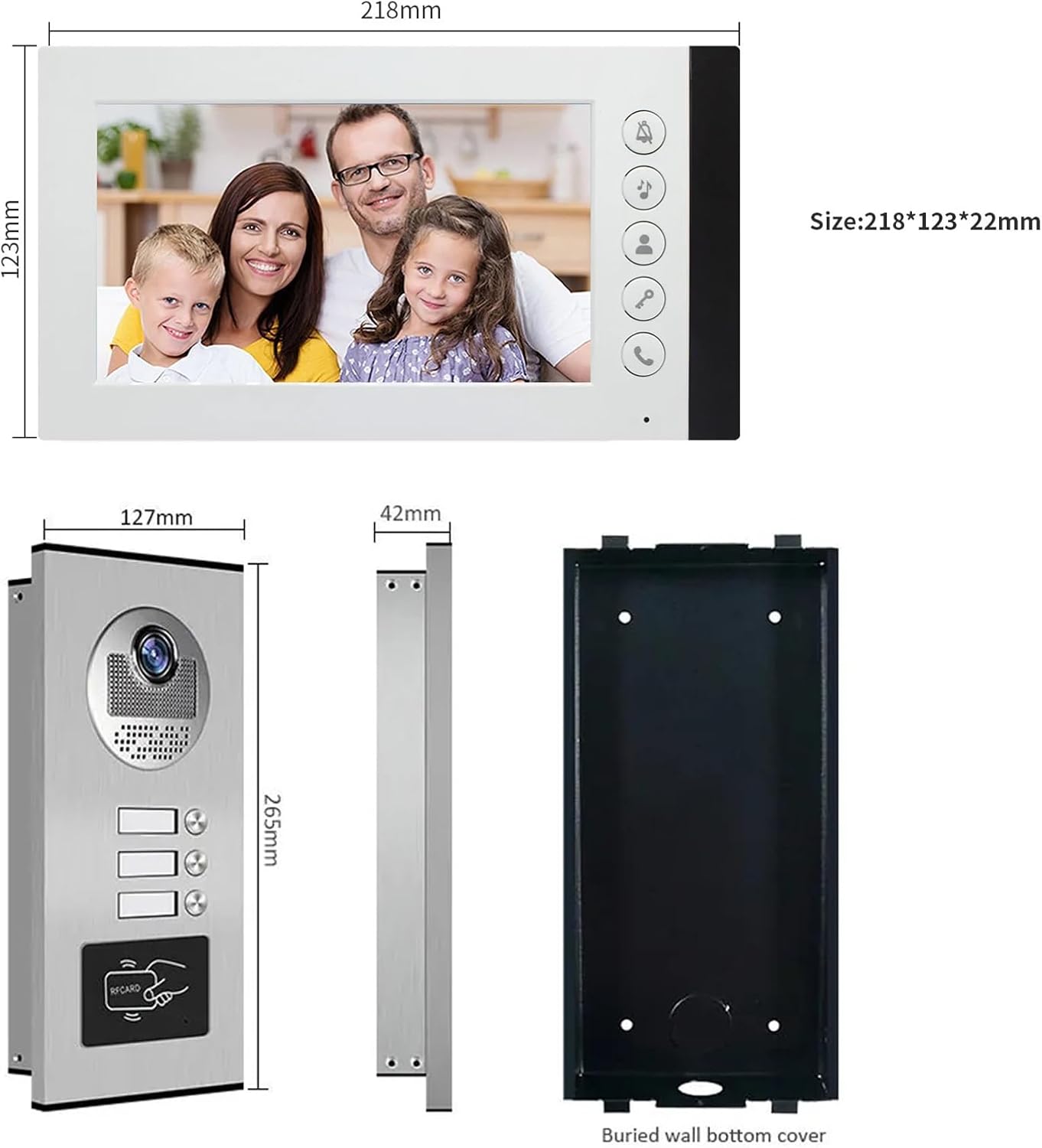
Figure 4.1: Product Dimensions. This image provides detailed measurements for both the indoor monitor and the outdoor doorbell unit, including the buried wall bottom cover for the outdoor unit.
5. Інформація про безпеку
- Завжди відключайте живлення перед будь-яким встановленням або технічним обслуговуванням.
- Ensure all wiring is correctly connected according to the wiring diagram to prevent damage to the system or electrical hazards.
- Do not expose the indoor monitor to water or high humidity.
- The outdoor unit is IP65 weatherproof, but avoid submerging it in water.
- Use only the provided power adapters or approved replacements.
- Keep the product away from strong magnetic fields or sources of interference.
- Для складних схем електропроводки рекомендується професійне встановлення.
6. Налаштування та встановлення
6.1 Інструкції з підключення
The system uses a 4-wire connection. A 5-meter 4-core cable is included for testing. For permanent installation, you will need to purchase longer cables based on the distance between the outdoor unit and the indoor monitors. Refer to the table below for recommended cable types and distances:
| Відстань | Діаметр кабелю |
|---|---|
| До 50 метрів | 0.5 мм² (AWG 20) |
| 50 - 100 метрів | 0.75 мм² (AWG 18) |
| Понад 100 метрів | 1.0 mm² (AWG 17) or consult a professional |
Ensure all connections are secure and insulated. Incorrect wiring can damage the system.
6.2 Монтаж зовнішнього блоку
- Choose a suitable location near your entrance, typically at eye level (around 1.5 meters or 5 feet from the ground).
- Use the included mounting bracket as a template to mark drilling points on the wall.
- Просвердліть отвори та вставте стінні анкери.
- Закріпіть монтажний кронштейн до стіни за допомогою шурупів.
- Connect the 4-core wiring and power supply to the outdoor unit.
- Attach the outdoor unit to the mounting bracket, ensuring it is firmly in place.
- Verify the unit is level and the camera view є безперешкодним.

Figure 6.1: Outdoor Unit Installation. This image shows the outdoor unit installed in an exterior environment, highlighting its weather resistance and suitable mounting location.
6.3 Монтаж внутрішнього монітора
- Select a convenient indoor location, such as a hallway or living area, where the monitor is easily accessible.
- Mark drilling points using the monitor's mounting bracket.
- Просвердліть отвори та вставте стінні анкери.
- Прикріпіть монтажний кронштейн до стіни.
- Connect the 4-core wiring from the outdoor unit and the power adapter to the indoor monitor.
- Обережно прикріпіть внутрішній монітор до монтажного кронштейна.
- Підключіть адаптер живлення до електричної розетки.
7. Інструкція з експлуатації
7.1 Отримання дзвінка
When a visitor presses the call button on the outdoor unit, the indoor monitor(s) will ring and automatically display the video feed from the outdoor camera.
- Щоб відповісти на дзвінок, натисніть Відповідь button (typically a phone icon) on the indoor monitor.
- You can now speak with the visitor using the two-way audio function.
- Щоб завершити розмову, натисніть Відповідь кнопку знову.
7.2 Monitoring the Outdoor Area
Ви можете вручну view the outdoor area at any time:
- Натисніть Монітор button (often an eye icon) on the indoor monitor. The screen will display the live video feed from the outdoor camera.
- Натисніть Монітор натисніть ще раз, щоб вимкнути дисплей.
7.3 Розблокування дверей
If an electric lock is connected to the system, you can unlock the door remotely:
- Під час дзвінка або моніторингу натисніть Розблокувати button (often a key icon) on the indoor monitor. The connected electric lock will disengage.
- The outdoor unit also supports RFID card unlocking. Present a pre-programmed RFID card to the reader on the outdoor unit to unlock the door.
7.4 Нічне бачення
The outdoor unit is equipped with built-in LED infrared lights, which automatically activate in low-light conditions to provide clear black-and-white video footage.

Figure 7.1: Day and Night Vision. This image illustrates the system's ability to provide clear visuals both during the day and at night, thanks to its integrated infrared night vision.
7.5 Тихий режим
To avoid disturbance, especially during nighttime, you can activate the silent mode:
- Натисніть Тихий режим button (often a bell with a slash through it) on the indoor monitor. The doorbell ringtone will be muted.
- The monitor will still display the video feed when a visitor calls, allowing you to see who is at the door without audible notification.
- Натисніть Тихий режим знову натисніть кнопку, щоб деактивувати її.
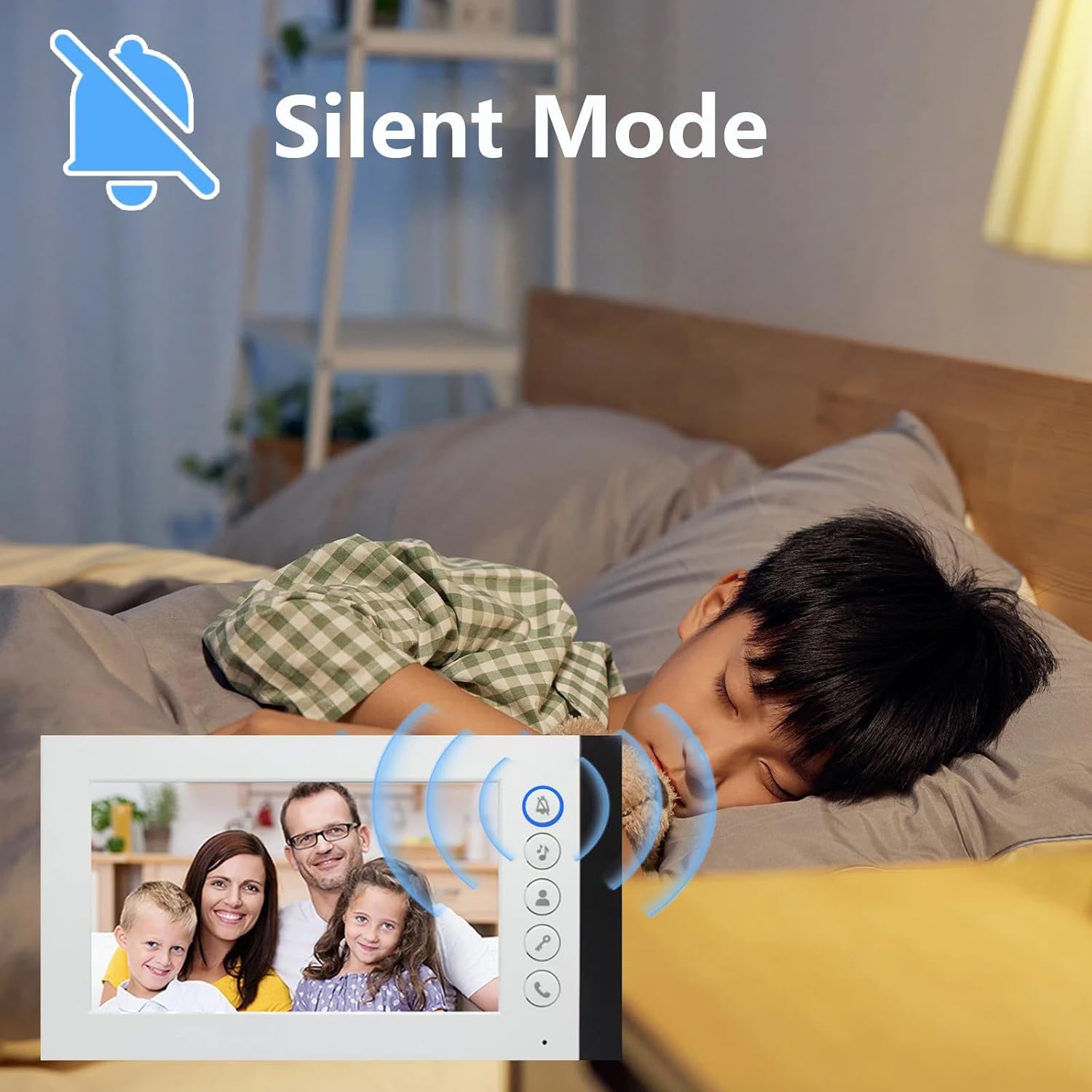
Figure 7.2: Silent Mode Activation. This image demonstrates the silent mode feature, which allows users to mute the doorbell ringtone for undisturbed rest while still being able to see visitors on the monitor.
7.6 Вибір мелодії дзвінка
The indoor monitor offers 52 different ringtones. Consult the monitor's on-screen menu or specific buttons to browse and select your preferred ringtone.
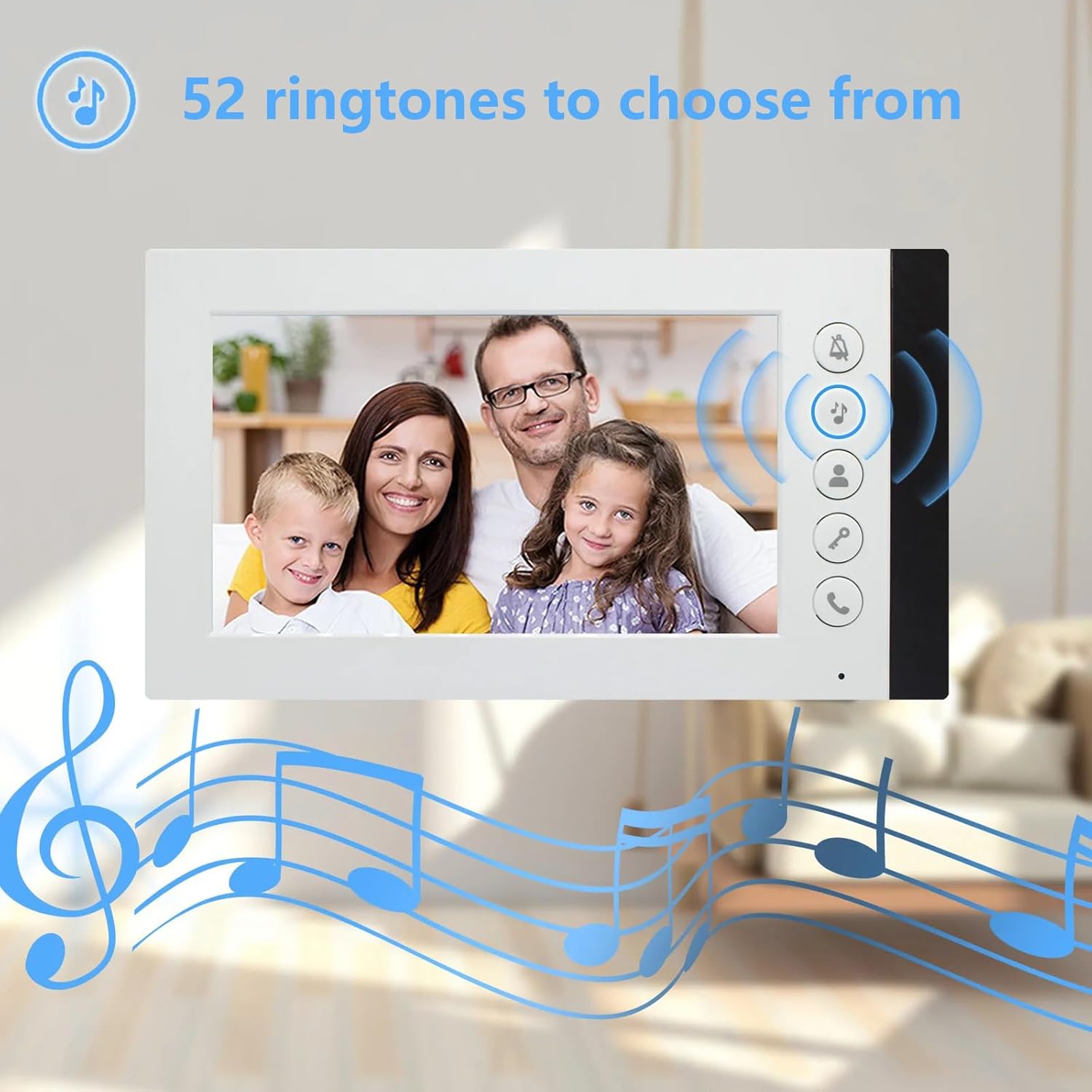
Figure 7.3: Ringtone Options. This image highlights the availability of 52 different ringtones for the indoor monitor, allowing users to customize their doorbell sound.
8. Технічне обслуговування
- Прибирання: Use a soft, dry cloth to clean the indoor monitor and outdoor unit. For stubborn dirt, a slightly damp cloth can be used, but ensure no liquid enters the devices. Do not use abrasive cleaners or solvents.
- Перевірка кабелю: Periodically check all wiring connections for signs of wear, damage, or loose connections. Repair or replace damaged cables immediately.
- Лінза зовнішнього блоку: Keep the camera lens on the outdoor unit clean and free from obstructions (e.g., dirt, spiderwebs) to ensure clear video quality.
- Джерело живлення: Ensure power adapters are not damaged and are securely plugged into outlets.
9. Вирішення проблем
| проблема | Можлива причина | Рішення |
|---|---|---|
| No video or audio on monitor |
|
|
| Monitor not ringing when doorbell is pressed |
|
|
| Погана якість відео (розмите, темне) |
|
|
| Функція відмикання дверей не працює |
|
|
10. Гарантія та підтримка
ANJIELO SMART products are designed for reliability and performance. For warranty information, technical support, or service inquiries, please refer to the contact information provided with your purchase documentation or visit the official ANJIELO SMART website. Please have your model number (60120S-2+67022E) and purchase date ready when contacting support.