
вступ
This manual provides instructions for the PIKOY Aurora Northern Lights Projector, Model WH-E22. This device integrates a Northern Lights projector, a white noise sound machine, and a Bluetooth speaker to create a versatile ambient experience. Please read this manual thoroughly before use to ensure proper operation and to maintain the product's longevity.
Важлива інформація з безпеки
- Ensure the power source matches the device's requirements.
- Не піддавайте пристрій дії екстремальних температур або вологості.
- Зберігати в недоступному для дітей та домашніх тварин місці.
- Не розбирайте та не намагайтеся ремонтувати пристрій самостійно. Зверніться по допомогу до служби підтримки клієнтів.
- Уникайте прямого впливу джерела світла на очі протягом тривалого часу.
- Цей виріб призначений лише для використання в приміщенні.
Вміст упаковки
Перевірте наявність усіх елементів в упаковці:
- PIKOY Aurora Northern Lights Projector (Model WH-E22)
- Пульт дистанційного керування
- USB кабель живлення
- Посібник користувача
Налаштування
- Розпакуйте пристрій: Обережно вийміть проектор та всі аксесуари з упаковки.
- Підключення живлення: Connect the provided USB power cable to the projector's power input port. Plug the other end of the USB cable into a compatible USB power adapter (not included) or a USB port on another device (e.g., a lamp with a USB port).
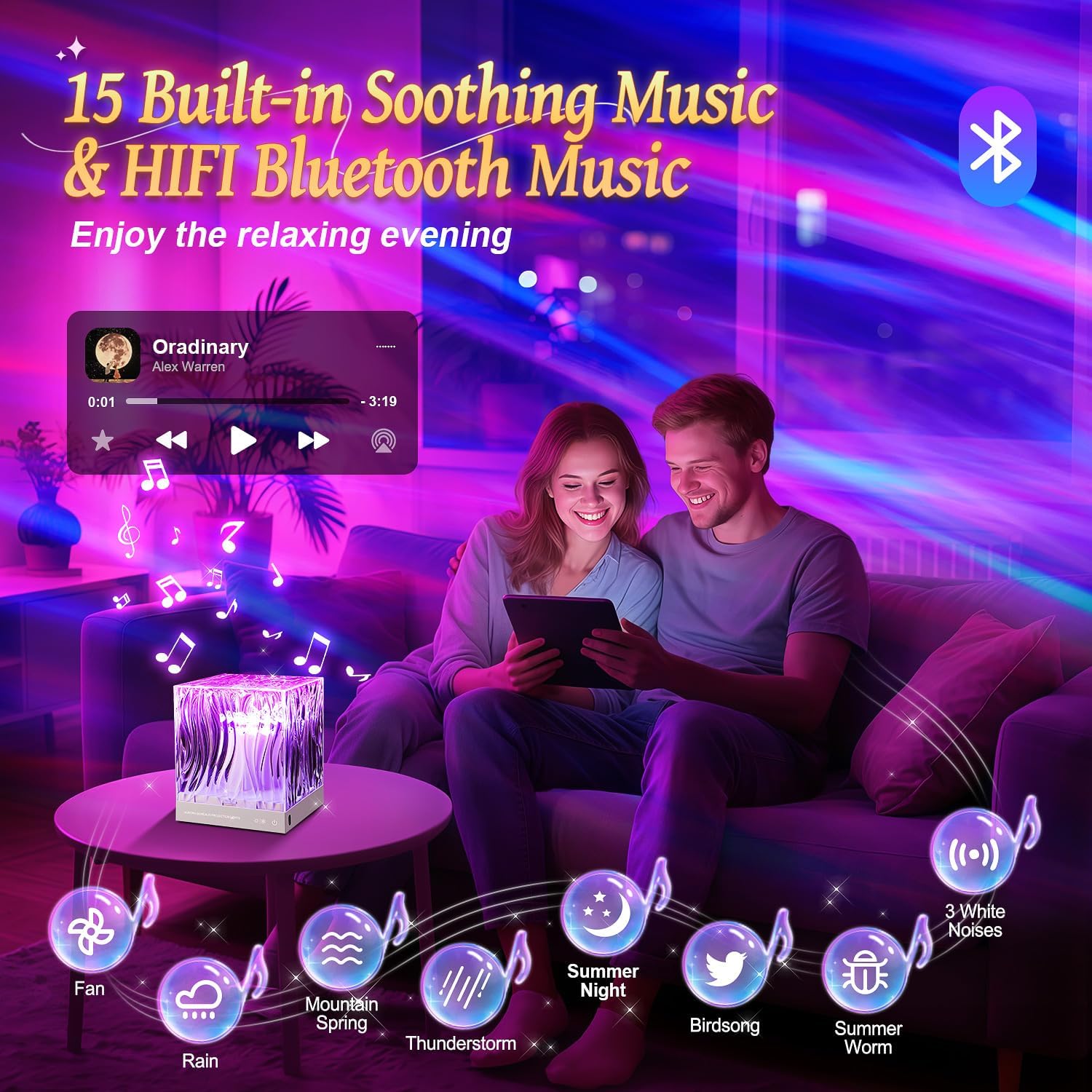
Image: The PIKOY Aurora Projector connected to a USB power source, demonstrating the power connection.
- Пульт дистанційного керування: Ensure the remote control has working batteries. If not, insert 2 AAA batteries (not included) according to the polarity markings.
- Розміщення: Place the projector on a stable, flat surface. For optimal Northern Lights projection, position the device in the center of the room or at a suitable distance from the ceiling and walls to achieve the desired coverage.
Інструкція з експлуатації
Увімкнення/вимкнення живлення
- Натисніть Кнопка живлення (⏻) on the remote control or the main power button on the device to turn it on or off.
Northern Lights Projection
The projector offers 18 colors and 162 lighting modes to create a dynamic Northern Lights effect.
- Вибір кольору: Use the color buttons (R, G, B, W, Y, etc.) on the remote to select single colors or combinations.
- Регулювання яскравості: Натисніть Підвищення яскравості (▲) або Зменшення яскравості (▼) buttons to adjust the light intensity (3 levels available).
- Вибір режиму: Use the 'M' button on the remote to cycle through different lighting modes and effects.

Image: The projector casting vibrant Northern Lights patterns in various colors onto a room's ceiling and walls.
Функція динаміка Bluetooth
The device features a 5.3 HiFi Bluetooth speaker for playing music or audio.
- Сполучення: Turn on the projector. Activate Bluetooth on your mobile device and search for "WH-E22" (or similar name). Select it to pair.
- Відтворення: Once paired, you can play audio from your device through the projector's speaker. Use your mobile device or the remote control for volume adjustment and track selection.

Image: A couple relaxing in a room with the projector displaying warm light, indicating the Bluetooth speaker function.
Звукова машина білого шуму
The projector includes 15 built-in white noise sounds to aid relaxation and sleep.
- Вибір звуку: Натисніть Музична кнопка on the remote to cycle through the 15 built-in white noise sounds (lullabies, nature sounds like rain, sea waves, fan, bird singing, etc.).
- Регулювання гучності: Adjust the volume using the remote control's volume buttons.
Функція таймера
Встановіть таймер для автоматичного вимкнення.
- Натисніть 1H button on the remote for a 1-hour timer.
- Натисніть 8H button on the remote for an 8-hour timer.
- To cancel the timer, press the timer button again or turn off the device.

Image: The remote control with 1-hour and 8-hour timer options, positioned near the projector in a child's bedroom.
Технічне обслуговування
- Прибирання: Використовуйте м’яку суху тканину для очищення поверхні проектора. Не використовуйте абразивні засоби для чищення або розчинники.
- Зберігання: Якщо пристрій не використовується протягом тривалого часу, зберігайте його в прохолодному, сухому місці, подалі від прямих сонячних променів.
Усунення несправностей
| проблема | Можлива причина | Рішення |
|---|---|---|
| Пристрій не включається. | Немає живлення або погане з'єднання. | Check the USB cable connection and ensure the power adapter is working. |
| Не працює пульт дистанційного керування. | Розряджені батареї або перешкода. | Replace remote batteries. Ensure no obstacles between the remote and the projector. |
| Bluetooth не підключається. | Пристрій не в режимі сполучення або вже підключено до іншого пристрою. | Ensure Bluetooth is enabled on your mobile device and the projector is discoverable. Disconnect from other Bluetooth devices. |
| Проекція тьмяна або нечітка. | Room too bright or incorrect placement. | Ensure the room is dark. Adjust the projector's position and brightness settings. |
Технічні характеристики
| Особливість | Деталь |
|---|---|
| Назва моделі | WH-E22 |
| Розміри продукту | 4.72" Г x 4.72" Ш x 5.63" В |
| Вага товару | 0.83 кілограмів (1.83 фунти) |
| матеріал | Акрилонітрилбутадієнстирол (АБС) |
| Тип джерела світла | LED |
| Кількість джерел світла | 5 |
| Світлі кольори | 18 colors, multi-color projection |
| Режими освітлення | 162 режимів |
| Рівні яскравості | 3 |
| Версія Bluetooth | 5.3 Hi-Fi |
| Built-in White Noise Sounds | 15 (lullabies, nature sounds) |
| Джерело живлення | Провідний електричний (USB) |
| Особливість | Remote Control, Timer (1H, 8H) |
| Використання в приміщенні/зовні | закритий |
| Є водонепроникним | правда |
Гарантія та підтримка
For warranty information or technical support, please refer to the contact details provided on the product packaging or visit the official PIKOY webсайт. Зберігайте чек про покупку як підтвердження покупки для будь-яких гарантійних претензій.