
1. Вступ
Thank you for choosing the Xega Solar Security Camera. This device is designed to provide reliable outdoor surveillance with the convenience of solar power and wireless connectivity. Featuring 2K resolution, Pan-Tilt-Zoom (PTZ) functionality, color night vision, and smart motion detection, it offers comprehensive monitoring for your property. This manual will guide you through the installation, operation, and maintenance of your camera system.

Image: The Xega Solar WiFi Camera mounted on a house, illustrating its wireless connectivity.
2. Що в коробці
Будь ласка, перевірте вміст упаковки, щоб переконатися, що всі елементи присутні:
- WiFi Camera (4 units)
- Solar Panel (4 units)
- Solar Panel Bracket (4 units)
- 3-meter Connection Cable (4 units)
- Посібник користувача
- Гвинти та настінні заглушки
3. Продукт закінчивсяview і особливості
The Xega Solar Security Camera is equipped with advanced features for reliable outdoor surveillance:
- Solar-Powered & Easy Installation: Operates entirely on solar energy with a built-in 5200mAh rechargeable battery. No electrical wiring required, allowing flexible installation. The 3.5W angle-adjustable solar panel maximizes sunlight exposure.
- 2K Image & PTZ Technology: Delivers 2K HD clarity with a high-performance image sensor. Features 355° horizontal and 90° vertical rotation for wide area coverage.
- Кольорове нічне бачення: Provides vibrant full-color night vision up to 25 meters (82ft) in darkness.
- Smart Detection & Instant Alerts: Built-in PIR sensor with adjustable sensitivity supports human detection and customizable detection zones to minimize false alarms. Triggers bright floodlights and audible alarms upon detection. Real-time alerts are pushed to your phone via the Ubox app.
- Двостороння розмова: Built-in microphone and speaker enable real-time two-way communication.
- Додаткове сховище: Supports local storage via TF card (up to 128GB, not included) and cloud storage (30-day trial available).
- IP66 Захист від атмосферних впливів: Designed to withstand various weather conditions, ensuring year-round security.
Візуальні особливостіview

Image: The camera and solar panel setup, emphasizing continuous solar power for 365 days.
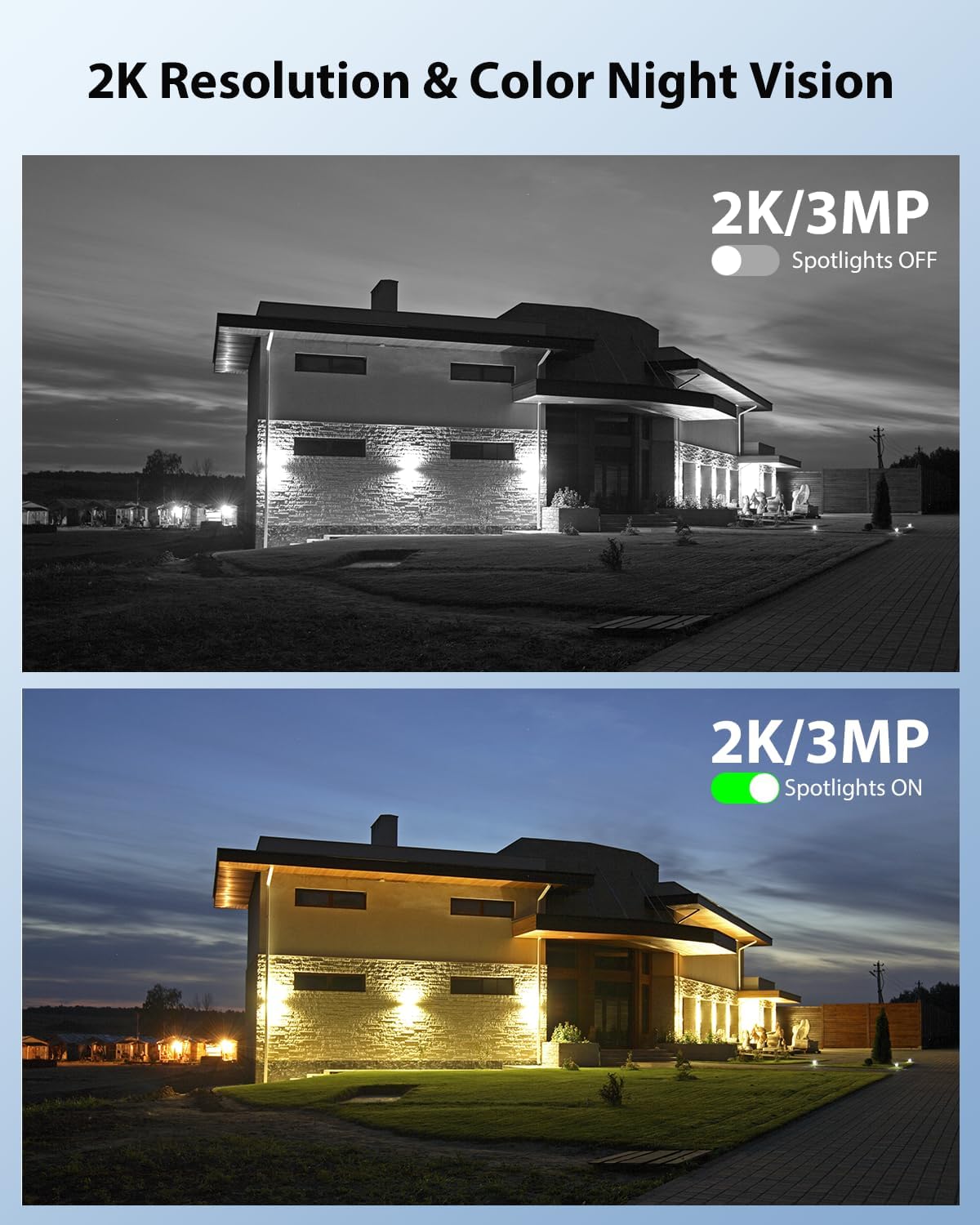
Image: Demonstrates 2K resolution and the difference between infrared and color night vision with spotlights.

Image: Illustrates the panoramic view and PTZ (Pan-Tilt-Zoom) capabilities controlled via a smartphone app.
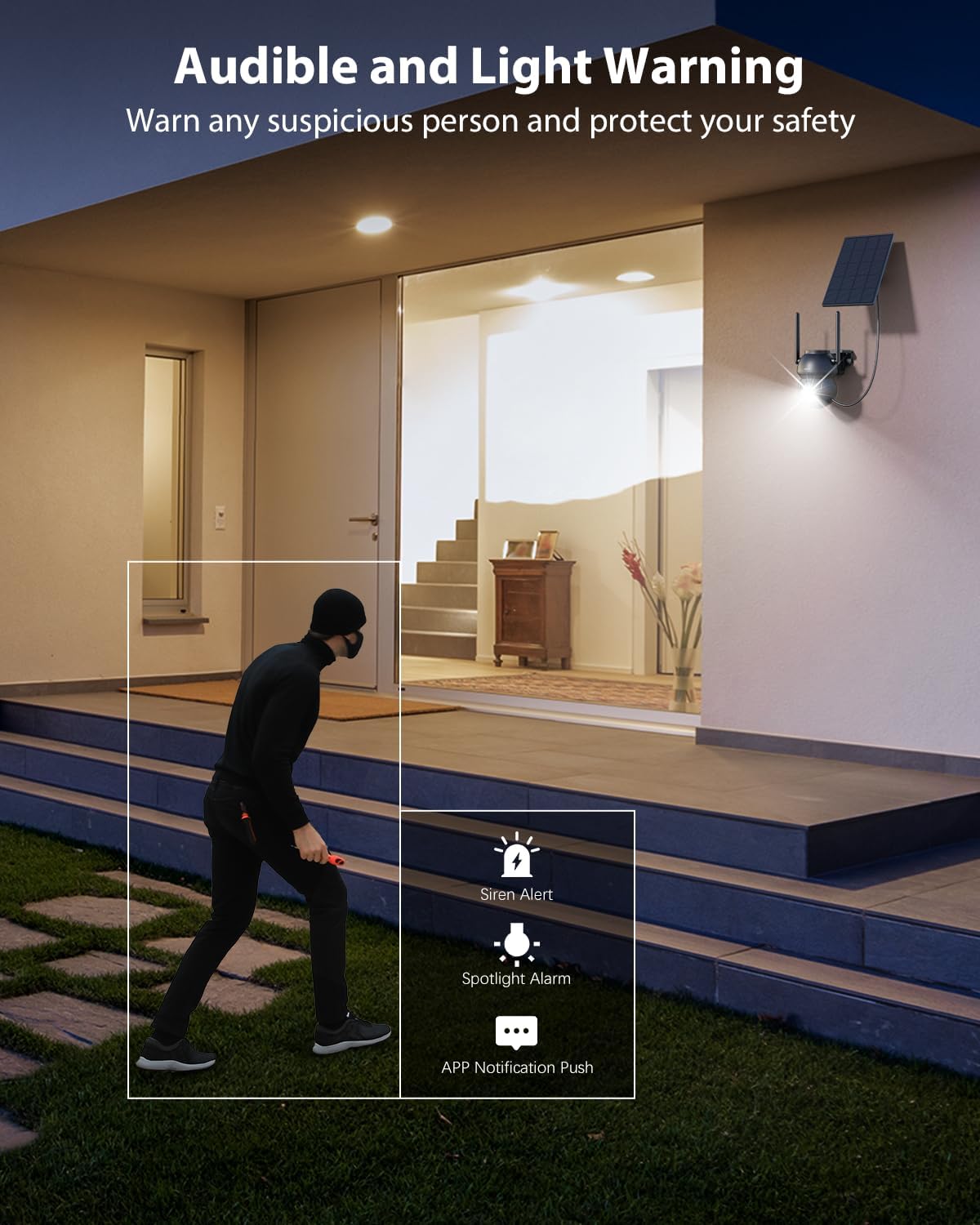
Image: Shows the camera's audible and light warning system deterring a suspicious person.

Image: Depicts the two-way audio function, allowing communication through the camera.

Image: Shows how to customize detection areas to focus monitoring on important zones and reduce false alarms.

Image: Highlights the IP66 weather-resistant design, showing the camera's durability in various weather conditions.
Відео продукту
Відео: Оверview of the Xega Solar WiFi Camera Outdoor Wireless, demonstrating its key features and ease of installation.
4. Посібник із налаштування
4.1 Заряджання батареї
Before initial use, fully charge the camera's built-in 5200mAh battery using the provided USB cable. Although solar-powered, a full initial charge ensures optimal performance from the start.
4.2 Встановлення програми та створення облікового запису
- Завантажити Ubox додаток з магазину додатків вашого смартфона (iOS або Android).
- Відкрийте програму та дотримуйтесь інструкцій на екрані, щоб створити новий обліковий запис або увійти, якщо він у вас вже є.
4.3 Сполучення камери з Wi-Fi
- Переконайтеся, що ваш смартфон підключено до Wi-Fi мережа 2.4 ГГц. The camera does not support 5GHz Wi-Fi.
- In the Ubox app, tap the "Add Device" or "+" icon.
- Power on the camera. It will enter pairing mode, indicated by a specific LED light pattern (refer to the camera's LED indicator guide in the app for details).
- Follow the app's instructions to connect the camera to your Wi-Fi network. This usually involves scanning a QR code displayed on your phone with the camera lens.
- Once connected, the camera will confirm successful pairing, and you can name your device.
4.4 Монтаж камери та сонячної панелі
The camera and solar panel are designed for wall mount installation.
- Виберіть місце розташування: Select an outdoor location with good Wi-Fi signal strength and ample sunlight exposure for the solar panel. The camera should be mounted at a height that provides optimal viewing angles and detection range.
- Встановити камеру: Use the provided screws and wall plugs to securely attach the camera bracket to a wall or suitable surface. Ensure the camera has a clear line of sight to the area you wish to monitor.
- Монтаж сонячної панелі: Attach the solar panel bracket to a location where it receives direct sunlight for most of the day. Adjust the angle of the solar panel to maximize sunlight exposure.
- Підключіть сонячну панель: Use the 3-meter connection cable to link the solar panel to the camera.
5. Інструкція з експлуатації
5.1 Живий View та керування PTZ
- Open the Ubox app and select your camera to access the live view.
- Use the on-screen joystick or swipe gestures to control the camera's 355° pan and 90° tilt movements.
- Pinch to zoom in or out (digital zoom).
5.2 Двосторонній аудіозв'язок
- У прямому ефірі view, торкніться значка мікрофона, щоб говорити через динамік камери.
- Торкніться значка динаміка, щоб прослухати звук з оточення камери.
5.3 Виявлення руху та сповіщення
- Navigate to the camera settings in the Ubox app.
- Adjust PIR sensor sensitivity to optimize detection and minimize false alarms.
- Set up custom detection zones to monitor specific areas of interest.
- Enable or disable floodlight and siren alarms for motion events.
- Ensure push notifications are enabled in your phone settings and the Ubox app to receive instant alerts.
5.4 Режими нічного бачення
The camera offers different night vision modes:
- Інфрачервоне нічне бачення: Provides clear black and white images in low light.
- Кольорове нічне бачення: Activates built-in spotlights to provide full-color images at night when motion is detected. This can be configured in the app settings.
5.5 Варіанти зберігання
- Зберігання карт TF: Insert a TF (microSD) card (up to 128GB, not included) into the camera's designated slot for local recording.
- Хмарне сховище: Subscribe to the optional cloud storage service via the Ubox app for secure, remote storage of your recordings. A 30-day trial may be available.
- Доступ до записаного footage and playback options through the Ubox app.
6. Технічне обслуговування
- Очищення сонячних панелей: Регулярно протирайте поверхню сонячної панелі м’якою серветкоюamp тканиною, щоб видалити пил, бруд або сміття, які можуть знизити ефективність заряджання.
- Очищення об'єктива камери: Обережно протріть об’єктив камери тканиною з мікрофібри, щоб забезпечити чітке зображення. Уникайте абразивних матеріалів.
- Оновлення прошивки: Check the Ubox app periodically for firmware updates. Keeping your camera's firmware updated ensures optimal performance and access to new features.
- Здоров'я акумулятора: While solar-powered, extreme weather or prolonged periods of low sunlight may affect battery levels. Ensure the solar panel is optimally positioned.
- Стійкість до погодних умов: The IP66 rating ensures protection against dust and strong jets of water. No special weather-proofing maintenance is typically required beyond ensuring secure mounting.
7. Вирішення проблем
- Камера не підключається до Wi-Fi:
- Переконайтеся, що ваша мережа Wi-Fi працює на частоті 2.4 ГГц.
- Перевірте силу сигналу Wi-Fi у місці розташування камери.
- Перезавантажте роутер і камеру.
- Перевірте правильність введення пароля Wi-Fi у застосунку.
- Погана якість зображення:
- Очистіть об'єктив камери.
- Забезпечте достатнє освітлення, особливо для кольорового нічного бачення.
- Перевірте швидкість вашого інтернет-з’єднання.
- Попередження про помилкові рухи:
- Adjust PIR sensor sensitivity in the app.
- Define or refine custom detection zones to exclude irrelevant areas (e.g., public roads, swaying trees).
- Акумулятор не заряджається:
- Переконайтеся, що сонячна панель отримує прямі сонячні промені протягом кількох годин щодня.
- Очистіть поверхню сонячної панелі.
- Перевірте з'єднувальний кабель між сонячною панеллю та камерою.
- Проблеми з двостороннім аудіо:
- Ensure your phone's volume is up and the microphone is enabled for the Ubox app.
- Check the camera's speaker and microphone settings in the app.
8. Технічні характеристики
| Особливість | Специфікація |
|---|---|
| Назва моделі | XG-22-WIFI-P4 |
| Використання в приміщенні/зовні | Відкритий |
| Джерело живлення | Solar and Battery Powered (5200mAh Lithium Ion batteries included) |
| Технологія підключення | 2.4 ГГц WiFi |
| Роздільна здатність захоплення відео | 2K (1296p) |
| PTZ (Pan/Tilt) | 355° по горизонталі, 90° по вертикалі |
| Діапазон нічного бачення | 25 метрів (82 футів) |
| Технологія низького освітлення | Кольорове нічне бачення |
| Виявлення руху | PIR Sensor, Human Detection, Customizable Alarm Areas |
| Двостороннє аудіо | так |
| Параметри зберігання | TF Card (Max. 128GB), Cloud Storage |
| Міжнародний захист рейтингу | IP66 |
| Тип монтажу | Настінне кріплення |
| матеріал | Акрилонітрилбутадієнстирол (АБС) |
| Розміри продукту | 5 x 5 x 5 дюймів |
| Вага товару | 6.43 фунта (для упаковки з 4 штук) |
9. Гарантія та підтримка
9.1 Інформація про гарантію
Xega products typically come with a manufacturer's warranty. Please refer to the product packaging or the official Xega webна сайті для отримання інформації про конкретні гарантійні умови. Зберігайте чек про покупку як підтвердження покупки.
9.2 Підтримка клієнтів
For technical assistance, troubleshooting, or any product-related inquiries, please contact Xega customer support. You can usually find contact information on the Xega official website or through the Ubox app.

Image: Xega offers 24/7 online customer support for assistance.