
1. Більшеview
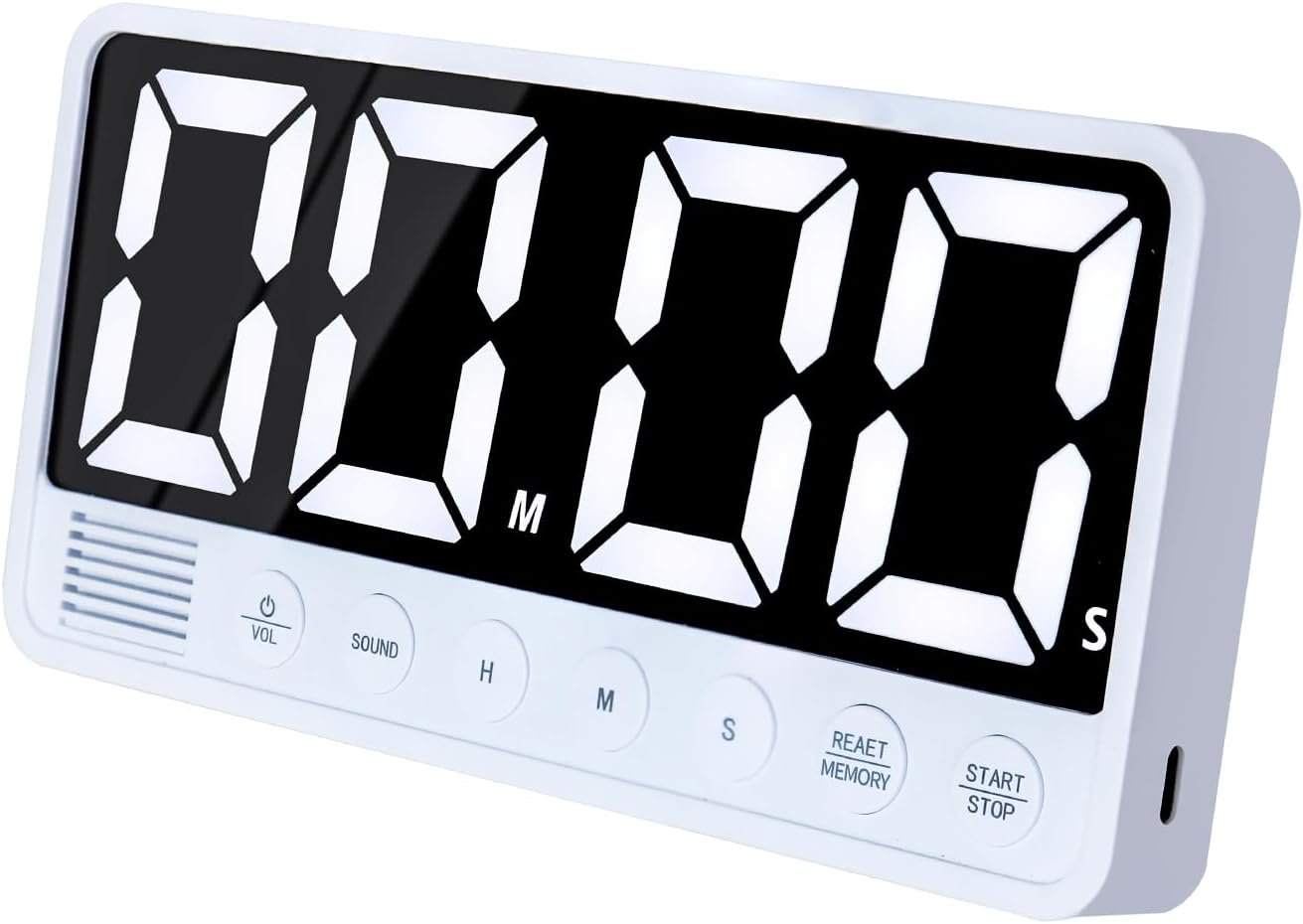
The FCXJTU Digital Kitchen Timer (Model YS1009) is a versatile and user-friendly device designed for various timing needs in the kitchen, classroom, office, or home gym. It features an extra-large LED display, multiple alarm options, and convenient placement methods.

2. Налаштування
2.1 Charging the Timer
The timer is equipped with a built-in 2000mAh lithium battery. It is charged via a USB-C cable (included). A full charge takes approximately 3 hours and provides about 18 hours of uninterrupted use. A low power icon will appear on the display to remind you when charging is needed.
- Connect the provided Type-C cable to the timer's charging port.
- Connect the other end of the cable to a 5V (OUTPUT VOLTAGE) power plug.
- Примітка: Using a power plug higher than 5V may lead to battery damage.

2.2 Варіанти розміщення
The FCXJTU Digital Kitchen Timer offers multiple convenient placement options:
- Магнітне кріплення: Four strong built-in magnets allow the timer to be easily stuck onto any metal surface, such as a refrigerator or oven.
- Складана підставка: A built-in foldable stand allows the timer to be placed upright on a desktop, countertop, or shelf.
- Отвір для підвішування: A hanging hole is provided for mounting the timer on a hook or nail.

3. Інструкція з експлуатації
3.1 Функції кнопок
The timer features large, clearly labeled buttons for easy operation:
- HR: Встановлює годину.
- ХВ: Встановлює хвилину.
- SEC: Sets the second.
- СТАРТ/СТОП: Starts or pauses the timer.
- CLEAR/RESET/MEMORY: Clears the current time setting or accesses memory functions.
- VOL (гучність): Регулює гучність будильника.
- ЗВУК: Selects the alarm sound type.
3.2 Таймер зворотного відліку
To set a countdown:
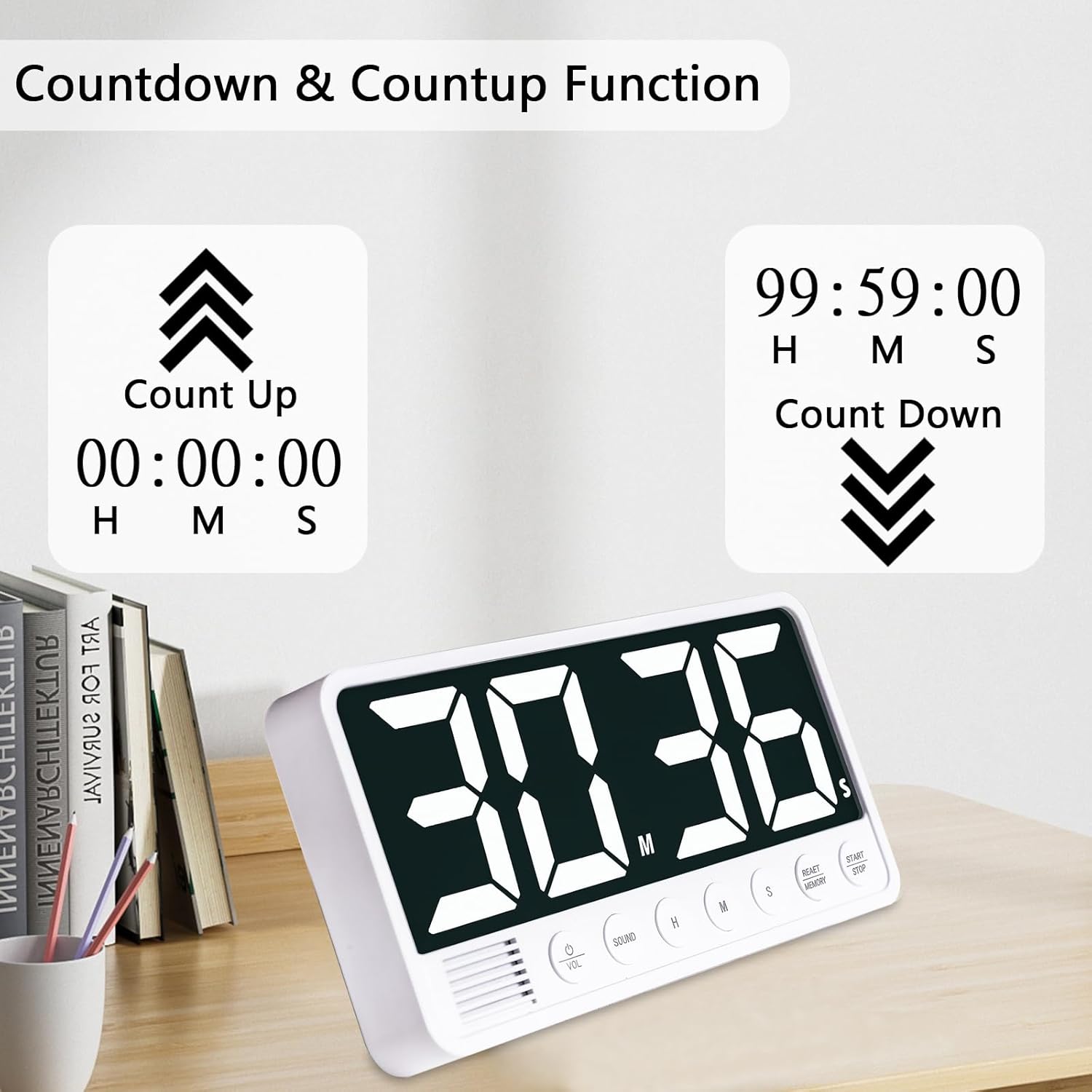
- Натисніть HR, ХВ, і SEC buttons to set the desired countdown time (up to 99 hours, 59 minutes).
- Натисніть ПУСК/СТОП кнопку, щоб розпочати зворотний відлік.
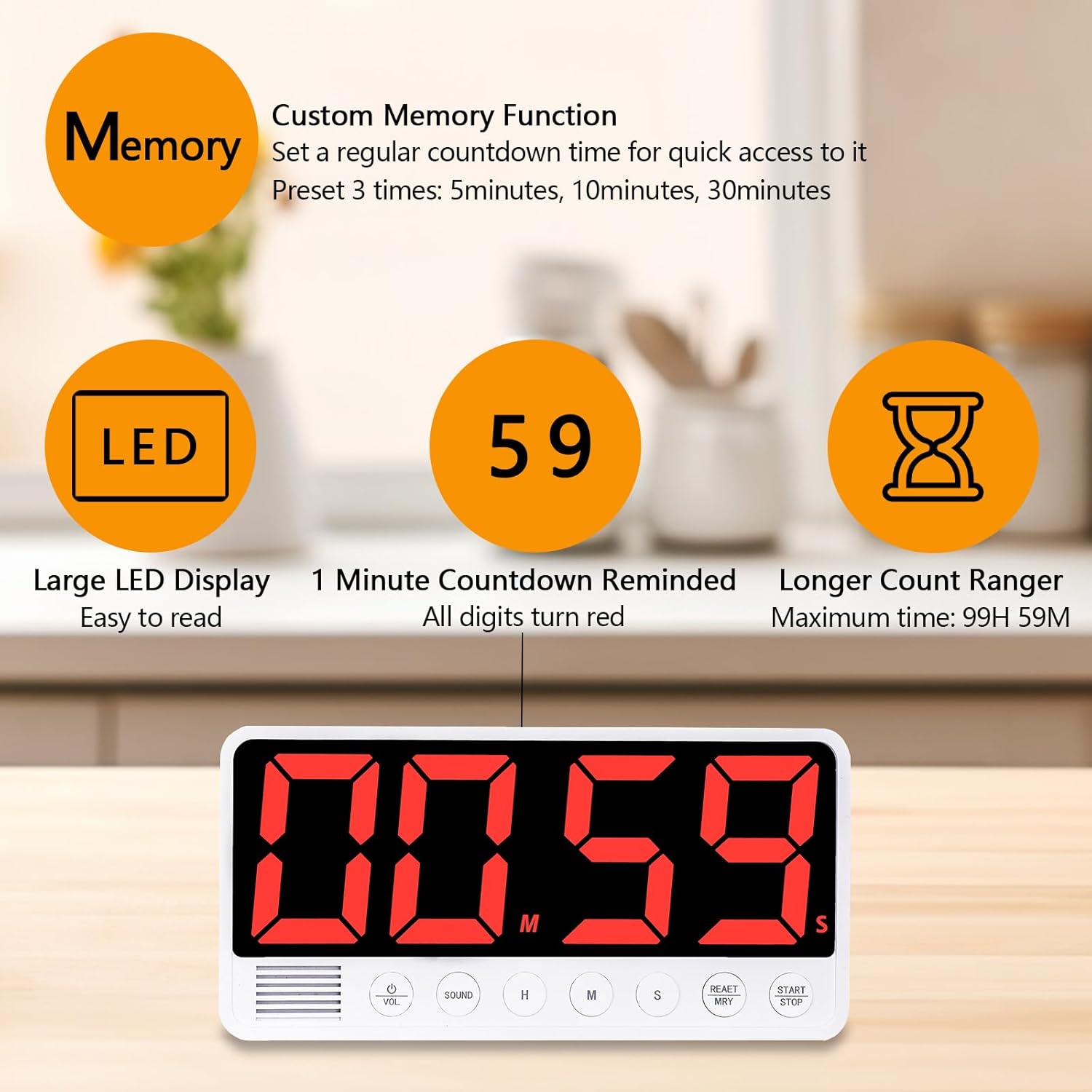
- The display numbers will turn red during the last minute of the countdown.
- Щоб зробити паузу, натисніть ПУСК/СТОП знову. Щоб відновити, натисніть ПУСК/СТОП.
- To clear the time, press the CLEAR/RESET/MEMORY кнопку.
3.3 Count-up Timer (Stopwatch)
To use the count-up function:
- Ensure the timer is at 00:00:00. If not, press the CLEAR/RESET/MEMORY кнопку.
- Натисніть ПУСК/СТОП button to begin counting up (from 00:00:00 to 99 hours, 59 minutes).
- Щоб зробити паузу, натисніть ПУСК/СТОП знову. Щоб відновити, натисніть ПУСК/СТОП.
- To clear the time, press the CLEAR/RESET/MEMORY кнопку.
3.4 Налаштування будильника
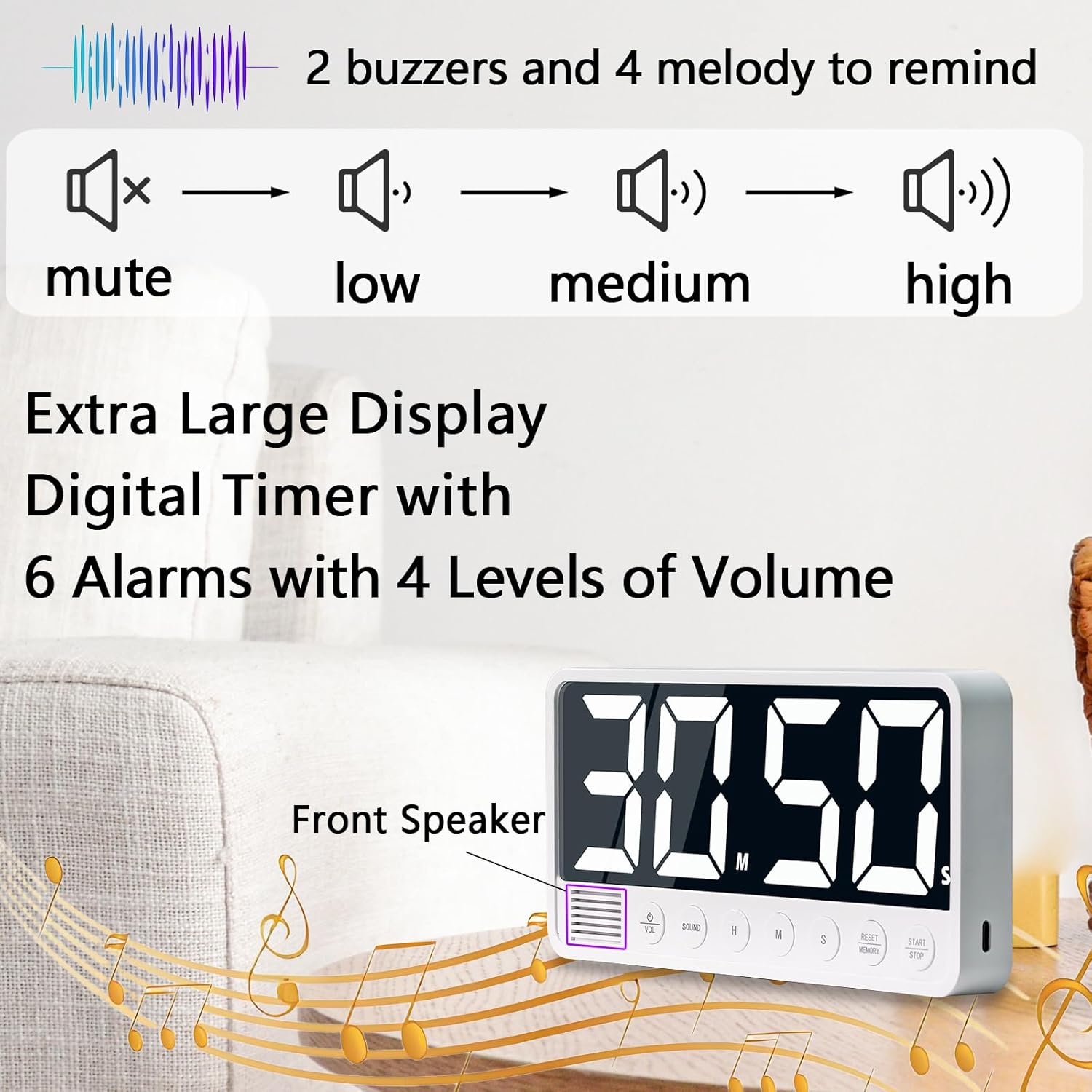
The timer offers 6 different alarm sounds and 4 volume levels:
- Звуки будильника: Choose from 2 beep alarms and 4 music alarms using the ЗВУК кнопку.
- Рівні гучності: Adjust the volume to Loud (80-95dB), Medium (70-85dB), Soft (60-75dB), or Mute using the VOL кнопку.
3.5 Функція пам'яті
The timer can store 3 sets of frequently used times. The default memory times are 5 minutes, 10 minutes, and 30 minutes, which can be customized.
- To set a custom memory time, set the desired time using HR, ХВ, і SEC.
- Натисніть і утримуйте CLEAR/RESET/MEMORY button to save the current time to one of the memory slots.
- To recall a memory time, briefly press the CLEAR/RESET/MEMORY button to cycle through the stored times.

3.6 Automatic Power-saving Function
To conserve battery power, the timer will automatically turn off if it is not in use for more than 3 minutes. To reactivate, simply press any button.
4. Технічне обслуговування
- Протирайте таймер м’якою сухою тканиною. Не використовуйте абразивні засоби для чищення або розчинники.
- Avoid exposing the timer to extreme temperatures, direct sunlight, or high humidity.
- Не занурюйте таймер у воду чи інші рідини.
5. Вирішення проблем
5.1 Timer Not Turning On
- Ensure the timer is sufficiently charged. Connect it to a 5V power source using the USB-C cable.
- If the timer has been inactive for a long period, it might be in deep sleep mode. Try pressing any button to wake it up.
5.2 Alarm Too Loud/Quiet
- Використовуйте VOL button to cycle through the four available volume levels (Loud, Medium, Soft, Mute).
5.3 Display Not Visible
- Ensure the timer is powered on and charged.
- Check the surrounding lighting conditions. The large LED display is designed for clear visibility in various environments.
6. Технічні характеристики
| Особливість | Деталь |
|---|---|
| Бренд | FCXJTU |
| Номер моделі | YS1009 |
| колір | Білий |
| матеріал | пластик |
| Розміри продукту | 2.8 Г x 19 Ш x 9.4 В сантиметрів |
| Вага товару | 229 грамів |
| Розмір екрана | 7.1 дюймів |
| Max Countdown | 99 годин 59 хвилин |
| Акумулятор | Літієва батарея 2000mAh |
| Порт зарядки | USB-C |
| Параметри будильника | 6 (2 Beep, 4 Music) |
| Рівні гучності | 4 (Loud, Medium, Soft, Mute) |
| Функція пам'яті | 3 Customizable Presets |
7. Гарантія та підтримка
For warranty information, technical support, or any inquiries regarding your FCXJTU Digital Kitchen Timer, please refer to the product packaging or contact the seller directly through your purchase platform. Keep your proof of purchase for any warranty claims.