
1. Вступ
This manual provides detailed instructions for the HGLRC ELRS 915MHz Nano Receiver. This compact receiver is designed for FPV racing drones, offering long-range communication and stable signal performance. It operates on the 915MHz frequency band and utilizes the ExpressLRS (ELRS) communication protocol.
2. Особливості продукту
- Stronger Diffraction Capability: Ensures good stability even in environments with dense obstacles.
- Extended Flight Distance: Capable of remote control distances exceeding 10 kilometers in actual measurements.
- Гнучкі варіанти підключення: Supports both direct plug-in and welding connections to suit various application requirements.
- Stable ELRS Firmware: Utilizes the stable 3.3.0 ELRS firmware, compatible with most remote controllers and high-frequency heads equipped with ELRS scripts.
3. Що в коробці
- HGLRC ELRS 915MHz receiver × 1
- HGLRC 915 T-type antenna × 1
- 4pin cable for receiver × 1
4. Технічні характеристики
| Ім'я | HGLRC ELRS 915MHz receiver |
| Чіп | SX1276 |
| Частота | 915 МГц |
| Протокол зв'язку | CRSF |
| Робочий випtage | 3.3В-5В |
| ELRS Firmware Version | 3.3.0 |
| Інтерфейс антени | IPEX1 generation |
| Розмір | 21mm × 11мм |
| вага | 0.9 г (без антени) |
| Розміри продукту | 0.01 x 0.01 x 0.01 дюймів |
| Вага товару | 0.317 унції |
5. Налаштування
5.1 Приймач закінченоview and Interface Definition
The HGLRC ELRS 915MHz Nano Receiver features a compact design with clearly marked interfaces for easy integration into your FPV system. The status indicator provides visual feedback on the receiver's operational state.

Зображення: Детальне view of the receiver showing the status indicator, IPEX1 antenna connector, and pinout for RX, TX, 5V, and GND.
5.2 Параметри підключення
The receiver offers versatility in connection methods, allowing for either direct plug-in using the provided 4-pin cable or soldering directly to your flight controller. Choose the method that best suits your build and skill level.

Image: Illustration showing both direct plug-in and solder pad connection options for the receiver.
5.3 Схема підключення
Proper wiring is crucial for the correct operation of your receiver. Connect the receiver to your flight controller according to the diagram below. Ensure that GND connects to Ground, 5V to 5V, TX (Transmitter) from the receiver to RX (Receiver) on the flight controller, and RX (Receiver) from the receiver to TX (Transmitter) on the flight controller.

Image: A detailed wiring diagram illustrating how to connect the HGLRC ELRS 915MHz receiver to a flight controller, showing pin assignments for GND, 5V, TX, and RX.
5.4 Binding Procedure (ELRS 3.3.0 Firmware)
The HGLRC ELRS 915MHz receiver comes pre-installed with ELRS firmware version 3.3.0. To bind the receiver to your ELRS transmitter module, follow these general steps:
- Ensure your ELRS transmitter module is also running ELRS firmware version 3.3.0 or compatible.
- Power on your flight controller (with the receiver connected) three times, cycling power quickly. The receiver's LED should flash rapidly, indicating it is in bind mode.
- Alternatively, if your flight controller is connected to Betaflight, you can use the ELRS Lua script on your transmitter to initiate binding. Navigate to the ELRS script, select 'Bind', and then power cycle the receiver.
- Once the receiver is in bind mode, activate the bind function on your ELRS transmitter module.
- A successful bind is indicated by a solid LED on the receiver.
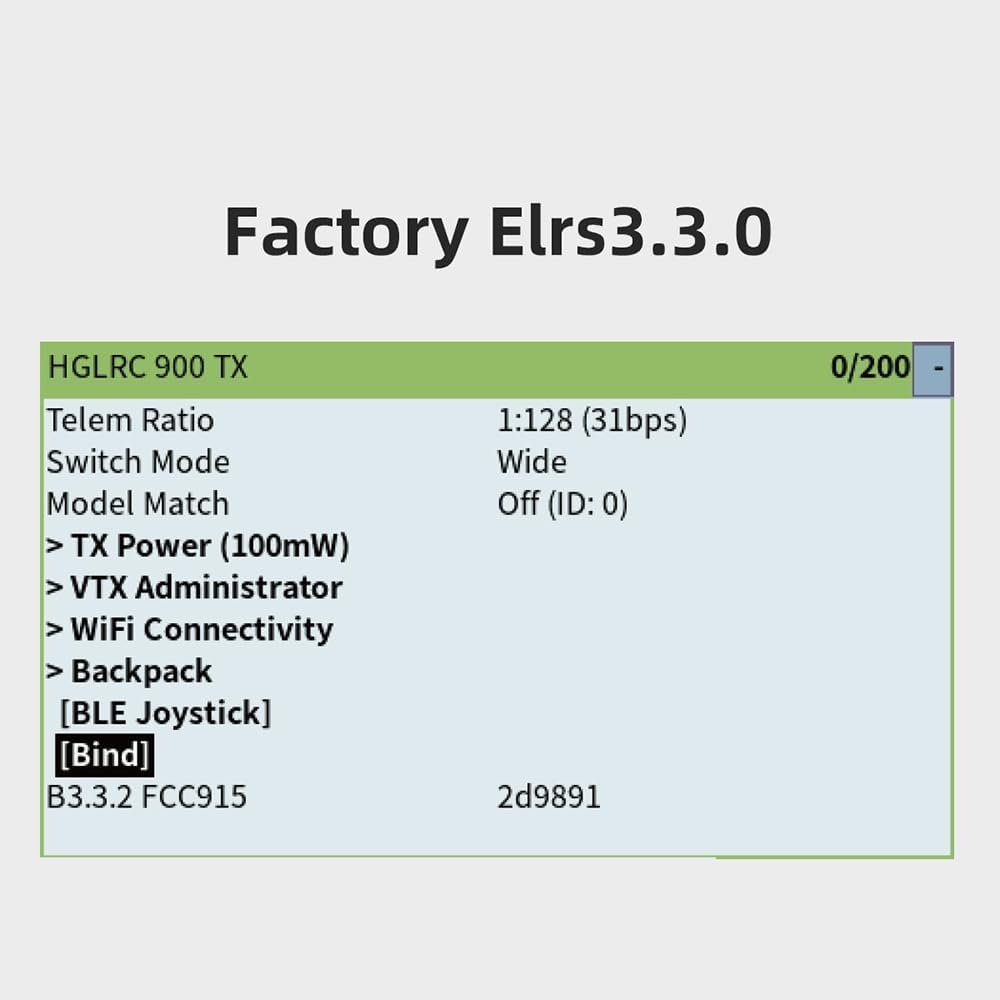
Зображення: Колишній/колишняample screen from an ELRS transmitter module showing firmware version 3.3.0 and a 'Bind' option, indicating software-based binding capability.
5.5 Встановлення антени
Connect the provided T-type antenna to the IPEX1 connector on the receiver. Ensure the connection is secure. Position the antenna away from carbon fiber frames and other electronic components for optimal signal reception.

Image: The HGLRC ELRS 915MHz Nano Receiver with its T-type antenna connected, highlighting its long-range communication capability.
6. Операційна
Once successfully bound and integrated into your FPV system, the HGLRC ELRS 915MHz Nano Receiver will provide reliable control and telemetry data. Always perform a range check before flying, especially after any changes to your setup. Monitor your signal quality (RSSI/LQ) during flight to ensure safe operation.
The compact size of the receiver (21mm x 11mm) allows for flexible placement within your drone, but ensure it is not obstructed by conductive materials.
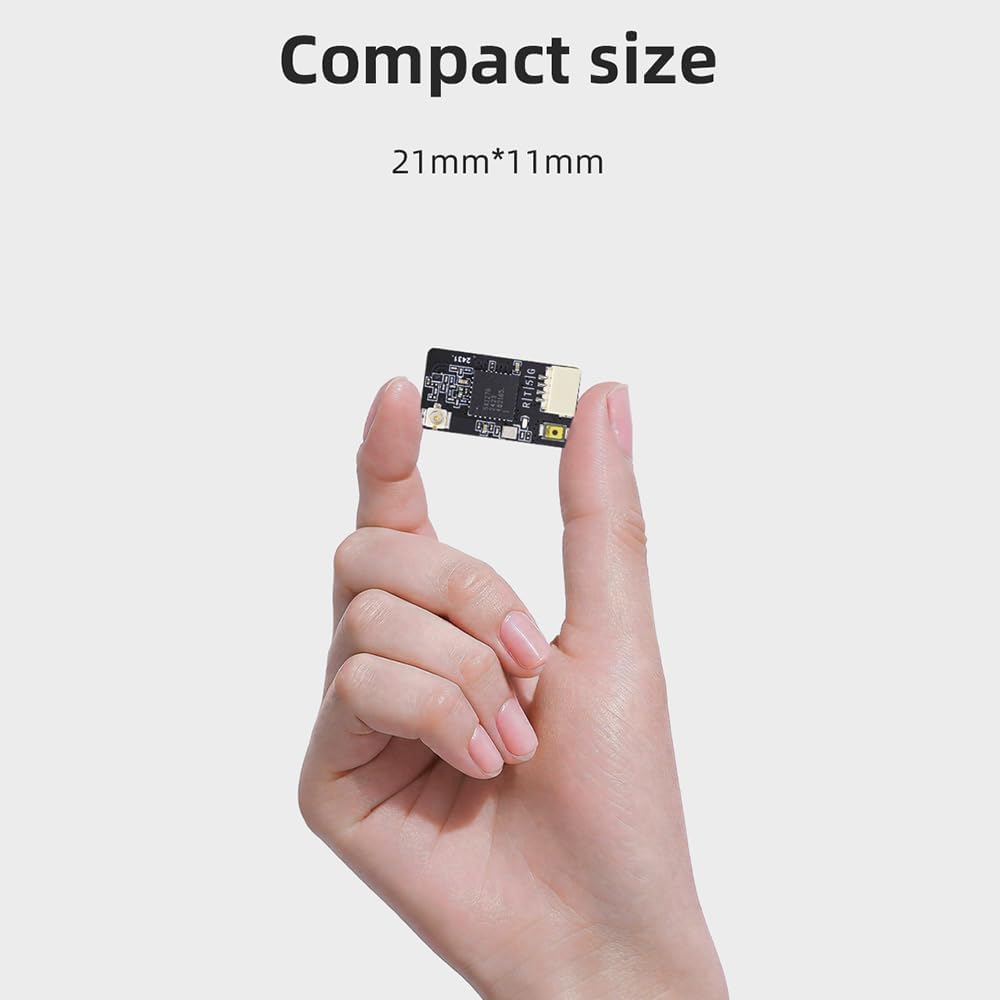
Image: A hand holding the HGLRC ELRS 915MHz Nano Receiver, demonstrating its compact dimensions of 21mm by 11mm.
7. Технічне обслуговування
- Фізичний огляд: Regularly check the receiver and antenna for any signs of damage, such as bent pins, frayed wires, or cracks in the PCB.
- Чистота: Keep the receiver free from dust, dirt, and moisture. Use a soft, dry brush or compressed air for cleaning. Avoid using liquids.
- Догляд за антеною: Ensure the antenna is securely attached and not kinked or damaged. A damaged antenna can significantly reduce range and signal quality.
- Оновлення прошивки: Periodically check the official HGLRC or ExpressLRS website for firmware updates. Updating firmware can improve performance, add features, or fix bugs. Follow official instructions carefully when updating.
8. Вирішення проблем
- Немає живлення/світлодіод вимкнено:
- Check all power connections (GND, 5V) to ensure they are correctly wired and receiving power.
- Перевірте робочий об'ємtage is within the specified 3.3V-5V range.
- Приймач не прив'язаний:
- Ensure both the receiver and transmitter module are running compatible ELRS firmware versions (e.g., 3.3.0).
- Confirm the power cycling method for bind mode (three quick power cycles) is performed correctly.
- Check for correct wiring of TX/RX lines between the receiver and flight controller if using Betaflight passthrough for binding.
- Поганий діапазон/втрата сигналу:
- Inspect the antenna for damage or improper connection to the IPEX1 port.
- Ensure the antenna is positioned optimally, away from carbon fiber, batteries, or other electronics that could shield the signal.
- Verify the transmitter power output settings.
- Перевірте наявність локальних радіочастотних перешкод.
- Проблеми з телеметрією:
- Confirm the TX/RX wiring is correct between the receiver and flight controller. Incorrect wiring can lead to telemetry data not being transmitted or received.
- Ensure telemetry is enabled in your flight controller's configuration (e.g., Betaflight).
- Incorrect Wire Harness:
- Some users have reported that the included wire harness may have reversed pin assignments. Always verify the pinout (GND, 5V, TX, RX) against the receiver's markings and your flight controller's documentation before connecting. If necessary, re-pin the connector or solder directly.
9. Гарантія та підтримка
Щоб отримати інформацію про гарантію та технічну підтримку, зверніться до офіційного HGLRC. webсайт або зверніться до продавця, у якого ви придбали продукт. Зберігайте чек про покупку для будь-яких гарантійних претензій.