
1. Продукт закінчивсяview
The QRD Wireless Controller (Model: US-T5-JB02) is a high-performance replacement controller designed for Nintendo Switch, Switch Pro, Lite, and OLED models. It features advanced technologies such as Hall Effect joysticks for precise, drift-free control, dual vibration motors for immersive feedback, and a 6-axis gyroscope for accurate motion sensing. This controller also includes programmable back buttons and customizable LED backlighting, enhancing your gaming experience.
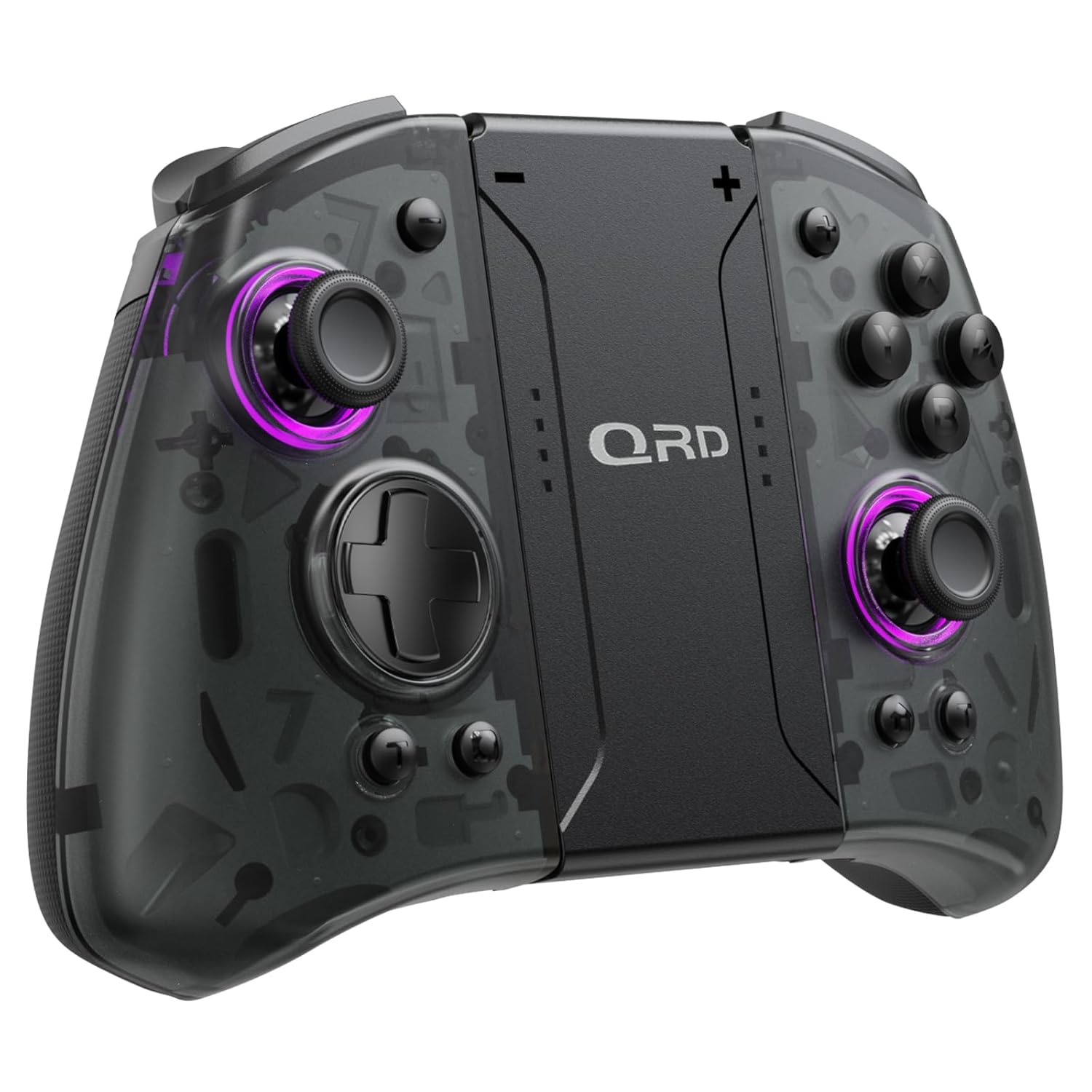
Зображення 1.1: спереду view of the QRD Wireless Controller, showcasinйого ергономічний дизайн та розташування кнопок.
2. Ключові характеристики
- Бездротове з'єднання Bluetooth 5.3: Ensures stable, lag-free connection for seamless gameplay.
- Джойстики на ефекті Холла: Provides 360° precise, drift-free control and extended lifespan.
- Подвійні вібраційні двигуни: Offers 3 levels of adjustable vibration for enhanced tactile feedback.
- 6-Axis Gyroscope Motion Sensing: Enables accurate tilt detection for precise aiming and movement in compatible games.
- Програмовані кнопки «Назад»: Customize controls with single or multiple mappings for efficient combo execution.
- Турбофункція: Allows for rapid firing of buttons.
- Світлодіодне підсвічування: Features 8 different colors with static, breathing, and flashing modes for personalized aesthetics.
- Тривалий термін служби батареї: Up to 10 hours of uninterrupted gameplay on a single charge (2 hours charging time).
- Ергономічний дизайн: Comfortable grip for extended gaming sessions, includes a screenshot function.

Image 2.1: Diagram highlighting key features such as Bluetooth 5.3, Dual Vibration, 6-Axis Gyro, Turbo, Macro Back Paddles, and Colorful Options.

Image 2.2: Illustration demonstrating the Hall Effect Joysticks, emphasizing drift-free and accurate control.
3. Налаштування та підключення
3.1 Початкове сполучення з Nintendo Switch
- Ensure your Nintendo Switch console is powered on and updated to the latest system version.
- У меню ГОЛОВНА виберіть "Контролери" > "Змінити хват/порядок".
- On the QRD Wireless Controller, press and hold the кнопка HOME (usually located in the center) for 3-5 seconds until the LED indicators start flashing rapidly.
- Once the controller is successfully paired, the corresponding player LED(s) on the controller will light up solid.
- The controller can also be connected by sliding it into the Nintendo Switch Dock while the console is attached.
3.2 Reconnecting the Controller
To reconnect a previously paired controller, simply press the кнопка HOME once. The controller will automatically attempt to connect to the last paired console.
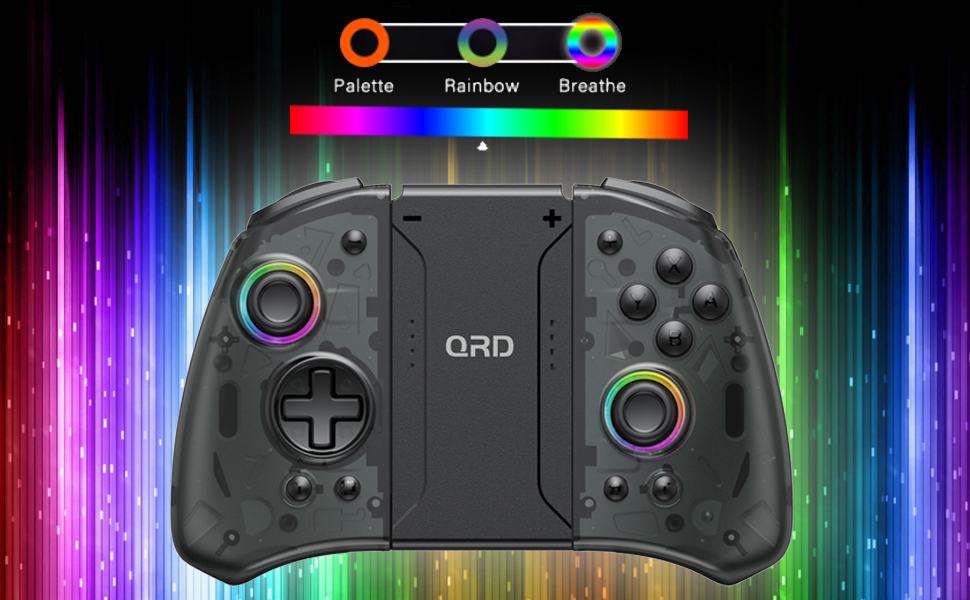
Image 3.1: Visual representation of controller compatibility with Nintendo Switch and Switch OLED models. Note: Not compatible with Switch Lite.
4. Інструкція з експлуатації
4.1 Розкладка кнопок
Ознайомтеся з розташуванням кнопок контролера:
- Лівий джойстик: Movement control.
- Правий джойстик: Camera or aiming control.
- D-Pad: Спрямований вхід.
- Кнопки A/B/X/Y: Кнопки дій.
- Кнопки L/R: Плечові ґудзики.
- Кнопки ZL/ZR: Тригерні кнопки.
- Кнопка "Додому: Returns to the HOME Menu, powers on/off the controller.
- Кнопка знімка екрана: Робить скріншоти.
- Кнопки +/-: Plus and Minus buttons for in-game functions.
- M1/M2 (Back Buttons): Programmable macro buttons.
4.2 Регулювання інтенсивності вібрації
The controller supports 3 levels of vibration intensity. To adjust, press and hold the Турбо кнопка а потім натисніть D-Pad Up or D-Pad Down to cycle through intensity levels (Low, Medium, High, Off).
4.3 Turbo Function Setup
To set a button to Turbo mode:
- Натисніть і утримуйте Турбо кнопка.
- While holding Turbo, press the desired action button (e.g., A, B, X, Y, L, R, ZL, ZR). The button will now continuously register input when held down.
- To clear Turbo for a specific button, repeat the process. To clear all Turbo settings, press and hold the Турбо кнопка протягом 5 секунд.
4.4 Programming Back Buttons (Macro)
The M1 and M2 back buttons can be programmed to execute a sequence of button presses (macro). Each macro can store up to 16 button presses.
- Натисніть і утримуйте M1 or M2 button you wish to program.
- While holding the M button, press the кнопку SET (refer to manual diagram for location, typically a small button on the back). The indicator light will flash slowly.
- Enter the desired sequence of button presses (e.g., A, B, X, Y, D-Pad directions).
- Натисніть кнопку SET again to save the macro. The indicator light will stop flashing.
- To clear a macro, press and hold the programmed M button and then press the кнопку SET двічі.
4.5 LED Backlight Adjustment
The controller features customizable RGB lighting. To cycle through modes and colors:
- Натисніть Світлодіодна кнопка (refer to manual diagram for location) to change between static color, breathing, and flashing modes.
- In static mode, press the Світлодіодна кнопка repeatedly to cycle through the 8 available colors.

Image 4.1: Display of the controller's LED backlight options, including Palette (static colors), Rainbow, and Breathe modes.
5. Заряджання та термін служби батареї
The QRD Wireless Controller is equipped with a built-in rechargeable Lithium Polymer battery. A 2.5m USB-C cable is included for charging.
- Connect the USB-C end of the cable to the controller's charging port and the USB-A end to a power source (e.g., Nintendo Switch Dock, USB wall adapter, computer USB port).
- Для повної зарядки потрібно приблизно 2 годин.
- Повний заряд забезпечує до 10 годин безперервної гри.
- The LED indicators on the controller will show charging status and battery level.
6. Технічне обслуговування
To ensure the longevity and optimal performance of your QRD Wireless Controller, follow these maintenance guidelines:
- Прибирання: Використовуйте м’яку суху тканину для протирання контролера. Для стійкого бруду злегкаampпромийте тканину водою. Уникайте використання агресивних хімікатів, розчинників або абразивних засобів для чищення.
- Зберігання: Зберігайте контролер у прохолодному, сухому місці, подалі від прямих сонячних променів, екстремальних температур та високої вологості.
- Обробка: Avoid dropping the controller or subjecting it to strong impacts. Do not disassemble the controller, as this may void the warranty and cause damage.
- Зарядка: Не залишайте контролер заряджатися надмірно довго після його повної зарядки.
7. Вирішення проблем
| проблема | Можлива причина | Рішення |
|---|---|---|
| Контролер не підключається. | Низький заряд батареї; Не сполучено; Перешкоди. | Charge the controller; Re-pair the controller following Section 3.1; Move closer to the console or away from other wireless devices. |
| Затримка введення або обрив зв'язку під час гри. | Wireless interference; Distance from console; Low battery. | Ensure no strong wireless signals are nearby; Reduce distance to console; Charge the controller. |
| Joysticks drift or are unresponsive. | Calibration issue; Physical debris. | Go to Switch System Settings > Controllers and Sensors > Calibrate Control Sticks. Clean around the joystick base. |
| Кнопки не реагують. | Stuck button; Software glitch. | Ensure buttons are not physically stuck. Try resetting the controller (if a reset button is present, otherwise power cycle). |
| Вібрація не працює. | Vibration setting off; Game does not support vibration. | Adjust vibration intensity (Section 4.2). Verify game compatibility. |
8. Технічні характеристики
| Особливість | Деталь |
|---|---|
| Номер моделі | US-T5-JB02 |
| Підключення | Bluetooth 5.3 |
| Сумісність | Nintendo Switch, Switch Pro, Switch OLED |
| Тип джойстика | Ефект Холла |
| вібрація | Два двигуни, 3 регульованих рівнів |
| Контроль руху | 6-осьовий гіроскоп |
| Програмовані кнопки | Yes (Back Buttons) |
| Тип батареї | Літій-полімер |
| Час зарядки | прибл. 2 години |
| Час відтворення | До 10 годин |
| Порт зарядки | USB-C |
| Розміри | 7.95 x 5.51 x 2.36 дюймів (прибл.) |
| вага | 12.35 унцій (приблизно) |
9. Гарантія та підтримка
9.1 Інформація про гарантію
QRD products are manufactured with high-quality materials and undergo rigorous testing. This product comes with a standard manufacturer's warranty against defects in materials and workmanship. Please refer to the product packaging or the official QRD webсайт для отримання інформації про конкретні гарантійні умови та термін дії.
9.2 Підтримка клієнтів
For technical assistance, troubleshooting, or warranty claims, please contact QRD Customer Support. Have your product model number (US-T5-JB02) and purchase information ready when contacting support.
- Інтернет-підтримка: Visit the official QRD website for FAQs, updated manuals, and support contact forms.
- Підтримка електронною поштою: [Insert QRD Support Email Address Here - if available, otherwise omit]
- Підтримка по телефону: [Insert QRD Support Phone Number Here - if available, otherwise omit]
We are committed to providing excellent customer service and ensuring your satisfaction with QRD products.