
вступ
This manual provides instructions for the safe and efficient use of your Freaks and Geeks External Battery for PS5 Controller. Please read this manual thoroughly before use and retain it for future reference.
The Freaks and Geeks External Battery is designed to extend the playtime of your PlayStation 5 DualSense controller, offering an additional 2500mAh capacity. It features a Type-C connection for seamless integration.
Інформація про безпеку
- Не піддавайте акумулятор дії екстремальних температур, прямих сонячних променів або вогню.
- Не розбирайте, не модифікуйте та не намагайтеся ремонтувати акумулятор.
- Зберігати в недоступному для дітей місці.
- Уникайте падіння або сильних ударів акумулятора.
- Use only the provided or certified Type-C cables for charging.
- Якщо на батареї є ознаки пошкодження, здуття або витоку, негайно припиніть її використання.
Вміст упаковки
- 1 x Freaks and Geeks External Battery for PS5 Controller (Model: 150072)
- 1 x Type-C Charging Cable (Note: PS5 controller not included)
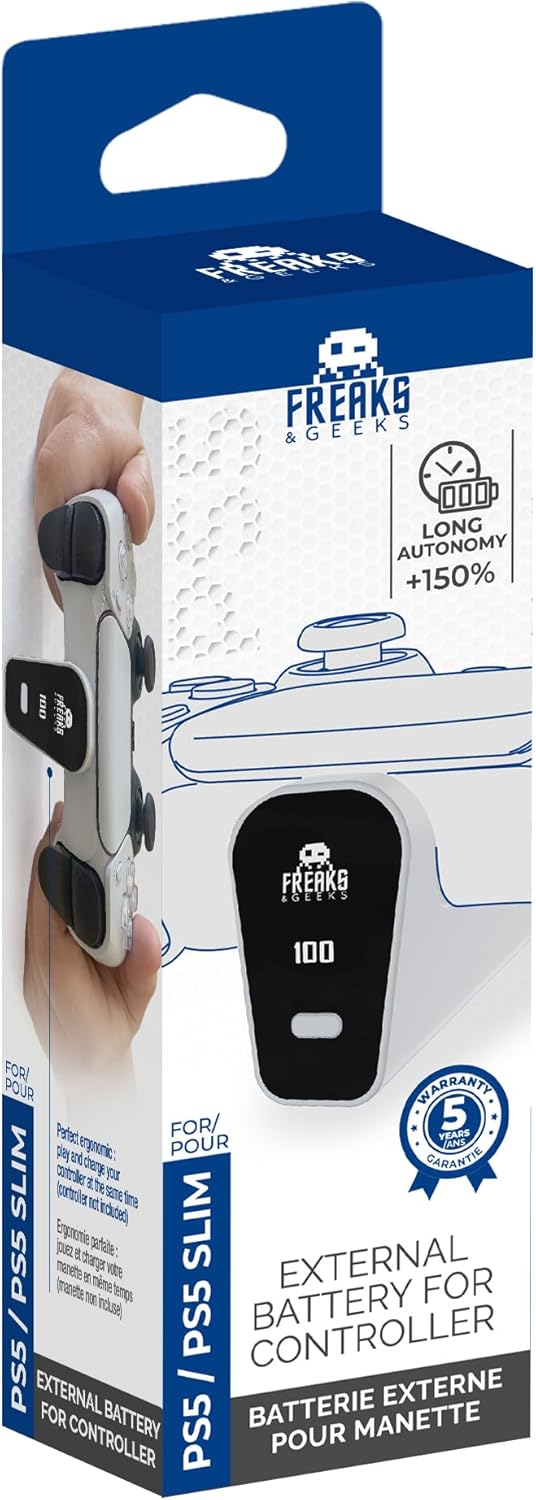
Image: Freaks and Geeks External Battery for PS5 Controller in its retail packaging, showing the product and brand.
Налаштування
Attaching the External Battery to your PS5 Controller
- Ensure your PS5 DualSense controller is clean and free of debris around the Type-C port.
- Align the Type-C connector of the external battery with the Type-C port on your PS5 controller.
- Gently push the external battery onto the controller until it is securely seated. The battery should click into place or feel firmly attached. Do not force it.

Image: Diagram illustrating the correct method to attach the external battery to the PS5 controller's USB-C port.

Зображення: спереду view of the Freaks and Geeks external battery securely attached to a PS5 DualSense controller.
Інструкція з експлуатації
Charging the External Battery and Controller
The external battery charges simultaneously with the PS5 controller when connected to a power source via the Type-C cable. The battery features an LED indicator to show its charge status.
- Connect the provided Type-C charging cable to the external battery's charging port.
- Connect the other end of the Type-C cable to a compatible USB power adapter (not included) or a PS5 console USB port.
- The LED indicator on the external battery will illuminate to show charging status.
- Once fully charged, the LED indicator will change or turn off (refer to specific LED behavior below).
Статус світлодіодного індикатора
- Суцільний червоний: Акумулятор заряджається.
- Світиться зеленим: Акумулятор повністю заряджений.
- Блимає червоним: Попередження про низький заряд батареї.
- Без світла: Battery is off or fully discharged.

Зображення: Збоку view of the external battery attached to a PS5 controller, highlighting the battery's display and charging port.
Технічне обслуговування
- Clean the external battery with a soft, dry cloth. Do not use liquid cleaners or solvents.
- Store the battery in a cool, dry place away from direct sunlight when not in use.
- If storing for an extended period, charge the battery to approximately 50% capacity to prolong its lifespan.
- Avoid exposing the Type-C connector to dust or moisture.
Усунення несправностей
| проблема | Можлива причина | Рішення |
|---|---|---|
| Акумулятор не заряджається. | Loose cable connection, faulty cable, or power source issue. | Ensure Type-C cable is securely connected. Try a different Type-C cable or power source. |
| Battery not powering controller. | Battery not securely attached, battery discharged. | Re-attach the external battery firmly to the controller. Charge the external battery. |
| Battery gets hot during use/charging. | Normal operation (slight warmth), or potential malfunction. | Slight warmth is normal. If it becomes excessively hot, disconnect immediately and discontinue use. Contact manufacturer support if concern persists. |
Технічні характеристики
| Номер моделі: | 150072 |
| Ємність батареї: | 2500 мАг |
| Тип елемента батареї: | Літій-полімер |
| томtage: | 3.7 вольт |
| Вхід/Вихід: | USB Type-C |
| Розміри (Д x Ш x В): | 5.91 x 1.57 x 1.97 дюймів (прибл.) |
| Сумісність: | Контролер DualSense для PlayStation 5 |
Інформація про гарантію
Specific warranty details for this product are not provided within this manual. Please refer to the manufacturer's official webна сайті або в документації щодо придбання, щоб дізнатися про повні гарантійні умови.
Підтримка
For technical support, troubleshooting assistance beyond this manual, or inquiries regarding your Freaks and Geeks External Battery, please visit the official Freaks and Geeks webсайт або зверніться до їхнього відділу обслуговування клієнтів. Контактна інформація зазвичай доступна на упаковці продукту або на сайті виробника webсайт.