
SAMSUNG SM-R630
Посібник користувача Samsung Galaxy Buds3 Pro
Модель: SM-R630
вступ
The Samsung Galaxy Buds3 Pro are advanced wireless earbuds designed to deliver an exceptional audio experience. They feature a comfortable, angled design, highlighted Light Blades, and a modern transparent charging case. Equipped with dual drivers (woofer and planar tweeter), they provide a wide spectrum of balanced sound. The integration of Galaxy AI enhances adaptive noise cancellation, sound optimization, and real-time language translation, offering a truly immersive and intelligent listening experience.
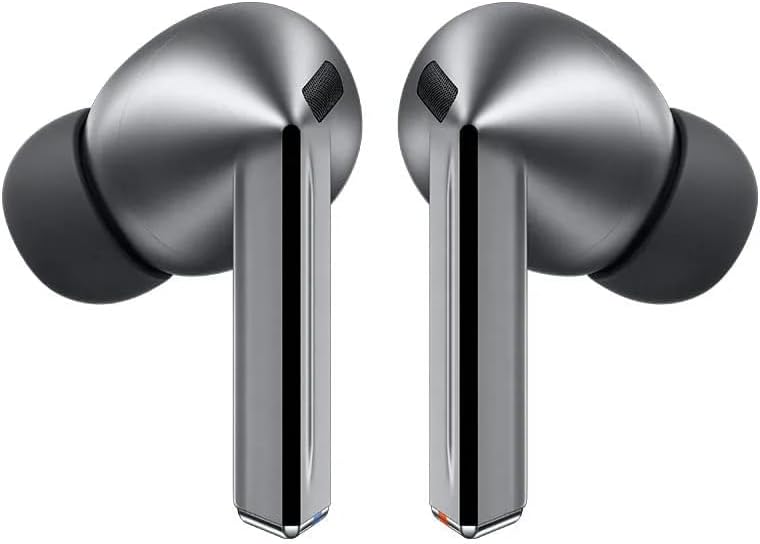
Image: Samsung Galaxy Buds3 Pro earbuds and their charging case.
Налаштування
1. Початкове заряджання
Before first use, ensure your Galaxy Buds3 Pro and their charging case are fully charged. Place the earbuds into the charging case. Connect the USB Type-C cable to the charging case and a power source. The indicator light on the case will show charging status.
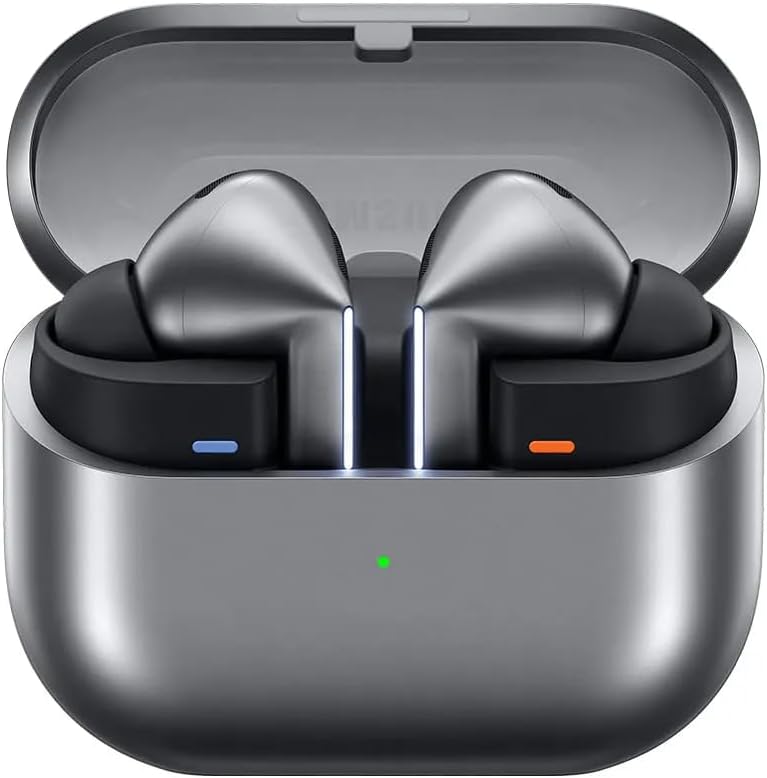
Image: Galaxy Buds3 Pro earbuds inside their open charging case, showing the charging indicator light.
2. Сполучення з вашим пристроєм
- Відкрийте зарядний футляр із навушниками всередині. Навушники автоматично перейдуть у режим сполучення.
- On your Samsung Galaxy smartphone or other compatible device, go to Bluetooth settings.
- Виберіть «Galaxy Buds3 Pro» зі списку доступних пристроїв для підключення.
- Дотримуйтеся будь-яких підказок на екрані, щоб завершити процес створення пари.
For optimal experience, download the Samsung Wearable app on your smartphone to customize settings and access advanced features.
Інструкція з експлуатації
Сенсорне керування
The Galaxy Buds3 Pro feature intuitive touch controls on the earbuds for managing playback, calls, and other functions. You can customize these gestures via the Samsung Wearable app.
- Однократне натискання: Відтворення/пауза музики, відповідь/завершення дзвінка.
- Двічі натисніть: Next track, Answer/End call.
- Потрійний дотик: Попередній трек.
- Натисніть і утримуйте: Activate Active Noise Cancellation (ANC) / Ambient Sound mode, Decline call, or activate a custom function (e.g., voice assistant).

Image: Visual guide to touch and pinch controls on the Galaxy Buds3 Pro, including swipe for volume and pinch for play/pause or app launch.
Активне шумозаглушення (ANC) та навколишній звук
The Galaxy Buds3 Pro offer intelligent Active Noise Cancellation (ANC) to block out distractions and an Ambient Sound mode to let you hear your surroundings. These modes can be toggled by touching and holding the earbuds or through the Samsung Wearable app. The Adaptive ANC feature, powered by Galaxy AI, analyzes your environment and adjusts the noise cancellation level automatically.

Image: The Galaxy Buds3 Pro adapting to different sound environments, illustrating the Adaptive Noise Control feature.
Функції штучного інтелекту Galaxy
Leverage the power of Galaxy AI for enhanced audio and communication:
- Adaptive Equalizer/ANC: AI analyzes your ear shape and usage habits to precisely adjust sound and noise cancellation for an optimized listening experience.
- Живий переклад: When connected to a Galaxy AI-enabled smartphone, your Galaxy Buds3 Pro can interpret conversations in real-time, displaying translations on your phone and playing the interpreted audio through your earbuds. Simply touch and hold an earbud to activate listening mode during a conversation.
- Голосове керування: Control your audio settings hands-free with voice commands like "next song" or "increase volume."

Image: A smartphone screen displaying a live translation, with the Galaxy Buds3 Pro facilitating the audio interpretation.
360 Аудіо
Experience immersive spatial sound with 360 Audio. This feature identifies the exact direction of sound as you move your head, providing a more vivid audio and visual experience, especially when watching content on compatible Samsung Galaxy devices and TVs.

Image: A person wearing Galaxy Buds3 Pro, immersed in a visual and auditory experience from a TV screen, illustrating 360 Audio.
Технічне обслуговування
Чищення навушників
To maintain optimal sound quality and hygiene, regularly clean your Galaxy Buds3 Pro:
- Обережно протріть навушники та зарядний футляр м’якою, сухою тканиною без ворсу.
- Remove any earwax or debris from the earbud mesh and silicone tips using a small, soft brush or cotton swab.
- Переконайтеся, що зарядні контакти як на навушниках, так і на кейсі чисті та сухі.
- Уникайте використання агресивних хімікатів, абразивних матеріалів або надмірної вологості.
Догляд за акумулятором
Щоб продовжити термін служби акумулятора:
- Регулярно заряджайте навушники, навіть якщо вони використовуються нечасто.
- Уникайте впливу на пристрій екстремальних температур.
- Зберігати в прохолодному сухому місці.
Усунення несправностей
Поширені проблеми та рішення
| Випуск | Можливе рішення |
|---|---|
| Навушники не підключаються | Ensure earbuds are charged. Place them in the case, close, then open to re-enter pairing mode. Check your device's Bluetooth settings. Restart your device. |
| Ні звуку, ні низької гучності | Check device volume. Ensure earbuds are properly seated in your ears. Clean earbud mesh. Disconnect and reconnect Bluetooth. |
| АНК працює неефективно | Ensure earbuds fit snugly. Adjust ANC settings in the Samsung Wearable app. Clean microphones on the earbuds. |
| Навушники часто відключаються | Ensure you are within Bluetooth range of your device. Avoid interference from other wireless devices. Update earbud firmware via the Samsung Wearable app. |
If issues persist, refer to the Samsung support webсайт або зверніться до служби підтримки клієнтів для отримання додаткової допомоги.
Технічні характеристики
| Особливість | Деталь |
|---|---|
| Назва моделі | Galaxy Buds3 Pro (SM-R630) |
| Контроль шуму | Активне шумозаглушення |
| Технологія підключення | Бездротовий (Bluetooth) |
| Включені компоненти | USB Type-C Cable, Ear Tips Set (S/M/L), Wireless Charging Case, Earbuds (Left & Right), Quick Start Guide |
| матеріал | пластик |
| Рівень водонепроникності | Водостійкий |
| Склад батареї | Літій-іонний |
| Вага продукту | 180 г |
| Розміри | 4.4 х 9.6 х 8.75 см |
| Розташування вуха | Вкладиші |
| Імпеданс | 25.75 Ом |
Гарантія та підтримка
Гарантія виробника
The Samsung Galaxy Buds3 Pro comes with a 12-місячна гарантія виробника з дати покупки, що покриває дефекти матеріалів та виготовлення. Будь ласка, збережіть підтвердження покупки для пред'явлення гарантійних претензій.
Підтримка клієнтів
Щоб отримати технічну підтримку, обслуговування або додаткову інформацію, відвідайте офіційний сайт підтримки Samsung. website or contact Samsung customer service in your region. You can find contact details and FAQs on the Samsung webсайт.
Інтернет-ресурси:
Ask a question about this manual
Ask about setup, troubleshooting, compatibility, parts, safety, or missing instructions. Manuals+ will review the question and use this page’s manual context to help answer it.