
T300
Generic T300 LED Mini Projector User Manual
Модель: T300
1. Вступ
Дякуємо за покупкуasing the Generic T300 LED Mini Projector. This compact and portable projector is designed for home theater use, offering a clear viewing experience with its short-focus optical lens and diffuse reflection imaging technology, which helps reduce eye strain. This manual provides essential information for setting up, operating, maintaining, and troubleshooting your projector.
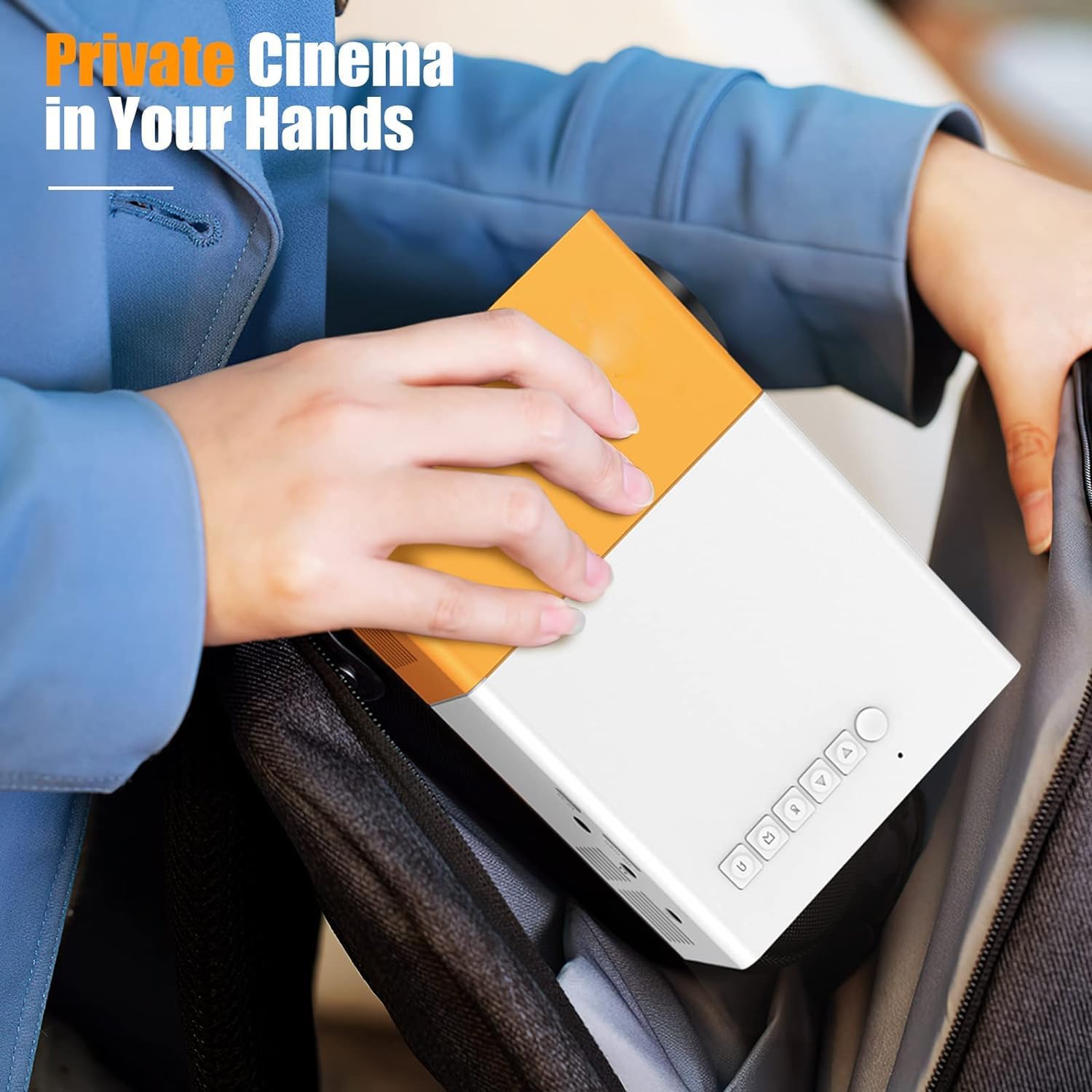
малюнок 1.1: The T300 Mini Projector's compact size allows for easy portability, fitting conveniently into a bag.
2. Вміст упаковки
Будь ласка, перевірте вміст упаковки після розпакування, щоб переконатися в наявності всіх елементів:
- 1x T300 Projector
- 1x адаптер живлення (штекер ЄС)
- 1x пульт дистанційного керування
- 1x AV -кабель
- 1x Посібник користувача (цей документ)
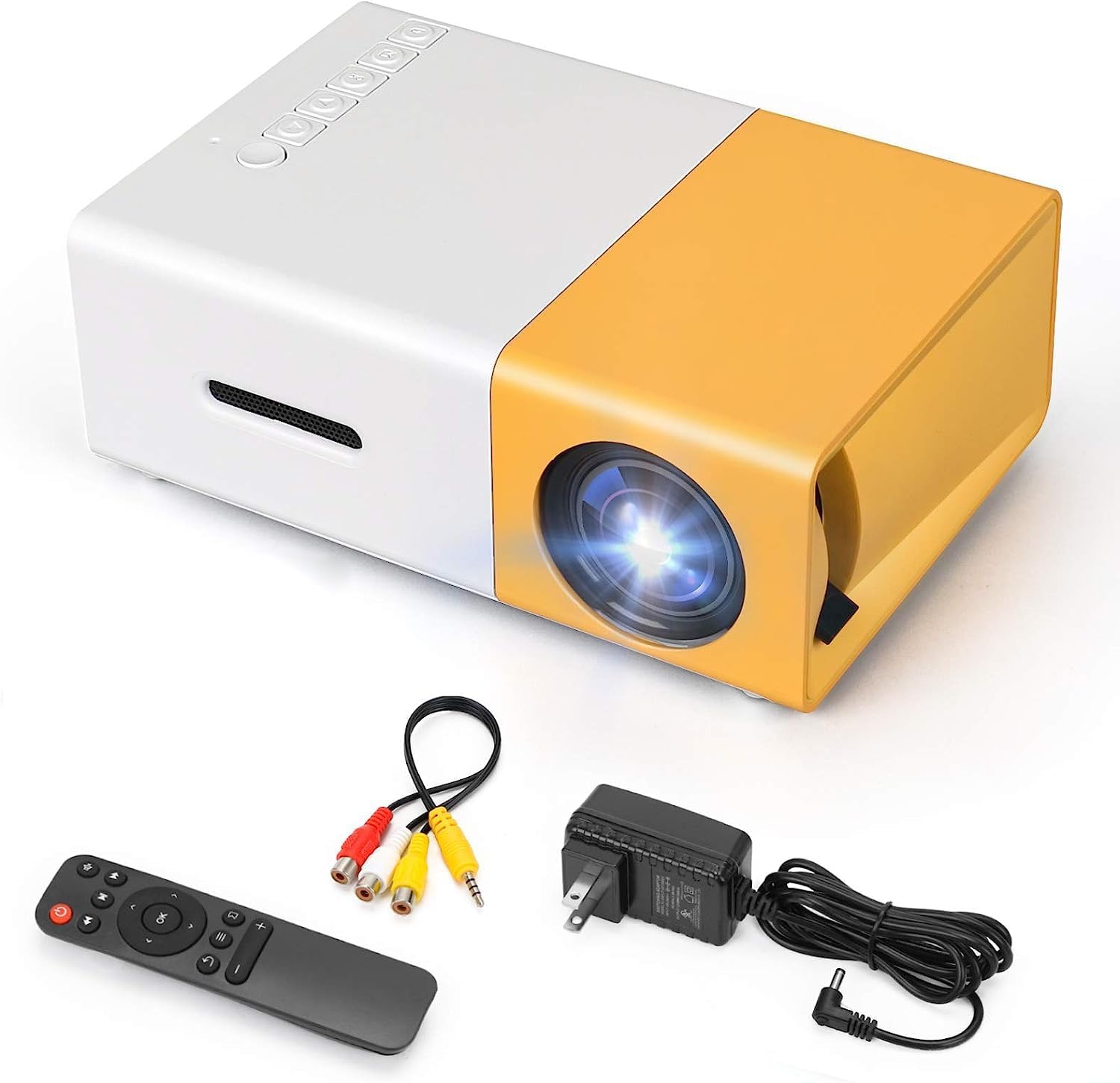
малюнок 2.1: The T300 Mini Projector and its included accessories.
3. Продукт закінчивсяview
Familiarize yourself with the various ports and controls on your T300 Mini Projector:

малюнок 3.1: Передня і задня views of the T300 Mini Projector, detailing its input/output ports and control buttons.
3.1. Порти та інтерфейси
- Вхід через HDMI: Connect to laptops, TV boxes, gaming consoles, and other HDMI-enabled devices.
- USB вхід: Для відтворення медіафайлів безпосередньо з USB-накопичувачів.
- Слот для карти Micro SD: For playing media directly from Micro SD cards.
- AV вхід: Підключіться до старіших пристроїв за допомогою AV-кабелю, що входить до комплекту.
- Мікро-USB (5 В/2 А): Power input option, compatible with power banks or car chargers.
- Earphone Slot: Для підключення зовнішніх навушників або динаміків.
- Вхідна потужність постійного струму: Main power input using the provided power adapter.
3.2. Елементи керування
- Вимикач живлення: Щоб увімкнути або вимкнути проектор.
- Navigation Buttons (Left, Right, OK): Для навігації та вибору в меню.
- Кнопка введення: Щоб вибрати джерело вхідного сигналу.
- Кнопка повернення: Щоб повернутися назад у меню.
4. Налаштування
4.1. Підключення живлення
- Connect the provided power adapter to the DC Power Input port on the projector.
- Підключіть адаптер живлення до настінної розетки.
- Alternatively, for portable use, connect a 5V/2A power bank or car charger to the Micro USB (5V/2A) port.
4.2. Підключення пристрою
The T300 projector supports various input sources:
- HDMI: Connect your laptop, TV box, gaming console (PS4/PS3), or other HDMI devices using an HDMI cable (not included).
- USB: Вставте флеш-накопичувач USB у порт USB, щоб відтворити медіафайли files безпосередньо.
- Micro SD Card: Insert a Micro SD card into the Micro SD card slot to play media files.
- AV: Use the included AV cable to connect to devices with AV output (e.g., DVD players).

малюнок 4.1: Multimedia connectivity options for the T300 Mini Projector.
4.3. Placement and Focus
- Розмістіть проектор на стійкій, рівній поверхні.
- Position the projector at a distance between 2 to 5 meters from the projection surface to achieve an optimal image size of 60 to 150 inches.
- Adjust the focus ring on the projector lens until the image appears clear and sharp. The short-focus optical lens allows focusing at a distance of 50cm.
5. Інструкція з експлуатації
5.1. Увімкнення/вимкнення живлення
Press the Power Switch on the projector or the power button on the remote control to turn the projector on or off.
5.2. Вибір джерела вхідного сигналу
After powering on, use the 'Input' button on the projector or the remote control to cycle through available input sources (HDMI, USB, TF Card, AV) until your desired source is displayed.
5.3. Відтворення мультимедіа
The projector supports multi-format video, audio, picture, and e-book playback. Navigate through your media files using the navigation buttons on the projector or remote control and press 'OK' to select.
5.4. Аудіо вихід
The projector has a built-in miniature speaker. For enhanced audio, connect external speakers or headphones to the Earphone Slot.

малюнок 5.1: Versatile applications of the T300 Mini Projector for entertainment.
6. Технічне обслуговування
6.1. Очищення об'єктива
Use a soft, lint-free cloth or lens cleaning paper to gently wipe the projector lens. Avoid using abrasive materials or harsh chemicals that could scratch the lens.
6.2. Вентиляція
Переконайтеся, що вентиляційні отвори проектора не заблоковані під час роботи, щоб запобігти перегріву. Тримайте проектор у добре провітрюваному приміщенні.
6.3. Зберігання
When not in use, store the projector in a cool, dry place, away from direct sunlight and excessive dust. It is recommended to use the original packaging or a protective case.
6.4. Лamp життя
Світлодіод lamp in your T300 projector has an estimated life of 20,000 hours, providing long-term use without frequent lamp заміна.
7. Вирішення проблем
Якщо у вас виникли проблеми з проектором, зверніться до наступних поширених проблем та способів їх вирішення:
- Зображення не відображається:
- Переконайтеся, що проектор увімкнено, а адаптер живлення надійно підключено.
- Verify the input source is correctly selected (HDMI, USB, AV, etc.).
- Перевірте кабель підключення проектора до джерела сигналу.
- Зображення розмите:
- Повертайте кільце фокусування на об'єктиві проектора, доки зображення не стане чітким.
- Переконайтеся, що відстань проекції знаходиться в межах рекомендованого діапазону (2-5 метрів).
- Немає звуку:
- Перевірте налаштування гучності як на проекторі, так і на пристрої-джерелі.
- If using external speakers/headphones, ensure they are properly connected to the Earphone Slot.
- Перевірте налаштування аудіовиходу на вашому джерелі звуку.
- Пульт дистанційного керування не працює:
- Переконайтеся, що між пультом дистанційного керування та ІЧ-приймачем проектора немає перешкод.
- Replace the batteries in the remote control if necessary.
8. Технічні характеристики
| Особливість | Специфікація |
|---|---|
| Модель | T300 |
| Підтримка резолюції | 1920 x 1080 (Full HD) |
| Рідна роздільна здатність | 1920 х 1080 |
| Тип дисплея | LCD, DLP |
| Інтерфейси | HDMI, USB, TF Card Slot, AV, Micro USB (5V-2A) |
| Вбудований динамік | так |
| Lamp життя | 20,000 години |
| Розмір продукту | 114 x 87 x 50 мм |
| Рекомендоване використання | Домашній кінотеатр |
| Особливість | Портативний |
| Максимальний розмір зображення | 150 дюймів |
| Мінімальний розмір зображення | 60 дюймів |
| Максимальна відстань кидка | 5 метрів |
| Мінімальна відстань кидка | 2 метрів |
| Вхідна потужність | 5В/2А |
9. Гарантія та підтримка
9.1. Інформація про гарантію
Цей продукт зазвичай постачається з a 10-денна політика заміни from the date of purchase. Please refer to your retailer's specific warranty terms and conditions for detailed information. The LED lamp is designed for a long life of 20,000 hours, which is not typically covered by short-term replacement policies.
9.2. Підтримка клієнтів
For technical assistance, troubleshooting beyond this manual, or warranty claims, please contact your original retailer or the manufacturer, SHUBH LABH ENTERPRISES. Keep your purchase receipt or proof of purchase handy when contacting support.
Ask a question about this manual
Ask about setup, troubleshooting, compatibility, parts, safety, or missing instructions. Manuals+ will review the question and use this page’s manual context to help answer it.