
FiiO KA17
Портативний USB ЦАП FiiO KA17 Аудіо HiFi декодер Інструкція користувача
Модель: KA17
1. Вступ
The FiiO KA17 is a professional HiFi USB headphone audio adapter designed to elevate your listening experience when connected to mobile phones, tablets, and computers. It boasts a high-spec configuration, advanced functionality, and exceptional performance, delivering a true HiFi audio experience.
This manual provides detailed instructions on the setup, operation, maintenance, and troubleshooting of your FiiO KA17.

Figure 1.1: FiiO KA17 Portable USB DAC Audio HiFi Decoder (Black)
2. Інформація про безпеку
Please read and follow these safety guidelines to ensure proper operation and prevent damage to your device or personal injury:
- Не піддавайте пристрій дії екстремальних температур, вологості або прямих сонячних променів.
- Уникайте падіння та сильних ударів пристрою.
- Не розбирайте, не ремонтуйте та не модифікуйте пристрій самостійно. Зверніться за допомогою до уповноваженого сервісного персоналу.
- Тримайте пристрій подалі від води та інших рідин.
- Use only approved cables and accessories with the device.
- Prolonged listening at high volume levels may cause permanent hearing damage. Adjust volume to a safe level.
3. Особливості продукту
The FiiO KA17 incorporates several advanced features for superior audio performance:
3.1 Dual ES9069Q DAC Chips
Equipped with two ES9069Q DAC chips, the KA17 significantly reduces digital noise, achieving a dynamic range of 130dB and total harmonic distortion of -120dB. This results in a purer and more pristine audio background.

Figure 3.1: Close-up of the Dual ES9069Q DAC chips, highlighting their advanced design for superior audio performance.
3.2 Desktop Mode and High Power Output
The KA17 features a dedicated desktop mode, activated via its dual Type-C interfaces. When powered by USB, this mode enables a single-end output power of up to 270mW+270mW and a balanced output power of 650mW+650mW, allowing it to drive most headphones with ease.

Figure 3.2: Diagram illustrating the power boost in Desktop Mode for both balanced and single-ended outputs.
3.3 Ten-level Highly Precise PEQ
Personalize your sound with the FiiO Control APP's Parametric Equalizer (PEQ). This feature allows fine-tuning of frequency, gain, and bandwidth for each PEQ band, enabling precise sound customization. PEQ adjustment supports formats up to PCM 192kHz/24bit. Note: PEQ is currently not supported in UAC1.0 mode.
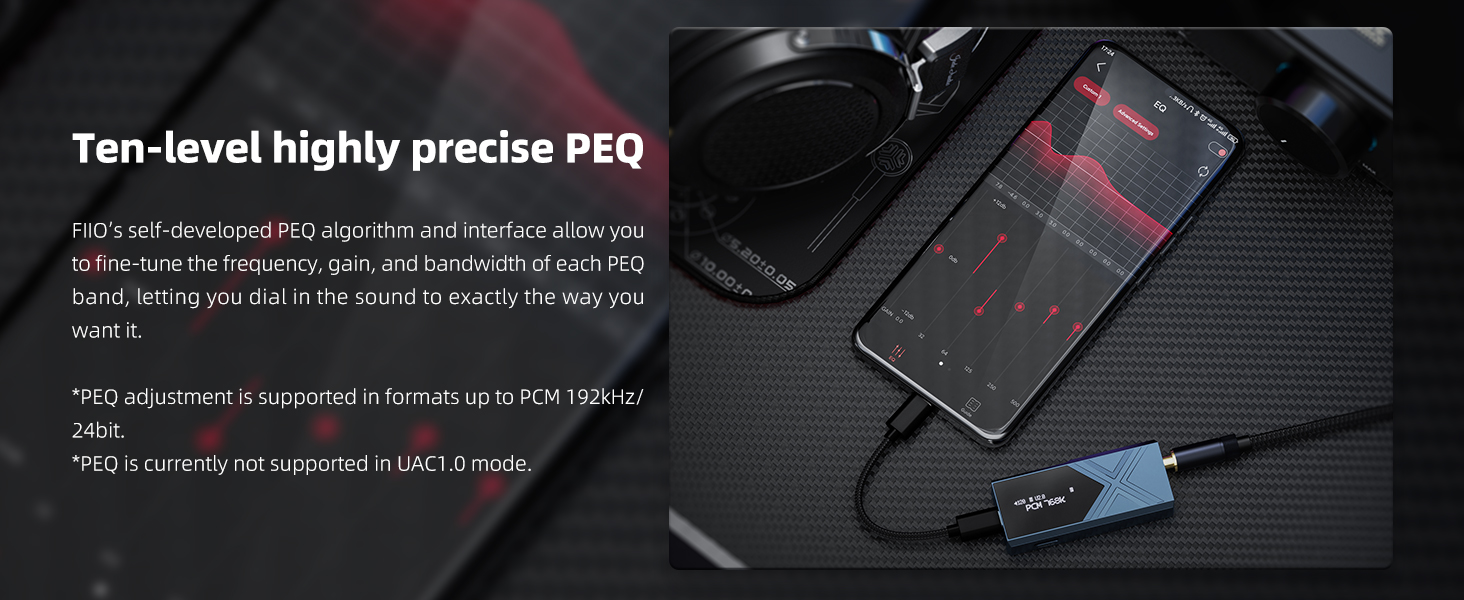
Figure 3.3: Screenshot of the FiiO Control App interface demonstrating the ten-level precise PEQ adjustment.
3.4 THX AAA 78+ Headphone Amplifier Architecture
The KA17 utilizes a four-channel fully balanced THX AAA 78+ headphone amplifier architecture. This new design significantly increases output power while delivering pure and refined sound.

Figure 3.4: Schematic diagram of the THX AAA 78+ headphone amplifier architecture, showing its balanced configuration.
3.5 XMOS 16-core XU316 Chip
Featuring an audiophile-grade 16-core XMOS XU316 chip, the KA17 supports 768kHz/32bit, DSD512, and full MQA decoding. This chip ensures lower latency, more stable signal transmission, and enhanced compatibility.
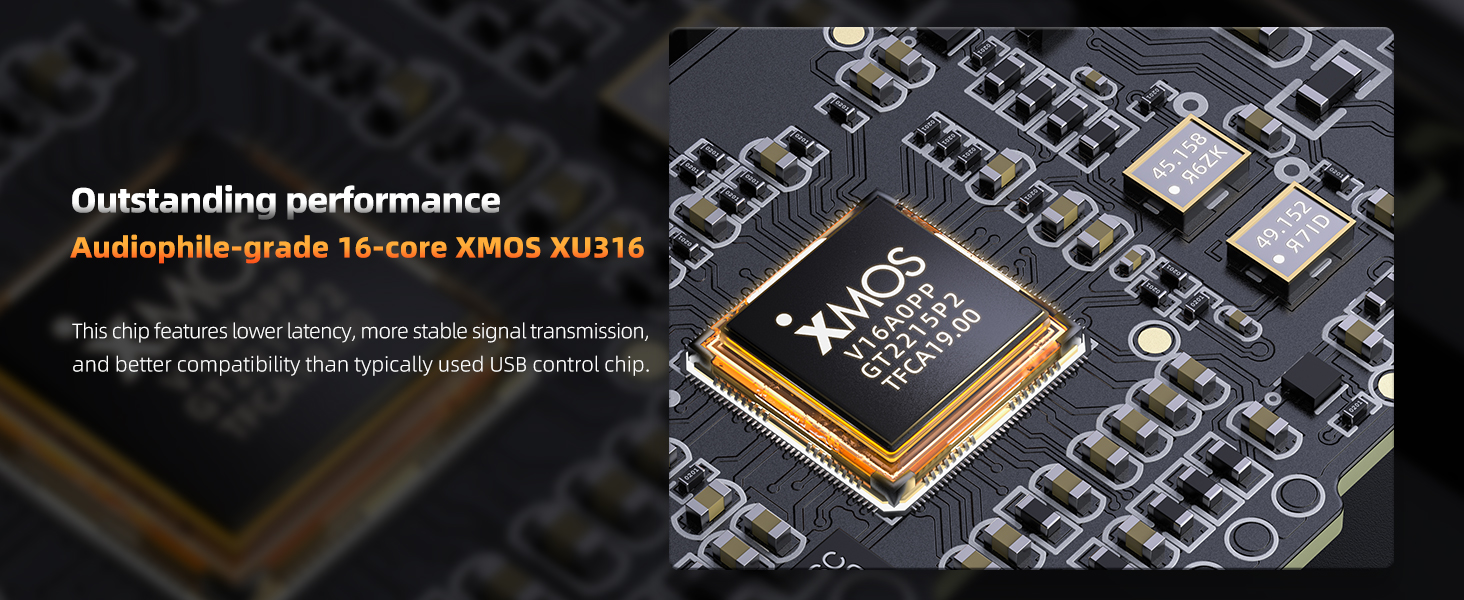
Малюнок 3.5: Детально view of the 16-core XMOS XU316 chip, central to the KA17's high-resolution audio capabilities.
3.6 Independent Type-C Power Supply
The KA17 includes two USB Type-C ports. One is for data transfer and connection to devices, while the other (orange port) is specifically for an external power supply. Connecting an external power source allows the KA17 to achieve higher power output and better performance without draining the battery of your connected device.

Figure 3.6: Diagram illustrating the dual Type-C ports and the independent power supply input for enhanced performance.
3.7 Separate Digital and Analog Boards
The digital and analog audio circuit portions are on separate circuit boards, each with a shielding cover for total isolation. This design prevents interference between the digital and analog sections, ensuring accurate processing of audio signals.

Малюнок 3.7: Розібраний view of the FiiO KA17, showing the distinct digital and analog circuit boards for improved signal integrity.
4. Налаштування
4.1 Підключення до пристроїв
The FiiO KA17 can be connected to various devices using its Type-C interface:
- Android/iOS Devices: Connect the KA17 to your smartphone or tablet via a compatible USB Type-C to Type-C or Lightning to Type-C cable.
- Computers (Mac/Windows): Connect the KA17 to your computer's USB port using a Type-C cable.
4.2 Встановлення драйвера (лише для Windows)
For Windows users, it is recommended to install the official FiiO USB DAC Driver from the FiiO website for optimal performance and access to all features. Mac and most Linux systems are typically driver-free.
4.3 FiiO Control APP
Download the FiiO Control APP from your device's app store (Android) or access the web interface (fiiocontrol.fiio.com) for advanced settings and PEQ adjustments. Note that the web interface currently works best with Google Chrome.
5. Інструкція з експлуатації
5.1 Основна операція
- Увімкнення/вимкнення живлення: The device typically powers on automatically when connected to a powered USB port. Disconnect to power off.
- Регулювання гучності: Use the physical volume buttons on the side of the KA17 to adjust the output volume. The OLED display will show the current volume level.
- Дисплей: The 0.91-inch dot-matrix display shows information such as sample rate, volume level, and active mode.
5.2 Desktop Mode Activation
To activate Desktop Mode and achieve maximum power output, connect an external power supply (e.g., a power bank or wall charger) to the dedicated orange Type-C power input port on the side of the KA17. Ensure the main Type-C port is connected to your audio source device.
5.3 PEQ Adjustment
The Parametric Equalizer (PEQ) can be adjusted via the FiiO Control APP (Android) or the web interface (fiiocontrol.fiio.com, recommended with Google Chrome). You can select built-in presets or customize User 1, User 2, and User 3 presets. These settings are retained on the KA17 even after disconnection.
6. Технічне обслуговування
- Прибирання: Використовуйте м’яку суху тканину для очищення зовнішньої частини пристрою. Не використовуйте рідкі засоби для чищення або аерозолі.
- Зберігання: When not in use, store the KA17 in a cool, dry place, away from direct sunlight and extreme temperatures.
- Оновлення прошивки: Періодично перевіряйте офіційну сторінку FiiO. website for firmware updates. Updating the firmware can improve performance, add new features, and resolve potential issues. Follow the instructions provided by FiiO carefully during the update process.
7. Вирішення проблем
| проблема | Можлива причина | Рішення |
|---|---|---|
| Немає звуку. | Incorrect connection, low volume, device not recognized. |
|
| Пристрій нагрівається під час використання. | Normal operation, especially in Desktop Mode. | This is normal for high-performance audio devices. If it becomes excessively hot or shuts down, disconnect immediately and contact support. Ensure adequate ventilation. |
| Cannot access PEQ on iOS. | Current FiiO Control APP limitation for iOS. | PEQ can be programmed via the web interface (fiiocontrol.fiio.com) using a computer (Google Chrome recommended). The settings will be saved to the KA17 and can be selected directly on the device. |
| Intermittent connection or audio dropouts. | Faulty cable, unstable USB port, software conflict. |
|
8. Технічні характеристики
| Особливість | Деталь |
|---|---|
| Номер моделі | KA17 |
| Бренд | FiiO |
| Колір | чорний |
| Мікросхеми ЦАП | Dual ES9069Q |
| Чіп USB | XMOS 16-core XU316 |
| Підтримувані аудіоформати | PCM up to 768kHz/32bit, DSD512, Full MQA decoding |
| Навушники Ampлібератор | THX AAA 78+ (four-channel fully balanced architecture) |
| Single-Ended Output Power (Desktop Mode) | 270мВт + 270мВт |
| Balanced Output Power (Desktop Mode) | 650мВт + 650мВт |
| Динамічний діапазон | 130 дБ |
| Загальні гармонійні спотворення (THD+N) | -120 дБ |
| Тип роз'єму | USB типу C (x2) |
| Сумісні пристрої | Laptop, Headphone, iOS, Android, Speaker |
9. Гарантія та підтримка
For warranty information, technical support, or service inquiries, please refer to the official FiiO website or contact your local FiiO distributor. Keep your purchase receipt as proof of purchase for warranty claims.
Офіційний FiiO Webсайт: www.fiio.com
Ask a question about this manual
Ask about setup, troubleshooting, compatibility, parts, safety, or missing instructions. Manuals+ will review the question and use this page’s manual context to help answer it.