
1. Вступ
The LEAUDIO XDUOO XD05 Plus 2 is a high-performance portable Digital-to-Analog Converter (DAC) and headphone amplifier designed to deliver exceptional audio quality. It features advanced decoding capabilities, powerful output, and versatile connectivity options for various audio sources and headphones.
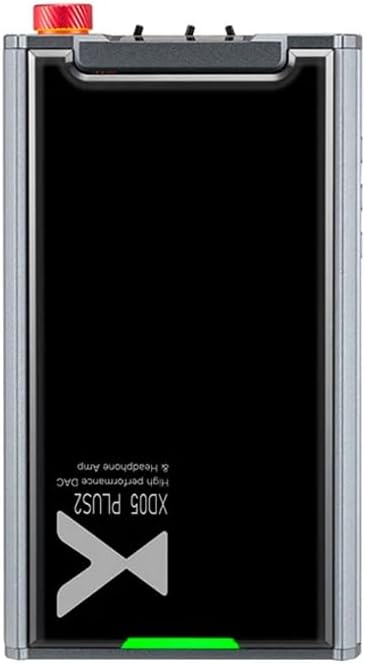
Малюнок 1: Верх view of the XDUOO XD05 Plus 2, highlighting its compact design and model branding.
2. Вміст упаковки
Будь ласка, перевірте упаковку на наявність наступних предметів:
- XDUOO XD05 Plus 2 Portable DAC Headphone Ampлібератор
- кабель USB
- Посібник користувача (цей документ)
3. Схема пристрою
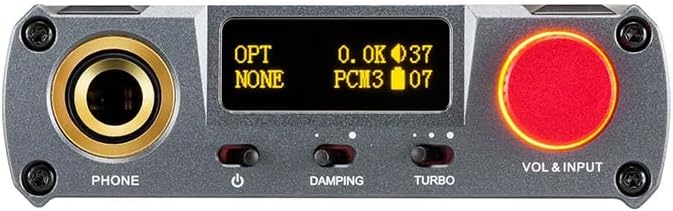
Figure 2: Front panel controls including the headphone output, OLED display, Damping switch, Turbo switch, and Volume/Input knob.

Figure 3: Rear panel connections featuring AUX In/Out, USB In, UAC 1.0/2.0 switch, Charge port, and Digital In (Optical/Coaxial).
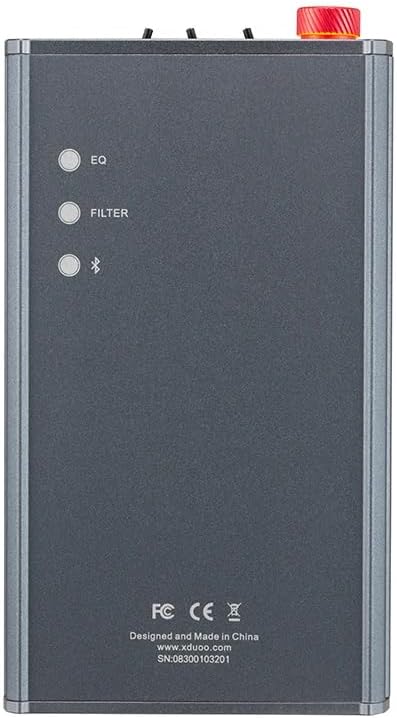
Figure 4: Side panel buttons for EQ, Filter, and Bluetooth functions.
4. Налаштування та підключення
4.1 Зарядка пристрою
Connect the provided USB cable to the 'CHARGE' port on the rear panel (Figure 3) and plug the other end into a USB power adapter (not included) or a computer's USB port. The charging time is approximately 3 hours for fast charging and 5 hours for slow charging.
4.2 Підключення до аудіоджерел
The XD05 Plus 2 offers multiple input options:
- USB вхід: Connect to computers (Windows/Linux/Mac OSX), smartphones (iOS/Android), or other USB audio sources using the 'USB IN' port (Figure 3). Ensure the UAC switch is set to the appropriate mode (UAC 1.0 or UAC 2.0) for your device.
- Digital Input (Optical/Coaxial): Connect to desktop CDs, Hi-Fi players, or digital turntables via the 'DIGITAL IN' port (Figure 3).
- Вхід Bluetooth: For wireless audio streaming, refer to Section 5.4 for Bluetooth pairing instructions.
- AUX In/Out: Use the 'AUX IN/OUT' port (Figure 3) for analog input or output connections.
4.3 Підключення навушників
Plug your headphones into the 'PHONE' output jack on the front panel (Figure 2).
5. Інструкція з експлуатації
5.1 Увімкнення/вимкнення живлення та вибір входу
Press and hold the power button (located near the 'PHONE' jack, Figure 2) to turn the device on or off. Rotate the 'VOL & INPUT' knob (Figure 2) to adjust the volume. Press the 'VOL & INPUT' knob to cycle through available input sources (USB, Optical, Coaxial, Bluetooth, AUX).
5.2 Регулювання гучності
The device features a 99-level digital volume adjustment, ensuring balanced left and right channels at any volume setting. Rotate the 'VOL & INPUT' knob to precisely set your desired listening level.
5.3 Sound Adjustments (EQ, Filter, Damping, Turbo)
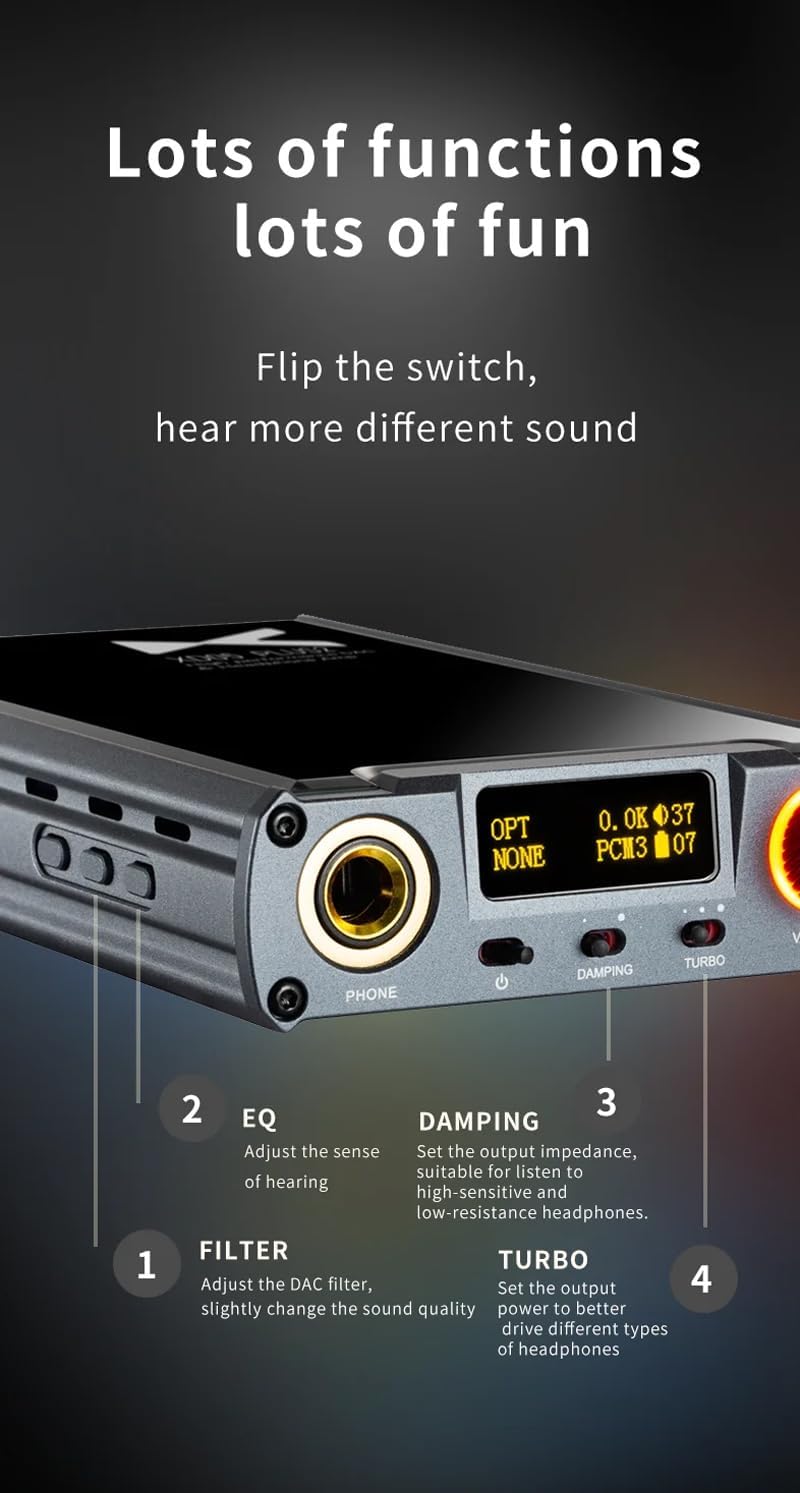
Малюнок 5: Детально view of sound adjustment controls and their functions.
- Еквалайзер (еквалайзер): Press the 'EQ' button (Figure 4) to adjust the sense of hearing and tailor the sound to your preference.
- Фільтр: Press the 'FILTER' button (Figure 4) to slightly change the sound quality by adjusting the DAC filter settings.
- Damping: Use the 'DAMPING' switch (Figure 2) to set the output impedance, suitable for high-sensitivity and low-resistance headphones.
- Турбо: Use the 'TURBO' switch (Figure 2) to set the output power, allowing the device to better drive different types of headphones.
5.4 Створення пари Bluetooth
To pair your device via Bluetooth 5.1:
- Ensure the XD05 Plus 2 is powered on and Bluetooth input is selected.
- Press the 'Bluetooth' button (Figure 4) to enter pairing mode. The Bluetooth indicator on the OLED screen will flash.
- On your source device (e.g., smartphone, tablet), search for available Bluetooth devices and select "XDUOO XD05 Plus 2".
- Після підключення індикатор Bluetooth перестане блимати.
Supported Bluetooth formats include AAC, SBC, aptX, aptX LL, aptX HD, and LDAC.
5.5 Заміна AmpLifier Chip
The amplifier chip is user-replaceable, allowing for customization of your audio experience. Refer to the manufacturer's guidelines or a qualified technician for instructions on safely replacing the op-amp чіпси.
6. Технічні характеристики
| Особливість | Специфікація |
|---|---|
| Акумулятор | 3.8 В/5000 мАг |
| Екран | 0.91-дюймовий OLED |
| Сумісна ОС | Windows/Linux/Mac OSX/iOS/Android |
| Frequency Response (USB/SPDIF) | 20 Гц ~ 20 кГц (±0.5 дБ) |
| Частотна характеристика (AMP) | 10 Гц ~ 80 кГц (±0.5 дБ) |
| USB SampШвидкість передачі даних (PCM) | 16-32BIT/44.1-384KHZ |
| USB Sampling Rate (DSD) | DOP/NATIVE DSD64-256 |
| USB Sampling Rate (MQA) | OFS rendering layer decoding |
| OPT/COA SampШвидкість передачі даних (PCM) | 16-24BIT/44.1-192KHZ |
| OPT/COA Sampling Rate (DSD) | DSD64 (DOP) |
| Bluetooth Formats | AAC/SBC/aptX/aptX LL/aptX HD/LDAC |
| посилення | +0dB/3dB/6dB |
| Вихідна потужність для навушників | 1200 мВт (навантаження 32 Ом) |
| Headphone THD+N | 0.0015% при 1 кГц |
| Headphone S/N | 121 дБ |
| Headphone Crosstalk | >76 дБ |
| AUX OUT Output Level | 2.0Vrms |
| AUX OUT THD+N | 0.0009% при 1 кГц |
| AUX OUT S/N | 122 дБ |
| AUX OUT Crosstalk | ≥109 дБ |
| Battery Life (USB IN) | ≥9H |
| Battery Life (SPDIF IN) | ≥15H |
| Battery Life (BT IN) | ≥18H |
| Час заряджання (швидке) | ≤3 годин |
| Час заряджання (повільний) | ≤5 годин |
| Розмір | 13.0 х 7.5 х 2.2 см |
| вага | 0.29 кг |
7. Технічне обслуговування
To ensure the longevity and optimal performance of your XDUOO XD05 Plus 2, follow these maintenance guidelines:
- Підтримуйте чистоту пристрою, протираючи його м’якою сухою тканиною. Уникайте використання агресивних хімікатів або абразивних матеріалів.
- Захищайте пристрій від екстремальних температур, прямих сонячних променів та вологи.
- Уникайте падіння та сильних ударів пристрою.
- Якщо пристрій не використовується протягом тривалого часу, зберігайте його в прохолодному, сухому місці.
8. Вирішення проблем
If you encounter issues with your XDUOO XD05 Plus 2, please refer to the following common troubleshooting steps:
- Немає звуку:
- Перевірте, чи пристрій увімкнено.
- Переконайтеся, що навушники правильно підключені.
- Перевірте, чи вибрано правильне джерело вхідного сигналу.
- Відрегулюйте рівень гучності.
- Check the audio source device for proper playback and volume settings.
- Погана якість звуку:
- Переконайтеся, що всі кабелі надійно підключені.
- Try a different audio cable or source.
- Check EQ and Filter settings; reset them to default if necessary.
- Ensure the UAC switch is set correctly for your USB connection.
- Проблеми з підключенням Bluetooth:
- Ensure the device is in Bluetooth pairing mode.
- Перемістіть вихідний пристрій ближче до ampліфірник.
- Clear previous Bluetooth pairings on both devices and try pairing again.
- Пристрій не заряджається:
- Verify the USB cable is connected to the 'CHARGE' port.
- Спробуйте інший кабель USB або адаптер живлення.
- Переконайтеся, що джерело живлення справне.
9. Офіційне відео продукту
Відео 1: Оверview of the LEAUDIO XDUOO XD05 Plus 2 DAC Amp, шоуcasing its features and design. This video provides a visual guide to the product's capabilities and physical aspects.
10. Гарантія та підтримка
For warranty information and technical support, please refer to the documentation included with your product or contact LEAUDIO customer service directly. You may also visit the official LEAUDIO webсайт для отримання найактуальніших ресурсів підтримки.