
вступ
This manual provides detailed instructions for setting up, operating, maintaining, and troubleshooting your Amazon Kindle Paperwhite Signature Edition 32GB. Please read this guide thoroughly to ensure optimal use of your device.
1. Налаштування
1.1 Розпакування та початкова оплата
Upon unboxing, locate the Kindle Paperwhite Signature Edition device and the included USB-C charging cable. It is recommended to fully charge your device before first use.
- У коробці: Kindle Paperwhite Signature Edition, зарядний кабель USB-C, короткий посібник користувача.
- Зарядка: Connect the USB-C cable to the Kindle and a compatible USB power adapter (9W adapter recommended, sold separately). A full charge takes less than 2.5 hours.
- Бездротова зарядка: The Signature Edition supports wireless charging. Place the device on a compatible wireless charging dock (sold separately).

Image: Kindle Paperwhite Signature Edition charging wirelessly on a dock. The device can be charged via USB-C or wirelessly for extended battery life.
1.2 Увімкнення/вимкнення живлення
- Щоб увімкнути: Press and hold the power button located on the bottom edge of the device until the screen lights up.
- Щоб вимкнути: Press and hold the power button until a power dialog appears, then select 'Power Off'. A short press will put the device to sleep.
1.3 Підключення до Wi-Fi
To access the Kindle Store and download content, connect your device to a Wi-Fi network.
- На головному екрані торкніться Налаштування icon (gear icon) or swipe down from the top of the screen and tap Усі налаштування.
- Виберіть Wi-Fi і Bluetooth, тоді Мережі Wi-Fi.
- Виберіть потрібну мережу зі списку та введіть пароль, якщо буде запропоновано.
Пристрій підтримує мережі 2.4 ГГц та 5.0 ГГц із захистом WEP, WPA, WPA2, WPA3 та OWE.
1.4 Налаштування облікового запису
Register your Kindle to your Amazon account to access your content library and the Kindle Store.
- After connecting to Wi-Fi, follow the on-screen prompts to sign in with your Amazon account credentials.
- If you do not have an Amazon account, you can create one during this process.
2. Керування Kindle
2.1 Basic Navigation and Page Turns
The Kindle Paperwhite Signature Edition features a 7-inch glare-free display designed for comfortable reading.
- Перегортання сторінок: Tap the right side of the screen to turn to the next page, or the left side to go back. Swiping left or right also turns pages.
- Головний екран: Tap the top of the screen to reveal the navigation bar, then tap the додому icon to return to your library.

Image: A hand holding the Kindle Paperwhite, displaying a book page. The 7-inch Paperwhite display offers fast page turns for an enhanced reading experience.
2.2 Функції читання
Customize your reading experience with various display and font settings.
- Adjusting Front Light: The Signature Edition features an auto-adjusting front light. You can also manually adjust the brightness by tapping the top of the screen while reading and using the brightness slider.
- Тепле світло: Adjust the warmth of the screen light for comfortable reading in different environments.
- Темний режим: Invert screen colors for white text on a black background, ideal for low-light conditions. Access this from the quick settings menu.
- Параметри шрифту: While reading, tap the top of the screen, then select the Aa icon to adjust font size, font face, line spacing, and margins.
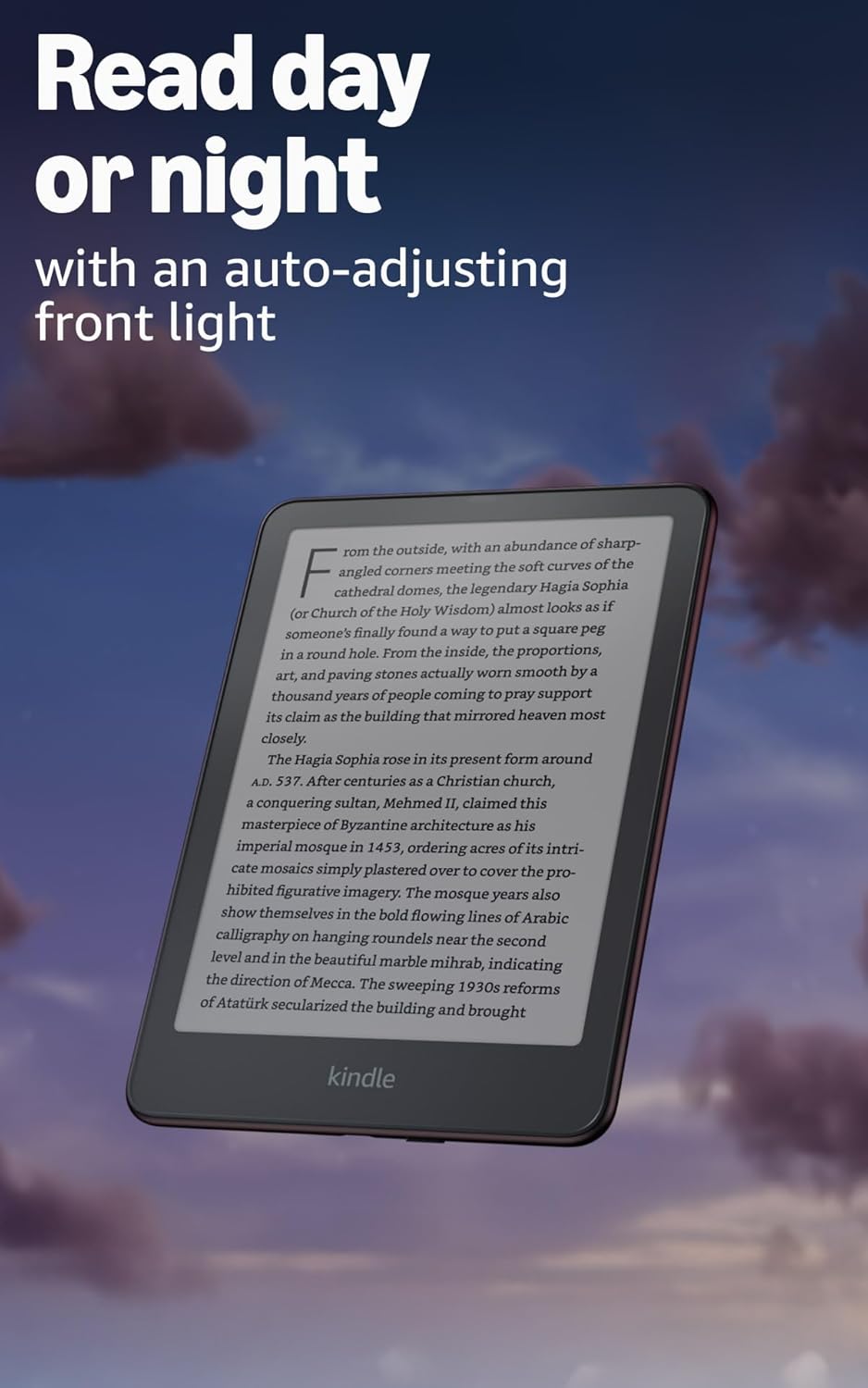
Image: Kindle Paperwhite screen illuminated in a dark room. The auto-adjusting front light allows for comfortable reading day or night.

Image: Close-up of the Kindle Paperwhite screen displaying text. Enjoy a glare-free display without distracting notifications.
2.3 Управління вмістом
Your Kindle provides access to a vast library of content.
- Магазин Kindle: На головному екрані торкніться Магазин icon to browse and purchase books.
- Бібліотека: All purchased content is stored in your library and can be downloaded to your device.
- Хмарне сховище: All Amazon content is stored for free in the cloud, allowing you to access it from any compatible device.
- Підтримувані формати: Формат Kindle 8 (AZW3), Kindle (AZW), TXT, PDF, незахищений MOBI, PRC (нативний варіант); PDF, DOCX, DOC, HTML, EPUB, TXT, RTF, JPEG, GIF, PNG, BMP шляхом конвертації; формат Audible audio (AAX).

Image: A collage of various book covers. The Kindle Store offers access to over 15 million titles worldwide.
2.4 Аудіокниги
Listen to Audible audiobooks on your Kindle Paperwhite Signature Edition.
- Bluetooth: Connect Bluetooth headphones or speakers to your Kindle via the Wi-Fi і Bluetooth налаштування.
- Playing Audiobooks: Download Audible audiobooks from the Kindle Store and play them through your connected Bluetooth device.
2.5 Гідроізоляція
Your Kindle Paperwhite Signature Edition is waterproof (IPX8 rated).
- It is tested to withstand immersion in 2 meters of fresh water for 60 minutes.
- This makes it suitable for reading by the pool, in the bath, or at the beach.
- After exposure to water, ensure the USB-C port is dry before charging.
3. Технічне обслуговування
3.1 Очищення пристрою
- Use a soft, lint-free cloth to clean the screen and body of your Kindle.
- Avoid abrasive cleaners, solvents, or aerosol sprays.
- If the device has been exposed to water, gently wipe it dry.
3.2 Догляд за акумулятором
- To maximize battery life, avoid exposing your Kindle to extreme temperatures.
- A single charge can last up to twelve weeks, based on half an hour of reading per day with wireless off and the light setting at 13. Heavy use, especially with wireless features or audiobook streaming, will reduce battery life.
- Charge the device regularly, but it is not necessary to fully discharge it before recharging.
3.3 Оновлення програмного забезпечення
Your Kindle will periodically receive software updates to improve performance and add new features.
- Ensure your Kindle is connected to Wi-Fi to receive automatic updates.
- You can manually check for updates by going to Налаштування > Параметри пристрою > Перевірте наявність оновлень.
4. Вирішення проблем
4.1 Пристрій не відповідає
- If your Kindle is frozen or unresponsive, press and hold the power button for 40 seconds until the device restarts.
4.2 Проблеми з підключенням до Wi-Fi
- Переконайтеся, що ваш Wi-Fi роутер увімкнено та знаходиться в зоні дії мережі.
- Спробуйте перезавантажити Kindle та Wi-Fi роутер.
- Перевірте, чи ви вводите правильний пароль Wi-Fi.
4.3 Акумулятор не заряджається
- Check that the USB-C cable is securely connected to both the Kindle and the power adapter.
- Спробуйте використати інший кабель USB-C або адаптер живлення.
- Ensure the USB-C port on the Kindle is clean and free of debris.
4.4 Content Not Downloading
- Verify your Wi-Fi connection is active and stable.
- Check your Amazon account for any payment issues or content restrictions.
- Ensure your device has sufficient storage space.
5. Технічні характеристики
| Особливість | опис |
|---|---|
| Дисплей | 7” Paperwhite display technology with built-in front light, 300 ppi, optimized font technology, 16-level gray scale. |
| Розмір | 5 дюймів x 7 дюймів x 0.3 дюйми (127.6 x 176.7 x 7.8 мм) |
| вага | 7.5 унцій (214g) |
| Зберігання на пристрої | 32 ГБ; вміщує тисячі книг. |
| Хмарне сховище | Безкоштовне хмарне сховище для всього контенту Amazon. |
| Термін служби батареї | Up to twelve (12) weeks (based on 30 mins reading/day, wireless off, light setting 13). |
| Час зарядки | Менше 2.5 годин з USB-адаптером живлення потужністю 9 Вт. |
| Підключення Wi-Fi | Supports 2.4 GHz and 5.0 GHz networks with WEP, WPA, WPA2, WPA3, and OWE security. |
| Спеціальні можливості | ГолосView screen reader (Bluetooth audio, English only), dark mode, adjustable font size, font face, line spacing, and margins. |
| Підтримувані формати контенту | Формат Kindle 8 (AZW3), Kindle (AZW), TXT, PDF, незахищений MOBI, PRC (нативний варіант); PDF, DOCX, DOC, HTML, EPUB, TXT, RTF, JPEG, GIF, PNG, BMP шляхом конвертації; формат Audible audio (AAX). |
| Гідроізоляція | Клас захисту IPX8 (витримує занурення у прісну воду на глибину 2 метри протягом 60 хвилин). |
| Покоління | 12-те покоління (випуск 2024 року). |
6. Гарантія та підтримка
6.1 Інформація про гарантію
Your Kindle Paperwhite Signature Edition comes with a 1-year limited warranty and service. Extended warranty options may be available for purchase separately in some regions.
6.2 Додаткова підтримка
Для отримання додаткової допомоги та детальної інформації, будь ласка, зверніться до наступних ресурсів:
- Короткий посібник: Included in your product packaging.
- Kindle User Guide: Accessible on your device or via the Amazon webсайт.
- Accessibility for Kindle: Learn more about accessibility features on the Amazon webсайт.
- Manage Your Content and Devices: Visit your Amazon account online to manage your Kindle content and device settings.