
1. Вступ
This manual provides detailed instructions for the setup, operation, and maintenance of your DEERFAMY A89 Mini Projector. Please read this manual thoroughly before using the product to ensure optimal performance and safety.
2. Що в коробці
Переконайтеся, що всі елементи присутні після розпакування:
- DEERFAMY A89 Mini Projector
- Шнур живлення
- Пульт дистанційного керування
- Кабель HDMI
- Гарантійний талон
- Набір для чищення
3. Продукт закінчивсяview
The DEERFAMY A89 is a portable mini projector designed for versatile use. It features electric focus, digital keystone correction, and dual-band WiFi for seamless connectivity.
3.1 Спереду View

Зображення: спереду view of the DEERFAMY A89 Mini Projector, showing the projection lens and a sleek black design.
3.2 Задня частина View & Ports
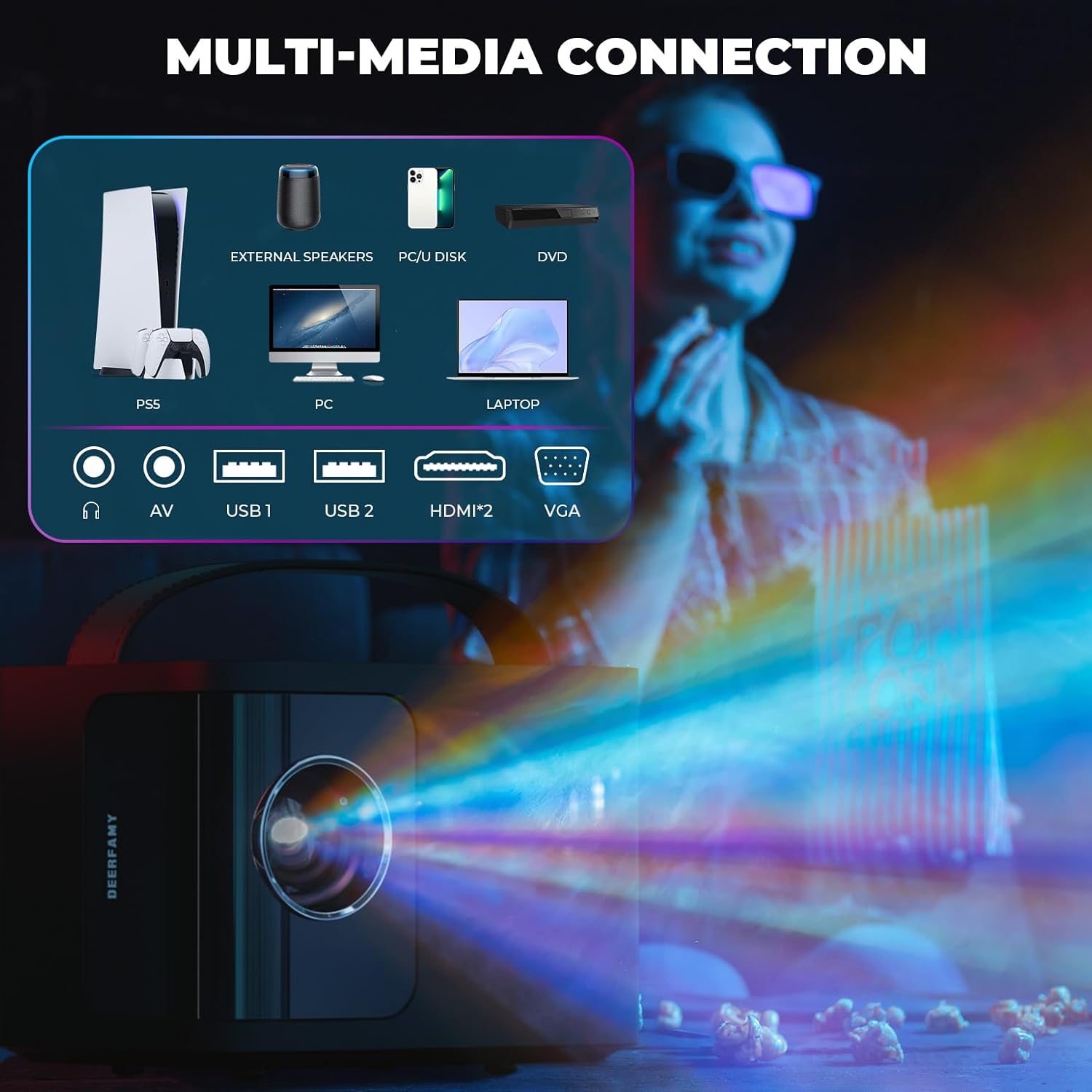
Зображення: Задня частина view of the DEERFAMY A89 Mini Projector, highlighting the various connectivity ports including HDMI, USB, and audio jacks.
- Порт HDMI: For connecting devices like laptops, gaming consoles, or TV boxes.
- USB-порти (x2): Для підключення USB-накопичувачів або інших сумісних аксесуарів.
- 3.5 мм аудіороз’єм: Для підключення зовнішніх динаміків або навушників.
- ІЧ-приймач: Для сигналів дистанційного керування.
3.3 Top Controls & Portability
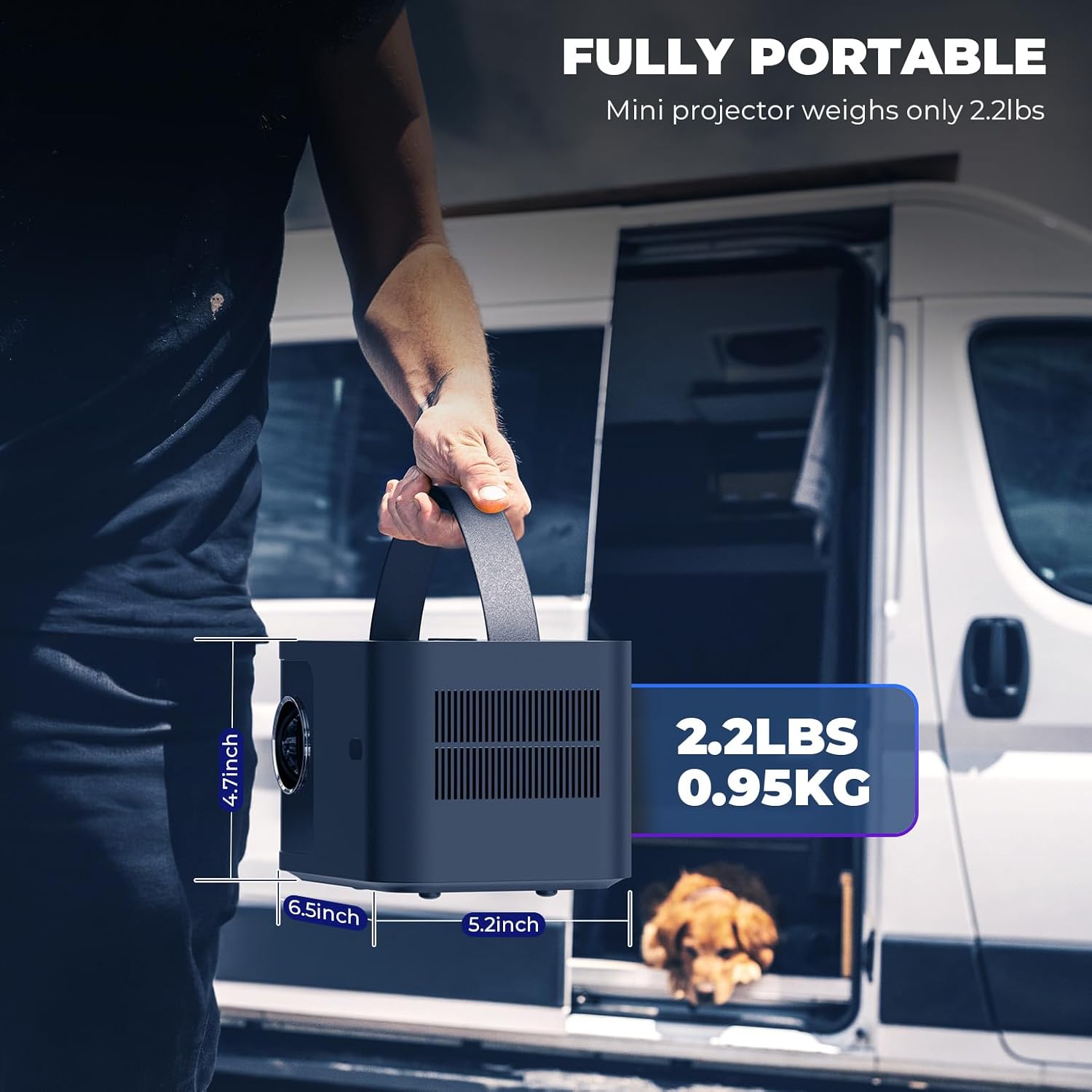
Image: The DEERFAMY A89 Mini Projector being carried by its integrated handle, demonstrating its portability. Dimensions are shown as 4.7 inches height, 6.5 inches width, and 5.2 inches depth, with a weight of 2.2 lbs (0.95 kg).
- Кнопка живлення: Щоб увімкнути/вимкнути проектор.
- Focus Buttons: For electric focus adjustment.
- Інтегрована ручка: Для легкої транспортування.
4. Налаштування
4.1 Початкове ввімкнення
- Підключіть шнур живлення до проектора та розетки.
- Натисніть кнопку живлення на проекторі або пульті дистанційного керування, щоб увімкнути його.
- The projector will display the main interface.
Video: Demonstrates the initial power-on sequence and electric focus adjustment using the remote control and top buttons.
4.2 Фокусування зображення
The DEERFAMY A89 features electric focus for convenient image clarity adjustment.
- Use the dedicated focus buttons on the top of the projector or the remote control (F+ / F-) to sharpen the image.
- Налаштовуйте, доки проектоване зображення не стане чітким та виразним.
4.3 Корекція трапецеїдальних спотворень
The projector supports ±40° vertical keystone correction to adjust for distorted images when the projector is not perfectly perpendicular to the screen.
- Перейдіть до Налаштування menu on the home screen.
- Виберіть Варіант а потім Корекція коректури.
- Use the arrow keys on the remote to adjust the vertical keystone until the image is rectangular.
Video: Illustrates the process of connecting the projector, adjusting focus, and performing keystone correction for a clear, rectangular image.
5. Інструкція з експлуатації
5.1 Підключення до Wi-Fi
The projector supports 2.4G/5G dual-band Wi-Fi for stable and fast wireless connections.
- На головному екрані виберіть Налаштування.
- Виберіть Мережа and then select your desired Wi-Fi network.
- Enter the password using the on-screen keyboard and select Підключитися.
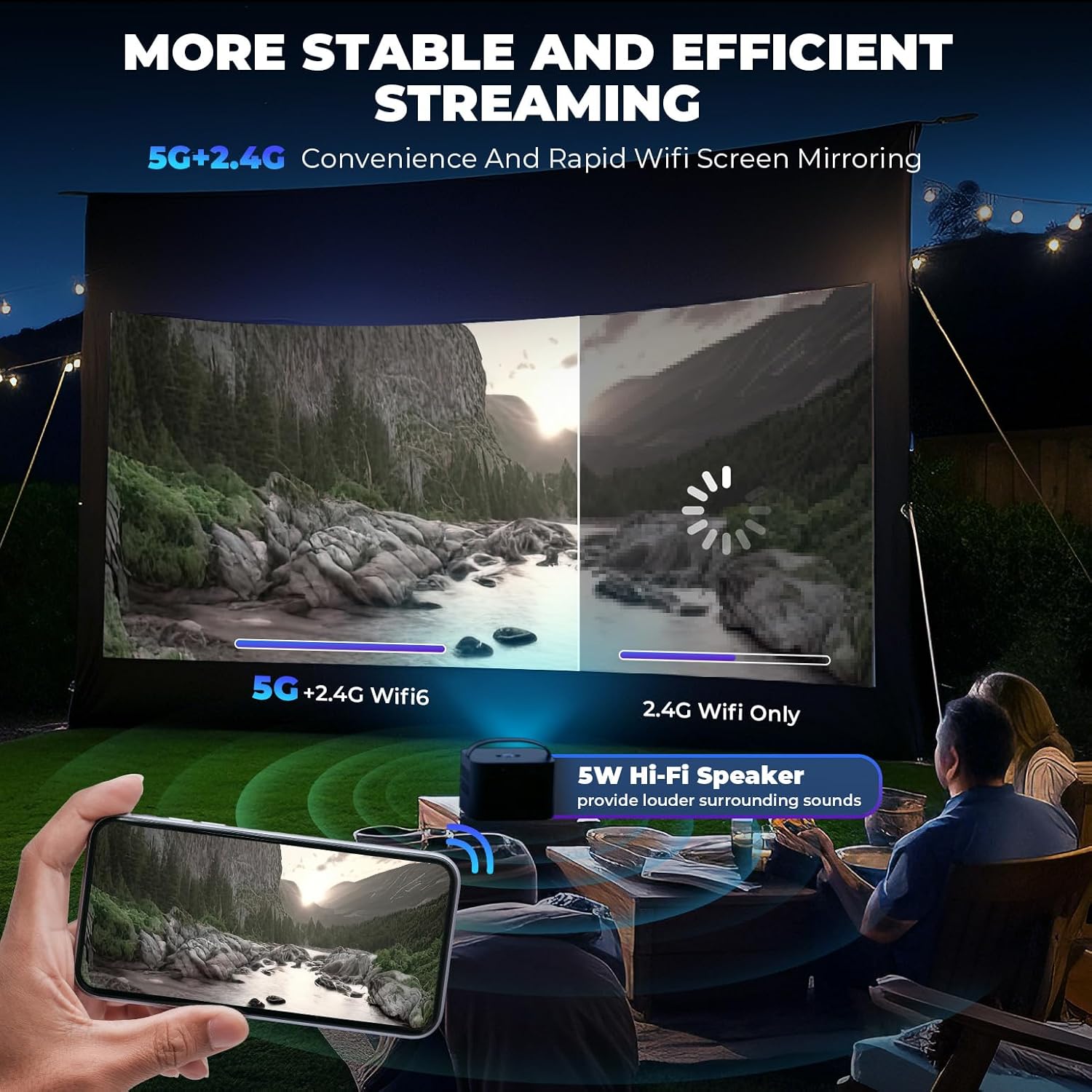
Image: A visual comparison showing the stability and speed of 5G+2.4G dual-band WiFi versus 2.4G WiFi only, emphasizing efficient streaming.
5.2 Screen Mirroring (iOS/Android)
Wirelessly mirror your smartphone or tablet screen to the projector.
- Для пристроїв iOS (Airplay):
- Ensure your iOS device and projector are connected to the same Wi-Fi network.
- On your iOS device, open Control Center and tap Віддзеркалення екрана.
- Select the projector from the list (e.g., "A89-AirPlay-XXXX").
- Для пристроїв Android (Miracast):
- Ensure your Android device and projector are connected to the same Wi-Fi network.
- On your Android device, open the settings menu and find Налаштування дисплея or Віддзеркалення екрана (назви можуть відрізнятися залежно від пристрою).
- Select the projector from the list (e.g., "A89-Miracast-XXXX").
Note: Due to copyright protection, some streaming services like Netflix, Amazon Prime Video, and Hulu do not support direct screen mirroring.
5.3 Дротові підключення (HDMI, USB)
Підключіть різні пристрої за допомогою доступних портів:
- HDMI: Connect gaming consoles (PS4/PS5, X-Box), laptops, DVD players, or TV boxes using an HDMI cable. Select the HDMI input from the home screen.
- USB: Вставте USB-накопичувач для відтворення медіафайлів files directly. Select ЗМІ з головного екрана.

Image: The DEERFAMY A89 projector connected to various devices like a PS5, external speakers, PC, U disk, DVD, and laptop, illustrating its multi-media connectivity options.
5.4 Масштаб проекції
Налаштуйте розмір проекції від 75% до 100%, не переміщуючи проектор.
- Перейдіть до Налаштування меню.
- Виберіть Варіант а потім Збільшення проекції.
- Use the arrow keys to adjust the zoom level.
Video: Demonstrates how to enlarge and reduce the projected image size using the zoom function in the settings menu.
6. Налаштування зображення та звуку
6.1 Режим зображення
Налаштуйте оптимальні параметри зображення viewдосвід роботи:
- Перейти до Налаштування і виберіть малюнок.
- Вибирайте з різних Режими зображення (e.g., Standard, Dynamic, Mild, User) or adjust individual settings like Contrast, Brightness, Color, Sharpness, and Tint.
- You can also adjust Колірна температура і Зменшення шуму.

Image: A visual representation of the DEERFAMY A89's high-definition image quality, supporting Full HD 1080P and 4K, with an optical coating glass lens for less visual fatigue.
6.2 Sound Mode & Bluetooth Audio
The projector has a built-in 5W Hi-Fi speaker. For enhanced audio, connect external Bluetooth speakers or headphones.
- Перейти до Налаштування і виберіть Звук налаштувати Режим звуку or Автоматична гучність.
- To connect Bluetooth devices, select Bluetooth from the settings menu, turn Режим Bluetooth до On, and search for devices.
- Select your desired Bluetooth device to pair.
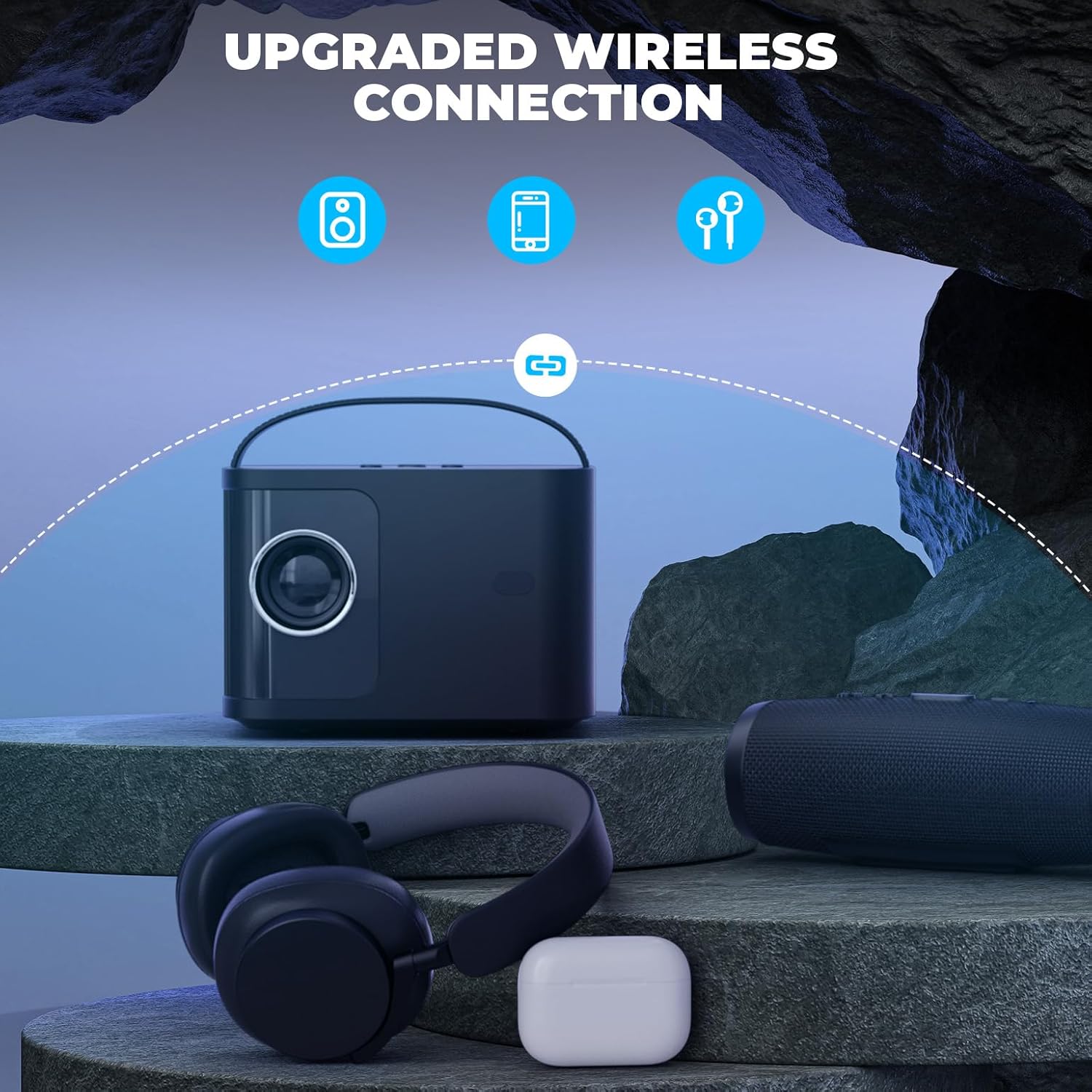
Image: The DEERFAMY A89 projector wirelessly connected to headphones and a portable speaker via Bluetooth, showcasing its upgraded wireless audio capabilities.
7. Сценарії використання
The DEERFAMY A89 is suitable for various environments and activities:
- Домашні розваги: Enjoy movies, TV shows, and gaming on a large screen (60''-120'' recommended).
- Кіновечори просто неба: Its portable design makes it ideal for outdoor use.
- Презентації: Connect to laptops or other devices for clear and sharp presentations.

Image: Illustrates the DEERFAMY A89 projecting a 120-inch screen, showing different mounting options like ceiling mount, tripod, and table mount for a cinema-like viewнабутий досвід.
Image: Depicts the DEERFAMY A89 being used for an outdoor movie night and for enjoying family time indoors, highlighting its versatility.
8. Технічні характеристики
| Бренд | ОЛЕНЕВА РОДИНА |
| Назва моделі | DF A89 |
| Роздільна здатність дисплея | 1920 x 1080 (Supports 1080P Full HD) |
| Яскравість | 10000 люменів |
| Коефіцієнт контрастності | 10000:1 |
| Технологія підключення | Wireless (2.4G/5G WiFi, Bluetooth), HDMI, USB, 3.5mm Jack |
| Корекція коректури | ±40° Vertical Electric Keystone Correction |
| Збільшення проекції | 75%-100% |
| Відстань проекції | 1.3M-3.5M (60''-120'' screen) |
| Термін експлуатації джерела світла | 50000 години |
| Вбудований динамік | 5W Hi-Fi Speaker |
| Розміри (Д x Ш x В) | 7.87 см (Д) x 7.48 см (Ш) x 7.09 см (В) |
| вага | 2.2 фунти (0.95 кг) |
9. Технічне обслуговування
Регулярне технічне обслуговування забезпечує довговічність та оптимальну продуктивність вашого проектора.
- Очищення лінз: Use the provided cleaning kit to gently clean the projector lens. Avoid abrasive materials that could scratch the lens.
- Пиловий фільтр: The projector features a detachable dust filter. Regularly clean or replace the filter to prevent dust buildup, which can affect image quality and internal components.
- Зберігання: When not in use, store the projector in a cool, dry place, away from direct sunlight and extreme temperatures. Use the lens cap to protect the lens.
10. Вирішення проблем
If you encounter issues with your DEERFAMY A89 projector, refer to the following common solutions:
- Немає живлення:
- Переконайтеся, що шнур живлення надійно підключено як до проектора, так і до справної розетки.
- Перевірте, чи правильно працює адаптер живлення.
- Немає зображення/сигналу:
- Verify that the correct input source (HDMI, Media, Airplay, Miracast) is selected on the projector.
- Check all cable connections (HDMI, USB) for looseness or damage.
- For wireless connections, ensure both the device and projector are on the same Wi-Fi network and screen mirroring is activated.
- Розмите зображення:
- Adjust the electric focus using the projector's buttons or remote control.
- Perform keystone correction to ensure the image is rectangular.
- Ensure the projection surface is flat and the projector is placed at an appropriate distance.
- Немає звуку:
- Перевірте налаштування гучності на проекторі та підключеному пристрої.
- Якщо ви використовуєте зовнішні динаміки, переконайтеся, що вони правильно підключені через Bluetooth або 3.5-мм аудіороз'єм.
- Проблеми з підключенням Wi-Fi/Bluetooth:
- Перезавантажте проектор та ваш Wi-Fi роутер/пристрій Bluetooth.
- Ensure the projector is within range of your Wi-Fi network or Bluetooth device.
- Re-enter Wi-Fi passwords carefully.
11. Гарантія та підтримка
DEERFAMY provides a Політика гарантії 2 роки and lifelong professional technical support for the A89 Mini Projector.
For technical assistance or warranty claims, please contact DEERFAMY customer support through their official channels or the retailer where the product was purchased.
Відвідайте DEERFAMY Store on Amazon для отримання додаткової інформації та ресурсів підтримки.