
1. Вступ
Thank you for choosing the Baseus 35W USB C GaN5 Power Strip. This device is a versatile 7-in-1 charging station designed to power multiple electronic devices simultaneously. It features 3 AC outlets, 2 USB-C ports, and 2 USB-A ports, offering a total power output of 35W for fast charging and a 4000W power strip capacity. Equipped with advanced GaN5 technology and smart digital protection, it ensures efficient and safe charging for your laptops, tablets, smartphones, and other electronic gadgets.
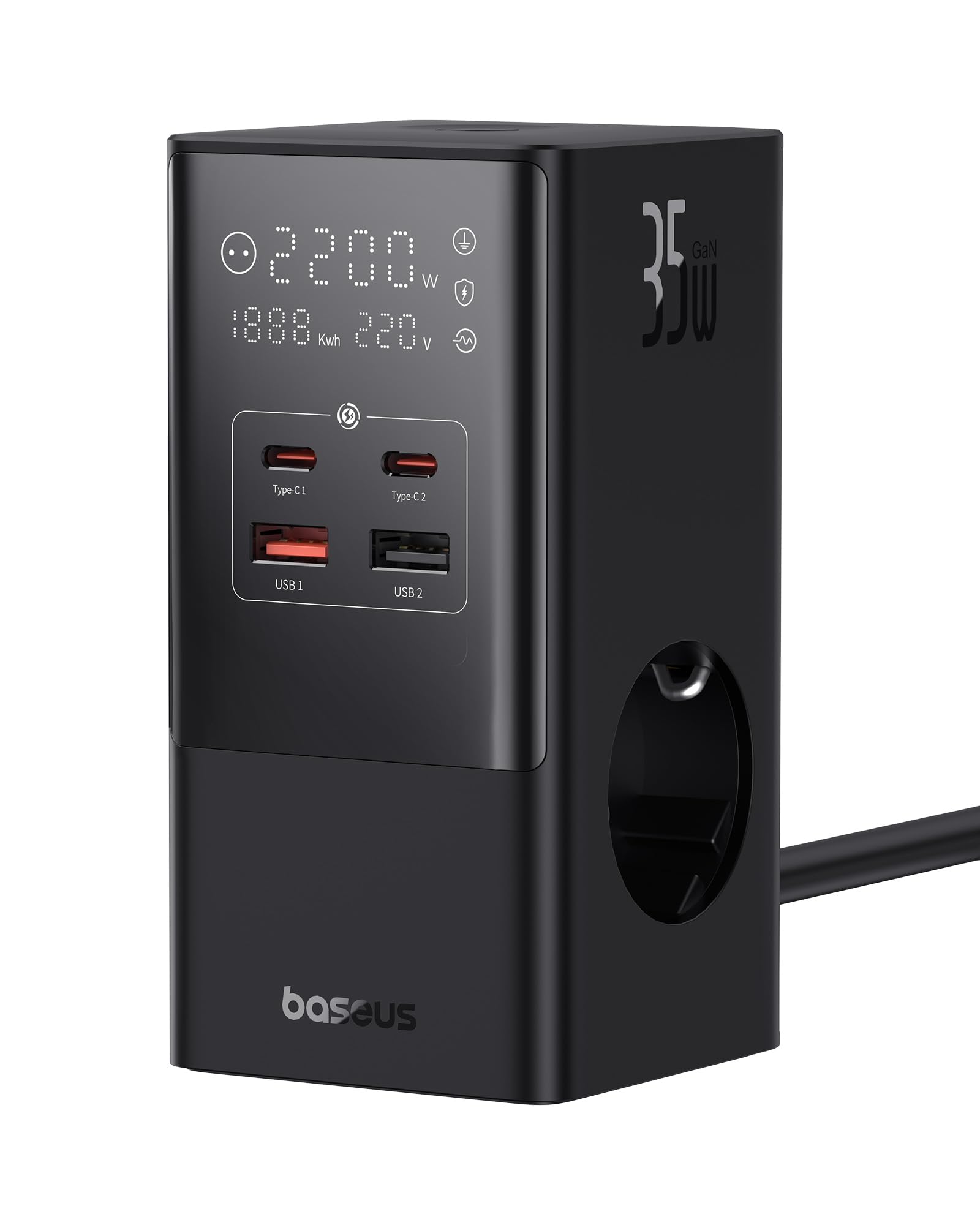
Image 1.1: The Baseus 7-in-1 Charging Station in use, illustrating its multiple ports and compact design.
2. Техніка безпеки
Будь ласка, прочитайте та зрозумійте всі інструкції з безпеки перед використанням цього виробу. Недотримання цих інструкцій може призвести до ураження електричним струмом, пожежі або серйозних травм.
- Do not exceed the maximum load of 4000W for the AC outlets.
- This device is equipped with 1200J surge protection and lightning protection. However, avoid using it during thunderstorms.
- Do not disassemble, modify, or repair the device yourself. Contact qualified service personnel for assistance.
- Тримайте пристрій подалі від води, вологи та високих температур.
- Ensure the power plug is fully inserted into the wall socket.
- Не використовуйте пристрій, якщо кабель або вилка пошкоджені.
- Зберігати в недоступному для дітей місці.
- The device features a 0.1-second automatic short-circuit shutdown to protect connected devices from overcurrent, overvoltagе, і підволtage.

Image 2.1: Illustration of the 1200J Surge & Lightning Protection feature, highlighting enhanced safety.
3. Вміст упаковки
Перевірте наявність усіх елементів в упаковці:
- 1 x Baseus 35W USB C GaN5 Power Strip
- 1 х посібник користувача
- 1 х гарантійний талон
- 1 x Nano Adhesive Pad
4. Особливості продукту
The Baseus 35W USB C GaN5 Power Strip offers a comprehensive charging solution with multiple advanced features:
- Зарядна станція 7-в-1: Equipped with 3 AC power outlets, 2 USB-C ports, and 2 USB-A ports to charge up to 7 devices simultaneously.
- Швидка зарядка 35 Вт PD: Utilizes GaN5 technology for efficient and rapid charging of compatible devices, such as MacBooks, iPads, and iPhones.
- 4000W Power Strip: Provides robust power delivery for various appliances and electronics.
- Розумний цифровий дисплей: A unique digital screen monitors real-time charging information, including power, current, and charging status.
- Комплексний захист безпеки: Features 1200J surge protection, lightning protection, and 9 additional safety measures to safeguard your devices from current fluctuations and potential hazards.
- 0.1s Automatic Short-Circuit Shutdown: Industry-leading rapid shutdown mechanism to protect devices from damage due to short circuits or overloads.
- Automatic Power Split (BPS 2.0): Intelligently distributes power across connected USB ports for optimized charging efficiency.
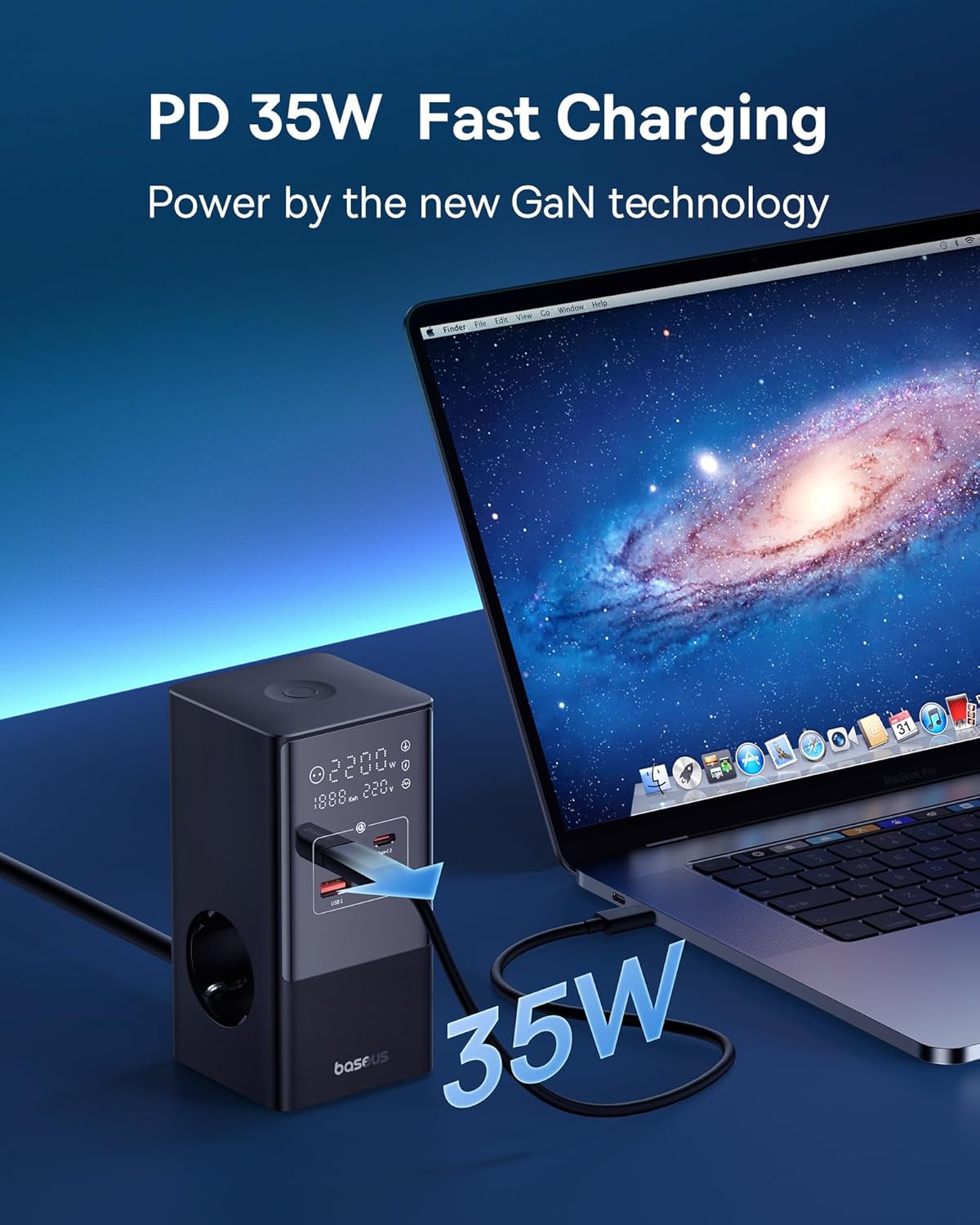
Image 4.1: The power strip providing 35W PD fast charging to a MacBook Pro.

Image 4.2: Visual representation of the Automatic Split Power feature, ensuring optimal power distribution.

Image 4.3: Digital Smart Protection actively eliminating potential hazards compared to standard power strips.
5. Налаштування
- Розпакуйте пристрій: Carefully remove the power strip and all accessories from the packaging.
- Виберіть місце розташування: Place the power strip on a stable, flat surface, away from direct sunlight, heat sources, and moisture. Ensure adequate ventilation.
- Підключення до живлення: Plug the power strip's main cable into a grounded wall outlet.
- Optional: Secure with Nano Adhesive Pad: If desired, use the provided nano adhesive pad to secure the power strip to a surface. Ensure the surface is clean and dry before application.
- Підключіть пристрої: Plug your electronic devices into the available AC outlets, USB-C ports, or USB-A ports.
6. Інструкція з експлуатації
6.1 Використання розеток змінного струму
- Insert the power plugs of your devices into the 3 AC outlets.
- Ensure that the total power consumption of all connected AC devices does not exceed 4000W.
6.2 Використання портів заряджання USB
- Connect your USB-C compatible devices to the 2 USB-C ports for fast charging.
- Connect your USB-A compatible devices to the 2 USB-A ports.
- The power strip will automatically detect the connected device and deliver optimal charging current.
6.3 Розуміння цифрового дисплея
The integrated digital display provides real-time feedback on the power strip's status:
- Working Status Display: Shows the current power output (W) and voltagе (V).
- Digital Protection Indication: Indicates active protection features.
- Grounded Indication: Confirms proper grounding for safety.

Image 6.1: The smart digital display providing real-time charging status and safety indicators.
7. Технічне обслуговування
- Прибирання: Disconnect the power strip from the wall outlet before cleaning. Use a soft, dry cloth to wipe the surface. Do not use liquid cleaners or aerosols.
- Зберігання: Якщо пристрій не використовується протягом тривалого часу, від’єднайте його від мережі та зберігайте в прохолодному сухому місці.
- Огляд: Періодично перевіряйте шнур живлення та вилку на наявність будь-яких ознак пошкоджень. Якщо виявлено пошкодження, припиніть використання та зверніться до служби підтримки клієнтів.
8. Вирішення проблем
Якщо у вас виникли проблеми з подовжувачем Baseus, зверніться до наступних поширених проблем та рішень:
| проблема | Можлива причина | Рішення |
|---|---|---|
| Немає живлення на підключених пристроях. | Power strip not plugged in; wall outlet not working; device's power switch off; internal safety mechanism triggered. | Ensure the power strip is securely plugged into a live wall outlet. Check if the wall outlet works with another device. Verify connected devices are switched on. Unplug all devices, wait a few minutes, and plug them back in. |
| Slow charging via USB ports. | Cable issue; device not supporting fast charging; multiple devices drawing high power simultaneously. | Use a high-quality, fast-charging compatible USB cable. Ensure your device supports PD fast charging. If many devices are connected, the power may be distributed, reducing individual port speed. Try charging fewer devices. |
| Digital display is off or flickering. | Loose connection; internal fault. | Ensure the power strip is firmly plugged into the wall outlet. If the issue persists, discontinue use and contact customer support. |
| Power strip feels hot. | Overload; poor ventilation. | Reduce the number of connected devices, especially high-power ones. Ensure the power strip has adequate airflow and is not covered. If it remains excessively hot, unplug immediately. |
9. Технічні характеристики
| Бренд | Baseus |
| Модель | CCGAN35-S3ACE |
| Колір | чорний |
| Розетки змінного струму | 3 |
| USB порти | 2 x USB-C, 2 x USB-A (Total 4 USB ports) |
| Max AC Power Output | 4000 Вт |
| Max USB Power Output | 35 Вт (загальна) |
| томtage | 230 В |
| Макс. Струм | 17.39 Amperes |
| Рейтинг захисту від перенапруги | 1200 Джоулів |
| матеріал | пластик |
| Розміри (Д x Ш) | 6.6 х 6.6 сантиметрів |
| вага | 519 грамів |
| Сумісні пристрої | MacBook Pro/Air, XPS, ThinkPad, MateBook, iPhone 15/14/13/12 series, iPad Pro/Air/Mini, Galaxy S/Tab series, Pixel, Redmi, Xiaomi, and other USB-C/USB-A powered devices. |
10. Гарантія та підтримка клієнтів
This product comes with a warranty. Please refer to the included Warranty Card for specific terms and conditions regarding coverage and duration. For technical support, troubleshooting assistance, or warranty claims, please contact Baseus customer service through their official webсайт або роздрібний продавець, де було придбано товар.
For further information, you may visit the official Baseus store: Офіційний магазин Baseus