
вступ
This manual provides essential information for setting up, operating, maintaining, and troubleshooting your Dell Latitude Rugged Extreme 7330 Laptop. Designed for demanding environments, this rugged laptop offers robust performance and durability. Please read this manual thoroughly to ensure proper use and to maximize the lifespan of your device.
Налаштування
1. Розпакування та первинний огляд
Carefully remove the laptop and all accessories from the packaging. Inspect the device for any signs of damage during transit. Retain the packaging for future transport or service needs.
2. Підключення живлення
Connect the AC adapter to the power port on your laptop and then plug it into a wall outlet. The laptop is designed to operate on AC power and charge the battery simultaneously. Ensure the power indicator light illuminates.
3. Перше завантаження та налаштування операційної системи
Press the power button to turn on the laptop. The device comes pre-installed with Windows 11 Pro. Follow the on-screen prompts to complete the initial setup, including language selection, network connection, and user account creation.
4. Бездротове підключення
- Wi-Fi: During the initial setup or via Windows settings, select your preferred Wi-Fi network and enter the password to connect to the internet.
- Bluetooth: To connect Bluetooth devices, navigate to Windows Settings > Bluetooth & devices, and follow the instructions to pair your accessories.
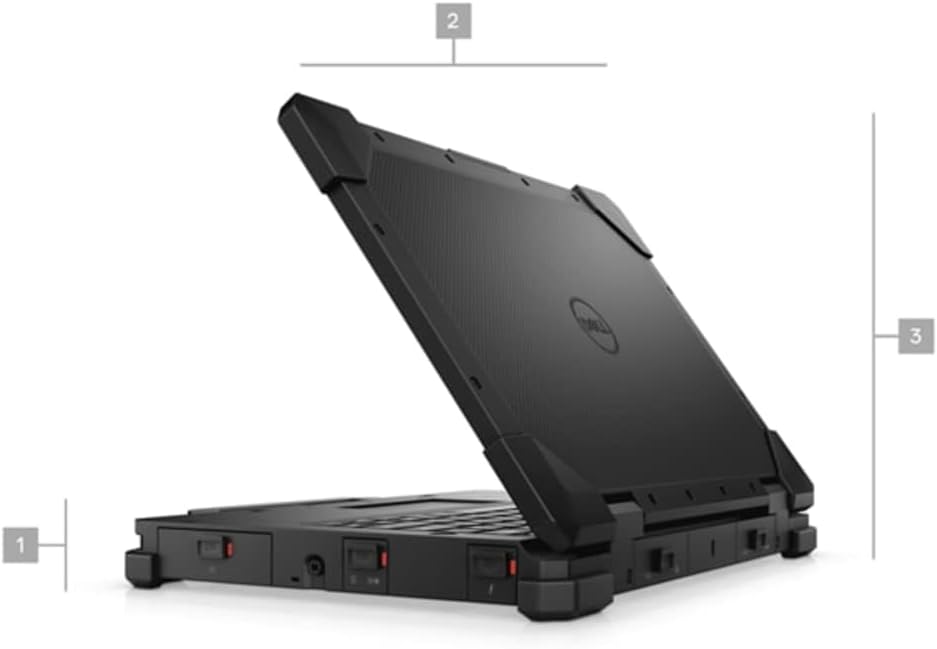
Малюнок 1: Сторона view of the Dell Latitude Rugged Extreme 7330 Laptop, illustrating its robust design and approximate dimensions.
Операційна
1. Основні елементи керування
- Клавіатура: The backlit QWERTY keyboard allows for comfortable typing in various lighting conditions.
- Сенсорна панель: Використовуйте вбудовану сенсорну панель для керування курсором та жестів мультитачу.
- Сенсорний екран: The 13.3-inch Full HD (1920x1080) capacitive touch screen supports direct interaction with the display.
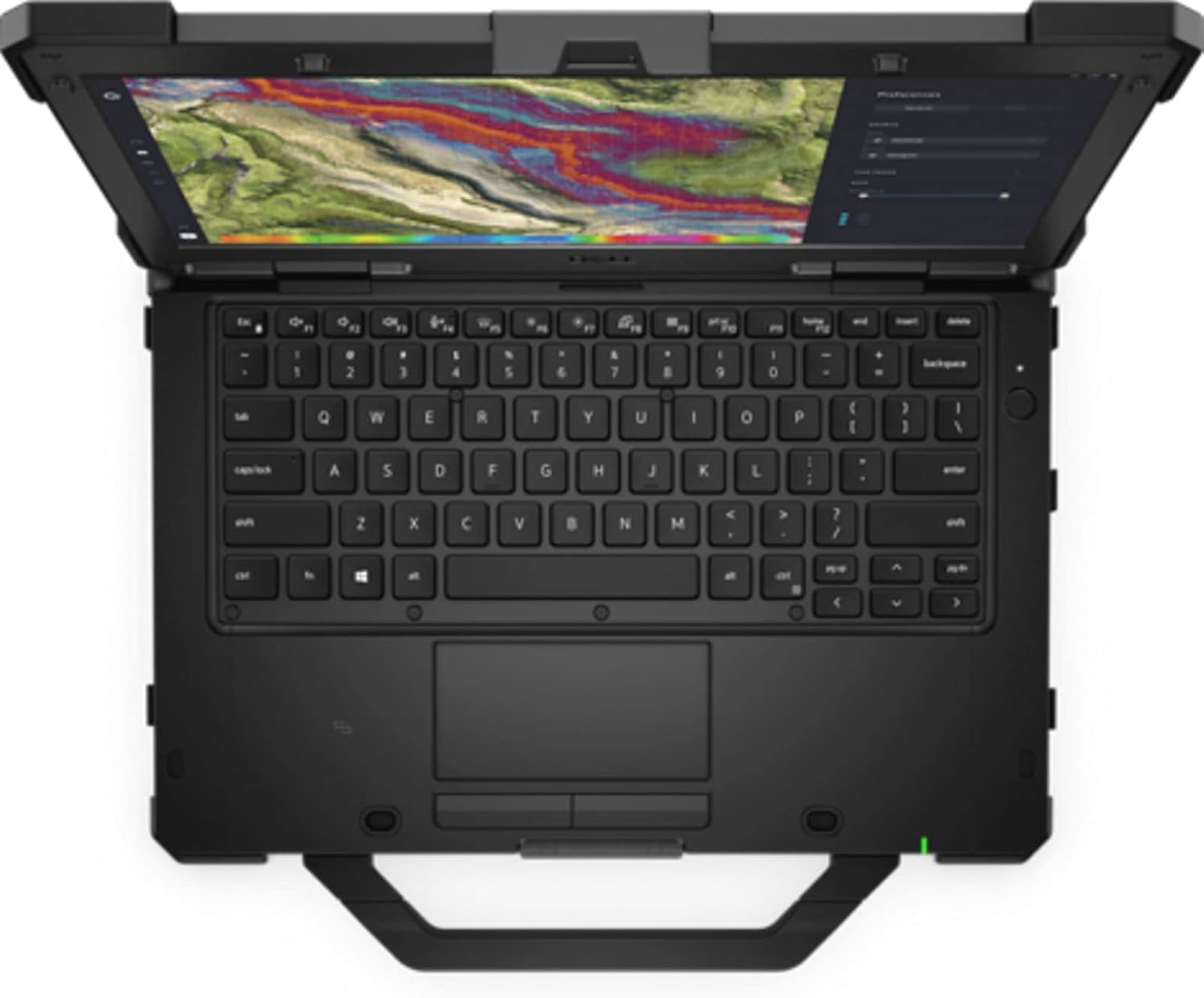
Рисунок 2: Зверху вниз view of the Dell Latitude Rugged Extreme 7330 Laptop, highlighting the keyboard and touchpad layout.
2. Порти та роз'єми
The Latitude Rugged Extreme 7330 is equipped with various ports for connectivity and expansion. Refer to the image below for port locations.
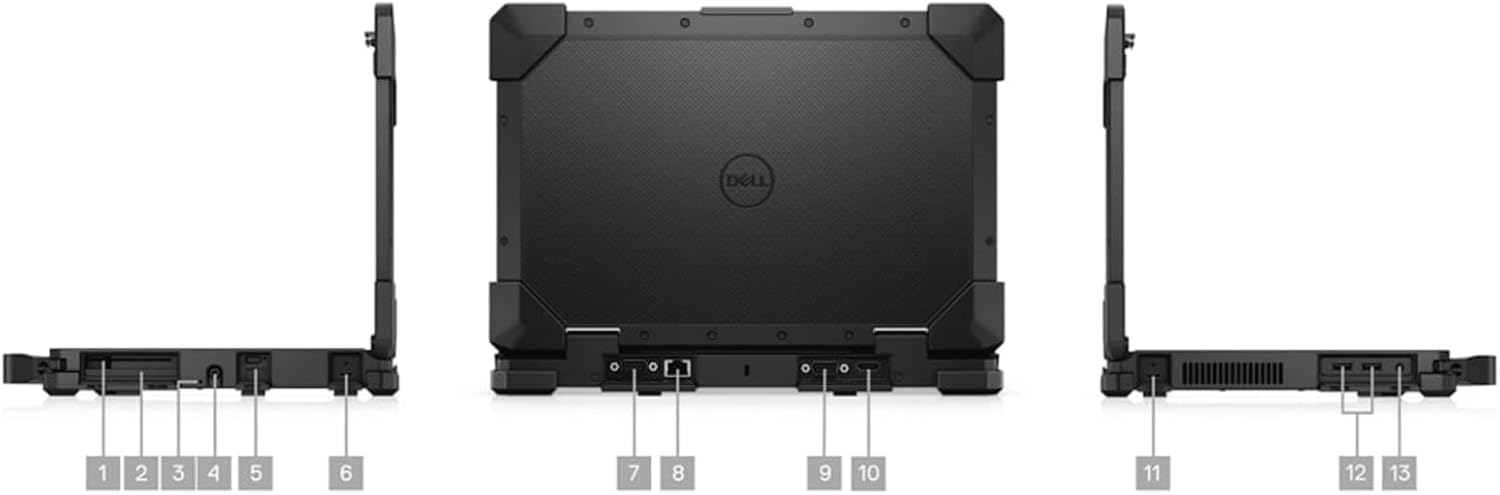
Рисунок 3: Множинні views of the Dell Latitude Rugged Extreme 7330 Laptop, detailing the locations of its various ports and connectors.
- Порти USB: Multiple USB ports (Total 3) are available for connecting peripherals such as external drives, keyboards, and mice.
- Вихід HDMI: Connect to external displays or projectors using the HDMI port.
- Порт Ethernet: Для підключення до дротової мережі.
- Аудіороз'єм: Для навушників або зовнішніх динаміків.
- Зчитувач смарт-карт: For secure authentication (if equipped).
3. Operating System Features
Your laptop runs Windows 11 Pro, offering advanced features for security, management, and productivity. Explore the Start Menu, Taskbar, and Settings app to customize your experience. Features like BitLocker device encryption are included for enhanced data security.
4. Webкулачок
The integrated front-facing webcam allows for video conferencing and capturing images. Access it through applications like Camera or video communication software.
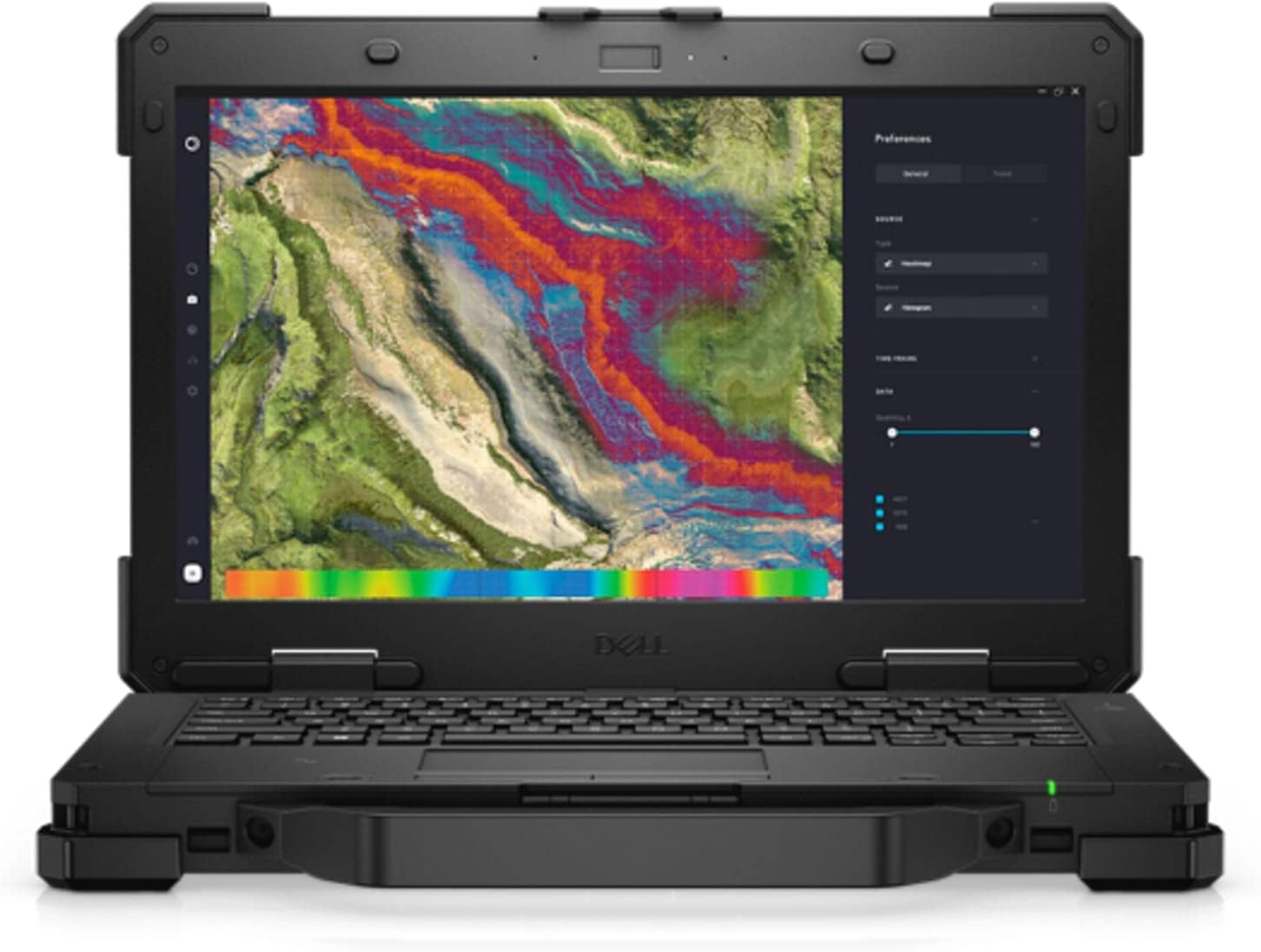
Малюнок 4: Спереду view of the Dell Latitude Rugged Extreme 7330 Laptop with the screen open, displaying a detailed map interface.
Технічне обслуговування
1. Очищення ноутбука
- екран: Злегка протріть м’якою тканиною без ворсу dampводою або засобом для чищення екранів. Уникайте агресивних хімікатів.
- Клавіатура та корпус: Wipe surfaces with a soft cloth. For stubborn dirt, a slightly damp можна використовувати тканину з м’яким милом, переконавшись, що рідина не потрапила в отвори.
- Порти: Keep ports free of dust and debris. Use compressed air carefully if needed.
2. Догляд за акумулятором
- Зарядка: Charge the battery fully before first use. For optimal battery life, avoid frequently discharging the battery completely.
- Зберігання: If storing the laptop for an extended period, ensure the battery is charged to approximately 50% to prevent deep discharge.
3. Оновлення програмного забезпечення
Regularly update your Windows operating system and Dell drivers to ensure optimal performance, security, and compatibility. Windows updates can be managed through the Settings app.
Усунення несправностей
This section addresses common issues you might encounter with your Dell Latitude Rugged Extreme 7330 Laptop.
1. Проблеми з живленням
- Ноутбук не вмикається: Ensure the AC adapter is securely connected to both the laptop and a working power outlet. Check the power indicator light. If using battery, ensure it is charged.
- Акумулятор не заряджається: Verify the AC adapter is functioning correctly. Try a different outlet.
2. Проблеми з дисплеєм
- Немає зображення на екрані: Ensure the laptop is powered on. If an external monitor is connected, try disconnecting it or pressing the display toggle key (often Fn + F8 or similar) to switch display outputs.
- Сенсорний екран не реагує: Перезавантажте ноутбук. Переконайтеся, що драйвери дисплея оновлені.
3. Проблеми з підключенням
- Wi-Fi не підключається: Перевірте, чи ввімкнено Wi-Fi у налаштуваннях Windows. Перезавантажте маршрутизатор і ноутбук. Перевірте пароль Wi-Fi.
- Пристрій Bluetooth не підключається: Переконайтеся, що пристрій Bluetooth перебуває в режимі сполучення та знаходиться в межах досяжності. Перевірте налаштування Bluetooth на ноутбуці.
4. Загальні поради
For many issues, a simple restart of the laptop can resolve temporary glitches. If problems persist, consult the Dell support webсайт або зверніться до технічної підтримки.
Технічні характеристики
Below are the key technical specifications for the Dell Latitude Rugged Extreme 7330 Laptop:
| Особливість | Специфікація |
|---|---|
| Бренд | Dell |
| Назва моделі | Latitude Rugged Extreme 7330 |
| Розмір екрана | 13.3 дюймів |
| роздільна здатність | 1920x1080 (FHD) |
| Тип дисплея | LCD, Touch Screen |
| Модель процесора | Intel Core i5-1145G7 (11-го покоління) |
| Швидкість процесора | 2.6 GHz (up to 4.4 GHz with Turbo Boost) |
| Пам'ять RAM | 16 GB DDR4 @ 3200 MHz |
| Розмір жорсткого диска | Твердотільний накопичувач 256 ГБ (PCIe NVMe M.2) |
| Операційна система | Windows 11 Pro |
| Графічна карта | Інтегрований Intel Graphics |
| Підключення | Wi-Fi, Bluetooth, USB |
| Порти | 3x USB, HDMI |
| Webкулачок | Yes (Front) |
| Клавіатура | Backlit QWERTY |
| Тип батареї | Літій-іонний (4 елемент) |
| Рік моделі | 2022 |
Гарантія та підтримка
1. Гарантія на продукт
Your Dell Latitude Rugged Extreme 7330 Laptop comes with a limited warranty. The terms and conditions of this warranty are provided with your purchase documentation. Please retain your proof of purchase for warranty claims.
2. Технічна підтримка
For further assistance, technical support, or detailed warranty information, please visit the official Dell support website. You can find drivers, manuals, and troubleshooting guides specific to your model.
- Підтримка Dell Webсайт: www.dell.com/support