
1. Вступ
This manual provides essential information for the safe and efficient use of your SAMSUNG 15W Wireless Charger Duo. Please read these instructions thoroughly before operating the device to ensure proper functionality and to prevent damage.
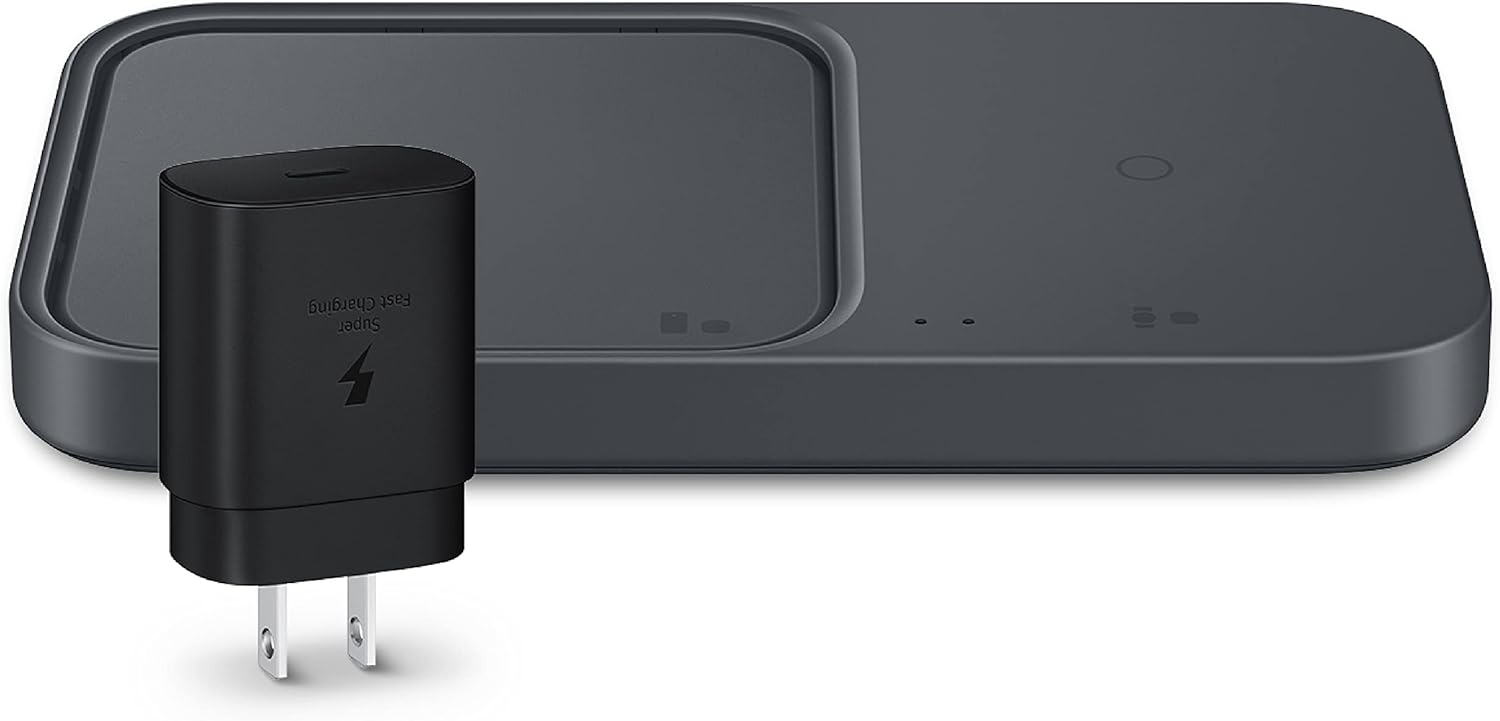
Image: The SAMSUNG 15W Wireless Charger Duo, a black rectangular pad with two charging areas, shown alongside its black 25W power adapter.
2. Що в коробці
- SAMSUNG 15W Wireless Charger Duo
- 25W Travel Adapter (TA)
- 1-meter USB-C to USB-C Cable (DLC)
- Інструкція з експлуатації
3. Інструкції з налаштування
- Підключіть адаптер живлення: Insert the USB-C cable into the charging port on the back of the Wireless Charger Duo.
- Підключити до живлення: Connect the other end of the USB-C cable to the 25W Travel Adapter. Plug the adapter into a standard wall outlet.
- Розміщення: Place the Wireless Charger Duo on a flat, stable surface, ensuring adequate ventilation around the device.
The LED indicator on the charger will briefly illuminate to confirm it is powered on and ready for use.
4. Інструкція з експлуатації
4.1 Зарядні пристрої
The Wireless Charger Duo features two distinct charging areas:
- Primary Charging Pad: Designed for smartphones and other larger Qi-compatible devices.
- Secondary Charging Pad: Optimized for Galaxy Watches (Active 1 and later models) and Galaxy Buds (all models). This pad cannot charge mobile phones.
To charge a device, place it centrally on the appropriate charging pad. The device should begin charging automatically. Ensure proper alignment for optimal charging efficiency.

Image: A black smartphone and a grey Galaxy Watch are simultaneously charging on the white Wireless Charger Duo.
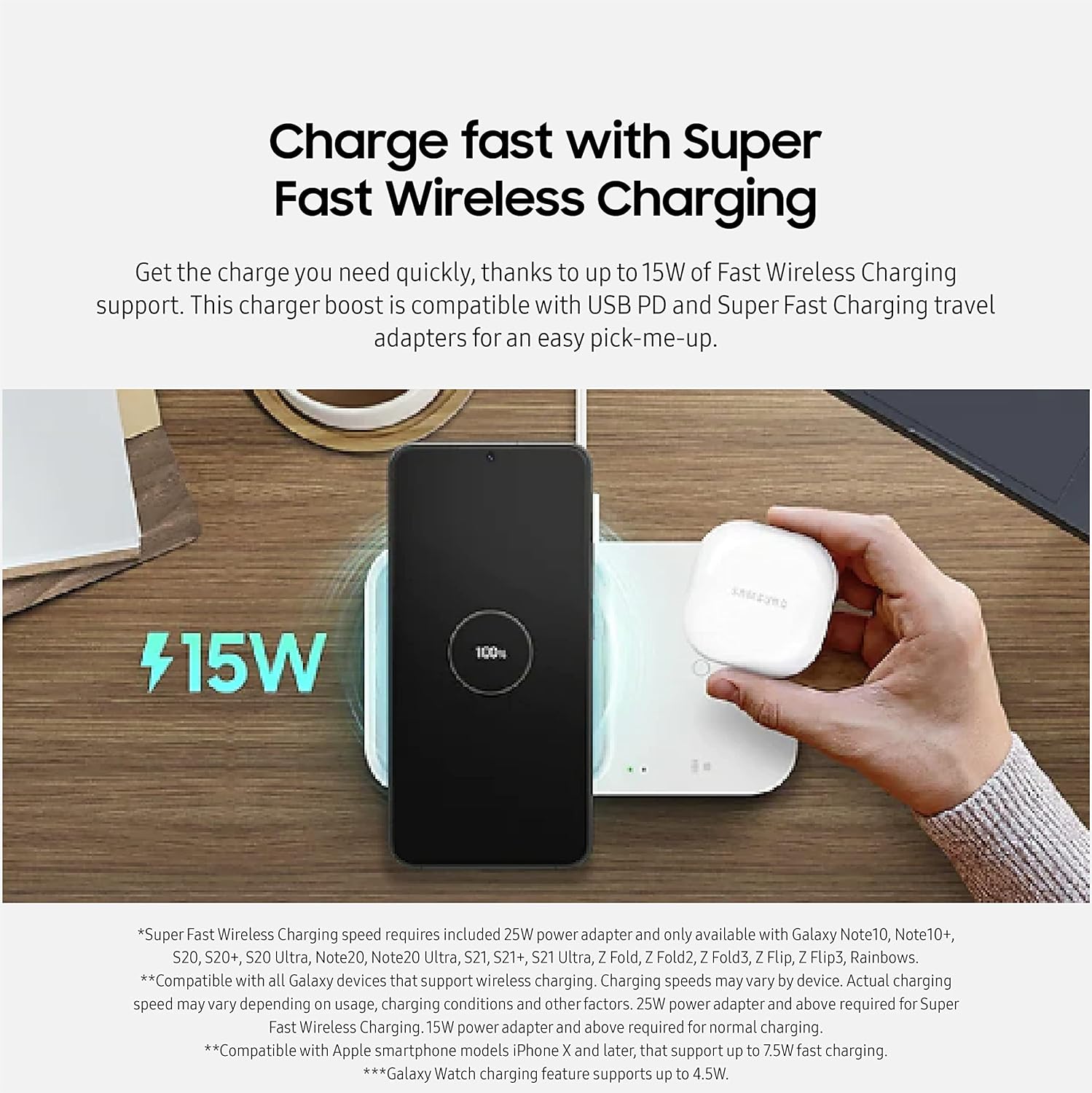
Image: A black smartphone and white Galaxy Buds are simultaneously charging on the white Wireless Charger Duo.
4.2 Fast Wireless Charging
The charger supports up to 15W Fast Wireless Charging for compatible devices. This feature requires the included 25W power adapter for optimal performance. Charging speeds may vary based on device, charging conditions, and other factors.
For Apple smartphones (iPhone X and later), the charger supports up to 7.5W fast charging. Galaxy Watch charging is supported up to 4.5W.
4.3 Система охолодження
The Wireless Charger Duo includes a built-in cooling fan to prevent overheating during fast charging. The fan operates automatically when necessary.
- The cooling fan is located on the primary charging side.
- Users can disable the cooling fan by turning off the 'Fast wireless charging' option on their Galaxy mobile device when charging the mobile device.

Зображення: Внутрішній view of the Wireless Charger Duo showing the cooling fan mechanism beneath a smartphone.
4.4 Світлодіодний індикатор
The LED light provides visual feedback on the charging status:
- Червоний: Пристрій заряджається.
- Блимає червоним: Charging error (e.g., improper device placement, foreign object detected).
- Зелений: Пристрій повністю заряджений.
For models from the Galaxy S10 series onwards, the LED light can be dimmed. A schedule can be set in the device's settings menu to turn off Fast Wireless Charging at a specific time and dim the LED light.

Image: A close-up of the Wireless Charger Duo's LED indicator, showing green for 'Full Charged', red for 'Charging', and yellow for 'Low TA'.
5. Сумісність
The SAMSUNG 15W Wireless Charger Duo is compatible with a wide range of devices that support Qi wireless charging. Specific compatibility includes:
- Телефони Samsung Galaxy: S22/S22 Ultra/S21/S20/S10/S10 Plus/S10E/S9/S9 Plus/Note 9/S8/S8 Plus/Note 8/S7 Edge/S7/S6 Edge plus/Note 5, Z Fold series, Z Flip series.
- Samsung Galaxy Watches: Active2, Watch3, Watch4, and later models (on secondary pad).
- Samsung Galaxy Buds: Buds, Buds2, Buds Live, Buds Pro (on secondary pad).
- Apple iPhone: 13/13 Pro Max/13 Mini/SE 2022/12/12 Mini/12 Pro Max/X/XS/XS Max/XR/8 Plus/8.
- Google Піксель: 6/6XL/5/5XL/4/4 XL/3/3 XL.
- LG: V60 ThinQ/V50 THINQ/V50/V40 THINQ/V35/V30+/V30/G8 THINQ/G8/G6.
- Other Qi-compatible devices: Airpods3, Airpods Pro.
6. Технічне обслуговування
- Прибирання: Використовуйте м’яку суху тканину для очищення поверхні зарядного пристрою. Не використовуйте рідкі засоби для чищення або аерозолі.
- Зберігання: Зберігайте зарядний пристрій у прохолодному сухому місці подалі від прямих сонячних променів і екстремальних температур.
- Обробка: Уникайте падіння зарядного пристрою та сильних ударів.
- Підключення живлення: Always use the included charging cable and travel adapter. Third-party items may cause damage or decrease charging speed.
7. Вирішення проблем
| проблема | Можлива причина | Рішення |
|---|---|---|
| Пристрій не заряджається | Improper device placement Foreign object on charging pad Device not Qi-compatible Адаптер живлення не підключено | Reposition device centrally on the pad Remove any metal objects or cards Verify device supports wireless charging Ensure power adapter is securely connected |
| Миготливий червоний світлодіод | Charging error detected | Remove device, check for foreign objects, and try again. If issue persists, try a different device or power outlet. |
| Повільна швидкість зарядки | Using non-25W power adapter Thick phone case Background apps on device | Ensure use of included 25W adapter Remove phone case or use a thinner one Close unnecessary applications on your device |
| Secondary pad not charging phone | Secondary pad is for watches/earbuds only | Use the primary charging pad for mobile phones. The secondary pad is exclusively for Galaxy Watches and Galaxy Buds. |
8. Технічні характеристики
| Особливість | Деталь |
|---|---|
| Номер моделі | EP-P5400TBEGUS |
| Бренд | SAMSUNG |
| Підключення | USB, бездротовий |
| Тип роз'єму | USB типу C |
| Вхідний об'ємtage | 240 вольт |
| Wattage | 15 Вт (макс.) |
| Вага товару | 10.5 унції |
| Колір | чорний |
| Особливості | Fast Charging, Built-in Cooling Fan |
9. Гарантія та підтримка
Щоб отримати інформацію про гарантію та технічну підтримку, зверніться до офіційного сервісу SAMSUNG. website or contact SAMSUNG customer service. Keep your proof of purchase for warranty claims.
Online resources and FAQs may also be available on the SAMSUNG support portal.