
вступ
This manual provides comprehensive instructions for the setup, operation, maintenance, and troubleshooting of your Samsung The Premiere 4K Smart Laser Short-Throw Projector. Please read this manual carefully before using the product to ensure safe and optimal performance.
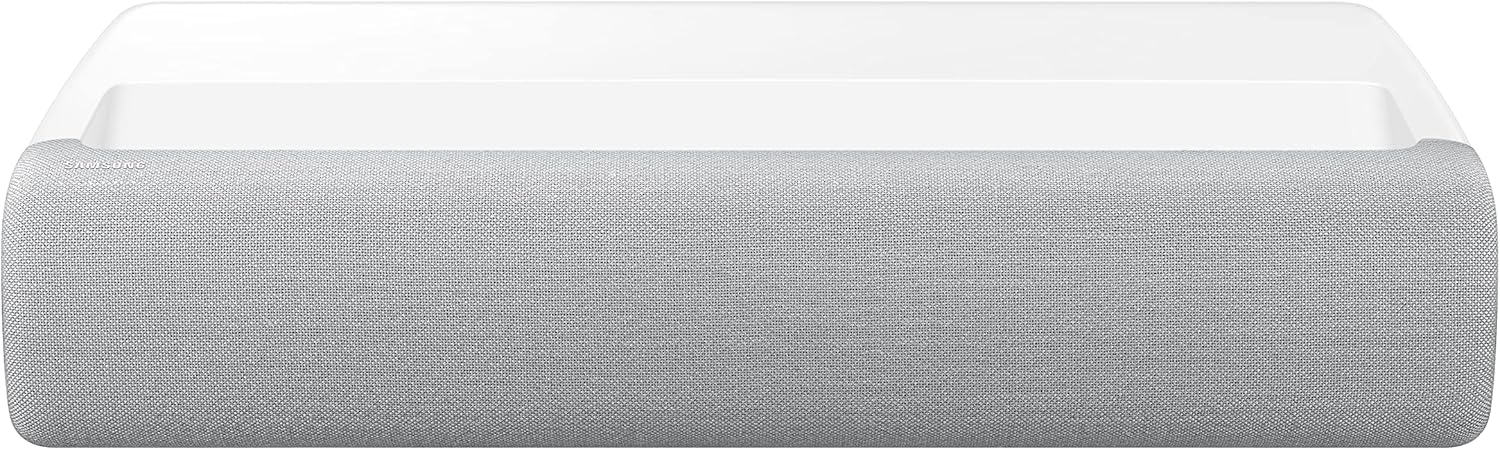
Зображення: спереду view of the Samsung The Premiere 4K Smart Laser Short-Throw Projector, showcasinйого компактний та елегантний дизайн.
Що в коробці
Перевірте, чи всі наступні елементи входять до комплекту вашого продукту:
- Кабель живлення
- Посібник користувача
- Електронний посібник
- Пульт дистанційного керування
Налаштування
Розміщення
The Premiere is a short-throw projector designed to be placed very close to the projection surface. For optimal viewing, place the projector on a flat, stable surface directly in front of the wall or screen. Ensure there are no obstructions between the projector and the projection surface. The ideal distance will vary based on the desired screen size, up to 130 inches.
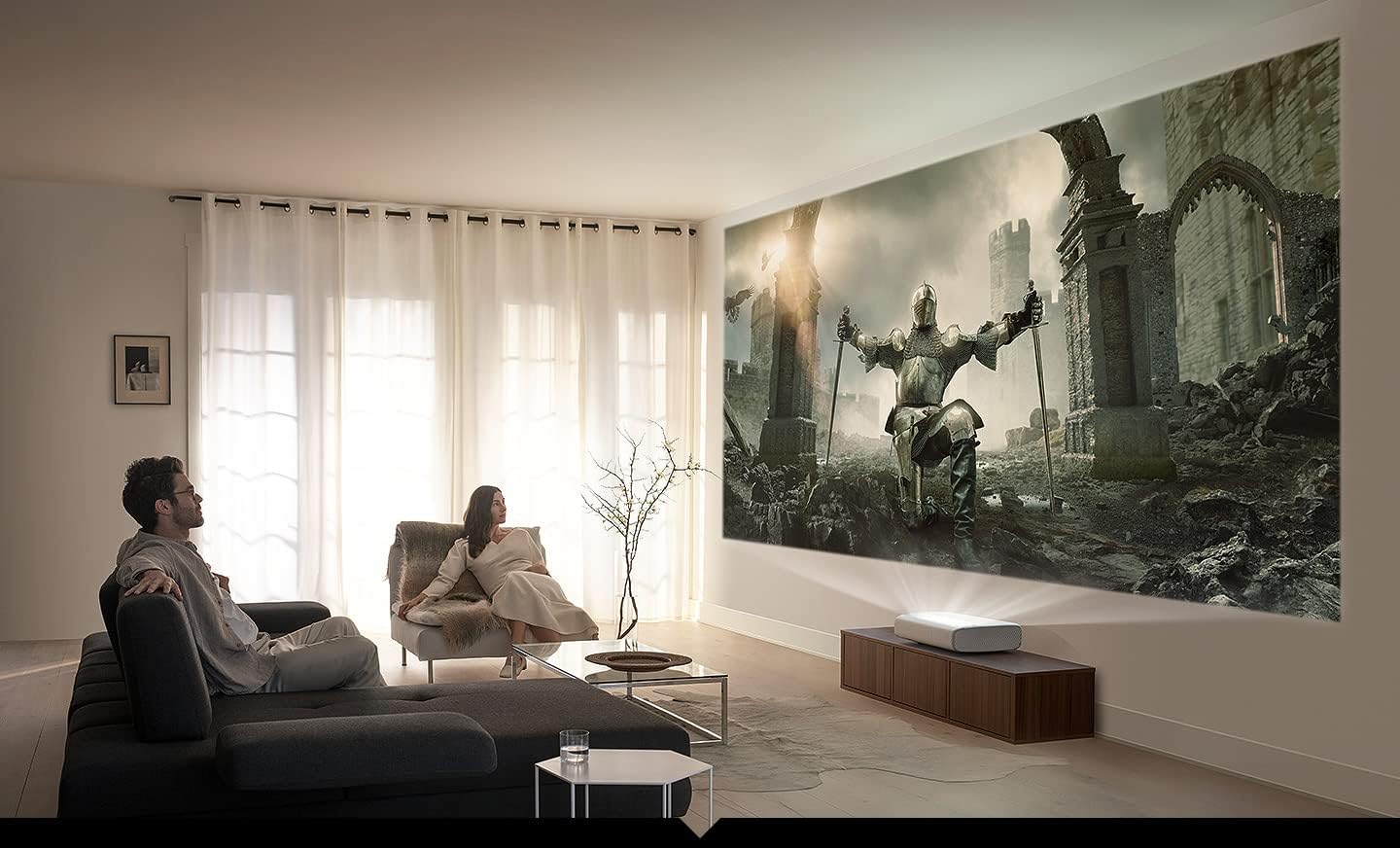
Image: The Samsung The Premiere projector positioned in a living room, projecting a large image onto a wall, demonstrating typical setup.
Підключення живлення
Connect the supplied power cable to the projector's power input port and then plug the other end into a wall outlet. Ensure the power outlet is easily accessible.
Підключення пристроїв
Проектор пропонує кілька варіантів підключення:
- HDMI: Connect external devices such as Blu-ray players, gaming consoles, or set-top boxes to the HDMI ports.
- USB: Використовуйте порт USB для підключення зовнішніх накопичувачів для відтворення медіафайлів.
- Ethernet (LAN): Для стабільного дротового інтернет-з’єднання.
- Bluetooth: Pair with compatible audio devices like soundbars or headphones.
- Цифровий аудіовихід (оптичний): Для підключення до зовнішніх аудіосистем.
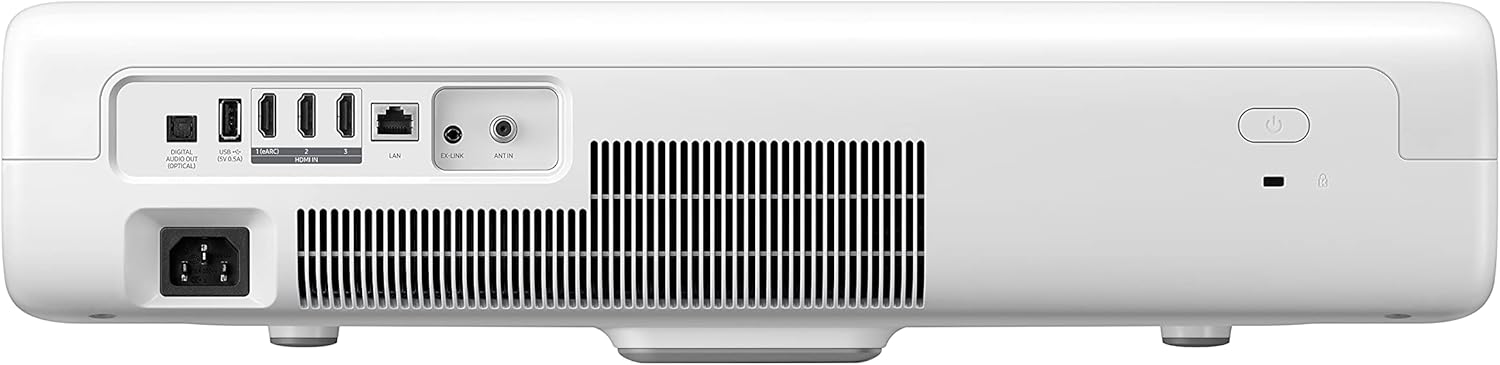
Зображення: Задня частина view of the Samsung The Premiere projector, highlighting the various input and output ports for connectivity.
Інструкція з експлуатації
Початкове налаштування та інтелектуальні функції
Upon first power-on, the projector will guide you through an initial setup process, including network connection and basic settings. The Premiere is powered by Samsung's TIZEN Smart TV platform, offering access to various streaming apps, multiple voice assistants, and mobile mirroring capabilities (Mobile to TV- Mirroring, DLNA, Apple Airplay 2).
Налаштування параметрів
Use the remote control to navigate the on-screen menu and adjust settings such as:
- Параметри зображення: Adjust brightness, contrast, sharpness, color, and select picture modes (e.g., Film Mode). The projector supports 4K UHD resolution and HDR for enhanced visual quality.
- Налаштування звуку: Control volume, select sound modes, and configure the powerful 4.2 Channel System with Woofer and Dolby support.
- Налаштування мережі: Manage Wi-Fi and Ethernet connections.
- Налаштування системи: Access general settings, software updates, and device information.

Image: A visual comparison demonstrating the superior detail and clarity of 4K (3840 x 2160) resolution compared to Full HD (1920 x 1080) when projected.

Image: A diagram illustrating the wide sound dispersion from the projector, indicating its immersive audio capabilities.
Технічне обслуговування
Правильне обслуговування забезпечує довговічність та продуктивність вашого проектора:
- Очищення лінзи: Обережно протріть об’єктив проектора м’якою тканиною без ворсу, спеціально призначеною для оптичних поверхонь. Не використовуйте абразивні засоби для чищення та не застосовуйте надмірних зусиль.
- Очищення вентиляційних отворів: Regularly clean the air vents to prevent dust buildup, which can impede airflow and cause overheating. Use a soft brush or compressed air.
- Зберігання: Якщо проектор не використовується протягом тривалого часу, зберігайте його в прохолодному, сухому місці, подалі від прямих сонячних променів та екстремальних температур.
Усунення несправностей
If you encounter issues with your projector, refer to the table below for common problems and their solutions:
| проблема | Можлива причина | Рішення |
|---|---|---|
| Немає живлення | Power cable not connected securely; Power outlet issue. | Ensure power cable is firmly connected. Try a different power outlet. |
| Немає зображення | Input source not selected; Device not connected properly; Projector in standby mode. | Select the correct input source. Check HDMI/USB connections. Press the power button to wake from standby. |
| Погана якість зображення | Lens dirty; Focus not adjusted; Picture settings incorrect; Ambient light too high. | Clean the lens. Adjust focus. Reset picture settings. Reduce ambient light in the room. |
| Немає звуку | Volume too low; Mute activated; External audio device not connected or selected. | Increase volume. Deactivate mute. Check audio cable connections or Bluetooth pairing. Select correct audio output. |
Технічні характеристики
| Особливість | опис |
|---|---|
| Бренд | SAMSUNG |
| Номер моделі | Прем'єра |
| Роздільна здатність дисплея | 3840 x 2160 (4K UHD) |
| Видима діагональ екрана | 130 дюймів / 331 см |
| Технологія підключення | Bluetooth, Ethernet, HDMI, USB |
| Особливості | HDR, UHD Processor, Film Mode, 4K UHD Ultra Bright Laser, Dolby, Woofer, Multiroom Link, Powerful Audio 4.2 Channel System, Digital Clean View, Auto Game Mode, Mobile to TV- Mirroring, DLNA, SmartThings App Support, Multiple Voice Assistants, Smart TV Powered by TIZEN, Apple TV App, Apple Airplay 2 |
| Колір | Білий |
| Вага товару | 11.5 фунта |
| Розміри продукту | 14.4 x 21.7 x 5.6 дюймів |
| Рекомендоване використання | Розваги |
Гарантія та підтримка
This product is listed as USED and may not include manufacturer coverage. Please refer to your purchase agreement for any applicable seller-provided warranties or return policies.
For technical support or further assistance, please visit the official Samsung support website or contact their customer service. Keep your product's model number and serial number handy when seeking support.
Підтримка Samsung Webсайт: https://www.samsung.com/us/support/