
вступ
Дякуємо за покупкуasing the Samsung HW-Q600A 3.1.2 Ch Dolby Atmos Soundbar with Wireless Subwoofer. This manual provides essential information for the safe and efficient use of your new audio system. Please read it thoroughly before operating the device and retain it for future reference.
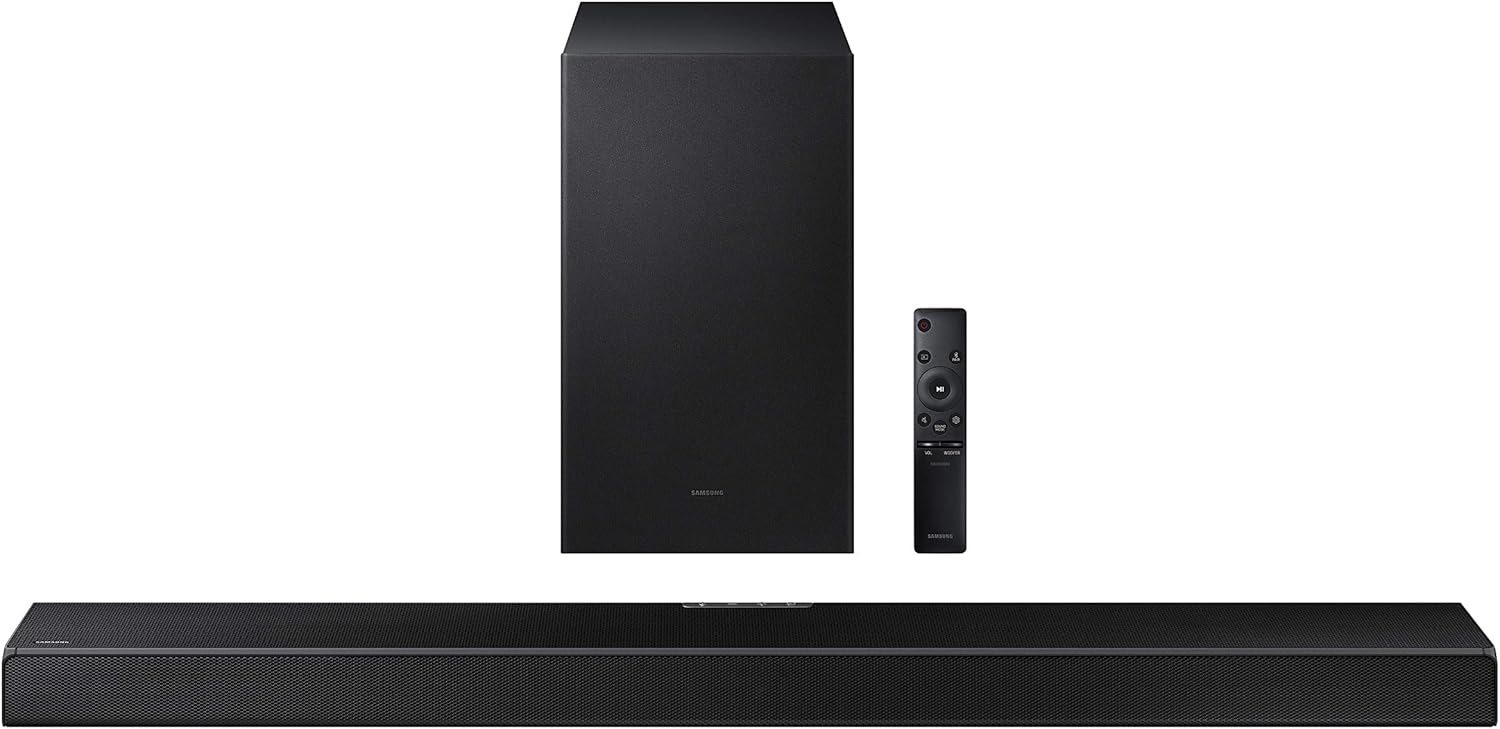
Figure 1: Samsung HW-Q600A Soundbar system components including the soundbar, wireless subwoofer, and remote control.
Інформація про безпеку
Щоб зменшити ризик ураження електричним струмом, пожежі або пошкодження пристрою, дотримуйтесь наступних запобіжних заходів безпеки:
- Не піддавайте цей пристрій дії дощу або вологи.
- Не ставте на пристрій предмети, наповнені рідиною, наприклад вази.
- Забезпечте належну вентиляцію. Не блокуйте вентиляційні отвори.
- Використовуйте лише насадки/аксесуари, зазначені виробником.
- Звертайтеся до кваліфікованого сервісного персоналу.
Вміст упаковки
Перевірте, чи всі предмети входять до вашої упаковки:
- Soundbar (HW-Q600A)
- Бездротовий сабвуфер
- Пульт дистанційного керування з батарейками
- Шнур живлення для саундбара
- Шнур живлення для сабвуфера
- Кабель HDMI
- Настінний кронштейн (додатково)
- Посібник користувача (цей документ)
Налаштування
1. Розміщення
Place the soundbar centrally below your TV. The wireless subwoofer can be placed anywhere in the room, ideally within 10 meters (33 feet) of the soundbar, for optimal bass performance.

Figure 2: Recommended placement of the soundbar directly in front of the television and the wireless subwoofer to the side.
2. Зв'язки
Підключіть саундбар до телевізора одним із наведених нижче способів.
- HDMI ARC (рекомендовано): Connect an HDMI cable from the soundbar's HDMI OUT (TV-ARC) port to your TV's HDMI IN (ARC) port. This allows audio to be sent from the TV to the soundbar and enables control with a single remote.
- Оптичний кабель: Connect an optical cable from the soundbar's DIGITAL AUDIO IN (OPTICAL) port to your TV's Optical Digital Audio Out port.
- Bluetooth: For wireless audio from a mobile device, refer to the 'Bluetooth Pairing' section under Operating.
3. Підключення живлення
Connect the power cords to the soundbar and the wireless subwoofer, then plug them into a wall outlet. The subwoofer will automatically connect to the soundbar when both are powered on.

Figure 3: The wireless subwoofer, designed for flexible placement within the room.
Операційна
1. Основні елементи керування
Use the included remote control to manage your soundbar. The remote allows you to power on/off, adjust volume, change input sources, and select sound modes.

Figure 4: The included remote control for the soundbar, featuring intuitive buttons for various functions.
2. Режими звуку
The HW-Q600A supports various sound modes to optimize your listening experience:
- Стандарт: Забезпечує оригінальний звук без спеціальних ефектів.
- Гра: Provides an immersive gaming experience with optimized sound effects.
- Адаптивний звук: Analyzes content and optimizes sound settings in real-time.
- Dolby Atmos/DTS:X Experience three-dimensional surround sound with overhead effects.

Figure 5: The soundbar adapts to various content types, offering optimized sound modes for dialogue, sports, news, and movies.
3. Bluetooth Pairing (Tap Sound)
To play audio from your mobile device via Bluetooth:
- Увімкніть Bluetooth на своєму мобільному пристрої.
- На пульті дистанційного керування саундбаром натисніть Джерело button to select the "BT" (Bluetooth) input.
- On your mobile device, search for and select "[AV] Samsung Soundbar Q600A" from the list of available devices.
- For Tap Sound, ensure your mobile device has NFC enabled. Gently tap your mobile device to the soundbar's NFC tag (usually on the top or side). The soundbar will automatically connect.

Figure 6: Illustrates the 'Tap Sound' feature, allowing quick Bluetooth pairing by tapping a compatible smartphone to the soundbar.
4. Один пульт дистанційного керування
If connected via HDMI ARC, you can often control the soundbar's volume and power using your Samsung TV's remote control, simplifying your home entertainment setup.

Figure 7: The One Remote Control feature allows a single TV remote to manage both the television and the soundbar for convenience.
Технічне обслуговування
Proper maintenance ensures the longevity and performance of your soundbar system:
- Прибирання: Використовуйте м’яку суху тканину для очищення поверхонь саундбара та сабвуфера. Не використовуйте рідкі засоби для чищення або абразивні матеріали.
- Вентиляція: Ensure that the ventilation openings are not blocked by dust or debris. Regularly clean around the vents.
- Зберігання: Якщо пристрій зберігатиметься протягом тривалого часу, від’єднайте його від живлення та зберігайте в прохолодному, сухому місці, подалі від прямих сонячних променів та екстремальних температур.
Усунення несправностей
If you encounter issues with your soundbar, try the following solutions:
| проблема | Можливе рішення |
|---|---|
| Немає живлення | Check if the power cords are securely connected to the soundbar/subwoofer and the wall outlet. |
| Ні звуку | Verify the input source is correct. Check volume levels on both the soundbar and TV. Ensure cables are properly connected. |
| Сабвуфер не підключається | Ensure both soundbar and subwoofer are powered on. If issues persist, manually pair the subwoofer (refer to the full user manual for specific steps). |
| Проблеми з підключенням Bluetooth | Ensure the soundbar is in BT mode. Delete the soundbar from your device's Bluetooth list and re-pair. Move closer to the soundbar. |
For more detailed troubleshooting or persistent issues, please refer to the comprehensive online user manual or contact Samsung customer support.
Технічні характеристики
Key technical specifications for the Samsung HW-Q600A Soundbar:
- Назва моделі: HW-Q600A
- Бренд: SAMSUNG
- Режим аудіовиходу: Об'ємний
- Технологія підключення: Bluetooth, HDMI, оптичний, USB
- Підключення сабвуфера: Бездротовий
- Розміри продукту: 14"D x 39"W x 12"H (approximate, combined)
- Вага товару: 26.3 pounds (approximate, combined)
- Діаметр НЧ-динаміка: 6 дюймів
- Діапазон Bluetooth: 10 метрів
Гарантія та підтримка
Your Samsung HW-Q600A Soundbar comes with standard manufacturer's warranty. Additionally, this specific product includes an Additional 1 Year Coverage by Epic Protect, extending your peace of mind.

Figure 8: The product includes an additional 1-year extended warranty provided by Epic Protect.
For warranty claims or technical support, please contact Epic Protect directly for the extended coverage, or Samsung customer service for standard warranty and product inquiries. Visit the official Samsung support webсайт для отримання найактуальнішої контактної інформації та ресурсів.

Figure 9: The logo for Epic Protect, the provider of the additional 1-year coverage.