
Emporia V221-4g_001
Emporia Active Glam 4G
Посібник користувача
1. Вступ
This user manual provides detailed instructions for the proper setup, operation, maintenance, and troubleshooting of your new Emporia Active Glam 4G mobile phone. Please read this manual carefully before using the device to ensure optimal performance and longevity. Keep this manual for future reference.

Figure 1.1: Emporia Active Glam 4G mobile phone, closed view displaying both front and back panels.
2. Налаштування
2.1 Розпакування та компоненти
Перевірте наявність усіх компонентів в упаковці:
- Emporia Active Glam 4G Mobile Phone
- Літій-іонний акумулятор
- Підставка для зарядки
- USB-кабель Type-C
- Адаптер живлення
2.2 Встановлення батареї
- Обережно зніміть задню кришку телефону.
- Align the contacts of the Lithium-ion battery with the contacts in the battery compartment.
- Обережно натисніть на батарею, доки вона надійно не закріпиться.
- Встановіть задню кришку назад, переконавшись, що вона зафіксується на місці з клацанням.
2.3 Встановлення SIM-картки
The Emporia Active Glam 4G uses a standard SIM card. Ensure the phone is powered off before inserting or removing the SIM card.
- Remove the back cover and battery (if not already done).
- Знайдіть слот для SIM -карти.
- Вставте SIM-картку золотими контактами вниз, а зрізаний куточок вирівняйте зі слотом.
- Обережно натисніть на SIM-картку, доки вона не зафіксується на місці.
- Встановіть назад акумулятор і задню кришку.
2.4 Зарядка пристрою
Before first use, fully charge the phone. The charging cradle provides a convenient way to charge your device.

Figure 2.1: The Emporia Active Glam 4G phone securely placed in its dedicated charging cradle.
- Connect the USB Type-C cable to the charging cradle and the power adapter.
- Підключіть адаптер живлення до настінної розетки.
- Place the phone into the charging cradle, ensuring it is properly seated and the charging indicator appears on the screen.
- Повна зарядка зазвичай займає приблизно 2-3 години.
2.5 Увімкнення/вимкнення
- Щоб увімкнути: Натисніть і утримуйте кнопку живлення/завершення виклику, доки екран не засвітиться.
- Щоб вимкнути: Натисніть і утримуйте кнопку живлення/завершення виклику, потім виберіть «Вимкнути живлення» з опцій на екрані.
3. Інструкція з експлуатації
3.1 Здійснення та отримання дзвінків

Figure 3.1: The Emporia Active Glam 4G phone opened, revealing its clear display and large, easy-to-use keypad.
- Щоб зателефонувати: Dial the number using the keypad and press the Green Call button.
- Щоб відповісти на дзвінок: Натисніть зелену кнопку виклику, коли телефон дзвонить.
- Щоб завершити дзвінок: Натисніть червону кнопку завершення виклику.
3.2 Надсилання та отримання повідомлень
- Перейдіть до меню «Повідомлення» за допомогою клавіш навігації.
- Виберіть «Нове повідомлення», щоб написати текстове повідомлення.
- Введіть номер одержувача або виберіть його з контактів, а потім напишіть повідомлення.
- Натисніть кнопку «Надіслати», щоб надіслати повідомлення.
3.3 Використання камери
The phone is equipped with a 3 Megapixel camera.
- Відкрийте телефон і перейдіть до програми «Камера».
- Скомпонуйте об'єкт зйомки за допомогою дисплея.
- Press the designated camera button or 'OK' to capture a photo.
3.4 SOS Emergency Call Function
The Emporia Active Glam 4G features a dedicated SOS button for emergencies, located on the back of the device.
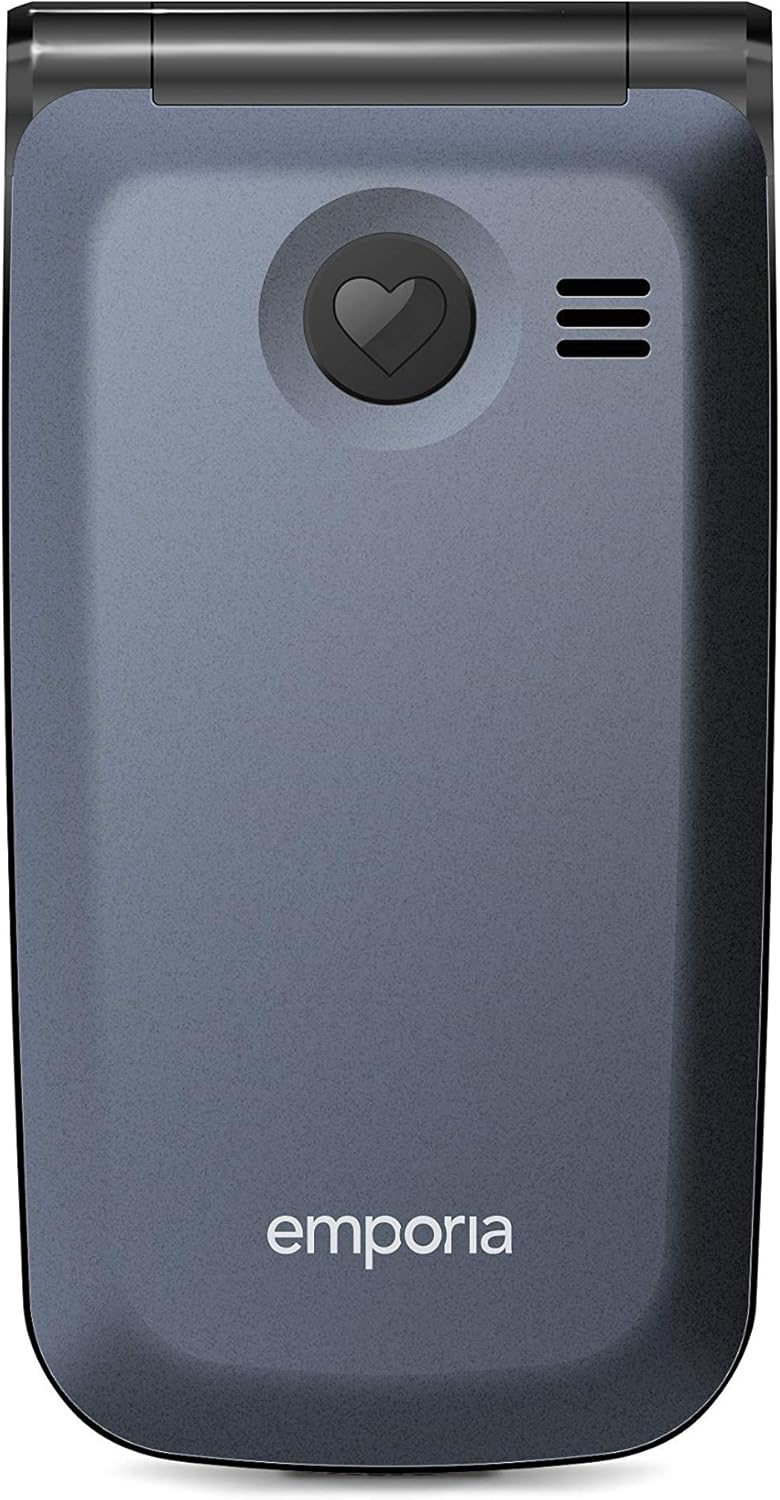
Малюнок 3.2: Задня частина view of the Emporia Active Glam 4G, highlighting the prominent SOS emergency call button.
- налаштування: Before using, configure up to five emergency contacts in the 'SOS Settings' menu. These contacts will be called sequentially until one answers.
- активація: In an emergency, press and hold the SOS button on the back of the phone for a few seconds.
- The phone will automatically dial the pre-set emergency numbers and send an emergency SMS message to them.
3.5 Keypad and Display Navigation
The phone features a clear display and a tactile keypad for easy navigation.
- Use the directional navigation keys (up, down, left, right) to move through menus and options.
- Press the 'OK' or 'Select' button in the center of the navigation keys to confirm a selection.
- The 'Back' or 'Clear' button (often marked with an arrow or 'C') allows you to return to the previous screen or delete characters.
3.6 Connectivity (Bluetooth, Wi-Fi)
The phone supports Bluetooth and Wi-Fi connectivity.
- Bluetooth: Go to 'Settings' > 'Bluetooth' to enable, search for, and pair with other Bluetooth devices like headsets or car kits.
- Wi-Fi: Go to 'Settings' > 'Wi-Fi' to enable, scan for available networks, and connect to a Wi-Fi network by entering the password if required.
4. Технічне обслуговування
4.1 Очищення пристрою
Щоб підтримувати телефон у хорошому стані:
- Використовуйте м’яку тканину без ворсу, щоб протерти екран і корпус телефону.
- Уникайте використання агресивних хімікатів, чистячих спреїв або абразивних матеріалів.
- Не піддавайте телефон впливу надмірної вологи.
4.2 Догляд за акумулятором
Proper battery care can extend its lifespan:
- Уникайте екстремальних температур, як спекотних, так і холодних.
- Не залишайте телефон заряджатися на тривалий час після повної зарядки.
- If the phone will not be used for a long time, store it with a partial charge (around 50%).
4.3 Оновлення програмного забезпечення
While specific software update information is not available, it is generally recommended to keep your device's software updated to ensure optimal performance, security, and access to new features. Check the phone's settings periodically for any available updates.
5. Вирішення проблем
If you encounter issues with your Emporia Active Glam 4G, refer to the following common problems and solutions:
| проблема | Можливе рішення |
|---|---|
| Телефон не вмикається | Переконайтеся, що акумулятор правильно встановлено та заряджено. Підключіть телефон до зарядного пристрою та спробуйте ще раз. |
| Немає сигналу мережі | Перевірте, чи SIM-картка вставлена правильно. Перейдіть до місця з кращим покриттям мережі. Перезавантажте телефон. |
| Не вдається здійснювати або приймати дзвінки | Verify network signal strength. Check if call barring is enabled. Ensure sufficient credit/plan if applicable. |
| Погана якість звуку під час дзвінків | Adjust the call volume. Ensure the microphone and speaker are not obstructed. Move to a quieter environment. |
| Акумулятор швидко розряджається | Зменште яскравість екрана. Закрийте невикористовувані програми. Обмежте використання фонових даних. Подумайте про заміну акумулятора, якщо він старий. |
If the problem persists after trying these solutions, please contact Emporia customer support for further assistance.
6. Технічні характеристики
Key technical specifications for the Emporia Active Glam 4G (Model: V221-4g_001):
| Особливість | Деталь |
|---|---|
| Бренд | Емпорія |
| Номер моделі | V221-4g_001 |
| Колір | Чорниця |
| Тип продукту | Розкидний телефон |
| Операційна система | Android 10.0 |
| Розмір екрана | 2.2 дюймів |
| роздільна здатність | 320 x 240 пікселів |
| Розмір оперативної пам'яті | 512 Мб |
| Швидкість ЦП | 1.3 ГГц |
| Підключення | Bluetooth, USB Type-C, Wi-Fi |
| Стільникові технології | 4G |
| Ефективне вирішення проблеми | 3 мегапікселів |
| Склад батареї | Літій-іонний (1 в комплекті) |
| Особливості | USB, Camera, Keypad, Flash, Touch (implied by OS), Wi-Fi |
7. Гарантія та підтримка
7.1 Інформація про гарантію
Your Emporia Active Glam 4G mobile phone is covered by a manufacturer's warranty. Please refer to the warranty card included in your product packaging or visit the official Emporia webсайт для отримання детальних умов щодо гарантійного покриття, терміну дії та процедур подання претензій.
7.2 Підтримка клієнтів
For technical assistance, troubleshooting beyond this manual, or warranty inquiries, please contact Emporia customer support. Contact details can typically be found on the official Emporia webсайту або в документації продукту.
Інтернет-ресурси: Visit the official Emporia webсайт із поширеними запитаннями, оновленими посібниками та форумами підтримки.
Контактний номер: Refer to your regional Emporia support contact information.
Ask a question about this manual
Ask about setup, troubleshooting, compatibility, parts, safety, or missing instructions. Manuals+ will review the question and use this page’s manual context to help answer it.