
Cooler Master MS-110-KKMF1-US
Cooler Master MS110 Combo Bundle
Посібник користувача
вступ
This manual provides comprehensive instructions for the setup, operation, maintenance, and troubleshooting of your Cooler Master MS110 Combo Bundle. This bundle includes a Mem-chanical Gaming Keyboard and a Gaming Mouse with an Optical Sensor, designed for enhanced gaming and computing experiences.
Key features of this combo include Mem-chanical Switches for tactile feedback, customizable gaming keys for personalized control, and an Optical Sensor in the mouse for precise tracking.
Налаштування
The Cooler Master MS110 Combo is designed for easy plug-and-play setup with your personal computer or gaming console. Both the keyboard and mouse connect via a standard USB-A interface.
Підключення клавіатури та миші
- Locate an available USB-A port on your computer or gaming console.
- Carefully insert the USB connector of the Cooler Master MS110 Keyboard into the USB-A port.
- Insert the USB connector of the Cooler Master MS110 Mouse into another available USB-A port.
- Your operating system (e.g., Windows) should automatically detect and install the necessary drivers. This process may take a few moments.
- Once installation is complete, the keyboard and mouse will be ready for use. The keyboard's RGB lighting will illuminate, indicating it is powered on.
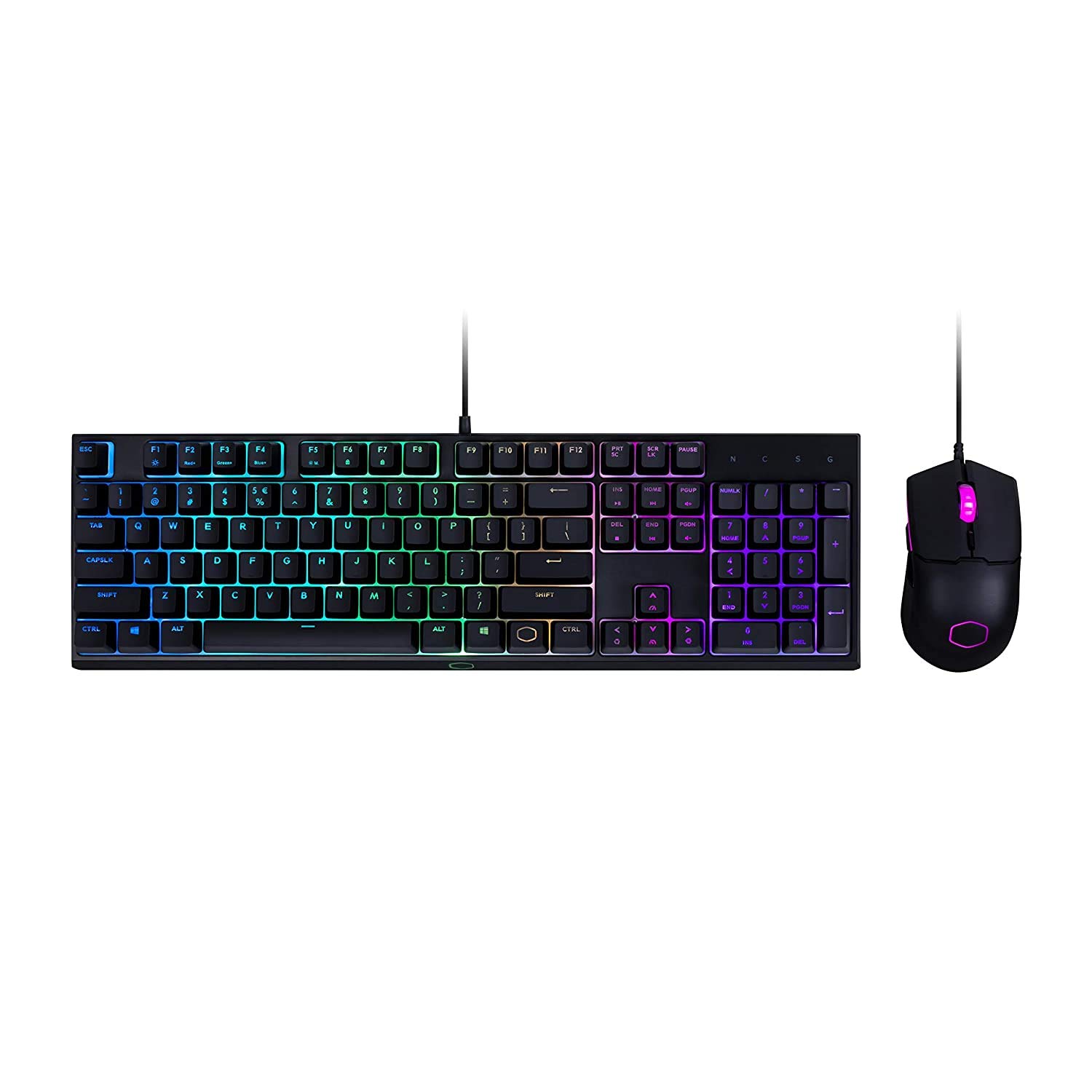
Figure 1: The Cooler Master MS110 Keyboard and Mouse Combo, ready for connection. The keyboard features a full layout with a numeric keypad and RGB backlighting, while the mouse has an ergonomic design with illuminated accents.
Інструкція з експлуатації
Робота з клавіатурою
The MS110 keyboard features Cooler Master's exclusive Mem-chanical switches, providing a tactile and responsive typing experience similar to mechanical keyboards. It includes a full-size layout with a numeric keypad and dedicated media keys.
- Стандартний набор тексту: Використовуйте буквено-цифрові клавіші для введення тексту.
- Функціональні клавіші (F1-F12): These keys perform their standard functions. Some may have secondary functions accessible via the 'Fn' key (refer to on-keyboard legends).
- Елементи керування медіа: Dedicated media keys (e.g., Play/Pause, Volume Up/Down) are typically located above the numeric keypad or integrated with function keys.
- Керування освітленням RGB: The keyboard features vibrant RGB backlighting. Lighting modes and brightness can often be adjusted directly on the keyboard using specific key combinations (e.g., Fn + F-keys or dedicated lighting keys). Refer to the keyboard's printed legends for specific combinations.

Рисунок 2: Кутовий view of the MS110 keyboard and mouse, showcasing the customizable RGB lighting effects on the keyboard's keys and underglow, and the mouse's illuminated scroll wheel and logo.

Рисунок 3: Бічний профіfile of the MS110 keyboard, illustrating its ergonomic design and the slight incline provided by its adjustable feet for comfortable typing and gaming.
Операція мишею
The MS110 mouse is equipped with an optical sensor for precise tracking and is designed for right-hand orientation. It offers responsive control for both general computing and gaming.
- Клік лівою та правою кнопкою миші: Стандартні функції кнопок миші.
- Колесо прокрутки: Used for vertical scrolling and can also function as a middle click button.
- Регулювання DPI: The mouse typically includes a dedicated button (often located behind the scroll wheel) to cycle through different DPI (Dots Per Inch) sensitivity levels, allowing you to adjust cursor speed on the fly.
- Бічні кнопки: If present, these buttons are often programmable for in-game actions or navigation (e.g., forward/back in web browsers).
Технічне обслуговування
Proper maintenance ensures the longevity and optimal performance of your Cooler Master MS110 Combo.
- Очищення клавіатури:
- Від’єднайте клавіатуру від комп’ютера.
- Use a can of compressed air to remove dust and debris from between the keys.
- Протріть клавіші та поверхню клавіатури м’якою, злегка змоченою ганчіркоюamp, тканина без ворсу. Уникайте надмірної вологості.
- Не використовуйте агресивні хімікати, абразивні засоби для чищення або розчинники.
- Очищення миші:
- Від’єднайте мишу від комп’ютера.
- Протріть поверхню миші м’якою, злегка вологою ганчіркоюamp, безворсова тканина.
- Gently clean the optical sensor lens on the bottom of the mouse with a dry cotton swab to ensure accurate tracking.
- Зберігання: When not in use for extended periods, store the combo in a clean, dry environment away from direct sunlight and extreme temperatures.
Усунення несправностей
If you encounter issues with your Cooler Master MS110 Combo, refer to the following common troubleshooting steps.
- Клавіатура або миша не реагують:
- Ensure both USB connectors are securely plugged into the computer's USB ports.
- Спробуйте підключити пристрої до різних USB-портів вашого комп'ютера.
- Перезавантажте комп'ютер.
- Check your computer's Device Manager (Windows) to see if the devices are recognized and if there are any driver issues.
- Keys Not Registering or Mouse Tracking Poorly:
- Perform the cleaning steps outlined in the Maintenance section. Debris under keys or on the mouse sensor can cause issues.
- Переконайтеся, що миша використовується на чистій поверхні, що не відбиває світло.
- RGB-освітлення не працює:
- Verify the keyboard is properly connected and powered.
- Cycle through lighting modes using the keyboard's built-in controls (refer to the Operating section).
- If applicable, check for any software-based lighting controls from Cooler Master (though no specific software is mentioned in product details).
Технічні характеристики
| Особливість | Деталь |
|---|---|
| Бренд | Cooler Master |
| Номер моделі | MS-110-KKMF1-US |
| Розміри продукту | 55.8 х 18.7 х 4.6 см |
| Вага товару | 1.08 kg (Keyboard and Mouse combined) |
| Апаратний інтерфейс | USB |
| Технологія підключення | USB (дротовий електричний) |
| Сумісні пристрої | Персональний комп'ютер, ігрова консоль |
| Операційна система | вікна |
| Особливості | Mem-chanical Switches, Customizable Gaming Keys, Optical Sensor, Attached Light (RGB) |
| Опис клавіатури | Ігри |
| Movement Detection Technology (Mouse) | Оптичний |
| Hand Orientation (Mouse) | правильно |
Інформація про гарантію
Cooler Master products are typically covered by a limited warranty. For specific warranty terms, conditions, and duration applicable to your MS110 Combo Bundle, please refer to the warranty card included with your product packaging or visit the official Cooler Master webсайт. Для пред'явлення гарантійних претензій може знадобитися підтвердження покупки.
Підтримка
For further assistance, technical support, or to download the latest drivers and software (if available), please visit the official Cooler Master support webсайт. Ви також можете знайти там розділ поширених запитань та форуми спільноти.
Official Cooler Master Store: Cooler Master Store on Amazon.in
Ask a question about this manual
Ask about setup, troubleshooting, compatibility, parts, safety, or missing instructions. Manuals+ will review the question and use this page’s manual context to help answer it.