
Philips 245E1S-00
Інструкція користувача монітора Philips 245E1S
Model: 245E1S-00
1. Інформація про безпеку
Please read these safety instructions carefully before using your monitor. Keep this manual for future reference.
- Не піддавайте монітор впливу дощу або вологи.
- Не блокуйте вентиляційні отвори. Встановлюйте відповідно до інструкцій виробника.
- Не встановлюйте поблизу будь-яких джерел тепла, таких як радіатори, обігрівачі, печі або інші пристрої (включаючи ampліфікатори), які виробляють тепло.
- Захищайте шнур живлення від наступання або защемлення, особливо біля вилок, розеток і в місці виходу з пристрою.
- Використовуйте лише насадки/аксесуари, зазначені виробником.
- Відключайте цей пристрій від мережі під час грози або якщо він не використовується протягом тривалого часу.
- Зверніть усі послуги до кваліфікованого обслуговуючого персоналу. Технічне обслуговування вимагається, якщо прилад будь -яким чином пошкоджений.
2. Вміст упаковки
Перевірте, чи всі перелічені нижче предмети присутні у вашій упаковці:
- Philips 245E1S Monitor Display
- База підставки
- Стенд Neck
- Кабель живлення
- Кабель HDMI
- Посібник користувача (цей документ)
3. Налаштування
3.1. Збірка підставки для монітора
Виконайте такі кроки, щоб зібрати підставку для монітора:
- Carefully place the monitor display face down on a soft, clean surface to prevent scratches.
- Attach the stand neck to the stand base, ensuring it clicks securely into place.
- Align the assembled stand with the mounting holes on the back of the monitor display.
- Gently push the stand into the monitor until it locks securely.
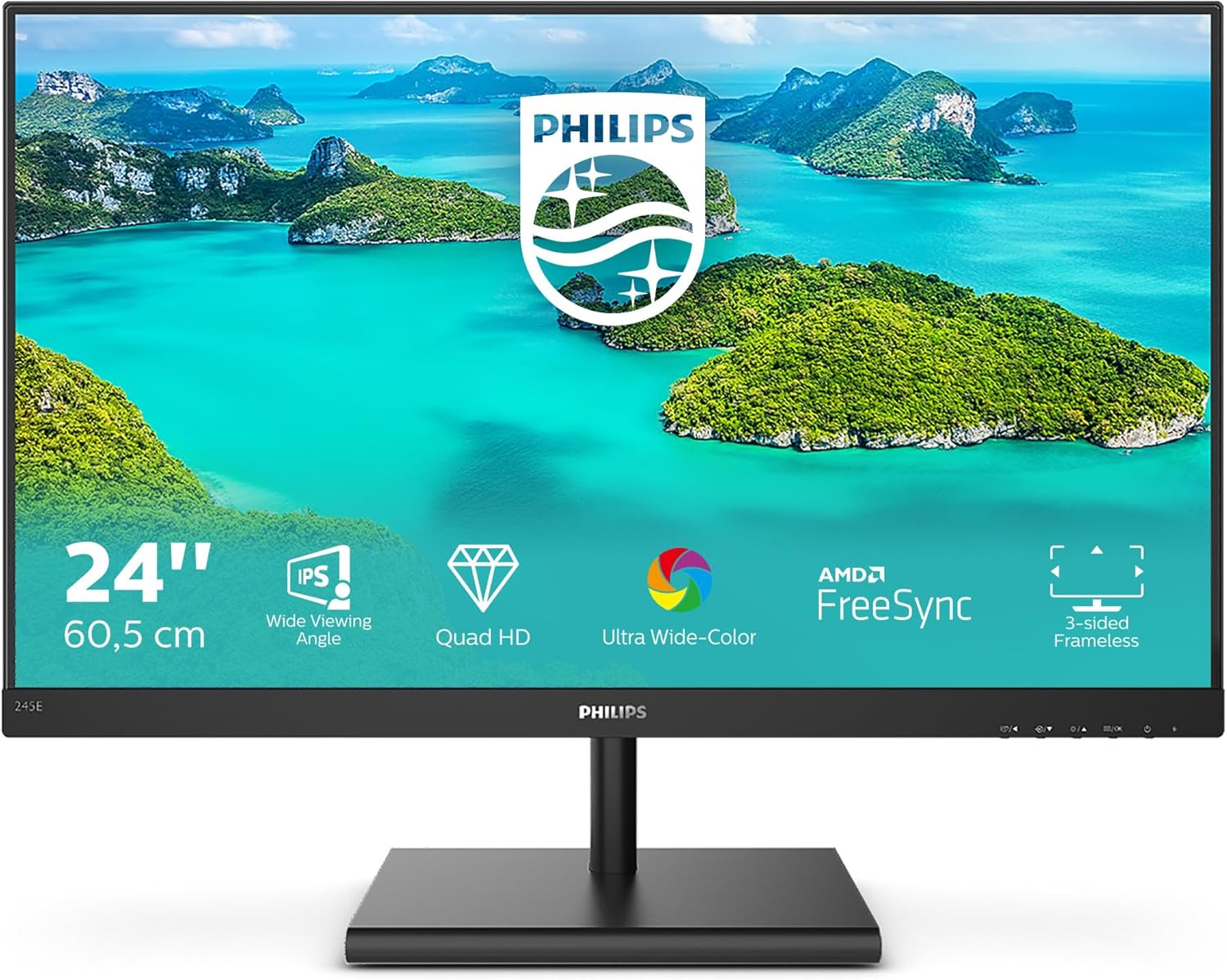
Малюнок 3.1: Спереду view of the Philips 245E1S monitor with the stand assembled.
3.2. З’єднувальні кабелі
Перед підключенням переконайтеся, що монітор і комп’ютер вимкнені.
- Підключення живлення: Підключіть кабель живлення до входу живлення монітора, а потім до розетки.
- Підключення відео: Connect one end of the HDMI cable (or DisplayPort/VGA cable, depending on your source) to the corresponding port on the monitor and the other end to your computer's video output.
- Аудіовихід: If you wish to connect external speakers or headphones, connect them to the Audio Out port on the monitor. Note: This monitor does not have built-in speakers.

Малюнок 3.2: Задня частина view of the monitor with labeled input ports (HDMI, DisplayPort, VGA, Audio Out).
4. Експлуатація монітора
4.1. Powering On/Off and OSD Navigation
The monitor features intuitive controls located on the bottom right side of the bezel.
- Кнопка живлення: Натисніть, щоб увімкнути або вимкнути монітор.
- Кнопки екранного меню: Use the adjacent buttons to navigate the On-Screen Display (OSD) menu. These buttons typically allow you to select input sources, adjust picture settings, and access other monitor functions.
4.2. Регулювання нахилу монітора
The Philips 245E1S monitor allows for tilt adjustment to optimize your viewing angle. Gently hold the top and bottom edges of the monitor and tilt it forward or backward within its range (-5 to 20 degrees).

Рисунок 4.1: Діапазон регулювання нахилу монітора.
4.3. Ключові характеристики
- IPS Wide Viewкут нахилу: Provides consistent image and color accuracy from virtually any angle.
- Quad HD (QHD) Resolution: Offers crisp, detailed images with 2560 x 1440 pixels, providing ample screen space for multitasking.
- Ultra Wide-Color: Delivers a wider spectrum of colors for a more vivid and lifelike picture.
- Технологія AMD FreeSync: Synchronizes the monitor's refresh rate with your GPU's frame rate to eliminate screen tearing and stuttering for smooth gaming and video playback.
- FlickerFree Technology: Regulates brightness and reduces flicker, minimizing eye strain during prolonged use.
- SmartContrast: Philips technology that analyzes the content you are displaying, automatically adjusting colors and controlling backlight intensity to dynamically enhance contrast.
- 3-sided Frameless Design: Minimizes bezel distractions for a more immersive viewдосвід роботи, ідеально підходить для налаштувань з кількома моніторами.
5. Технічне обслуговування
Щоб забезпечити довговічність та оптимальну роботу вашого монітора, дотримуйтесь цих інструкцій з очищення:
- Завжди відключайте монітор від розетки перед чищенням.
- Злегка протріть м’якою тканиною без ворсу dampводою або м’яким, неабразивним засобом для чищення екранів.
- Обережно протріть екран і casing. Avoid applying excessive pressure.
- Не використовуйте спирт, аміак або абразивні засоби для чищення, оскільки вони можуть пошкодити поверхню екрана.
- Ніколи не розпилюйте рідину безпосередньо на екран.
6. Вирішення проблем
Якщо у вас виникли проблеми з монітором, зверніться до таблиці нижче, щоб знайти поширені проблеми та способи їх вирішення.
| проблема | Можлива причина | Рішення |
|---|---|---|
| Немає живлення / Світлодіод живлення не горить | Кабель живлення не підключено або проблеми з розеткою. | Ensure power cable is securely connected to monitor and power outlet. Check if the power outlet is working. |
| Немає зображення / повідомлення «Немає сигналу» | Відеокабель не підключено або вибрано неправильний вхід. | Check video cable connection between monitor and computer. Press the OSD button to select the correct input source (HDMI, DP, VGA). |
| Зображення спотворене або розмите | Incorrect resolution or refresh rate setting. | У налаштуваннях дисплея комп'ютера встановіть роздільну здатність дисплея на 2560 x 1440 та частоту оновлення на 75 Гц. |
| Екранне меню не відображається | Monitor is off or OSD buttons are not functioning. | Ensure the monitor is powered on. Try pressing the OSD menu button firmly. |
| Мерехтіння екрана | Refresh rate mismatch or external interference. | Ensure refresh rate is set to 75Hz. Check for strong electromagnetic interference sources nearby. |
7. Технічні характеристики
Detailed technical specifications for the Philips 245E1S monitor:
| Особливість | Специфікація |
|---|---|
| Бренд | Philips |
| Модель | 245E1S-00 |
| Розмір екрана | 23.8 дюймів |
| роздільна здатність | 2560 x 1440 (QHD ширококутний 1440p) |
| Тип панелі | IPS |
| Співвідношення сторін | 16:9 |
| Частота оновлення | 75 Гц |
| Час відгуку | 10 мілісекунд |
| Співвідношення контрастності зображення | 1000:1 |
| Підключення | 1x HDMI, 1x DisplayPort, 1x VGA, Audio Out |
| Особливості | Adaptive Sync, Ultrawide Screen, FlickerFree, SmartContrast |
| Розміри продукту | 5.4 x 1.95 x 4.14 cm (Monitor only); 2.56 kg |
| томtage | 240 вольт |
| Wattage | 17.94 Вт |

Figure 7.1: Monitor dimensions (example values shown in image, refer to table for exact product dimensions).
8. Гарантія та підтримка
Щоб отримати інформацію про гарантію та технічну підтримку, зверніться до гарантійного талона, що додається до вашого виробу, або відвідайте офіційний сайт підтримки Philips. webсайт. Зазвичай там можна знайти драйвери, відповіді на поширені запитання та контактну інформацію служби підтримки клієнтів.
Інтернет-підтримка: www.philips.co.uk/support
Ask a question about this manual
Ask about setup, troubleshooting, compatibility, parts, safety, or missing instructions. Manuals+ will review the question and use this page’s manual context to help answer it.