
giriiş
The Leadjoy R20 2.4GHz Wireless USB Adapter is designed to enhance your gaming experience on Xbox Series S/X consoles by providing a robust and reliable wireless connection for compatible controllers. This manual will guide you through the installation, operation, and maintenance of your R20 adapter.
Paket İçeriği
Lütfen aşağıda listelenen tüm öğelerin paketinizde yer aldığından emin olun:
- Leadjoy R20 Wireless USB Adapter
- Kullanım Kılavuzu (bu belge)
The image below illustrates the R20 Wireless USB Adapter and its key features.
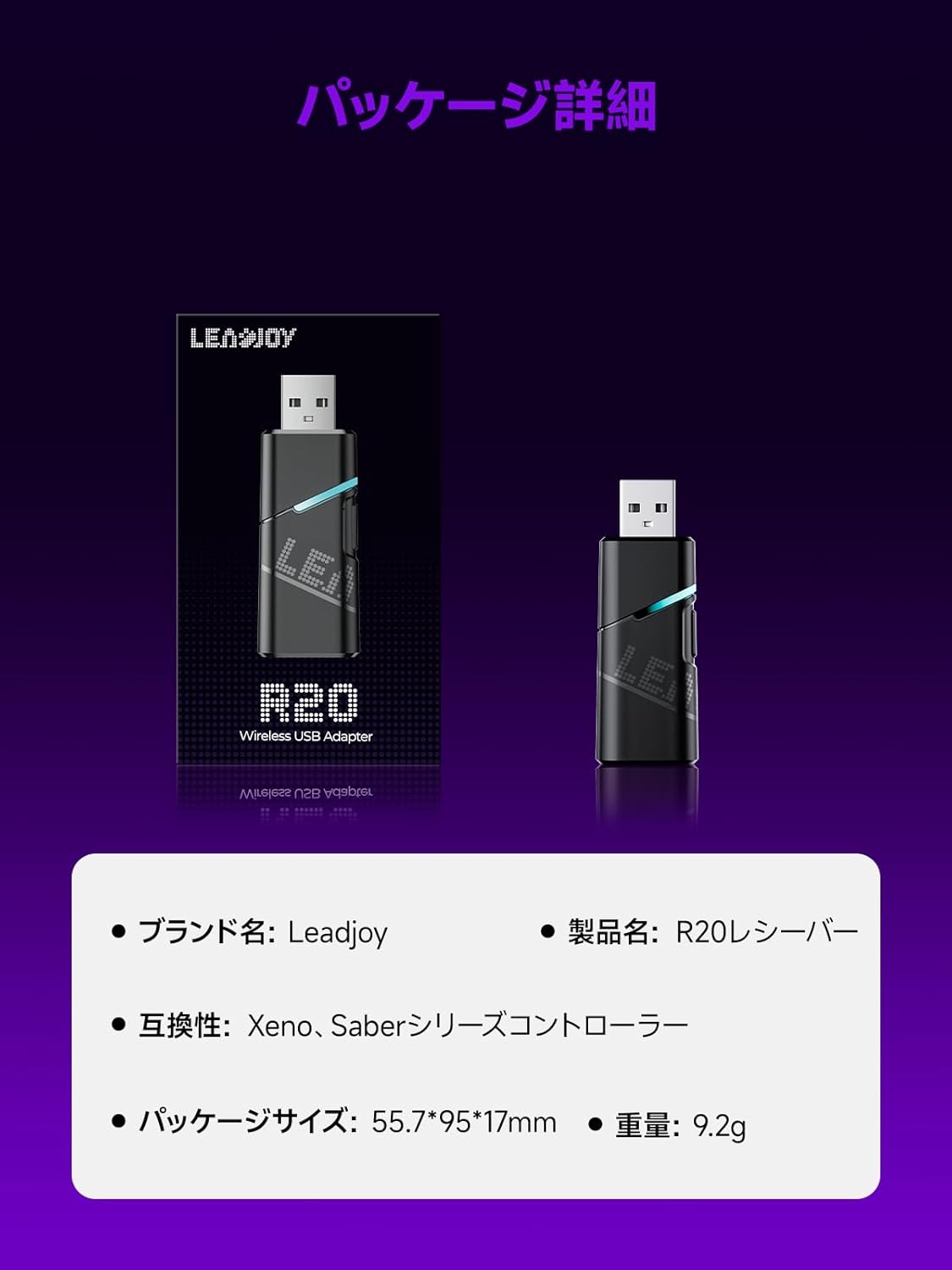
Image: Leadjoy R20 Wireless USB Adapter. This image displays the R20 adapter in its packaging, highlighting its compact design. Text overlays indicate the brand name 'Leadjoy', product name 'R20 Receiver', compatibility with 'Xeno, Saber series controllers', package size '55.7*95*17mm', and weight '9.2g'.
Kurulum ve Yükleme
Follow these steps to connect your Leadjoy R20 Wireless USB Adapter to your Xbox console:
- Adım 1: Insert the R20 receiver into an available USB port on your Xbox console. Ensure the console is powered on.
- Adım 2: Connect your original Xbox controller to the R20's USB port using a USB cable.
- Adım 3: Once the controller's indicator light remains steadily lit, the connection is successful. You can now pair your Leadjoy controller with the R20 receiver.
The diagram below visually explains the connection process.

Image: Connection Method. This diagram illustrates the three steps for connecting the R20 adapter. Step 1 shows inserting the R20 into the Xbox console. Step 2 shows connecting an original Xbox controller to the R20 via a cable. Step 3 shows pairing a Leadjoy controller with the R20 receiver after successful connection.
Not: Do not disconnect the original controller from the R20 receiver during use to maintain a stable connection.
Kullanım Talimatları
The R20 receiver provides a stronger signal compared to the original R10 receiver, offering improved performance. If you find the functions of the original Xbox controller insufficient or the operation feel unsatisfactory, and wish to enjoy games on your Xbox console using Xeno Plus, this R20 receiver makes it possible.
After successful setup, your compatible Leadjoy controller will connect wirelessly to the Xbox console via the R20 adapter, allowing for seamless gameplay.
Özellikler
| Marka | Leadjoy |
| Model Numarası | LJR2001-1 (R20) |
| Renk | Siyah |
| Bağlantı | 2.4GHz Kablosuz |
| Uyumluluk | Xbox Series S/X, Xeno, Saber series controllers |
| Ürün Ağırlığı | 9.2 gr |
| Paket Boyutları | 55.7x95x17 mm |
| Menşei ülke | Çin |
Bakım
To ensure the longevity and optimal performance of your Leadjoy R20 Wireless USB Adapter, please observe the following maintenance guidelines:
- Adaptörü temiz ve tozdan arındırılmış halde tutun. Temizlik için yumuşak, kuru bir bez kullanın.
- Adaptörü aşırı sıcaklıklara, neme veya doğrudan güneş ışığına maruz bırakmaktan kaçının.
- Do not attempt to disassemble or repair the adapter yourself. This may void your warranty.
- Fiziksel hasarı önlemek için, kullanmadığınız zamanlarda adaptörü güvenli bir yerde saklayın.
Sorun giderme
If you encounter issues with your Leadjoy R20 Wireless USB Adapter, please try the following steps:
- Bağlantı yok: Ensure the R20 adapter is fully inserted into the Xbox console's USB port and the original Xbox controller is securely connected to the R20. Check if the controller's indicator light is steadily lit.
- Aralıklı Bağlantı: Ensure there are no obstructions between your Leadjoy controller and the R20 adapter. Avoid placing the adapter near other wireless devices that may cause interference.
- Denetleyici Yanıt Vermiyor: Try disconnecting and reconnecting both the R20 adapter from the console and the original controller from the R20. Restart your Xbox console if necessary.
- Yazılım güncellemesi: Check the official Leadjoy website for any available firmware updates for the R20 adapter, which may resolve performance issues.
Bu adımları denedikten sonra sorun devam ederse lütfen müşteri desteğiyle iletişime geçin.
Garanti ve Destek
The Leadjoy R20 Wireless USB Adapter comes with a standard manufacturer's warranty. Please refer to the warranty card included in your product packaging for specific terms and conditions, including the warranty period and coverage details.
For technical support, troubleshooting assistance, or warranty claims, please contact Leadjoy customer service through their official website veya ürün dokümantasyonunuzda sağlanan iletişim bilgileri.
Lütfen garanti amaçlı satın alma belgenizi saklayın.