1. Giriş
This manual provides essential information for the safe and efficient operation of your CHiQ 40QA10 QLED 40 Inch Full HD Google TV. Please read it thoroughly before using the television and retain it for future reference.
1.1 Güvenlik Bilgileri
- Ensure the television is placed on a stable surface to prevent tipping.
- Havalandırma açıklıklarını kapatmayın. Hava akışının düzgün olması için televizyonun etrafında yeterli boşluk bırakın.
- Avoid exposing the television to rain or moisture to prevent electric shock or fire.
- Televizyonu açmayın.asing. Tüm servis işlemlerini yetkili personele yaptırın.
- Şimşekli fırtınalar sırasında veya uzun süre kullanılmadığında güç kablosunu prizden çekin.
2. Ürün Bittiview
The CHiQ 40QA10 is a 40-inch Full HD QLED Google TV, offering vibrant visuals and smart functionalities.
2.1 Temel Özellikler
- Quantum Dot Color Technology: Delivers a wide color gamut for vibrant and realistic images.
- Full HD with HDR10: Provides sharp, detailed resolution with enhanced brightness and contrast.
- Google TV Smart Experience: Access streaming apps, integrated WiFi and Bluetooth, and Google Assistant for voice control.
- Dolby Audio and DBX-TV: Offers immersive sound with clear dialogues and rich effects.
- Chromecast Yerleşik: Allows content casting from compatible devices.
2.2 Paket İçeriği
Tüm öğelerin ambalajda mevcut olduğunu doğrulayın:
- CHiQ 40QA10 QLED TV
- Uzaktan kumanda
- Güç Adaptörü
- Kullanım Kılavuzu (bu belge)
- TV Stands and Screws

Figure 2.2.1: TV dimensions, remote control, and included accessories.
2.3 TV Ports and Connections
Familiarize yourself with the available ports on your television:

Şekil 2.3.1: Arka panel bağlantıları.
- AV: For multimedia players or small projectors.
- ORTAK ARAYÜZ: For digital multimedia players.
- HDMI 1.4 * 3: For Blu-ray players, game consoles, or AV receivers.
- KARINCA1: Anten girişi.
- ANT2 SATELLITE: Satellite input.
- USB 2.0 * 2: For multimedia playback from USB drives.
- LAN: Kablolu ağ bağlantıları için.
- CUFFIE (Headphones): For headphones and external speakers.
- DİJİTAL SES ÇIKIŞI: Dijital ses çıkışı için.
3. Kurulum
3.1 TV Sehpalarının Kurulumu
- Ekran hasarını önlemek için televizyonu dikkatlice, yüzü aşağıya gelecek şekilde yumuşak ve düz bir yüzeye yerleştirin.
- Align the stands with the corresponding slots on the bottom of the TV.
- Verilen vidaları kullanarak standları sabitleyin.

Şekil 3.1.1: Views of the TV, including stand installation area.
3.2 Duvara Montaj (Opsiyonel)
The TV supports VESA 200x200mm wall mounts. Ensure you use a compatible wall mount and follow the instructions provided with the mount. Professional installation is recommended.

Şekil 3.2.1: Ör.ample of wall-mounted TV.
3.3 İlk Açılış ve Google TV Kurulumu
- Connect the power adapter to the TV and a power outlet.
- Uzaktan kumanda veya televizyon üzerindeki güç düğmesine basın.
- Ekranda gösterilen talimatları izleyerek dil seçimi, ağ bağlantısı (Wi-Fi veya Ethernet) ve Google hesabınıza giriş de dahil olmak üzere Google TV'nin ilk kurulumunu tamamlayın.
4. Çalıştırma
4.1 Temel TV İşlevleri
- Güç Açma/Kapatma: Uzaktan kumandadaki güç düğmesini kullanın.
- Ses Kontrolü: Ses +/- düğmelerini kullanın.
- Kanal Seçimi: Use the Channel +/- buttons or number pad.
- Giriş kaynağı: Press the 'Source' button to select HDMI, AV, Tuner, etc.
4.2 Google TV Arayüzü
Navigate the Google TV home screen to access apps, streaming services, and settings.

Şekil 4.2.1: Google TV ana ekranı.
4.3 Google Asistan
Use the built-in Google Assistant for voice commands. Press the Google Assistant button on your remote and speak into the microphone.

Figure 4.3.1: Using Google Assistant with the remote control.
4.4 Ses Ayarları
The TV features Dolby Audio and dbx-tv for enhanced sound. Adjust audio settings in the TV menu to optimize your listening experience.

Şekil 4.4.1: Dolby Audio deneyimi.

Figure 4.4.2: dbx-tv audio customization.
5. Bağlantı
5.1 Wi-Fi ve Bluetooth
The TV supports dual-band Wi-Fi for internet access and Bluetooth 5.0 for connecting wireless accessories like headphones or game controllers.
5.2 Chromecast Yerleşik
Cast content directly from your Android, iOS, or Mac devices to the TV using Chromecast. Ensure your device and TV are on the same Wi-Fi network.
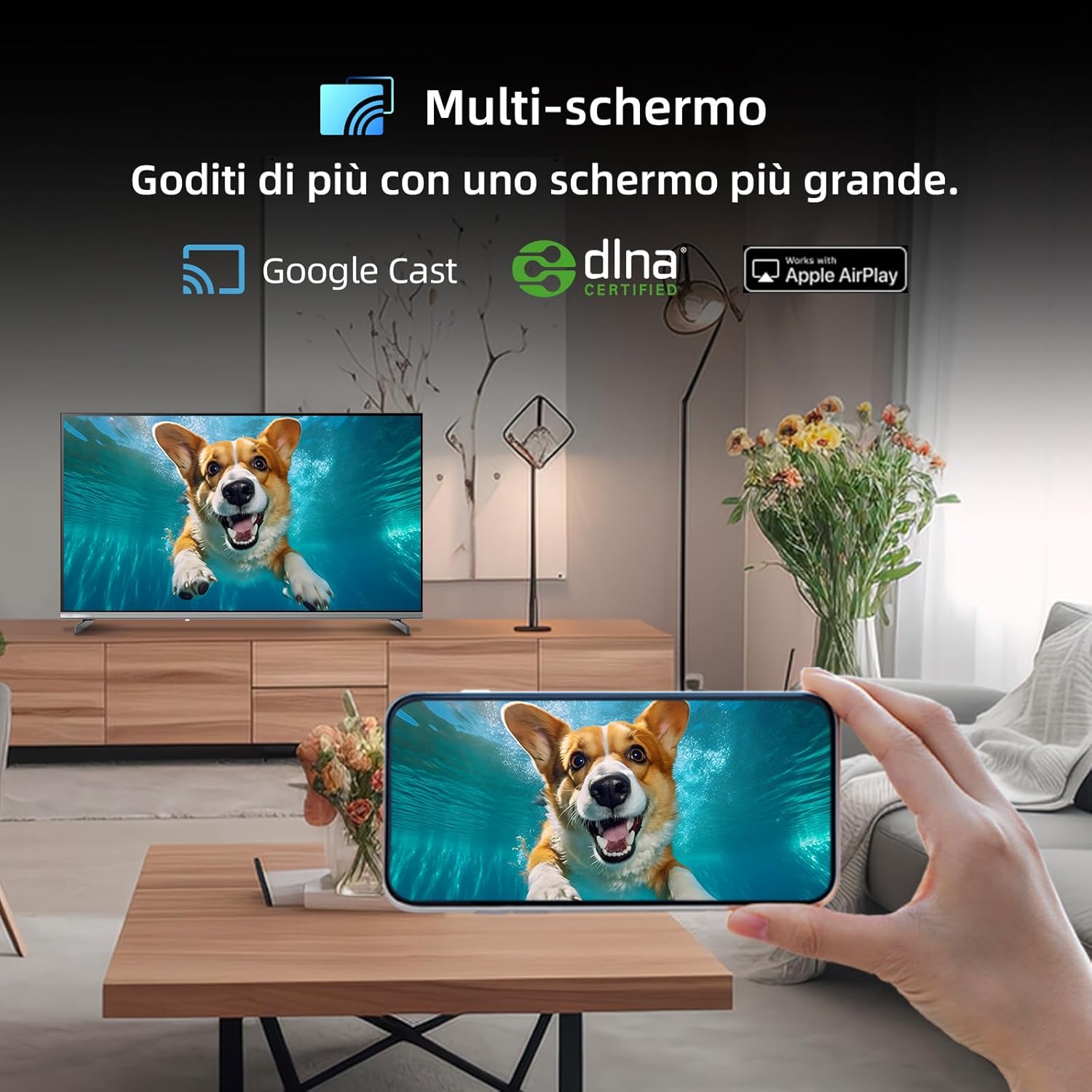
Figure 5.2.1: Multi-screen functionality with Google Cast.
6. Bakım
6.1 Ekranı Temizleme
- Televizyonu kapatın ve güç kablosunu çıkarın.
- Ekranı yumuşak, tüy bırakmayan bir bezle yavaşça silin.
- İnatçı izler için hafifçe silinampBezi su veya özel bir ekran temizleyici ile silin. Sıvıyı doğrudan ekrana püskürtmeyin.
6.2 C'nin Temizlenmesiasing
Televizyonu silin.asinYumuşak, kuru bir bezle silin. Aşındırıcı temizleyiciler veya çözücüler kullanmaktan kaçının.
7. Sorun Giderme
Televizyonunuzla ilgili sorunlarla karşılaşırsanız, aşağıdaki yaygın sorunlar ve çözümlerine göz atın:
| Sorun | Olası Neden | Çözüm |
|---|---|---|
| Güç yok | Güç kablosu bağlantısı kesilmiş, elektrik prizinde sorun var. | Güç kablosunun bağlantısını kontrol edin, farklı bir priz deneyin. |
| Görüntü yok, ancak ses mevcut | Yanlış giriş kaynağı, arızalı kablo | Verify input source, check HDMI/AV cable connections. |
| Ses yok ama görüntü var | Volume muted, external audio system issue | Unmute volume, check external audio connections. |
| Uzaktan kumanda çalışmıyor | Dead batteries, obstruction | Replace batteries, remove obstructions between remote and TV. |
| Smart features slow or unresponsive | Network issue, temporary software glitch | Restart TV, check Wi-Fi connection, update software. |
8. Özellikler
Detailed technical specifications for the CHiQ 40QA10 QLED TV:
| Özellik | Şartname |
|---|---|
| Örnek | 40QA10 |
| Ekran Boyutu | 40 inç |
| Ekran Teknolojisi | QLED, IPS |
| Çözünürlük | 1080p Tam HD (1920 x 1080) |
| Yenileme Hızı | 60 Hz |
| HDR Desteği | HDR10 |
| İşletim Sistemi | Google televizyon |
| Ses Teknolojisi | Dolby Audio, dbx-tv |
| Bağlantı | Wi-Fi (Dual Band), Bluetooth 5.0, Ethernet, HDMI (x3), USB (x2) |
| Tuner Teknolojisi | DVB-C/T/T2/S/S2 |
| Ek Özellikler | Chromecast Built-in, DLNA |
| Güç Tüketimi | 55 watt |
| Enerji Verimliliği Sınıfı | E |
| Ürün Boyutları (GxDxY) | 89.18 x 7.07 x 50.86 cm (standsız) |
| Ağırlık | 5 kilo |

Figure 8.1: Energy Efficiency Label. For more details, visit EPREL Veritabanı.

Figure 8.2: Detailed Product Information Sheet. For more details, visit EPREL Veritabanı.
9. Garanti ve Destek
9.1 Garanti Bilgileri
The CHiQ 40QA10 TV typically comes with a manufacturer's warranty. Please refer to the warranty card included with your product for specific terms and conditions, including warranty duration and coverage details. Keep your proof of purchase for warranty claims.
9.2 Müşteri Desteği
For technical assistance, troubleshooting beyond this manual, or warranty service, please contact CHiQ customer support. Contact information can usually be found on the official CHiQ websitenizde veya ürün dokümanlarınızda.
- Üretici: Changhong Europe Electric sro
- Adres: Dělnická 213/12, 17000 Praha 7, Çek Cumhuriyeti
- Webalan: www.chiq.com
- E-posta: info@chiq.com
- Telefon: +420233325611