
giriiş
This manual provides instructions for the setup, operation, maintenance, and troubleshooting of your ATTACK SHARK V5 Wireless Gaming Mouse. Please read this manual carefully before using the product to ensure optimal performance and longevity.

Image: The ATTACK SHARK V5 Wireless Gaming Mouse, highlighting its 8000Hz wireless polling rate capability.
Kurmak
Paket İçeriği
- ATTACK SHARK V5 Wireless Gaming Mouse
- USB Alıcı (2.4GHz)
- USB-C Şarj/Veri Kablosu
- Kullanıcı Kılavuzu
Bağlantı Modları
The ATTACK SHARK V5 mouse supports three connectivity modes: Wired, 2.4GHz Wireless, and Bluetooth.
- 2.4GHz Kablosuz Modu: Insert the USB receiver into an available USB port on your computer. The mouse will automatically connect. The transparent LED lighting on the receiver indicates connection status.
- Bluetooth Modu: Switch the mouse to Bluetooth mode. On your computer or device, search for Bluetooth devices and select "ATTACK SHARK V5" to pair.
- Kablolu Mod: Connect the mouse to your computer using the provided USB-C cable. This mode also charges the mouse.

Image: The ATTACK SHARK V5 mouse connected via its USB-C cable and showing the 2.4GHz wireless receiver, illustrating its triple-mode connectivity.
Sürücü Kurulumu
The mouse supports cloud-driven technology, which automatically identifies devices upon connection. For advanced customization, independent driver software is available for download from the official ATTACK SHARK website. This software allows for optimization of response speed, accuracy, and programmable features.
Kullanım Talimatları
DPI Ayarlaması
The PixArt 3950MAX sensor offers a DPI range of up to 42,000. DPI settings can be adjusted in precise 50 DPI increments using the dedicated driver software. The mouse typically has a DPI button for on-the-fly adjustments through preset levels.
Anket Oranı
The mouse features an 8000Hz polling rate in wireless mode and a 1000Hz polling rate in wired mode. This high polling rate ensures rapid and responsive cursor movement.
Programmable Buttons and Macros
The ATTACK SHARK V5 has 6 buttons. Utilize the downloadable software to customize button functions, create macros, and adjust other settings such as DPI speed and lighting effects. This software provides a comprehensive interface for personalizing your mouse experience.
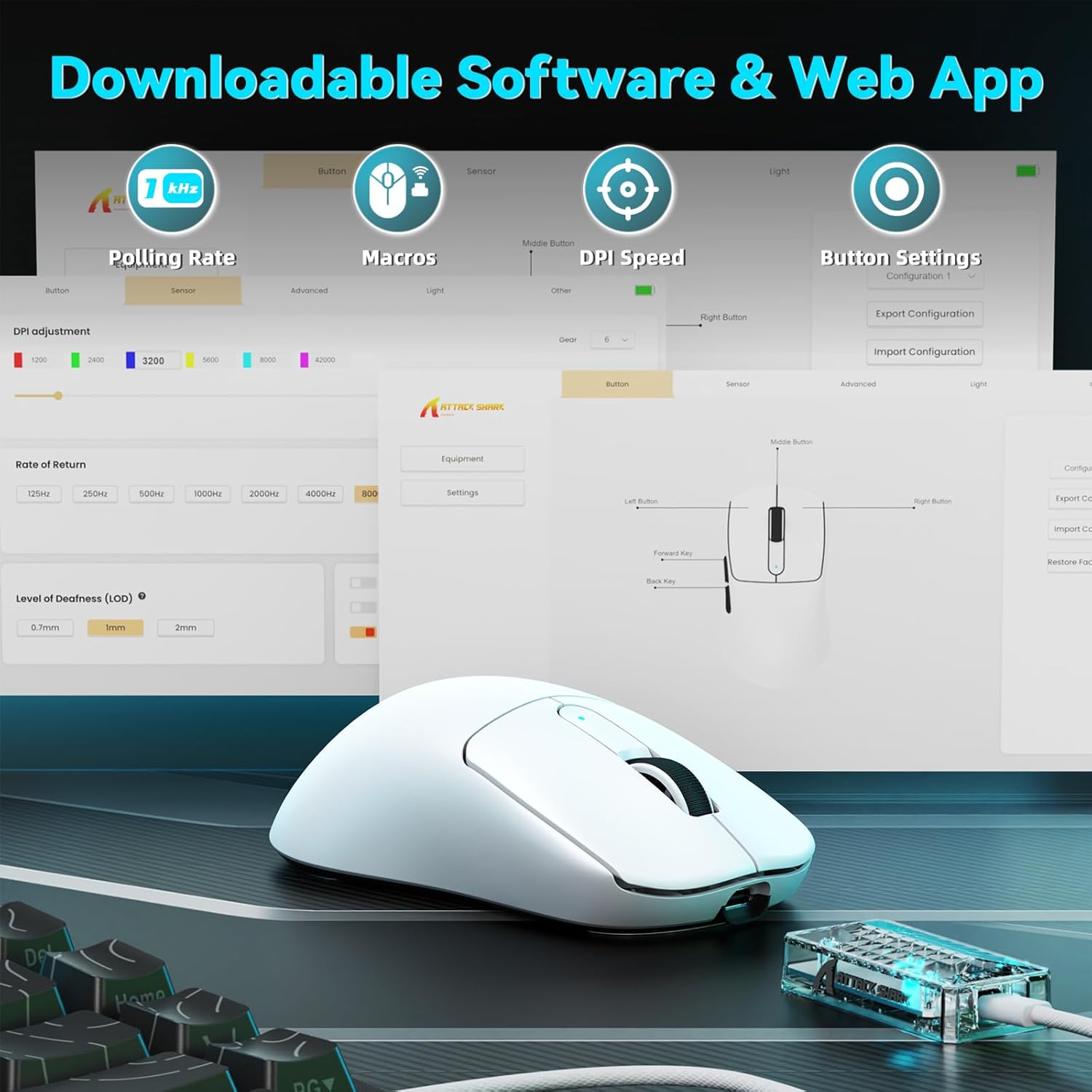
Image: A visual representation of the downloadable software interface, showing options for polling rate, macros, DPI speed, and button settings.
Pil Yönetimi
The mouse is equipped with a 500mAh battery, providing extended usage. To charge, connect the mouse using the USB-C cable. The LED indicator on the mouse will show charging status.

Resim: Dahili view of the ATTACK SHARK V5 mouse, highlighting its high-capacity 500mAh battery.
Bakım
Temizlik
En iyi performansı ve görünümü korumak için farenizi düzenli olarak temizleyin. Yüzeyi silmek için yumuşak, kuru bir bez kullanın. İnatçı kirler için, biraz daha ince bir bez yeterli olacaktır.amp İç bileşenlere nem girmemesini sağlayacak şekilde bez kullanılabilir. Sert kimyasallardan veya aşındırıcı malzemelerden kaçının.
Nano Ice-Sense Coating
The mouse features a nano ice-sense coating designed to prevent slippage and ensure a firm grip, even during extended use or with sweaty hands. This coating requires no special maintenance beyond regular cleaning.
Sorun giderme
Fare Yanıt Vermiyor
- Bağlantıyı Kontrol Edin: Ensure the USB receiver is properly inserted for 2.4GHz mode, or that the USB-C cable is securely connected for wired mode. For Bluetooth, verify the mouse is paired and selected in your device's Bluetooth settings.
- Pil Seviyesi: If in wireless mode, check the mouse's battery level. Connect the USB-C cable to charge if the battery is low.
- Tekrar başlat: Bilgisayarınızı veya cihazınızı yeniden başlatmayı deneyin.
- Sürücü: Ensure the necessary drivers are installed and up to date.
Inconsistent Tracking or Lag
- Yüzey: Use the mouse on a clean, uniform surface. Avoid highly reflective or transparent surfaces.
- Parazit yapmak: For wireless modes, ensure there are no strong sources of wireless interference nearby (e.g., other 2.4GHz devices, Wi-Fi routers).
- DPI Ayarları: Adjust DPI settings via the software to find a comfortable and stable tracking speed.
Özellikler
| Özellik | Detay |
|---|---|
| Marka | SALDIRI KÖPEKBALIĞI |
| Örnek | V5 |
| Renk | Beyaz |
| Bağlantı | Kablolu (USB-C), 2.4GHz Kablosuz, Bluetooth |
| Sensör | PixArt 3950MAX |
| DPI Aralığı | Up to 42,000 (50 DPI adjustable) |
| Kablosuz Yoklama Oranı | 8000Hz |
| Kablolu Yoklama Oranı | 1000Hz |
| Ağırlık | Yaklaşık 55 gram |
| Anahtarlar | Optical, 100 million click lifespan |
| Hızlanma | 60G |
| Kodlayıcı | Richwell's 200W |
| Pil Kapasitesi | 500mAh |
| Düğme Sayısı | 6 |
| El Yönelimi | Sağ |
| Uyumlu İşletim Sistemleri | Windows, macOS, Linux (e.g., Mac OS 14 Sonoma, Ubuntu 22.04 Jammy Jellyfish, Windows 11) |
| kablosuz Menzil | 10 metre |
| Malzeme | Plastik |
| UPC | 752010843312 |
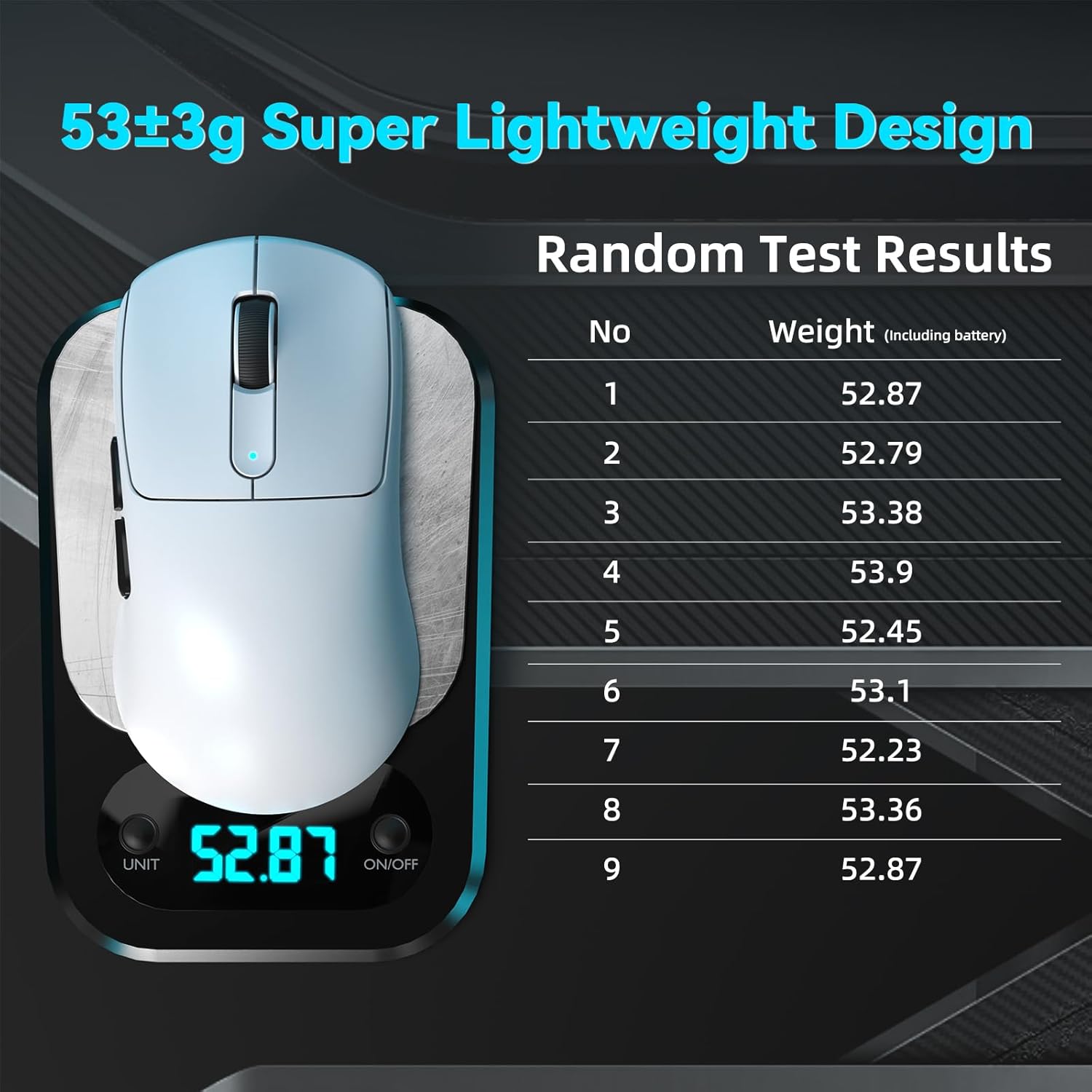
Image: The ATTACK SHARK V5 mouse on a digital scale, demonstrating its ultra-lightweight design at approximately 53 grams.

Resim: Ayrıntılı view of the Omron Optical Microswitch used in the ATTACK SHARK V5 mouse, known for its durability and precise clicks.
Garanti ve Destek
Garanti Bilgileri
The ATTACK SHARK V5 Wireless Gaming Mouse comes with a 1 Yıllık Üretici GarantisiBu garanti, normal kullanım koşullarındaki malzeme ve işçilik kusurlarını kapsar. Garanti talepleriniz için lütfen satın alma belgenizi saklayın.
Müşteri Desteği
For technical assistance, troubleshooting, or warranty inquiries, please visit the official ATTACK SHARK website or contact their customer support directly. Refer to the product packaging or the official webEn güncel iletişim bilgileri için sitemizi ziyaret edin.