
TCL 9465X2-2CLCA111
TCL Tab 11 FE User Manual
Model: 9465X2-2CLCA111
giriiş
This manual provides essential information for the safe and efficient use of your TCL Tab 11 FE tablet. Please read it thoroughly before operating the device and keep it for future reference.
The TCL Tab 11 FE is a versatile tablet featuring a 10.95-inch 2K NXTVISION display, 4GB RAM, and 128GB internal storage, designed for a rich multimedia and productivity experience.
Paket İçeriği
Upon unboxing your TCL Tab 11 FE, please verify that all items are present and in good condition:
- TCL Tab 11 FE Tablet
- Kullanım Kılavuzu
- Charging Cable or Plug (specific type may vary by region)
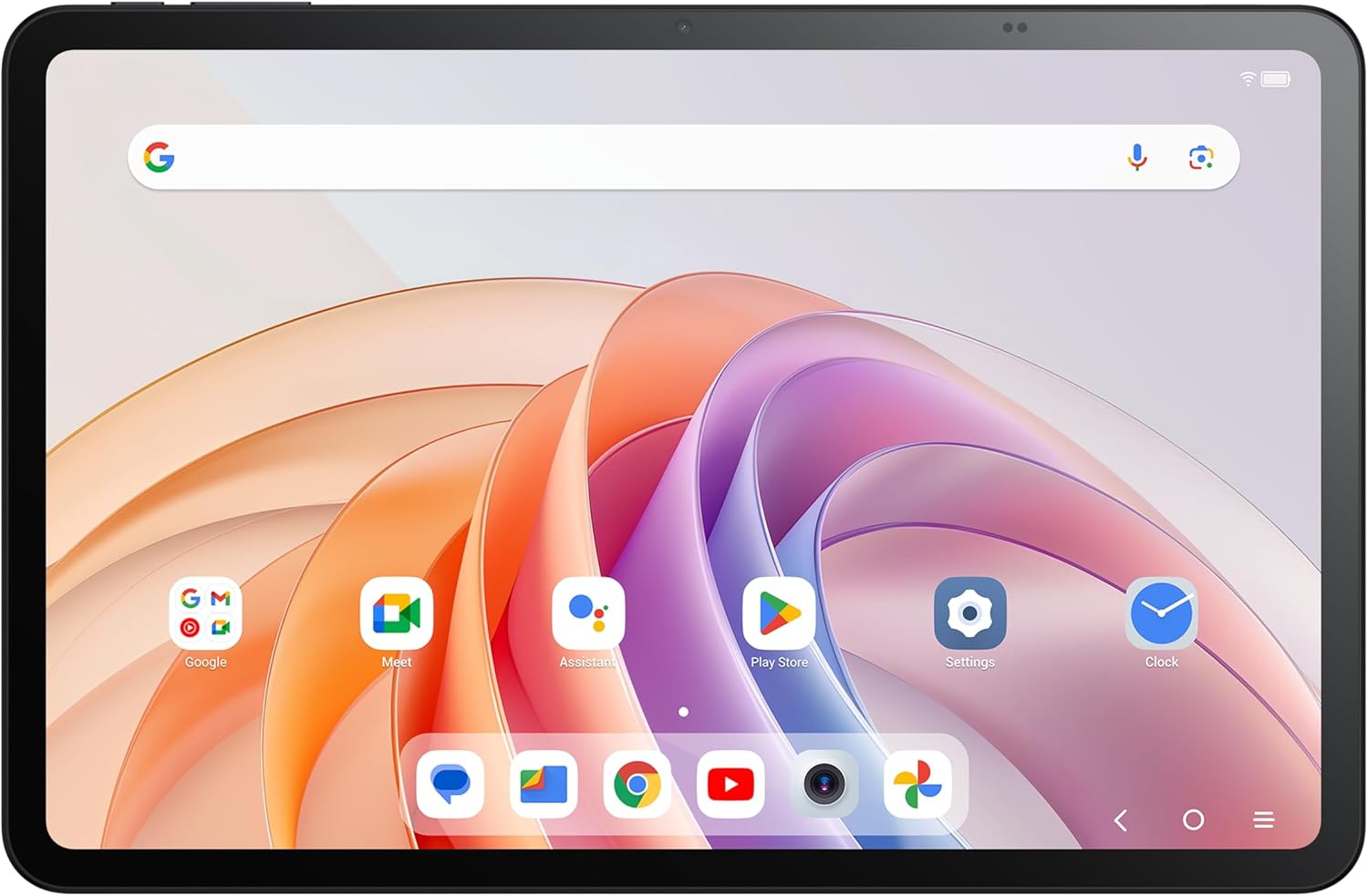
Resim: Ön view of the TCL Tab 11 FE tablet, showcasing its vibrant display with various application icons and a search bar. This illustrates the tablet's user interface and screen quality.
Kurmak
1. İlk Ücret
Before first use, fully charge your TCL Tab 11 FE. Connect the provided charging cable to the tablet's charging port and the other end to a power adapter (not always included) or a compatible USB port. The battery indicator will show charging progress.

Resim: Yan profile of the TCL Tab 11 FE, highlighting the placement of physical buttons and ports, including the charging port. This view is helpful for identifying where to connect the charging cable.
2. Açma/Kapama
- Açmak İçin: Press and hold the Power button until the TCL logo appears on the screen.
- Kapatmak İçin: Güç seçenekleri menüsü görünene kadar Güç düğmesini basılı tutun, ardından "Kapat" seçeneğini seçin.
3. İlk Kurulum Sihirbazı
Upon first power-on, the tablet will guide you through an initial setup process. This includes selecting your language, connecting to a Wi-Fi network, setting up your Google account, and configuring basic security settings.
Tabletinizi Çalıştırma
Navigasyon
- Dokunma Hareketleri: Ekranla etkileşim kurmak için dokunma, kaydırma, sıkıştırma ve uzun basma hareketlerini kullanın.
- Ana Ekran: Uygulamalarınız ve araçlarınız için merkezi kontrol noktası.
- Bildirim paneli: Bildirimlere ve hızlı ayarlara erişmek için ekranın üstünden aşağı doğru kaydırın.
Wi-Fi'ye bağlanma
- Git Ayarlar.
- Üzerine dokunun Ağ ve internet.
- Seçme Wifi ve açın.
- Listeden istediğiniz ağı seçin ve istenirse şifreyi girin.
Kamera Kullanımı
The TCL Tab 11 FE is equipped with front and rear cameras for photos and videos.

Resim: Arka view of the TCL Tab 11 FE tablet, clearly showing the dual camera setup and the TCL branding. This image helps users locate the main camera for photography.
Open the Camera app from your home screen or app drawer. Select photo or video mode and tap the shutter button to capture.
Bakım
Cihazın Temizlenmesi
Use a soft, lint-free cloth to clean the screen and body of the tablet. Avoid using abrasive cleaners, alcohol, or solvents, as these can damage the surface.
Pil Bakımı
- Tableti aşırı sıcaklıklara maruz bırakmaktan kaçının.
- Pili düzenli olarak tamamen boşaltmayın.
- Yalnızca onaylı şarj cihazlarını ve kabloları kullanın.
Yazılım Güncellemeleri
En iyi performans ve güvenliği sağlamak için yazılım güncellemelerini düzenli olarak kontrol edin ve yükleyin. Ayarlar > Sistem > Sistem güncellemesi.
Sorun giderme
Cihaz Açılmıyor
- Pilin şarjlı olduğundan emin olun. Şarj cihazını bağlayın ve açmayı denemeden önce birkaç dakika bekleyin.
- Yeniden başlatmayı zorlamak için Güç düğmesini en az 10-15 saniye basılı tutun.
Ekran tepkisiz
- Tableti yeniden başlatın.
- Ekranın temiz ve kalıntılardan arınmış olduğundan emin olun.
Wi-Fi Bağlantı Sorunları
- Wi-Fi yönlendiricinizi yeniden başlatın.
- Tablet ayarlarından ağı unut seçeneğini seçip tekrar bağlanın.
- Wi-Fi sinyalinin kapsama alanında olduğunuzdan emin olun.
Özellikler
| Özellik | Detay |
|---|---|
| Marka | TCL |
| Model Adı | 9465X2-2CLCA111 |
| Ekran Boyutu | 10.95 inç |
| Maksimum Ekran Çözünürlüğü | 2K NXTVISION |
| İşlemci | 3.4 GHz |
| Bellek Depolama Kapasitesi | 128 GB |
| Veri deposu | 4 GB |
| İşletim Sistemi | Android |
| Ortalama Pil Ömrü | 12 Saat |
| Ürün Ağırlığı | 1.61 pound |
| Ürün Boyutları (UxGxY) | 5.91 x 5.91 x 7.87 inç |
| Renk | Tamamen Gri |
| Kablosuz Tip | 802.11n |
Garanti ve Destek
Your TCL Tab 11 FE comes with a three-year manufacturer warranty Üretim hatalarına karşı garantilidir. Garanti talepleri için lütfen satın alma belgenizi saklayın.
For technical support, warranty service, or further inquiries, please visit the official TCL support website or contact their customer service. Refer to the official TCL webEn güncel iletişim bilgileri ve destek kaynakları için siteyi ziyaret edin.
Daha fazla bilgi ve destek için şuraya bakabilirsiniz: Amazon'da TCL Marka Mağazası.
Ask a question about this manual
Ask about setup, troubleshooting, compatibility, parts, safety, or missing instructions. Manuals+ will review the question and use this page’s manual context to help answer it.