
1. Giriş
This manual provides essential instructions for the safe operation, setup, maintenance, and troubleshooting of your ARRIS WPL C24-1 RC Rock Crawler. Please read this manual thoroughly before using the product to ensure proper function and longevity.

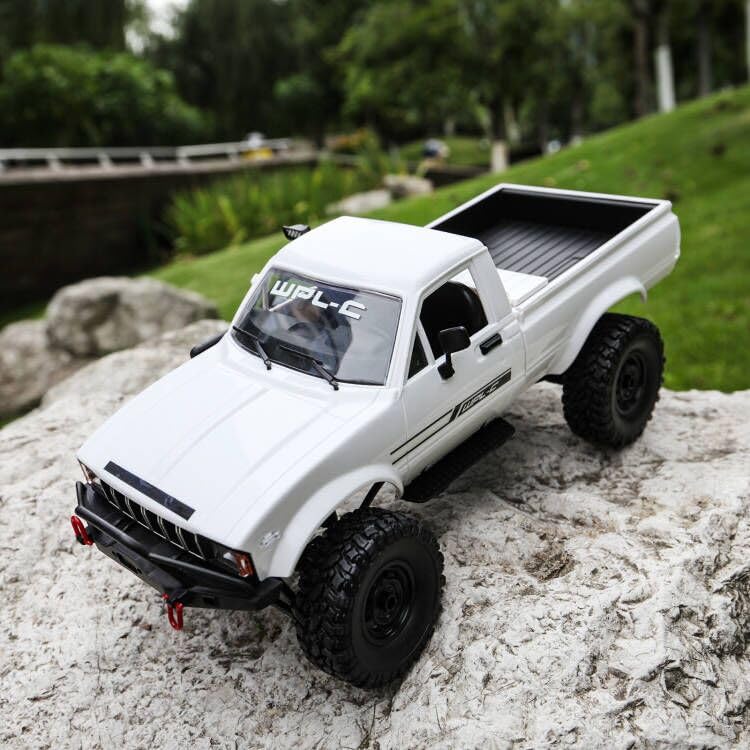
Image: The ARRIS WPL C24-1 RC Rock Crawler, showcasing its detailed design and robust tires.
2. Güvenlik Bilgileri
Always operate the RC vehicle in a safe and responsible manner. Failure to follow these safety guidelines may result in injury or damage to the product or property.
- Ellerinizi, saçlarınızı ve bol giysilerinizi hareketli parçalardan uzak tutun.
- İnsanların, evcil hayvanların veya engellerin yakınında çalıştırmayın.
- Avoid operating in wet conditions or near water unless the product is specifically designed for it.
- Pillerin doğru şekilde şarj edildiğinden ve özenle kullanıldığından emin olun.
- 15 yaş altı kullanıcıların yetişkin gözetiminde kullanılması önerilir.
3. Paket İçeriği
Aşağıda listelenen tüm öğelerin paketinizde bulunduğunu doğrulayın:
- ARRIS WPL C24-1 RC Rock Crawler (1 unit)
- Remote Control Transmitter (1 unit)
- Rechargeable Battery (1 unit, 7.4V 500mAh)
- Şarj Kablosu (1 adet)
- Kullanım Kılavuzu (bu belge)
4. Kurulum Kılavuzu
4.1. Araç Aküsünün Şarj Edilmesi
The vehicle battery (7.4V 500mAh) requires charging before first use. A full charge takes approximately 2 hours and provides about 30 minutes of operation.
- Locate the battery compartment on the underside of the RC crawler.
- Connect the rechargeable battery to the provided charging cable.
- Plug the charging cable into a suitable USB power source (e.g., computer USB port, USB wall adapter).
- The indicator light on the charging cable will show the charging status (refer to charger instructions for specific light patterns).
- Once fully charged, disconnect the battery from the charger and install it into the vehicle's battery compartment.
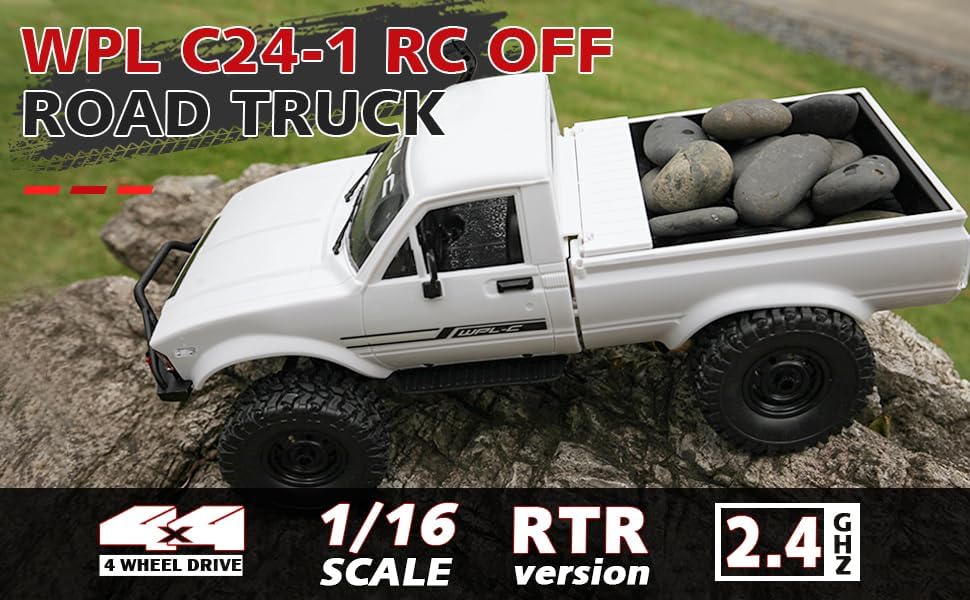
Image: Underside of the RC crawler, highlighting the battery and chassis components.
4.2. Uzaktan Kumanda Pillerinin Takılması
The remote control requires 1 C battery (included). Ensure correct polarity when installing.
- Uzaktan kumandanın arkasındaki pil kapağını açın.
- Insert the C battery according to the polarity markings (+/-).
- Pil kapağını sıkıca kapatın.
4.3. Uzaktan Kumandayı Eşleştirme
The RC crawler and remote control are typically pre-paired. If re-pairing is necessary:
- Turn on the RC crawler using the switch located on the chassis.
- Uzaktan kumandayı açın.
- The indicator light on the remote control should stop flashing and remain solid, indicating a successful connection.
- If the connection fails, turn both devices off and repeat the process.
5. Kullanım Talimatları
5.1. Temel Kontroller
- Gaz Tetiği: İleri gitmek için çekin, fren yapmak/geri gitmek için itin.
- Direksiyon: Sola dönmek için sola, sağa dönmek için sağa dönün.
- Trim Ayarları: Use the trim dials on the remote to fine-tune steering and throttle if the vehicle pulls to one side or moves without input.
5.2. Sürüş İpuçları
The ARRIS WPL C24-1 is designed for off-road crawling. Its 4WD system and independent suspension allow it to navigate various terrains.
- For optimal crawling, use slow and controlled throttle inputs.
- Experiment with steering angles to overcome obstacles.
- The vehicle features highlight LED lights for improved visibility in low-light conditions.

Image: The RC crawler navigating a challenging rocky path, demonstrating its off-road capabilities.

Image: The RC crawler traversing sandy terrain, showcasing its 4WD design.
6. Bakım
6.1. Temizlik
After each use, especially in dusty or dirty conditions:
- Use a soft brush or compressed air to remove dirt and debris from the chassis, wheels, and suspension.
- Vücudu reklamla silinamp kumaş. Sert kimyasallar kullanmayın.
- Ensure no moisture enters electronic components.
6.2. Pil Bakımı ve Saklama
- Araç kullanılmadığı zamanlarda aküyü daima araçtan ayırın.
- Pilleri serin, kuru, doğrudan güneş ışığından ve aşırı sıcaklıklardan uzak bir yerde saklayın.
- Pilleri aşırı şarj etmeyin veya aşırı deşarj etmeyin.
6.3. Bileşen İncelemesi
Regularly inspect the following components for wear or damage:
- Wheels and tires for damage or excessive wear.
- Suspension components (shocks, springs, linkages).
- Steering mechanism for smooth operation.
- All screws and fasteners for tightness.
7. Sorun Giderme
| Sorun | Olası Neden | Çözüm |
|---|---|---|
| Araç yanıt vermiyor. | Low vehicle battery; Low remote control battery; Not paired. | Charge vehicle battery; Replace remote control battery; Re-pair remote control. |
| Araç yavaş veya düzensiz hareket ediyor. | Low vehicle battery; Obstruction in drivetrain; Motor issue. | Charge vehicle battery; Clear obstructions; Contact support if motor issue persists. |
| Direksiyon tepkisiz veya düzensiz çalışıyor. | Steering trim incorrect; Damaged servo; Obstruction. | Adjust steering trim; Inspect servo for damage; Clear obstructions. |
| Kısa çalışma aralığı. | Interference; Low remote control battery. | Move to an area with less interference; Replace remote control battery. |
8. Ürün Özellikleri
| Özellik | Detay |
|---|---|
| Model Numarası | WPL C24-1 |
| Marka | ARRIS |
| Ölçek | 1:16 |
| Ürün Boyutları | 12.2 x 5.78 x 4.44 inç |
| Ürün Ağırlığı | 2.4 pound |
| Malzeme | ABS + Metal |
| Motor | 180 Fırçalı Motor |
| Akü (Araç) | 7.4V 500mAh (dahil) |
| Şarj Süresi | Yaklaşık 2 saat |
| Çalışma Süresi | Yaklaşık 30 dakika |
| Uzaktan Kumanda Frekansı | 2.4 GHz |
| Kontrol Mesafesi | 35 metrenin üzerinde |
| Maksimum Hız | 20 km/saat |
| Önerilen Yaş | 15 yaş ve üzeri |
Resim: Yan view of the RC crawler with key dimensions indicated.

Resim: Ayrıntılı view of the RC crawler's chassis, showing components like the motor, suspension, and drive shafts.
9. Garanti ve Destek
ARRIS products are manufactured to high-quality standards. For warranty information or technical support, please refer to the official ARRIS webWeb sitesini ziyaret edin veya satın alma platformunuz aracılığıyla müşteri hizmetleriyle iletişime geçin.
Herhangi bir garanti talebiniz olması durumunda satın alma belgeniz olarak satın alma fişinizi saklayın.
Daha fazla yardım için lütfen şu adresi ziyaret edin: ARRIS Store on Amazon.