
giriiş
Welcome to your BOXPUT BPR1S Air Mouse Remote Control. This manual will guide you through the setup, operation, and maintenance of your device. Please read these instructions carefully before use to ensure optimal performance and longevity of your remote control.
Ürün Bittiview
The BOXPUT BPR1S is a versatile remote control designed for use with PCs and most Android devices. It features Bluetooth connectivity, voice input, a 6-axis gyroscope for air mouse functionality, and infrared (IR) learning capabilities.
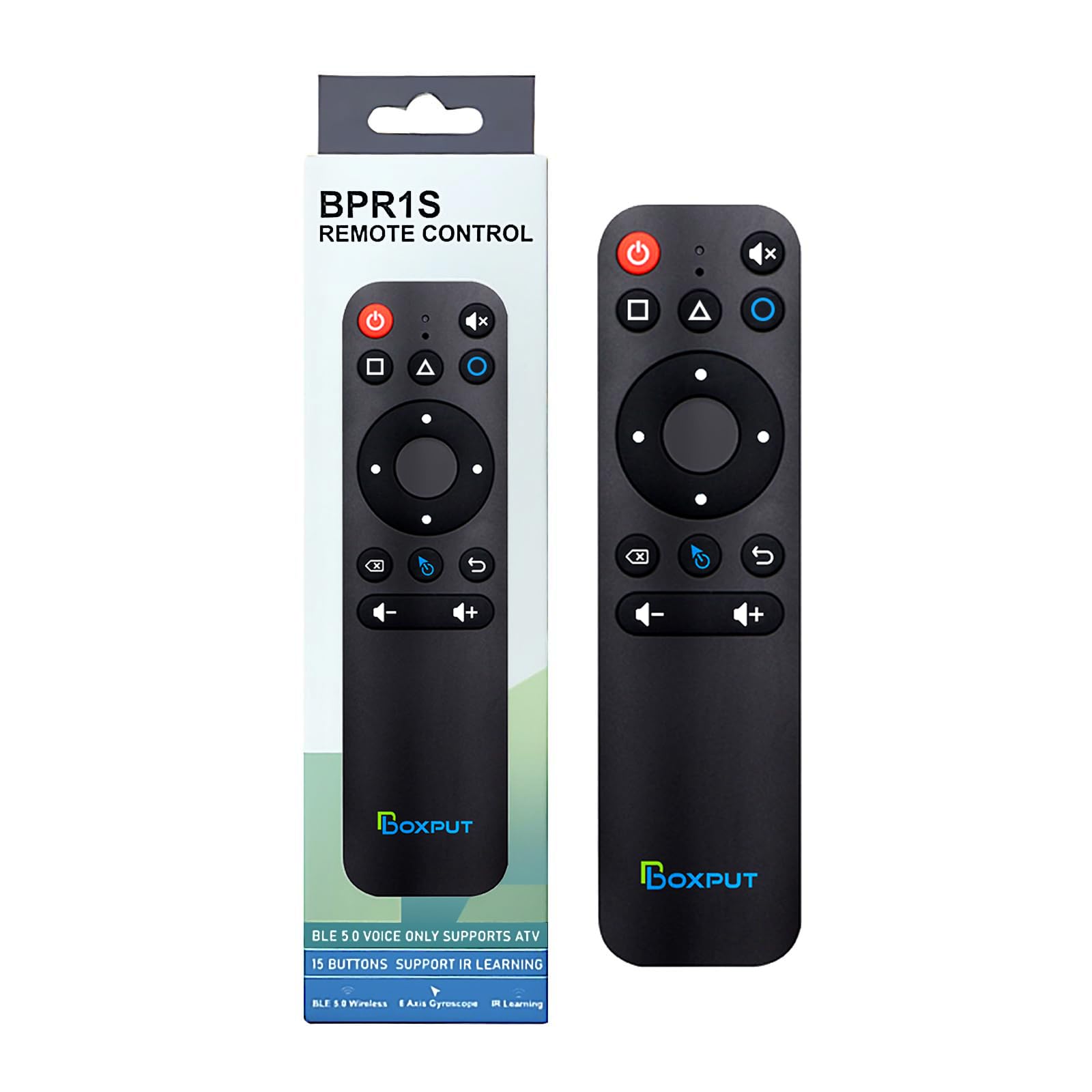
This image illustrates the front and back of the BOXPUT BPR1S remote control, highlighting its various buttons and the QR code for the electronic manual on the reverse side.
Kurmak
1. Pil Kurulumu
The remote control requires two AAA batteries (not included). Open the battery compartment cover on the back of the remote and insert the batteries, ensuring correct polarity (+/-). Replace the cover securely.
2. Bluetooth Eşleştirme
To pair the remote control with a new device via Bluetooth:
- Basılı tutun OK düğme ve Geri button simultaneously until the indicator light flashes.
- Place the remote control within 1 meter of your device to facilitate faster pairing.
- On your device, open Bluetooth settings, search for "BOXPUT BPR1S Plus", and select it to complete pairing.
3. PC Firmware Switch
The remote has two firmware modes: one for Android devices and one for PCs. The default setting is for Android devices.
- To switch to PC firmware: Press and hold the OK düğme ve Fare button simultaneously until the indicator light flashes. This indicates the switch to PC-specific firmware is complete.
- To switch back to Android firmware: Press and hold the OK düğme ve Fare tuşuna aynı anda tekrar basın.
Kullanım Talimatları
1. Voice Input
The BPR1S supports voice input for convenient control, search, and navigation on Android TV and media players.
To use voice input, press the Ses button (microphone icon) and speak your command. This allows for text input, channel search, and video/app control.
Not: Voice search functionality is typically limited to the built-in voice search box or compatible applications. It does not function across all applications.

This image shows a family using the remote to control a TV with voice commands, demonstrating its ease of use for tasks like playing music, opening YouTube, checking the weather, or adjusting volume.
2. 6-Axis Gyroscope (Air Mouse)
The remote features a built-in 6-axis gyroscope sensor, enabling precise air mouse control for Android TV boxes and PCs.
Move your wrist to control the cursor on the screen, allowing for remote operation of computers and projectors.

This image illustrates the remote control being used from a distance, highlighting its effective operating range of 10 meters and a quick response time of 0.2 seconds, enabled by the 6-axis gyroscope.
3. IR Öğrenme Fonksiyonu
All buttons on the BPR1S remote support infrared (IR) learning. This allows you to program functions from other IR remotes onto the BPR1S.
- Place the BPR1S and the original IR remote on a flat surface, facing each other, with their IR emitters as close as possible.
- Press and hold the desired button on the BPR1S that you wish to program. The indicator light will flash slowly.
- Press the corresponding button on the original IR remote. The indicator light on the BPR1S will flash rapidly, then stay solid, indicating successful learning.
- Gerektiğinde diğer düğmeler için aynı işlemi tekrarlayın.
- After IR learning is complete, the power button will prioritize sending the IR signal in Bluetooth mode.
Not: For Samsung TVs, only the Power, Mute, Volume+, and Volume- buttons can be programmed via IR learning. Other buttons do not support IR learning for Samsung TVs.

This image illustrates the process of infrared learning, where the BPR1S remote is positioned opposite an original remote to copy its functions.
4. Düğme Fonksiyonları
Daha fazla bilgi için aşağıdaki şemaya bakınview of the remote's buttons and their primary functions.
This diagram provides a visual guide to each button on the BOXPUT BPR1S remote, including Power, Home, Menu, Mute, Voice, Directional Pad (Up, Down, Left, Right, OK), Delete, Mouse toggle, Back, Volume Up, and Volume Down. The back of the remote shows the model number and a QR code for the electronic manual.
Uyumluluk
This multi-functional remote control is compatible with PCs and most Android devices, serving as a replacement for many media player remotes.
Uyumlu Cihazlar: Android TV boxes, Android TV sticks, and other Android devices.
Uyumsuz Cihazlar: Secondary customized Android devices and Linux devices (e.g., Fire TV Stick, DVB set-top boxes, ROKU set-top boxes, MAG set-top boxes, Apple TV, and some TVs).
If you have concerns about compatibility, please inquire before purchase.

This image displays various streaming devices and set-top boxes, categorizing them into compatible (Android TV boxes, Android TV sticks) and incompatible (Fire TV Stick, Apple TV, Roku, etc.) devices for the BPR1S remote.
Bakım
Uzaktan kumandanızın uzun ömürlü ve en iyi performansı göstermesi için:
- Keep the remote clean by wiping it with a soft, dry cloth.
- Uzaktan kumandayı aşırı sıcaklıklara, neme veya doğrudan güneş ışığına maruz bırakmaktan kaçının.
- Uzaktan kumandayı düşürmeyin veya sert darbelere maruz bırakmayın.
- Uzaktan kumandayı uzun süre kullanmayacaksanız pil sızıntısını önlemek için pilleri çıkarın.
Sorun giderme
Yaygın Sorunlar ve Çözümleri
- OK button not working in Google login screen (Mouse mode): This is a known limitation. Use the directional keys or switch out of mouse mode if possible.
- IR learning issues: Ensure Bluetooth is disconnected before performing IR learning.
- Initial TV connection: An original TV remote may be required for the initial connection setup.
- Bluetooth bağlantısının kesilmesi: If Bluetooth frequently disconnects, try reconnecting Bluetooth or restarting the device.
- Battery cover loose: If the battery cover feels loose, ensure it is properly seated. If the issue persists, contact customer support.
- Electronic Manual QR code unreadable: If the QR code on the remote is unreadable, refer to the product page for instructions or contact customer support.
Özellikler
| Bağlanmak | Detay |
|---|---|
| Marka | KUTU |
| Model Numarası | BPR1S |
| Renk | Siyah |
| Özellikler | Dual-sided 6-axis gyroscope, Wide compatibility with Android devices, IR & Bluetooth, Voice search |
| Maksimum Desteklenen Cihaz Sayısı | 1 |
| Uyumlu Cihazlar | Akış cihazları |
| Bağlantı Arayüzü | Bluetooth |
| Düğme Sayısı | 10 |
| Denetleyici Türü | Düğme Kontrolü |
| Maksimum Menzil | 10 metre |
| Pil Türü | AAA x 2 (not included) |
| Üretici Model Numarası | 10500009 |
Garanti ve Destek
The BOXPUT BPR1S Air Mouse Remote Control comes with a 1-year warranty from the date of purchase. For support, please refer to the electronic manual accessible via the QR code on the back of the remote, or contact BOXPUT customer service through the retailer where you purchased the product.
The electronic manual is provided in English by default but can be translated into your preferred language using your browser's translation functions.