
Samsung QN65Q70DAFXZA
SAMSUNG 65 İnç QLED 4K Q70D Serisi Akıllı TV Kullanım Kılavuzu
Model: QN65Q70DAFXZA
giriiş
This manual provides essential information for the safe and efficient use of your SAMSUNG 65-Inch Class QLED 4K Q70D Series Smart TV. Please read it thoroughly before operating the television and retain it for future reference.
Önemli Güvenlik Talimatları
Yangın, elektrik çarpması ve kişilerin yaralanma riskini azaltmak için bu ürünü kullanırken her zaman temel güvenlik önlemlerine uyun.
- Bu cihazı yağmura veya neme maruz bırakmayın.
- Havalandırma açıklıklarını kapatmayın.
- Herhangi bir ısı kaynağının yakınına monte etmeyin.
- Güç kablosunun üzerine basılmasını veya sıkışmasını önleyin.
- Sadece üretici tarafından belirtilen aparatları/aksesuarları kullanın.
- Tüm bakımları yetkili servis personeline yaptırın.
Kutuda Neler Var?
Upon unpacking, please verify that all components are present and in good condition.
- SAMSUNG 65-Inch Class QLED 4K Q70D Series Smart TV
- Güç kablosu
- SolarCell Remote™ TM2360E
- Kullanım Kılavuzu (bu belge)
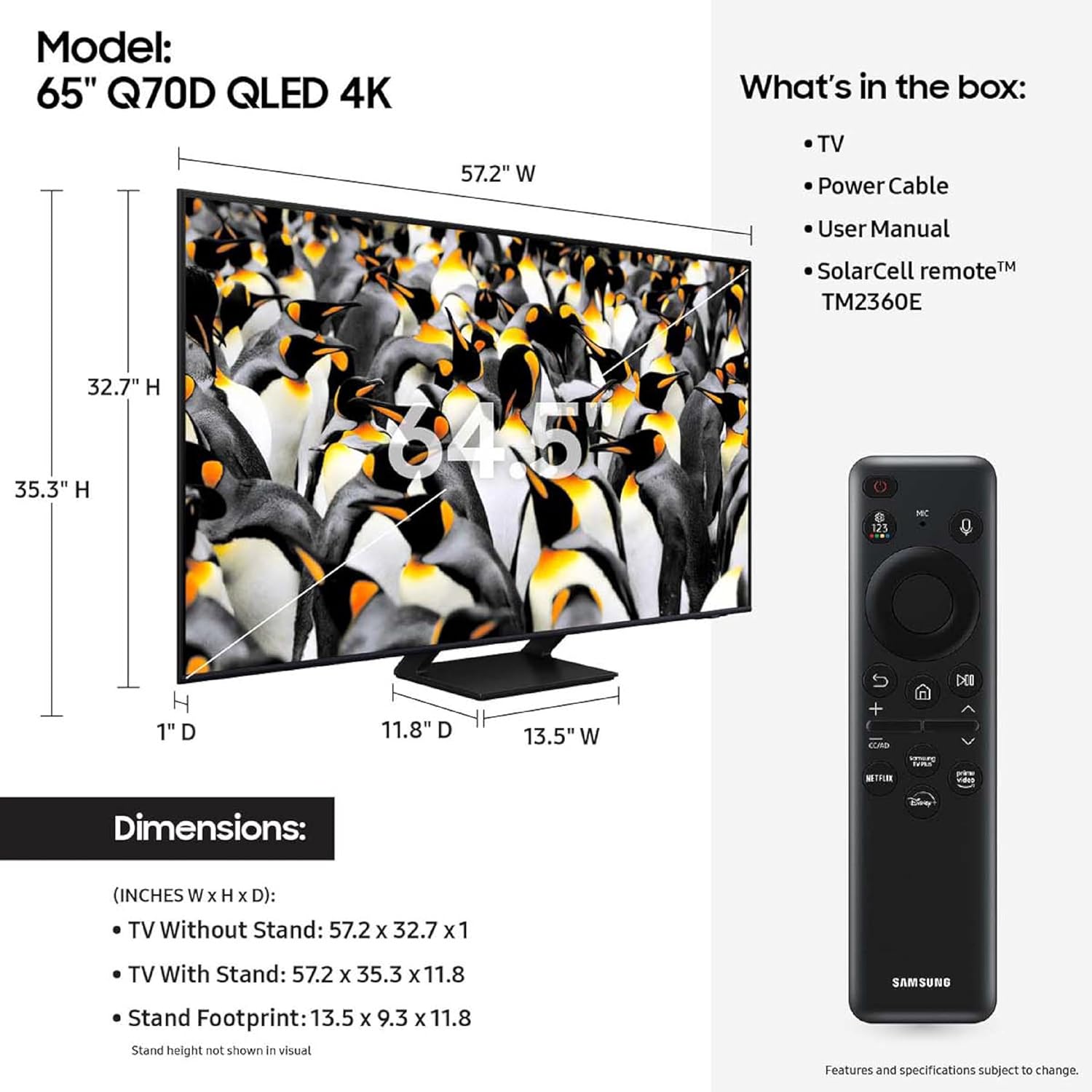
Image showing the Samsung QLED 4K TV, its dimensions, the included SolarCell remote, power cable, and user manual.
Kurmak
Fiziksel Kurulum
Carefully remove the TV from its packaging. Place the TV on a stable, flat surface or mount it to a wall using a compatible VESA mount (sold separately).

Ön view of the SAMSUNG 65-Inch Class QLED 4K Q70D Series Smart TV, showcasing its slim design and QLED display.

Yan profesyonelfile of the SAMSUNG 65-Inch Class QLED 4K Q70D Series Smart TV, highlighting its thin form factor.
Cihazları Bağlama
Connect your external devices such as Blu-ray players, gaming consoles, or sound systems to the appropriate ports on the back of the TV.

Ayrıntılı view of the rear input panel of the Samsung QLED TV, indicating USB, HDMI (including eARC), LAN, and Cable/Antenna ports.
- HDMI: Connect HDMI cables for high-definition video and audio. The HDMI 2 port supports eARC for enhanced audio return channel functionality.
- USB BAĞLANTI: Medya oynatmak için USB depolama aygıtlarını bağlayın.
- LAN: Kablolu internet bağlantısı için bir Ethernet kablosu bağlayın.
- Kablo/Karınca: Anten veya kablolu TV girişini bağlayın.
Güç Bağlantısı
Güç kablosunu televizyona ve ardından duvardaki prize bağlayın. Elektrik prizinin kolayca erişilebilir olduğundan emin olun.
İlk Kurulum Sihirbazı
Upon first power-on, the TV will guide you through the initial setup process, including network connection, channel scanning, and Samsung Account setup. A Samsung Account is required for network-based smart services, including streaming apps and other smart features.
Televizyonunuzu Çalıştırma
Using the SolarCell Remote™
The included SolarCell Remote™ TM2360E can be charged via solar energy or USB-C. It provides intuitive control over your TV's functions.
The SolarCell Remote™ TM2360E, showing its sleek design and button layout for easy navigation and control.
- Güç Düğmesi: Televizyonu açar veya kapatır.
- Navigasyon Pedi: Menülerde gezinmek ve öğeleri seçmek için kullanılır.
- Ses Seviyesi/Kanal Düğmeleri: Sesi ayarlayın ve kanalları değiştirin.
- Akıllı Hub Düğmesi: Access the Samsung Tizen OS Smart Hub for apps and services.
- Sesli Asistan Düğmesi: Activate Alexa Built-in for voice commands.
Resim ve Ses Ayarları
Your Q70D TV features advanced picture and sound technologies. Access the settings menu to customize your viewDeneyim.
- Resim Modu: Select from various modes like Standard, Dynamic, Movie, or adjust custom settings for brightness, contrast, sharpness, and color. The TV features Çift LED for natural, realistic picture and Quantum Dot ile% 100 Renk Hacmi for breathtaking color.
- Ses modu: Choose from Standard, Adaptive Sound, or customize equalizer settings. Nesne İzleme Ses Lite provides 3D surround sound that follows on-screen movement.
- Hareket Hızlandırıcı 120Hz: For smooth action and crisp visuals, especially beneficial for sports and gaming.
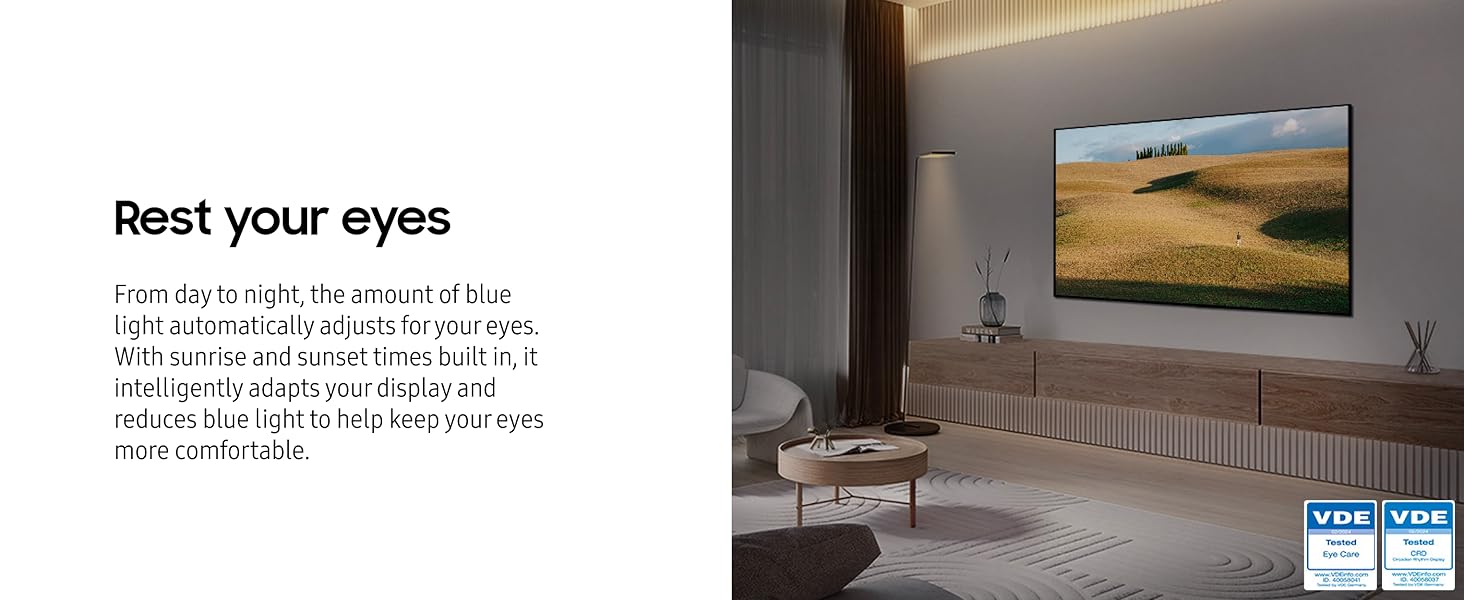
- Göz Konforu Modu: Automatically adjusts blue light based on ambient light and time of day to reduce eye strain.
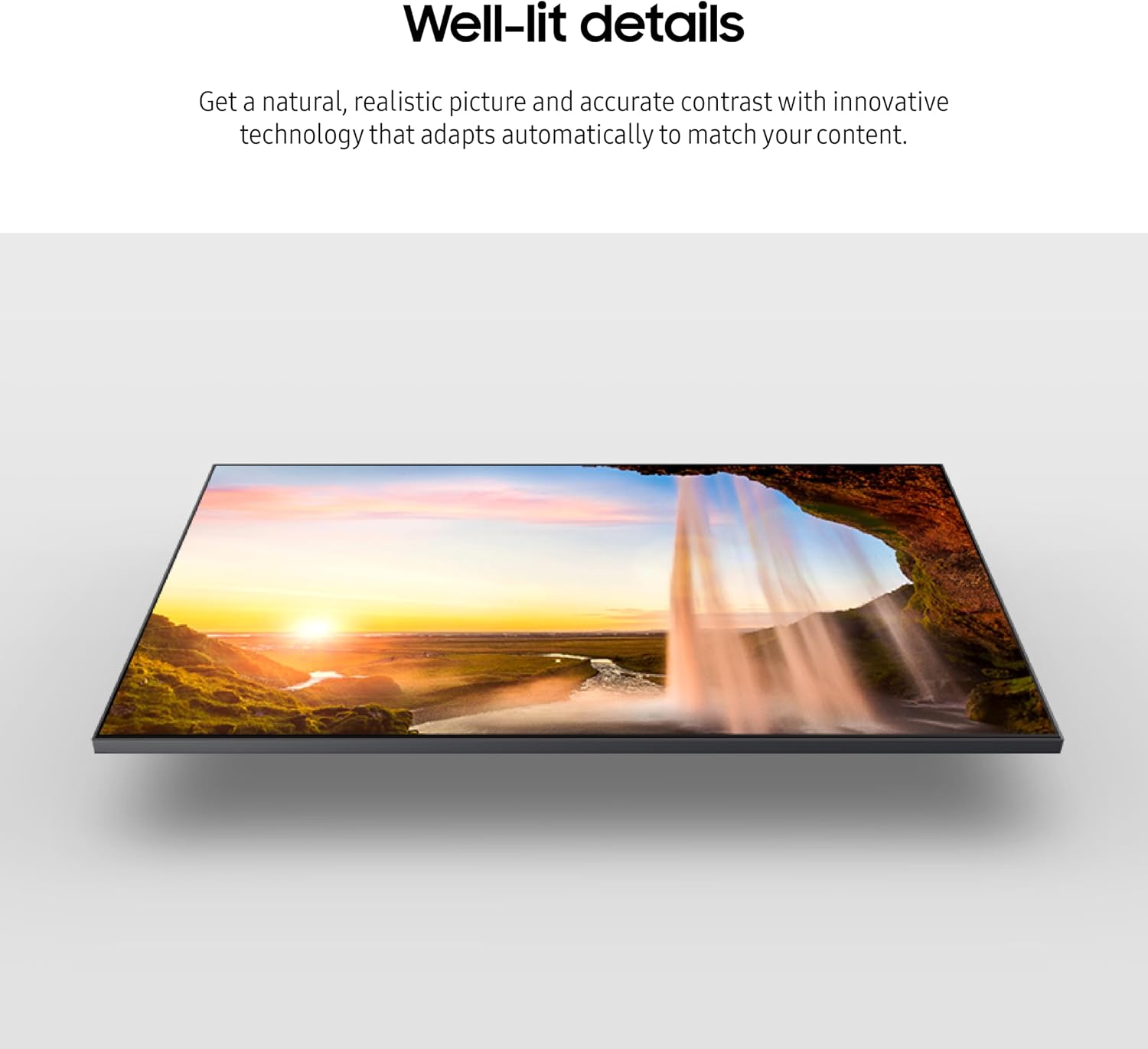
The Samsung QLED TV showcasing its ability to produce true-to-life colors with 100% Color Volume and Quantum Dot technology.

The Samsung QLED TV demonstrating distinct contrast and detail with Quantum HDR, optimizing imagery for various content.

The Samsung QLED TV illustrating smooth motion with Motion Xcelerator 120Hz, providing crisp visuals at 120 frames per second.

The Samsung QLED TV depicting the effect of Object Tracking Sound Lite, where 3D surround sound follows on-screen movement.
Akıllı TV Özellikleri (Samsung Tizen İşletim Sistemi)
The Samsung Tizen OS provides access to a wide range of streaming services, apps, and smart features. Navigate the Smart Hub to discover content.
- Yayın Akışı Uygulamaları: Access popular services like Netflix, Hulu, Prime Video, and more.
- Oyun Merkezi: Stream games directly from your TV without a console (high-speed internet and compatible controller required).
- Alexa Dahili: Use voice commands for TV control, information, and smart home integration.
- Çok View: Watch multiple sources simultaneously (e.g., Live TV and an HDMI input).

The Samsung Tizen OS Smart Hub interface, showing various streaming apps and content recommendations.
The Samsung Gaming Hub interface, displaying various cloud gaming titles and options for playing games directly on the TV.
Bakım
TV'nizi Temizleme
Ekranı temizlemek için yumuşak, tiftiksiz bir bezle hafifçe silin. İnatçı lekeler için hafifçe silin.ampBezi suyla veya elektronik cihazlar için özel olarak tasarlanmış bir ekran temizleyiciyle silin. Temizleyiciyi doğrudan ekrana püskürtmeyin.
For the TV frame and stand, use a soft, dry cloth. Avoid using abrasive cleaners, waxes, or solvents.
Yazılım Güncellemeleri
Ensure your TV's software is up to date for optimal performance and security. You can check for updates via the TV's settings menu (Settings > Support > Software Update).
Sorun giderme
Televizyonunuzda sorun yaşıyorsanız servise başvurmadan önce aşağıdaki genel çözümlere bakın.
| Sorun | Olası Çözüm |
|---|---|
| Güç Yok | Güç kablosunun televizyona ve duvar prizine sağlam bir şekilde bağlı olup olmadığını kontrol edin. Prizin çalışıp çalışmadığını başka bir cihazla test edin. |
| Görüntü/Ses Yok | Ensure the correct input source is selected. Check HDMI/audio cable connections. Try a different cable. |
| Uzaktan Çalışmıyor | Ensure the remote is charged (SolarCell Remote). Point the remote directly at the TV. Remove any obstructions. |
| Ağ Bağlantı Sorunları | Restart your router and modem. Reconnect to the Wi-Fi network or check the Ethernet cable connection. Verify Wi-Fi password. |
| Görüntü Kalitesi Sorunları | Görüntü ayarlarını (parlaklık, kontrast, keskinlik) düzenleyin. İçerik kaynağının yüksek kalitede olduğundan emin olun. |
Daha ayrıntılı sorun giderme için, TV'nin ekranındaki elektronik kılavuza bakın veya Samsung destek sitesini ziyaret edin. webalan.
Özellikler
Key technical specifications for the SAMSUNG 65-Inch Class QLED 4K Q70D Series Smart TV (Model: QN65Q70DAFXZA).
| Özellik | Detay |
|---|---|
| Model Numarası | QN65Q70DAFXZA |
| Ekran Boyutu | 65 İnç (166 cm görünür çapraz) |
| Ekran Teknolojisi | QLED |
| Çözünürlük | 4K UHD (3840x2160) |
| Yenileme Hızı | 120 Hz (Motion Xcelerator 120Hz) |
| İşlemci | Quantum Processor 4K w/ AI Upscaling |
| HDR Desteği | Kuantum HDR |
| Ses Çıkışı | 20 Watts, Built-In Speaker, Object Tracking Sound Lite |
| İşletim Sistemi | Samsung Tizen İşletim Sistemi |
| Bağlantı | Bluetooth, Wi-Fi, HDMI (multiple ports, one eARC), USB, LAN, Cable/Antenna |
| Boyutlar (G x Y x D) | TV Without Stand: 57.2" x 32.7" x 1" TV With Stand: 57.2" x 35.3" x 11.8" |
| Ağırlık | 49.2 Pound |
| Enerji Tüketimi | Yıllık 312 kWh (günde 4 saat baz alınarak) |

Diagram illustrating the dimensions of the SAMSUNG 65-Inch Q70D QLED 4K TV, both with and without its stand.
Garanti ve Destek
Garanti bilgileri için lütfen ürününüzle birlikte verilen garanti kartına bakın veya resmi Samsung web sitesini ziyaret edin. webSamsung, ürün soruları, teknik destek ve servis talepleri için müşteri desteği sağlamaktadır.
Çevrimiçi destek: Ziyaret etmek Samsung Desteği Sıkça sorulan sorular, indirmeler ve hizmet talepleri için.
Müşteri Hizmetleri: Contact Samsung customer service for direct assistance. Refer to the contact information provided on the Samsung support webBölgeniz için site.
İlgili Belgeler - QN65Q70DAFXZA
 |
Samsung Akıllı TV Kullanım Kılavuzu: Kurulum, Özellikler ve Sorun Giderme Samsung Smart TV'ler için kapsamlı bir kullanıcı kılavuzu; kurulum, bağlantılar, akıllı özellikler, görüntü ve ses ayarları, sorun giderme ve erişilebilirlik seçenekleri hakkında ayrıntılı bilgi vererek deneyiminizi geliştirmenize yardımcı olur. viewDeneyim. |
 |
Samsung Kullanıcı Kılavuzu Samsung kullanıcı kılavuzunun tamamı, Samsung TV'nizin yapılandırılması, kullanılması ve genişletilmesi için ayrıntılı talimatlar içerir. Découvrez, optimum deneyim için işlevsellik sunuyor. |
 |
Samsung TV Kullanıcı Kılavuzu: Özellikler, Kurulum ve Sorun Giderme Samsung TV'ler için kapsamlı kullanıcı kılavuzu; kurulum, bağlantı, akıllı özellikler, görüntü ve ses optimizasyonu, sorun giderme ve erişilebilirlik seçeneklerini kapsar. |
 |
Samsung QLED TV Hızlı Kurulum Kılavuzu: Kurulum ve Kurulum Talimatları Samsung QLED TV'ler (Q6*B/QB6* serisi, 43-85 inç) için kapsamlı hızlı kurulum kılavuzu. Standın nasıl monte edileceğini, kabloların nasıl bağlanacağını ve TV'nizin kullanıma nasıl hazırlanacağını öğrenin. |
 |
Samsung QN9*B Serisi Neo QLED TV Hızlı Kurulum Kılavuzu Samsung QN9*B ve QNB9* serisi Neo QLED TV'ler için stand kurulumu, duvara montaj, boyutlar ve 43 inçten 85 inçe kadar ekran boyutları için VESA özelliklerini kapsayan kısa kurulum kılavuzu. |
 |
Samsung The Frame TV Paketinden Çıkarma ve Kurulum Kılavuzu Samsung The Frame QLED 4K TV'nizi kutusundan çıkarıp kurmak için kapsamlı kılavuz. Çeşitli modeller için adım adım talimatlar, boyutlar ve VESA özelliklerini içerir. |
Ask a question about this manual
Ask about setup, troubleshooting, compatibility, parts, safety, or missing instructions. Manuals+ will review the question and use this page’s manual context to help answer it.